Solução
 Centro de Apoio
 Sobre nós
 Contato
How to Quickly Unlock a Carrier Locked Android Phone
 Gideon Byron publicado em agosto 21, 2026Desbloquear AndroidLeitura de 3 minutos
According to network providers, they lock Android phones to enhance loyalty. For customers, purchasing phones from carriers is a better deal due to the lower prices. However, it will become a problem when you want to switch to another carrier. Before you make the switch, you may have to unlock your phone from your current network. This guide shares the proven methods to unlock a carrier-locked phone and provides detailed steps.
Neste artigo:
Part 1: How to Unlock a Phone from a Carrier
Most carriers offer official channels to get a phone carrier unlocked, like making a request through customer support, using the web portal, or your carrier’s app. The precondition is that you must follow the device unlocking policies.
How to Unlock a Phone from Verizon
Device Unlocking Policy
- 1.Your phone must be in working condition and turned on.
- 2.Your device hasn’t been reported stolen or lost.
- 3.For a phone activated before January 26, 2026, it can be unlocked 60 days after activation.
- 4.For a phone activated after January 27, 2026, it can be unlocked after 365 days of paid and active service.
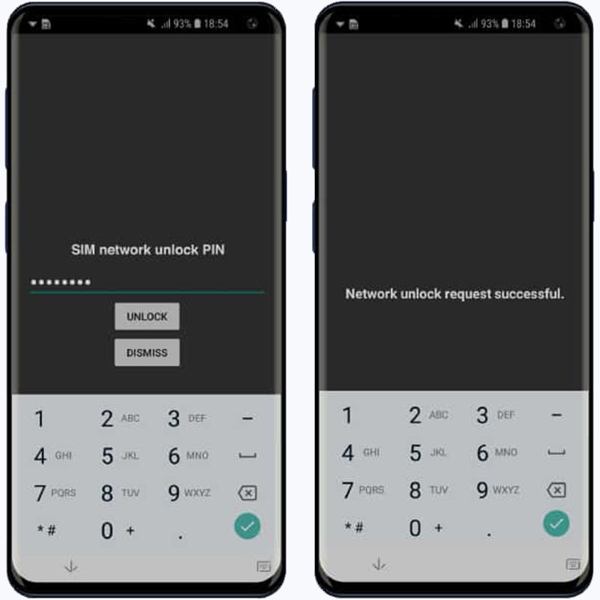
Take out the current SIM card from your device.
Insert a SIM card from another carrier into your phone.
If your phone is locked by Verizon, enter 000000 ou 123456.
Toque em DESBLOQUEAR botão.
When you see the successful message, the unlocked phone can be used with any carrier.
Observação:
If the unlock code is unavailable for your phone, dial (800) 922-0204 and make a request.
Como desbloquear um telefone da AT&T
Device Unlocking Policy
- 1.Your phone must have been purchased more than 60 days ago.
- 2.Your device was paid in full.
- 3.Your phone hasn’t been reported lost, stolen, or involved in fraud.
- 4.Your account must be current.
- 5.If you are using a prepaid phone, it must have been activated 6 months ago.
Unlock Phone for New Carrier in App
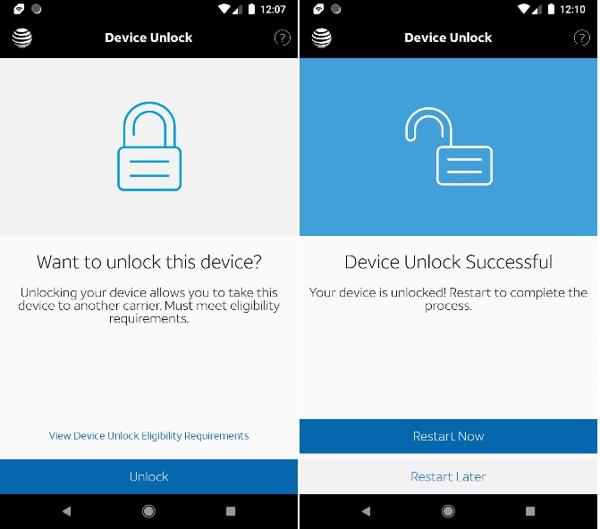
If you can meet the policy, install the AT&T Device Unlock app from the Google Play Store.
Toque em Desbloquear botão.
Close the app if the unlock is successful.
Unlock Phone from Carrier on AT&T Unlock Portal
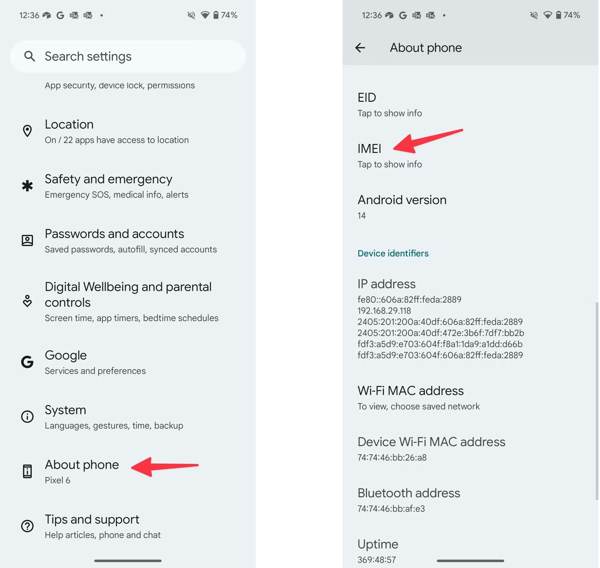
Execute o Definições aplicativo da sua bandeja de aplicativos.
Role para baixo e escolha Sobre telefone.
Toque IMEI para verificar seu número IMEI.
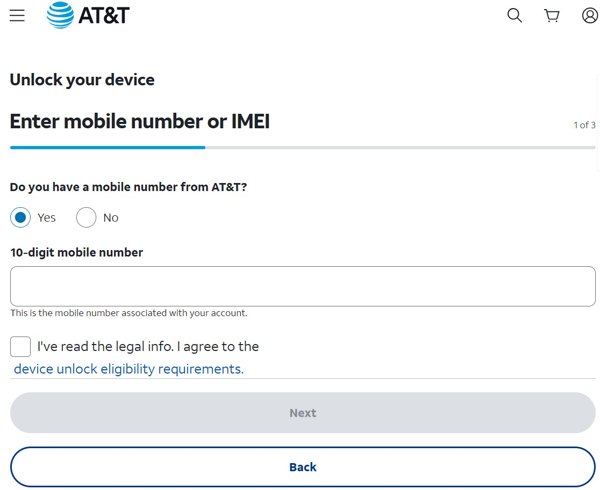
Next, go to https://www.att.com/deviceunlock/ in a browser.
Enter your phone number and agree to the legal information.
Clique no Próximo botão.
Follow the onscreen prompts to submit the unlock request.
When AT&T receives your request, it will send you a confirmation email.
Read the email and click the link within 24 hours to unlock your phone for a new carrier.
How to Unlock a Phone from T-Mobile
Device Unlock Policy
- 1.Your phone must be sold by T-Mobile.
- 2.Your device must not be reported as lost, stolen, or blocked.
- 3.The linked account must be in good standing.
- 4.For a postpaid phone, it must have been active on T-Mobile for more than 40 days.
- 5.For a prepaid phone, it must have passed 365 days since the phone was activated.
- 6.Your phone must be paid off in full.
For Samsung Devices
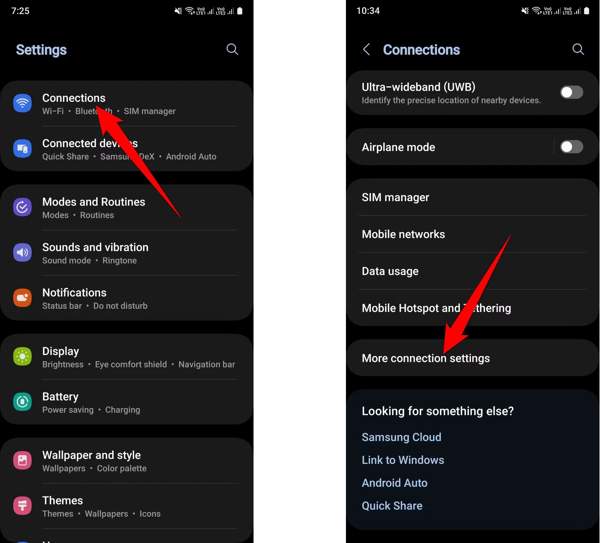
Execute o Definições aplicativo.
Vamos para Conexões e Mais configurações de conexão.
Toque Desbloqueio de rede.
Toque em Desbloqueio Permanente botão.
For OnePlus Devices
Vamos para Definições.
Navegar para Wi-Fi & internet, SIM e rede, e Avançado.
Toque Network unlock.
Bater Desbloqueio Permanente.
For LG Devices
Dirigir a Definições, Rede e internet, e Mobile networks.
Toque Network unlock.
Bater Continuar.
Imprensa Desbloqueio Permanente to unlock the phone from the carrier for free.
You May Also Like:
Part 2: How to Unlock Phone for a New Carrier Online
If you cannot meet the device unlocking policy, you will need a third-party unlock service to get a carrier unlock on Samsung phones and other brands. Fortunately, there are a few reputable unlocking services online. We use DoctorSIM as an example.
Access www.doctorsim.com/ in your web browser.
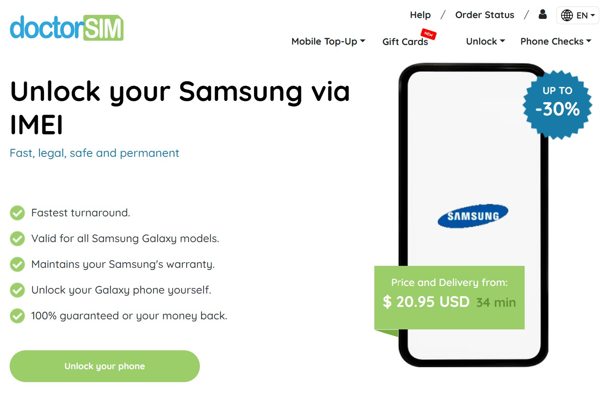
Clique no Desbloquear menu and choose your phone brand.
Clique no Desbloqueie seu telefone botão para iniciar o processo.
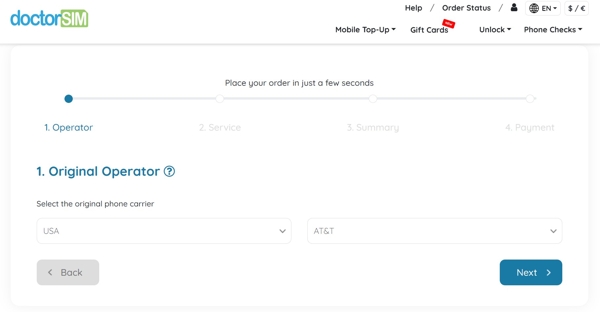
Select your country and carrier, and click Próximo.
Enter your IMEI number, email address, and hit Próximo.
Next, check out your bill.
When you receive the confirmation email, follow the instructions to unlock your phone from the carrier.
Part 3: Bonus Tip: How to Unlock a Phone Without a Password
Can an unlocked phone be used with any carrier? Yes. However, if you are locked out of your phone, you have to unlock it with imyPass AnyPassGo. It lets you remove any screen lock without the password.
Mais de 4.000.000 de downloads
Remove phone screen locks in 3 steps.
Work for PINs, patterns, Face IDs, fingerprints, and more.
Bypass Google FRP Lock without the password.
Suporte a uma ampla variedade de marcas e modelos de Android.
How to Unlock Your Phone Without a Password
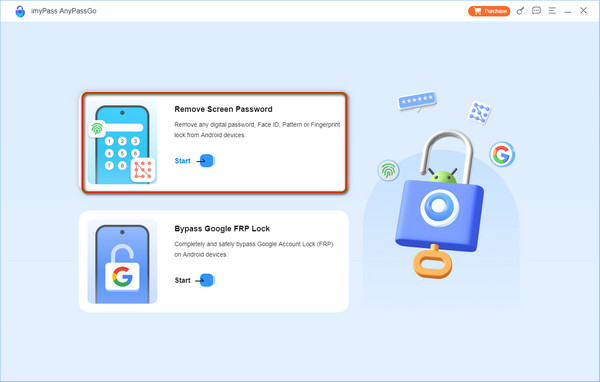
Install the phone unlocker
Run the phone unlocking software after installing it on your computer. Choose the Remover senha da tela mode to proceed. To bypass Google FRP, choose Ignorar bloqueio do Google FRP em vez de.
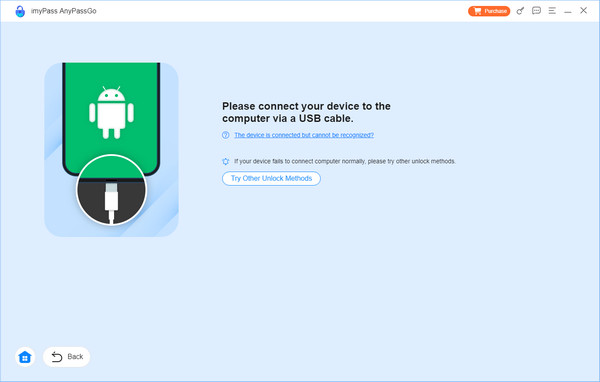
Conecte-se ao seu telefone
Select your device brand on the window and connect your phone to the computer with a USB cable.
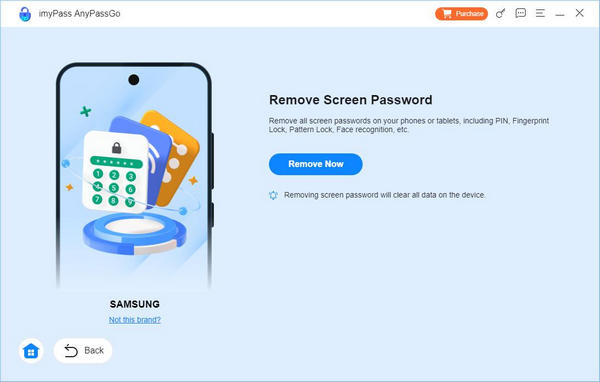
Desbloqueie seu telefone
Once your device is detected, click on the Remover agora button to begin unlocking your phone immediately.
Conclusão
This article explained how to unlock a phone from a carrier, such as Verizon, AT&T, T-Mobile, and more. You can pick an appropriate method and follow our detailed steps to get rid of the carrier lock and switch to any network plan. If the official method is unavailable, try a third-party unlocking service with a good reputation. If your phone is locked and you forgot the password, imyPass AnyPassGo is the ultimate way to regain access to your device.
Gideon writes about unlocking iOS, Android, and Windows devices. He previously worked as a mobile device specialist in a repair center, assisting customers with locked devices and password recovery. In his spare time, he tests new unlock tools, customizes smart devices and makes complex unlock processes simple and safe.
Soluções quentes
-
Desbloquear Android
-
Desbloquear iOS
-
dicas de senha
-
Dicas para iOS