Navegação
Arquivos
iBooks
Lembretes
Fotos
Música
Memorandos de voz
Telefone
Contatos
Kik
iTunes
Música
Lembretes
mensagens
LINHA
Viber
Correspondência
Arquivos
Música
Facetime
Notas
O que você acha do WhatsApp?
Memorandos de voz
Keynote
Books

Best iPhone Data Recovery Software for Any Situation

Has your iPhone been locked, damaged, broken, lost, or exposed to water? imyPass iPhone Data Recovery can help you safely recover lost iPhone data in all unexpected situations! Even without a backup!

Accidental Deletion

Recover accidentally deleted photos, videos, messages, contacts, and other important files from your iPhone.

Forgotten Passcode

Retrieve important iPhone data when you forget your passcode or your device becomes disabled.

Broken Screen

Restore data from an iPhone with a broken or unresponsive screen before replacing your device.

Water or Physical Damage

Recover lost files from iPhones affected by water damage, drops, or other unexpected accidents.

Redefinição de fábrica

Get back lost iPhone data after accidentally resetting your device without a previous backup.

iOS System Crash

Get back your files after iOS crashes, update failures, system errors, or unexpected shutdowns.

Lost or Stolen Phone

Recover data from a lost or stolen iPhone. Get your important data back even if your device is gone.

Jailbreak Failure

Restore lost iPhone data caused by jailbreak issues or unsuccessful system modifications after system errors.

Recover Lost Data from iPhone, iTunes & iCloud Backup

No matter where your lost data is stored, imyPass provides multiple ways to get it back. Recover files from iPhone, iPad, or iPod directly, or extract data from iCloud, iTunes, Finder, and local backups with ease.

Recover Data from iOS Devices Directly

Recover Data from iOS Devices Directly

Lost important files but don't have an iTunes or iCloud backup? imyPass can directly scan your iPhone, iPad, or iPod to recover data without a backup.

Restore Files from iCloud Backup

Restore Files from iCloud Backup

When your iPhone is lost, damaged, or reset and you have an iCloud backup available, imyPass allows you to access backup data securely, preview files before recovery, and restore only the content you need.

Restore Files from Any Local Backup

Restore Files from iTunes/Finder Backup

If your iPhone is disabled, stuck, or unresponsive, imyPass can extract hidden data from iTunes/Finder backups on Windows PC or Mac, then you can recover data selectively instead of restoring everything.

Restore Files from iTunes/Finder Backup

Restore Files from Any Local Backup

Want to retrieve data from an older backup? imyPass can help you load existing backup files stored locally and recover valuable information whenever you need it.

Powerful Features for Smarter Data Recovery

With advanced scanning technology and smart recovery features, you can quickly find, preview, and restore the data you need.

Recover Without Backup Recuperação

Restore 20+ Types of Data Without Backup

imyPass iPhone Data Recovery can recover all kinds of lost files, including photos, videos, messages, contacts, notes, call history, voicemails, reminders, WhatsApp chats, attachments, Safari history, app data and more.

No Data Overwriting Seguro

Recover Without Overwriting the Current Data

imyPass retrieves lost files without replacing existing content on your iPhone. It allows you to selectively recover deleted files you need instead of performing a full restore. Your current data remains safe during the recovery process.

Fast and Deep Scan Seguro

Fast & Deep Scan Recoverable Files

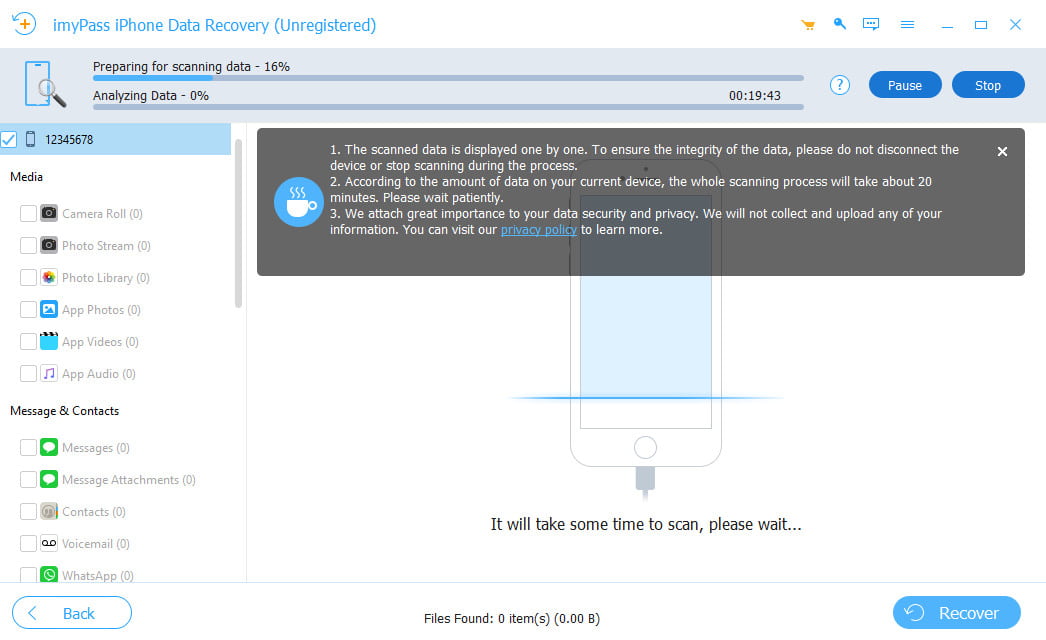
imyPass quickly analyzes your iPhone and searches for all recoverable files from your device or backups. The deep scan mode can automatically detect deleted or hidden data in a short time. Even if your data was lost days, weeks, or longer ago, imyPass helps you find and recover it efficiently.

Fast and Deep Scan Procurar

Preview & Select Data Before Recovery

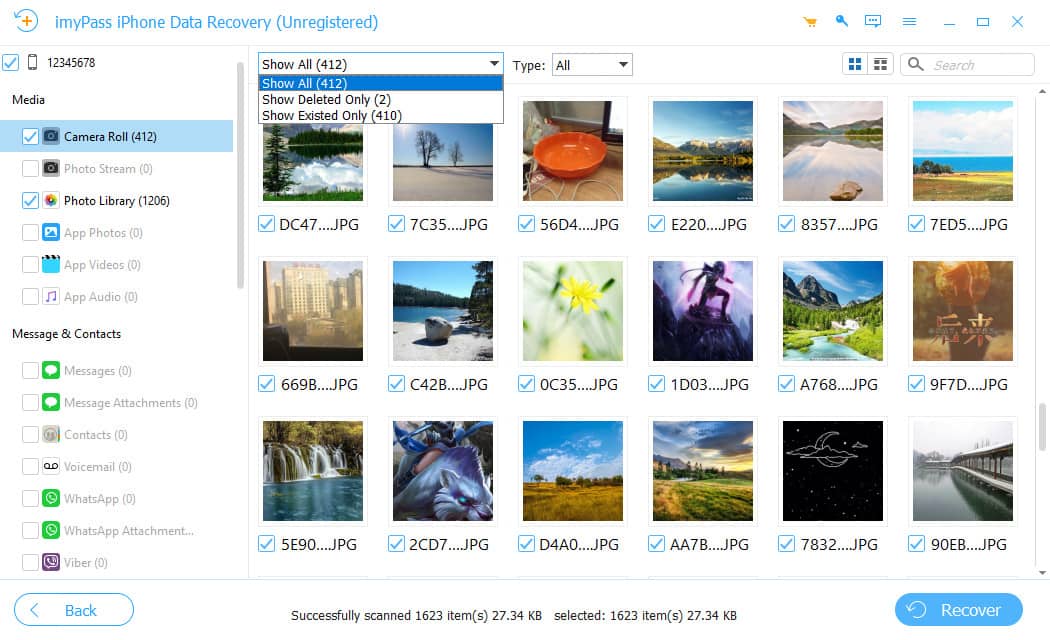
Before recovering your files, you can preview scanned data in detail. The program allows you to filter data by category and search for specific data directly. You can also choose Show All or Show Deleted Only to quickly locate your files, select the items you want, and restore them immediately.

More Highlighted Features for You to Explore

Enjoy a smoother and more efficient iPhone data recovery experience with these smart and convenient features.

100% Safe Software

Recover files safely without overwriting your existing iPhone data.

Smart File Filter

Filter scanned files by type, date, and category to find data faster.

Fast File Search

Find specific deleted files instantly by entering keywords or file names.

How to Recover Data from iPhone Without Backup

Simple, guided process - no technical expertise required.

Passo 1

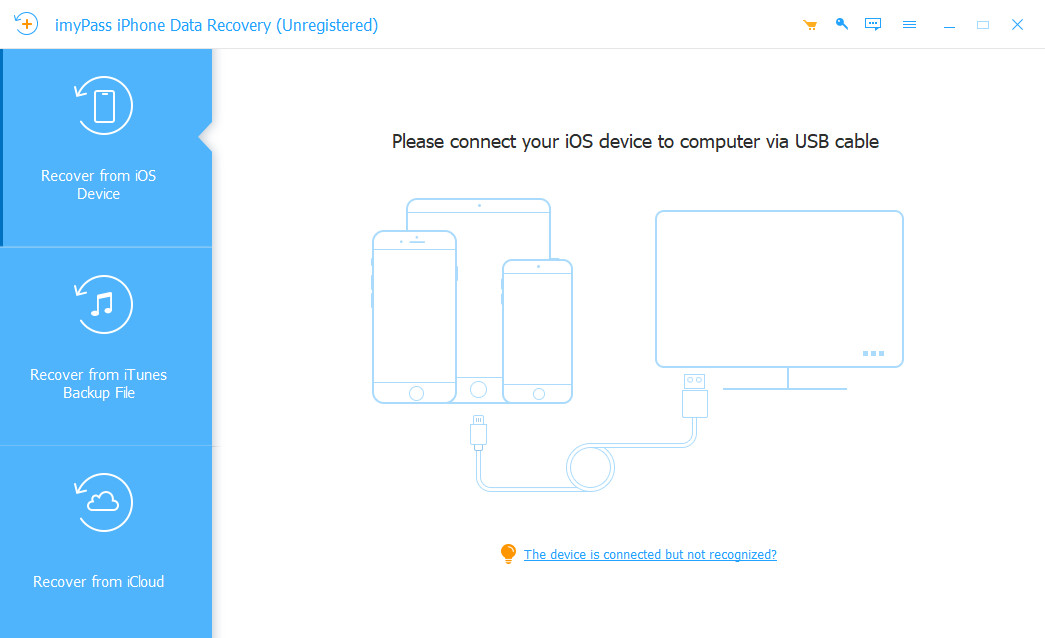
Conecte seu dispositivo ao seu computador

Launch the program and connect your device to your computer. The program will automatically detect your device.

Passo 2

Scan and Preview Deleted Files

Select Recover from iOS devices to start scanning. After the scan, you can filter files by category or search directly for specific files.

etapa 3

Recover Files from iOS Device

Select the files you want to recover, choose an output folder, and click Recover. Wait for the recovery process to complete.

Connect to iOS Device
Scan and Preview
Recuperar arquivos excluídos

Trusted by Over 1 Million Users

4.9

1000+

Verified Reviews

What I liked most is that it didn't force me to restore the entire iTunes backup. I could preview everything and only recover the files I actually needed.

I dropped my iPhone in water and the screen completely stopped working. Even though the phone wouldn't turn on properly, I was still able to recover my WhatsApp chats and photos.

I deleted an important document by mistake and spent hours looking for a way to get it back. This software actually recovered it without resetting my phone.

Soluções em destaque que você pode precisar

Recuperação de dados do iPhone imyPass

No backup required · No data loss · No technical expertise needed