



 Solução
 Centro de Apoio
 Sobre nós
 Contato
How to Unlock iPhone Without Phone Number Easily & Quickly
 Samuel Spenser publicado em junho 30, 2026Desbloquear iOSLeitura de 3 minutos
Changed your phone number and suddenly can't access your Apple account? You're not alone. Many users run into the same issue after switching numbers or losing access to a trusted device. If you're searching for how to unlock an iPhone without a phone number, don't panic. There are several effective ways to get back into your account, and we'll walk you through the best ones below.

Neste artigo:
Part 1. Why Your iPhone Is Locked
Most iPhone lock issues don't appear out of nowhere. They usually build up from a few small triggers until you suddenly get blocked at the login screen.
Here are the most common reasons this happens:
- Too many incorrect passcode attempts, which leads to automatic device lock for security protection.
- Forgotten Apple ID password or repeated failed sign-in attempts.
- Two-factor authentication requiring a trusted phone number that is no longer available.
- A changed SIM card or phone number that is still linked to your Apple account verification.
- Security checks triggered when signing in from a new or unfamiliar device.
If you're trying to figure out how to unlock an iPhone account without a phone number, identifying your situation first will make the next steps much clearer.
Part 2. How to Unlock iPhone with Phone Number
If your phone number is still active, getting back into your iPhone is usually simple because Apple can still verify your identity through a trusted number.
Sign in with your Apple ID on your iPhone, another trusted device, or Apple's official login page.
Wait for the verification code sent to your trusted phone number.
Enter the code to confirm your identity and continue.
If the system asks for extra verification, you may see a security notice such as ID Apple bloqueado por motivos de segurança, which usually appears when Apple detects unusual sign-in activity and temporarily restricts access. In that case, follow the on-screen prompts to verify your identity.
Finish the sign-in process or reset your Apple ID password if needed.
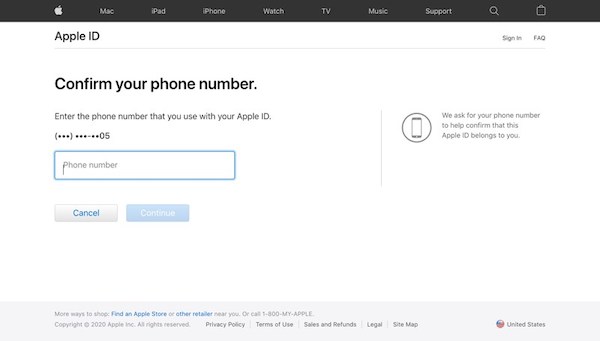
But once your phone number is no longer available, the flow can break down. So you need to learn how to unlock iPhone account without phone number.
Part 3. How to Unlock iPhone Without Phone Number
If your trusted phone number cannot be used, don't rush into creating a new Apple ID or resetting your device. Here are also some solutions worth considering.
Method 1. Use imyPass iPassGo
imyPass iPassGo is designed for situations where you can't verify your Apple ID with a trusted phone number. If you're searching for how to unlock an iPhone without a phone number, it's one of the tools you can consider.

Mais de 4.000.000 de downloads
Removes Apple ID from supported iOS devices without original phone number.
Supports the latest iPhone models and recent iOS versions.
Simple interface that makes the process easy for first-time users.
Saves time when Apple's account recovery fails.
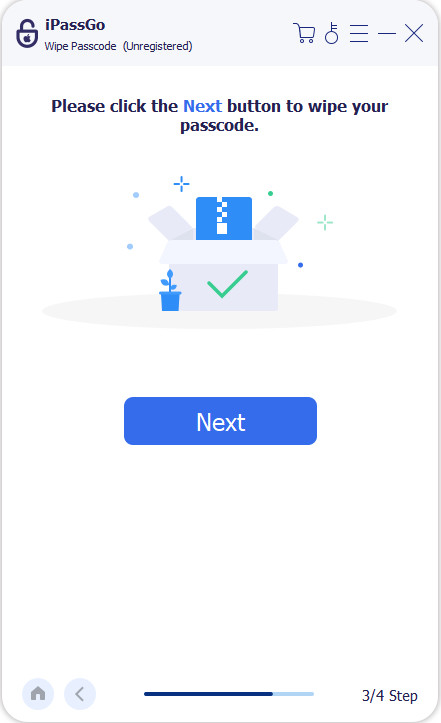
Download and install this program on your Windows or Mac computer, then launch it and choose Comece a desbloquear na tela inicial.
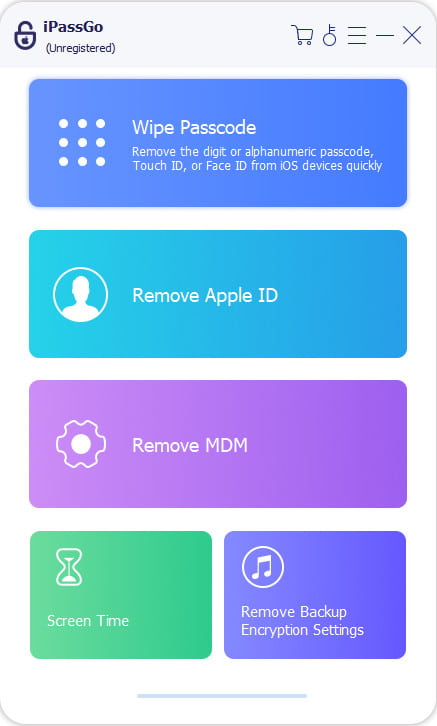
Connect your iPhone with a USB cable. If your device asks whether to trust the computer, tap Trust and enter your screen passcode.
Once your iPhone is recognized, confirm the device information displayed on the screen and click Comece agora continuar.
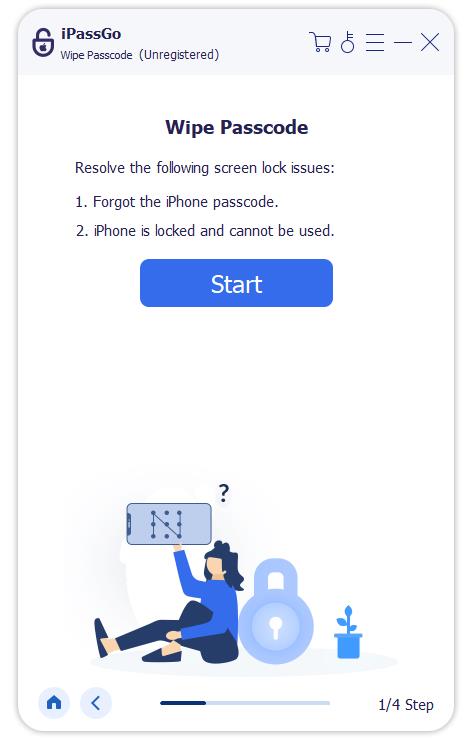
If prompted, download the firmware package required for your device model. Keep the connection stable until the download is complete.
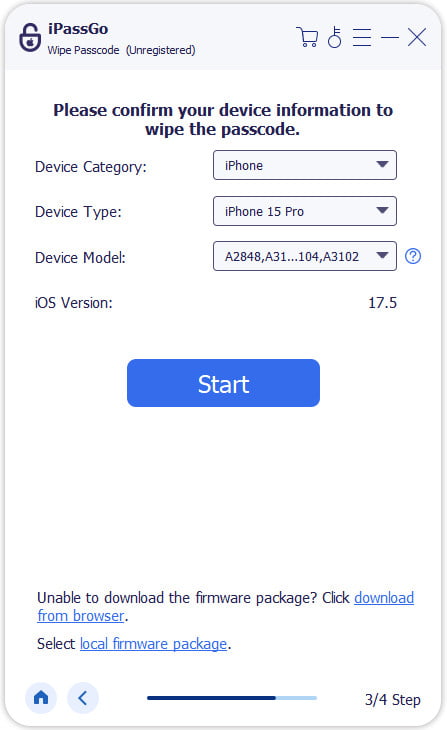
Após o download, clique em Começar a remover. Keep your iPhone connected throughout the process until it restarts automatically.
Method 2. Use a Trusted Device
If one of your Apple devices is still signed in, you're in a much better position. You can reset your Apple ID password there and get back into your iPhone without using your previous phone number.
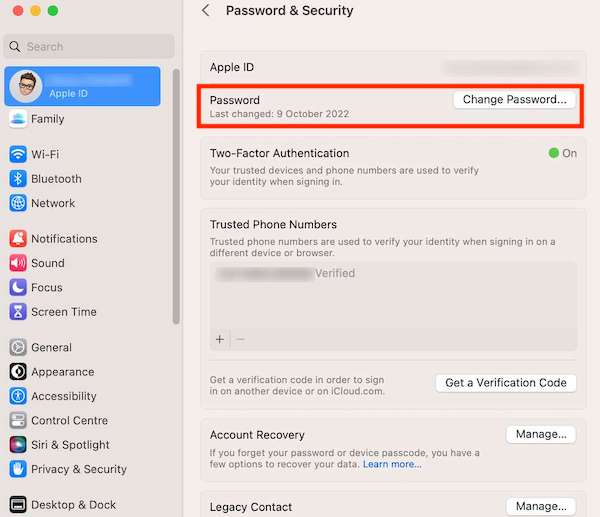
On your trusted iPhone or iPad, open Definições and tap your Apple ID profile at the top. If you're using a Mac, open Configurações de sistema and click your Apple ID.
Selecionar Login e segurança, em seguida, toque em Mudar senha. You may be asked to enter your device passcode or Mac login password to verify your identity.
Follow the on-screen instructions to create a new Apple ID password. Choose a strong password that you haven't used before.
After the password has been updated, return to your locked iPhone and sign in with your Apple ID using the new password.
Method 3. Use Apple's iForgot Website
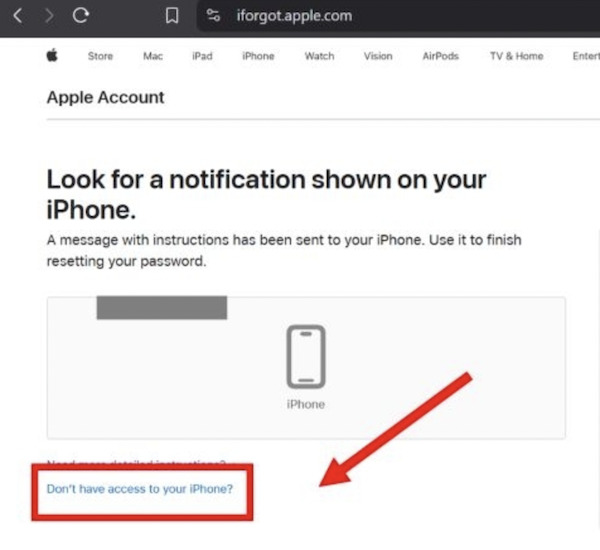
If you no longer have access to your trusted phone number or a trusted device, Apple's iForgot website is the official place to start the recovery process.
Open the iForgot website and type in the Apple ID connected to your iPhone. Click Continuar to move to the verification screen.
Apple will ask you to confirm your identity. If your trusted phone number is unavailable, select the recovery option that's offered on the page and continue with the prompts.
During verification, Apple may try to send a security code. If the code never arrives or keeps failing, it's worth checking fixes for the Apple verification code not working before starting the recovery request again.
Once everything has been submitted, you'll need to wait while Apple checks your request. The review time varies, so don't worry if it isn't approved right away.
After your identity has been confirmed, you'll be able to create a new password.
Method 4. Use a Recovery Key
If you enabled a Recovery Key before losing access, you can use it to verify your identity and recover your account without relying on a trusted phone number.
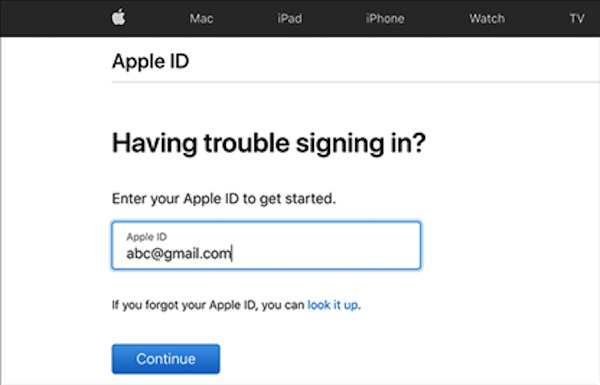
Open Apple's recovery page and enter your Apple ID.
Choose the option to verify your identity with a Recovery Key.
Enter your 28-character Recovery Key exactly as it was created.
Follow the remaining prompts to reset your password and sign back into your account.
No single method works for every situation, but you still have a good chance of getting back into your account. Start with the option that matches what you still have access to, and you'll avoid unnecessary delays or extra recovery attempts.
Conclusão
Losing your trusted phone number can make signing in a lot more difficult, but it doesn't have to stop you from getting your account back. If you're searching for how to unlock an iPhone account without a phone number, there's a good chance one of the methods above will work for your situation. And if you'd rather skip the longer recovery process, imyPass iPassGo is another option you can try.
Samuel specializes in password security and digital privacy. He used to work as a cybersecurity consultant for small businesses to protect digital assets. With certifications in Cybersecurity and Ethical Hacking, he turns complex security topics into easy-to-follow advice. He also enjoys sharing password tips to help users protect their accounts more confidently.
Soluções quentes
-
Desbloquear iOS
-
Dicas para iOS
-
Desbloquear Android
-
dicas de senha


