



 Solução
 Centro de Apoio
 Sobre nós
 Contato
6 iPad Unlocker Software Review (2026 Comprehensive Guide)
 Samuel Spenser publicado em maio 20, 2026Desbloquear iOSLeitura de 3 minutos
Forgetting your iPad lock screen passcode, purchasing a second-hand device locked to a previous owner's Apple ID, or getting hit with multiple "iPad is disabled" errors can completely stall your productivity. In these high-stakes moments, finding a dependable iPad unlocker is paramount to regaining full control of your hardware asset.
Many users immediately search for an iPad unlocker free utility or browse technical forums for the absolute best free iPad unlock software. That’s what this post can help. To prevent you from wasting hours on malicious malware or outdated freeware, we have benchmarked and thoroughly audited the top 6 professional iPad unlockers available in 2026.

Neste artigo:
Part 1. Shortlist of the Top 6 iPad Unlockers
If you are pressed for time, here is our carefully selected shortlist of the premier iOS and iPadOS unlockers currently ruling the industry. Check them and choose your desired iPad unlocker software.
- 1.imyPass iPassGo (Editor's Choice ): The absolute benchmark for 2026. Delivers an unrivaled 99.2% operational success rate across iPad Pro, Air, mini, and baseline generations. Features an incredibly intuitive layout combined with rapid, multi-threaded firmware delivery pipelines. Highly secure, clean, and optimized for non-technical operations.
- 2.Tenorshare 4uKey: A very well-known and powerful iPad unlocker tool that unlocks screens effectively, but its price is quite high for normal users.
- 3.iMyFone LockWiper: A classic choice with clear step-by-step guides. It works well most of the time, but can sometimes feel a bit slow on very old iPads.
- 4.AnyUnlock (iMobie): A massive toolkit that can unlock almost anything, including SIM cards. However, it has so many features that the screen looks a bit messy for beginners.
- 5.Dr.Fone - Screen Unlock (iOS): Made by a very large software company. It is highly secure and stable, but you have to download a huge package, and it is expensive if you only need to unlock one device.
- 6.BuhoUnlocker: A super simple and lightweight iPad unlocking tool. It runs fast and doesn't cost much, but it lacks some advanced features for complicated locks.
Part 2. Master Comparison of the 6 iPad Unlockers
| Software | Taxa de sucesso | What Can It Unlock? | Velocidade | Is it Worth the Money? |
| imyPass iPassGo | 99.2% (Highest) | Unlocks All 4 Types + Backup Password | Super Fast & Smooth | Best Price & High Value |
| Tenorshare 4uKey | 97.5% | Unlocks All 4 Types | Fast and Stable | Quite Expensive |
| iMyFone LockWiper | 95.1% | Unlocks All 4 Types | Normal Speed | Fair Price |
| AnyUnlock | 93.8% | Unlocks All 4 Types | A Bit Slow / Heavy | High Price |
| Desbloqueio de tela do Dr.Fone | 96.0% | Unlocks All 4 Types + System Repair | Slow to Start Up | High Price |
| BuhoUnlocker | 90.2% | Screen Lock & Apple ID Only | Light and Quick | Cheap / Budget-Friendly |
Part 3. Detailed Review of the 6 iPad Unlockers
1. imyPass iPassGo - The Best Choice for Everyone
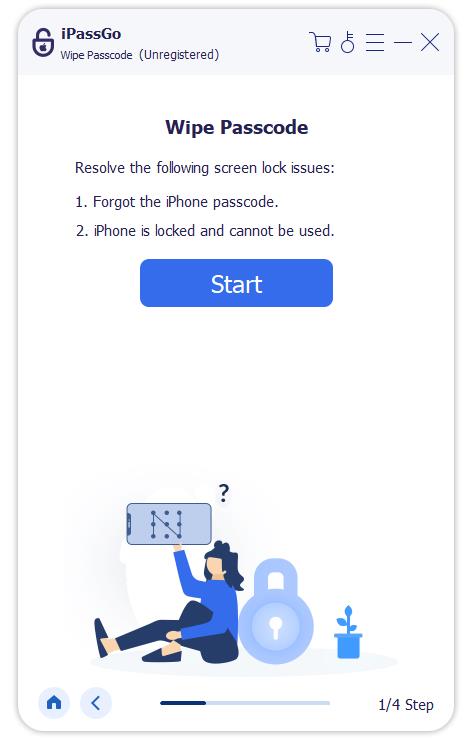
If you want a tool that just works without making you read long manuals, imyPass iPassGo is the absolute best iPad unlocker. It is designed specifically so that anyone can use it without technical skills. It can directly remove all types of screen locks – passcode, Touch ID, and Face ID, without any hassle on all iPad device models and iPadOS versions (including the latest iPadOS 27). Moreover, it can also remove MDM profiles and Screen Time restrictions on your iPad, making your device truly free from controls or forgotten passcode.
Key Features of imyPass iPassGo:
- Connect your iPad to your computer to easily remove screen locks.
- Quickly remove restrictions from MDM and Screen Time.
- Unlock iTunes backup encryption password on your iPad or iPhone.
- Remove unwanted Apple IDs from your iPad.
2. Tenorshare 4uKey
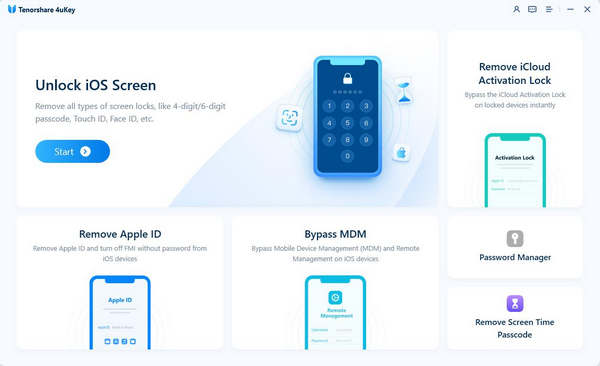
Tenorshare 4uKey is a highly popular and strong iPad unlocker program used by millions of people worldwide. It is excellent at getting you past disabled iPad screens and system lockouts without making you open Apple's confusing, error-prone iTunes software. The app receives constant updates to make sure it can handle the newest iPadOS versions the second they launch. It guides you smoothly through downloading the necessary repair files and loading them onto your tablet safely, making it a reliable choice for severe lockouts.
Key Features of Tenorshare 4uKey:
- Unlock your tablet from a disabled iPad or lock screen.
- Cleanly wipe your iPad to factory conditions in just a few clicks.
- Automatically detect and download the correct software package for your iPad.
- Work seamlessly across older iPads and the newest iPad Pro and Air models.
3. iMyFone LockWiper
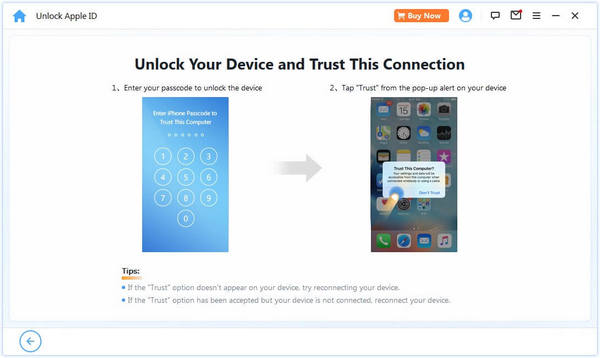
iMyFone LockWiper is a dependable iPad unlocker that features a very clean, linear layout built on a simple 3-step wizard style. You don't have to look through multiple tabs or side menus; you just follow the massive on-screen buttons to wipe your iPad's passcode to unlock it for free. It is an amazing tool for iPad users who feel overwhelmed by computers, as this iPad unlocker uses large text, highly descriptive icons, and helpful status bars that tell you exactly what is happening every single second of the process.
Key Features of iMyFone LockWiper:
- Offer simple on-screen guides and an easy workflow to unlock your iPad.
- Bypass locks when your iPad screen is broken.
- Safely remove activation locks and Screen Time limits without stress.
- Remove MDM configurations from your iPad to use it freely.
4. AnyUnlock
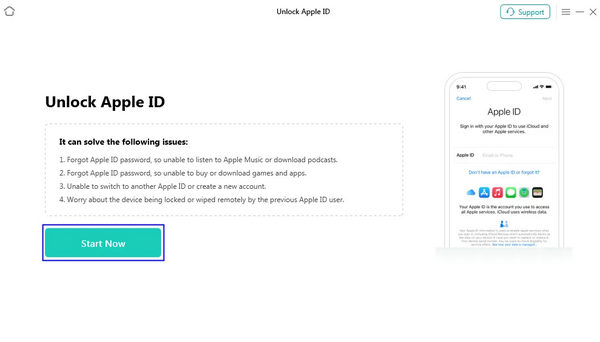
AnyUnlock is like a heavy-duty Swiss Army knife for Apple mobile devices. Developed by iMobie, this program doesn't just act as a standard iPad unlocker; it contains a massive library of mini-tools designed to fix almost any digital lock problem on your tablet. While this iPad unlock software easily removes standard iPad lock screens, it can also help you look at passwords saved inside your browser, remove encrypted locks on your old local computer backups, and open up locked SIM cards from specific mobile phone carriers on cellular iPad models.
Key Features of AnyUnlock:
- Offer a wide bundle of specialized lock-breaking utilities.
- Safely remove passwords from old local iPad computer backups.
- Allow you to find and view passwords saved on your iPad device.
- Remove network provider restrictions on cellular-model iPads.
5. Dr.Fone - Screen Unlock (iOS)
This iPad unlocker tool comes from Wondershare, a massive, globally trusted software company known for making highly secure applications. Dr.Fone iPad unlock software is beautiful, safe, and guarantees that it won't harm your iPad's internal hardware during the sensitive unlocking process. It operates like professional workshop equipment, ensuring that your tablet goes through a clean, stable system reinstallation that leaves the device fresh, updated, and ready for a brand-new setup.
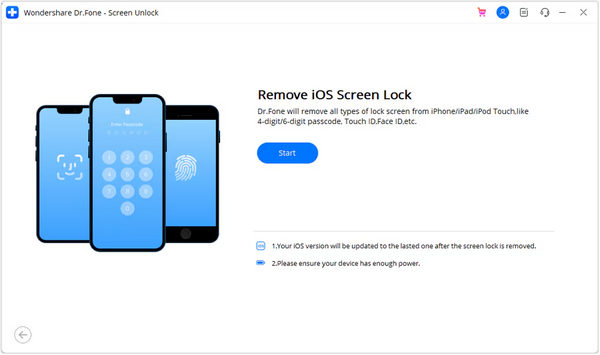
Key Features of Dr.Fone - Screen Unlock (iOS):
- Easily unlock your iPad while highly keeping your data safety.
- Clean out deep iPadOS lock issues while maintaining total device stability.
- Feature a wonderful and highly modern layout that is very easy to navigate.
- Provide extra data recovery and system repair features.
6. BuhoUnlocker
BuhoUnlocker is an exceptionally elegant, minimalist iPad unlocker app that prides itself on small file sizes and core efficiency. It completely discards advanced corporate tools, extra password managers, and heavy diagnostic suites in favor of lightning-quick execution times. If you have a normal iPad with a standard screen lock problem and you just want a small, affordable iPad unlock program that won't take up all the space on your computer, this lightweight option is a great resort.
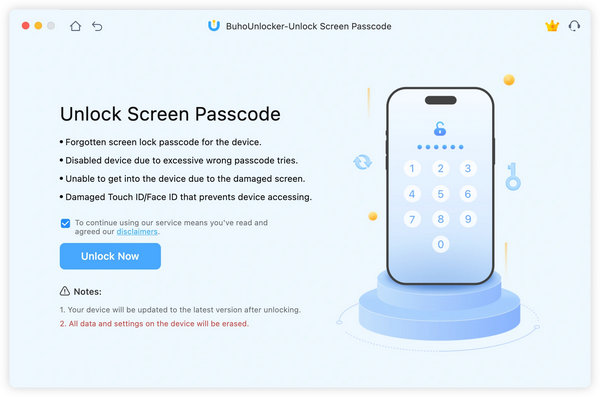
Key Features of BuhoUnlocker:
- Fast install and launch on your Windows or Mac computer.
- Unlock iPad screen, MDM, and Screen Time with simple workflows.
- Support the latest iPadOS 27 and iPad device models.
- Provide proper iOS firmware for your iPad device.
You May Also Like:
Perguntas frequentes.
-
How do I unlock my iPad if I forgot my passcode?
Just use imyPass iPassGo. Connect your iPad to your computer. Select Desbloquear tela do iOS. Check your iPad info and click Comece agora to easily unlock your iPad.
-
How to unlock iPad without passcode or password?
You can use iTunes on Windows or Finder on macOS. Put your iPad into the Modo de recuperação first. Then, connect it to your computer. On iTunes or FInder, you can select Restaurar ou Atualizar to unlock your iPad.
-
How do I find out what my iPad passcode is?
Você pode usar o senhas app in your iPad. It stores the saved passwords on your iPad. However, if you've forgotten your iPad passcode and cannot log into it, you can only unlock it with imyPass iPassGo.
Conclusão
This article collects the 6 best iPad unlock software on Windows and macOS computers. They are all very easy to use and can effectively unlock your iPad's screen passcode, Touch ID, and Face ID. If you need the most robust one with the highest success rate, you can consider imyPass iPassGo. From our tests, it can easily unlock old and new iPad devices even though some devices are disabled or have broken screens. You will be able to regain access to your iPad without effort.
Samuel specializes in password security and digital privacy. He used to work as a cybersecurity consultant for small businesses to protect digital assets. With certifications in Cybersecurity and Ethical Hacking, he turns complex security topics into easy-to-follow advice. He also enjoys sharing password tips to help users protect their accounts more confidently.
Soluções quentes
-
Desbloquear iOS
-
Dicas para iOS
-
Desbloquear Android
-
dicas de senha


