



 Solução
 Centro de Apoio
 Sobre nós
 Contato
What Is iRemove Tools and How to Bypass Activation Lock
 Samuel Spenser publicado em agosto 13, 2026Desbloquear iOSLeitura de 3 minutos
This article reviews Ferramentas iRemove, one of the best iCloud Activation Lock bypassing software. If you have an iOS or iPadOS device, you can access a variety of Apple services after being associated with an Apple Account. Find My, for example, is a feature to track your device. Once you turn it on, iCloud Activation Lock is enabled automatically and prevents unauthenticated setup. At this point, you will need iRemove.

Neste artigo:
Part 1: In-depth Review of iRemove Tools
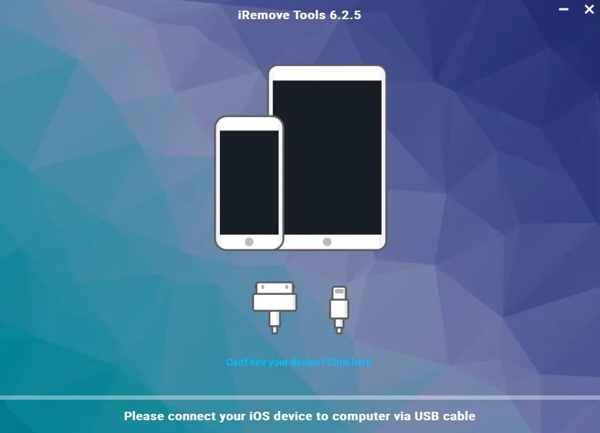
As mentioned previously, iRemove Tools is a toolkit to bypass iCloud Activation bypass and MDM on iPhones and iPad devices. It is widely used among users who bought second-hand Apple handsets and cannot contact the owners.
Core Features of iRemove Tools
- 1.Bypass iCloud Activation Lock on iPhones and iPad devices.
- 2.Remove MDM profiles from iOS devices.
- 3.Turn off Find My iPhone or Find My iPad without a password.
- 4.Bypass Activation Lock from iOS 12 to iOS 27.
- 5.Get rid of MDM on any iOS version.
- 6.Remove Apple ID password on up to iOS 11.3.
- 7.Unlock MDM on MacBook Pro/Air.
- 8.Provide a free version for specific versions of iOS and iPadOS.
iRemove Tools Review on Reddit
Don't confuse iRemove Tools. It is good and apparently gives you the best customer support if things go wrong. However, I have never had any issues when using the software.
I have used the iRemove Tools a few times. I set it up to remove Activation Lock on an iPad Pro successfully. It is definitely the best paid service out there at the moment.
iRemove Tools Review on Trustpilot
WOW! Finally, something that actually works. The tool helped me unlock my iPad after I had forgotten my password and was unable to get past the Activation Lock screen.
Unfortunately, iRemove could not bypass my iPhone XS Max running iOS 18.7.8, although the software is supposed to bypass up to iOS 26. I asked for a refund and got it the next day. I'm disappointed that it didn't work, but I got my refund really fast with no questions asked.
Você pode querer saber:
In-depth Review of iRemove Software
Prós
- iRemove Tools integrates a user-friendly interface.
- The software is legit and safe to use, according to our test.
- Users can find the supported device models on the website.
- It extends the functionality to Apple Watches.
Contras
- A versão gratuita é limitada.
- The prices are high:
iCloud Activation Lock Bypass tool starts from $19.00.
MDM Bypass tool starts from $44.99. - The success rate is different, depending on your device model.
Part 2: How to Use iRemove Tools
Visit the official website of iRemove Tools and check if your device is supported.
Then, download iRemove Tools for Windows or Mac.
Run the program file and follow the onscreen instructions to install it.
Disable your antivirus and any other software that might be blocking internet traffic.
Open the toolkit from your desktop.
Connect your iPhone or iPad to the computer with a compatible cable.
The software will automatically check your device and display the result.
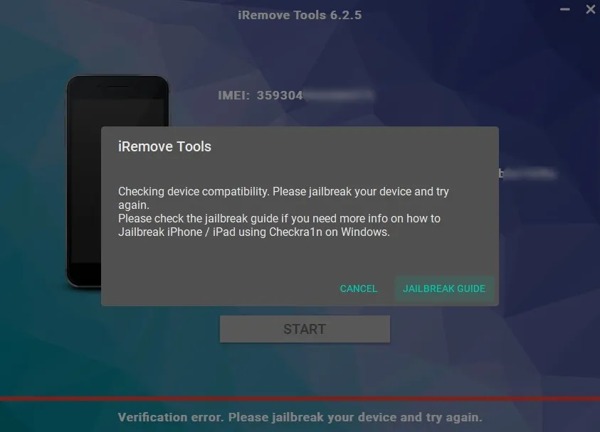
Clique no Jailbreak Guide button and jailbreak your device following the instructions.
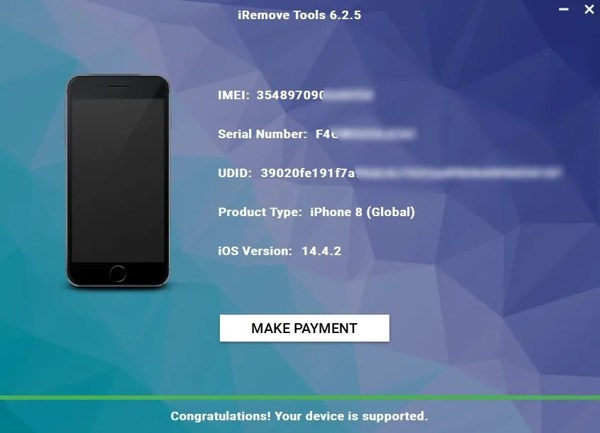
A seguir, clique no MAKE PAYMENT button to pay the bill.
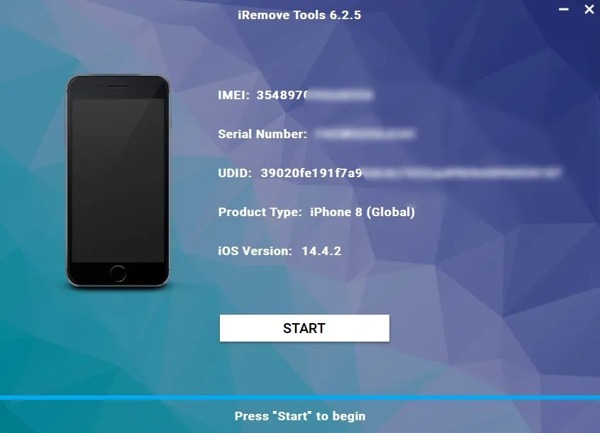
Por fim, clique no botão Começar button to begin bypassing Activation Lock.
Part 3: A Great Alternative to iRemove Tools
If iRemove Tools fails bypassing iCloud Activation Lock on your iPhone or iPad, try an alternative solution, such as imyPass iPassGo. It offers more useful features and is able to remove almost all locks and restrictions from your iOS device. More importantly, it delivers a high success rate.

Mais de 4.000.000 de downloads
Bypass iCloud Activation Lock on an iPhone or iPad easily.
Won't ask for your iPhone passcode or Apple ID password.
Remove screen locks, Apple ID, and iTunes backup encryption.
Unlock SIM card on iPhone, MDM, and Screen Time without data loss.
Support almost all iPhone and iPad models.
How to Bypass iCloud Activation Lock on Your iPhone
Conecte-se ao seu dispositivo
Run iRemove Tools alternative after you install it on your PC. There is another version for Mac. Choose the Ignorar o bloqueio de ativação do iCloud mode. Link your iPhone to your PC with a Lightning cable and wait for the software to detect it.
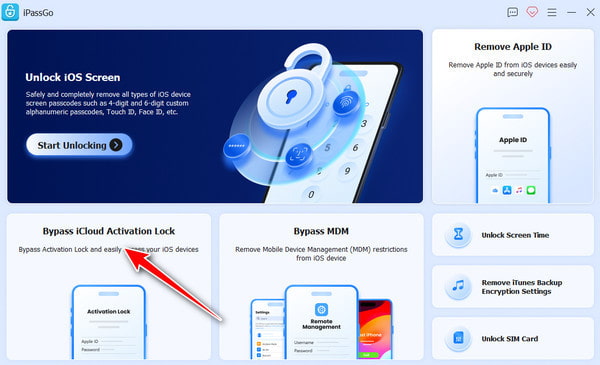
Confirm to bypass Activation
Clique no Comece agora button if you confirm the process. If you have jailbroke your device, click Next. Otherwise, press Tutorial de jailbreak and follow the onscreen prompts to jailbreak your iPhone.
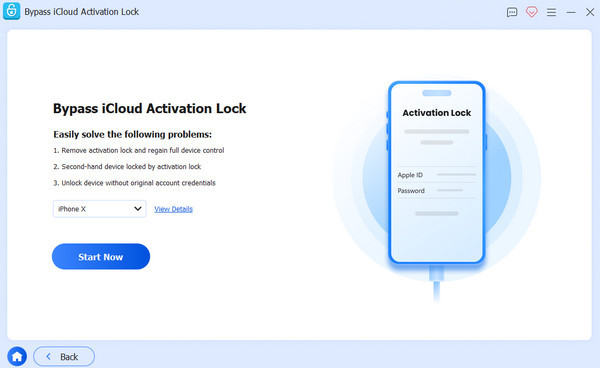
Ignorar bloqueio de ativação
Por fim, clique no Comece a ignorar a ativação button to initiate the process. During the process, keep your iPhone connected.
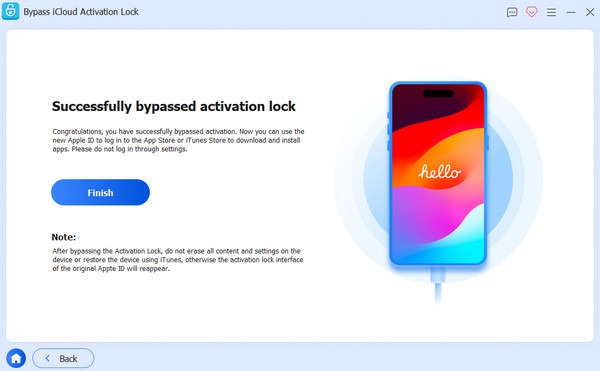
Conclusão
Agora você deve entender o que iRemove software is, what the software can do, and the necessary information you should know. Moreover, you can learn the basic process to bypass iCloud Activation Lock on your iPhone or iPad. Furthermore, we recommended an alternative solution, imyPass iPassGo, to get rid of any restrictions on your handset.
Samuel specializes in password security and digital privacy. He used to work as a cybersecurity consultant for small businesses to protect digital assets. With certifications in Cybersecurity and Ethical Hacking, he turns complex security topics into easy-to-follow advice. He also enjoys sharing password tips to help users protect their accounts more confidently.
Soluções quentes
-
Desbloquear iOS
-
Dicas para iOS
-
Desbloquear Android
-
dicas de senha


