



 Solução
 Centro de Apoio
 Sobre nós
 Contato
Can Someone Track My Location with My Phone Number
 Penny Warren publicado em junho 23, 2026Localização GPSLeitura de 4 minutos
Modern smartphones are advanced devices. Today, we almost cannot leave the tiny device, from making phone calls to texting, from accessing social media to reading emails, from tracking health to surfing the internet. However, it is not a secret that apps, websites, and even your manufacturer monitor your location information. Plus, hackers may spy on your location. This concrete tutorial explains how to tell if someone is tracking your phone em várias situações.

Neste artigo:
Part 1. Can Someone Track My Phone
Can someone track my phone with or without my phone number? Yes. In fact, others can spy on your phone without your knowledge. There are a few ways to track someone else’s cell phone location:
- 1.Spyware.
- 2.Parental controls.
- 3.MDM.
- 4.Malware.
- 5.Monitoring chips.
Part 2. How to Tell If Someone Is Tracking Your Phone
Even if someone tracks your phone without you knowing, there are signs. If you notice some of these signs, you will get the result. We list the signs below to help you learn the status of your phone.
Sign 1: High Data Usage
No iPhone
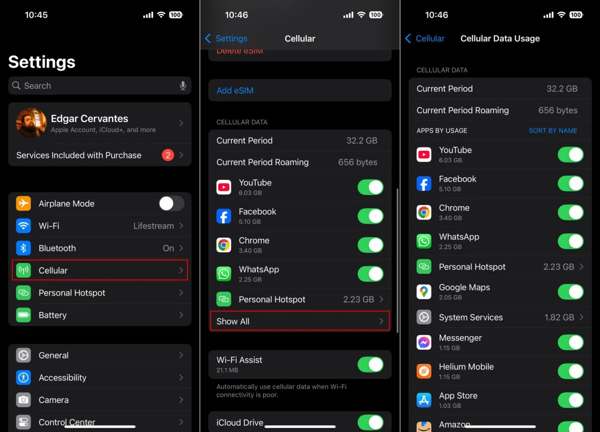
Abra o Definições aplicativo.
Vamos para Celular and locate the Dados de celular seção.
Check the apps ordered by usage to tell if someone is tracking my iPhone.
No Android
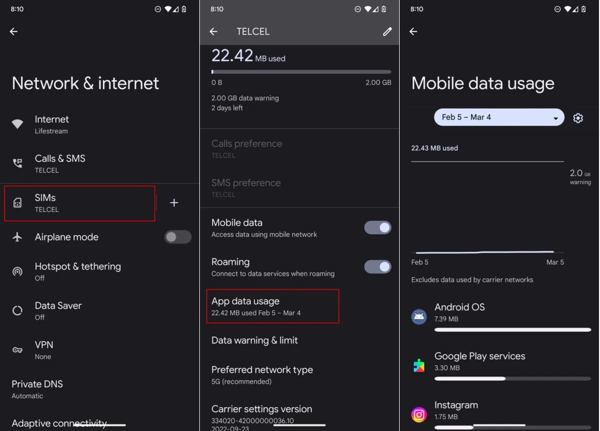
Execute seu Definições aplicativo.
Vamos para Rede e internet, SIMs, e App data usage.
Check how much data each app uses.
Sign 2: Unexpected Reboots
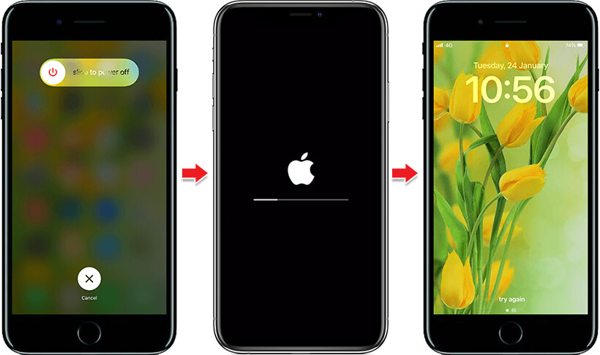
Can someone track my phone if my location is off? Yes. However, you can tell the truth by following a few signs. If your phone suddenly shuts down and powers on, chances are that your device is tracked or controlled by others.
Sign 3: Odd Sounds
Hearing clicking, static, or faint voices in the background of phone calls could suggest that someone is tracking your location with your phone number. Occasional odd sounds may be due to a weak signal or network issues, but persistent noises indicate a problem.
Sign 4: Increased Battery Consumption
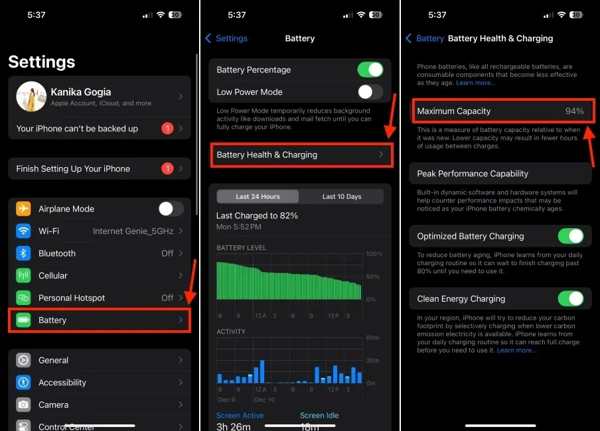
Another important sign to tell if someone is tracking my phone is the power consumption. If your phone battery begins deteriorating rapidly or suddenly, it means your battery is old or odd apps are working in the background.
Sign 5: Unknown MDM
No iPhone
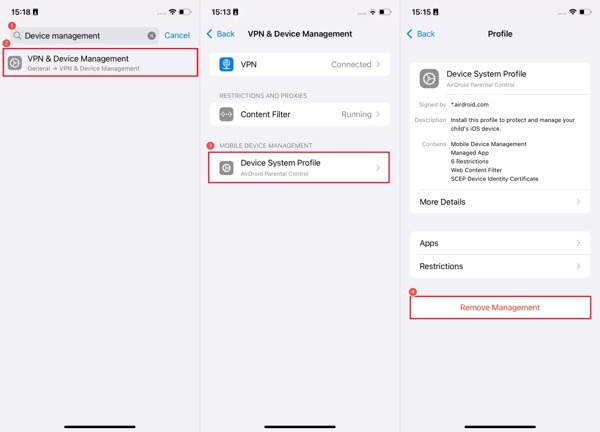
Vamos para Em geral na tua Definições aplicativo.
Escolher VPN e gerenciamento de dispositivos.
Check the unexpected MDM profile
No Android
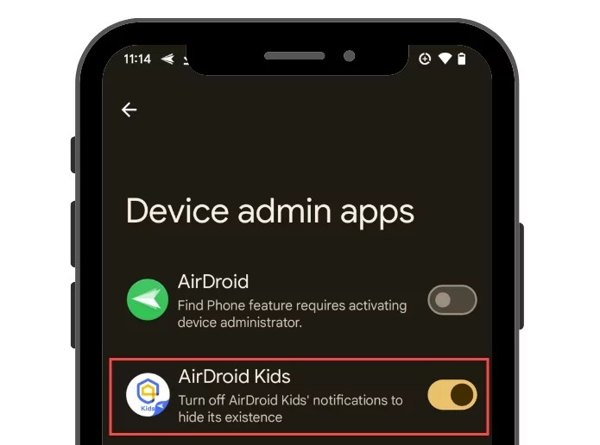
Execute o Definições aplicativo.
Vamos para Segurança ou Segurança e privacidade.
Look for the MDM app to tell if someone is tracking your phone.
Sign 6: Unexplained Apps
No iPhone
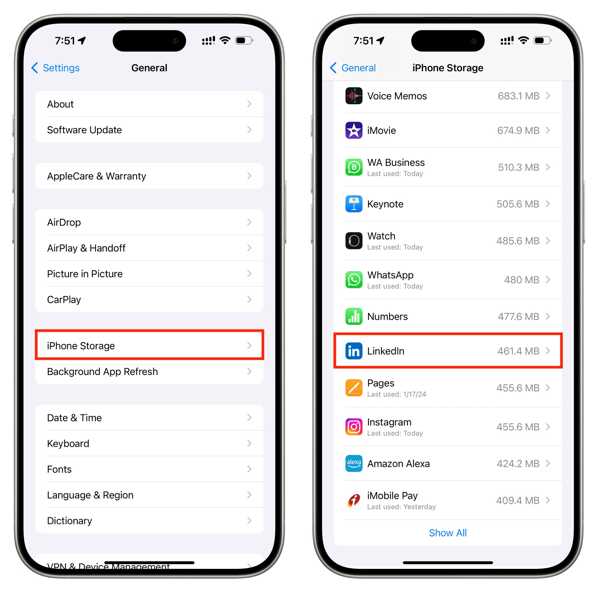
Abra o aplicativo Configurações.
Escolher Armazenamento do iPhone.
Check all apps installed on your device.
Find the wired app.
No Android
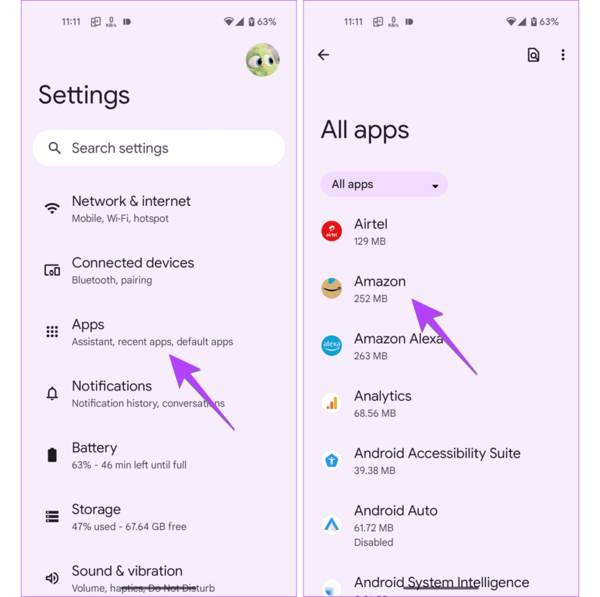
Vamos para Aplicativos no Definições aplicativo.
Check if an app is not installed by yourself.
Sign 7: Performance Issues
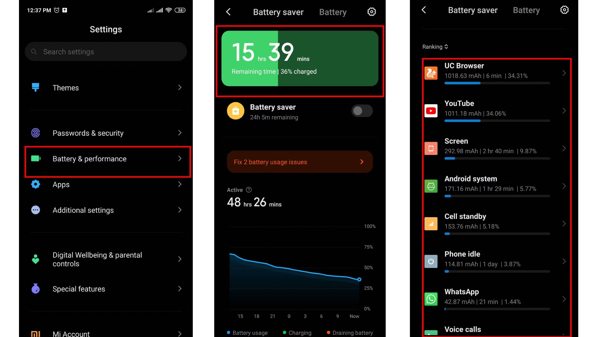
If your iPhone or Android phone suddenly becomes slow, you’d better check the performance and battery health. If your battery is healthy, that can tell someone is tracking your phone in the background.
Sign 8: Temperature Suddenly Rising
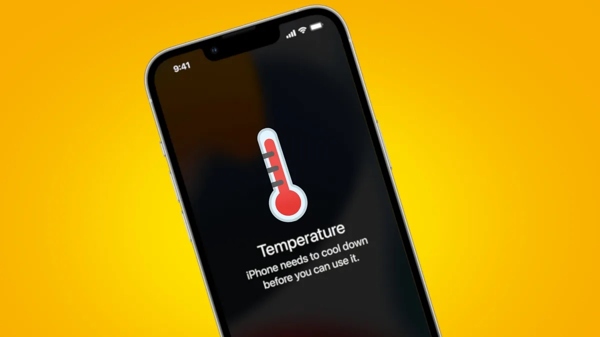
Another sign to tell if someone is tracking your device is the temperature. In other words, if you don’t open any apps, but it is still hot, chances are that malware or spy apps are running in the background.
Part 3. How to Stop Someone from Tracking Your Phone
Way 1: Enable Airplane Mode
The easy way to stop someone from tracking your phone is to turn on Airplane Mode. It turns off any connection on your mobile device, and no one can detect your device using spy apps or malware.
No iPhone
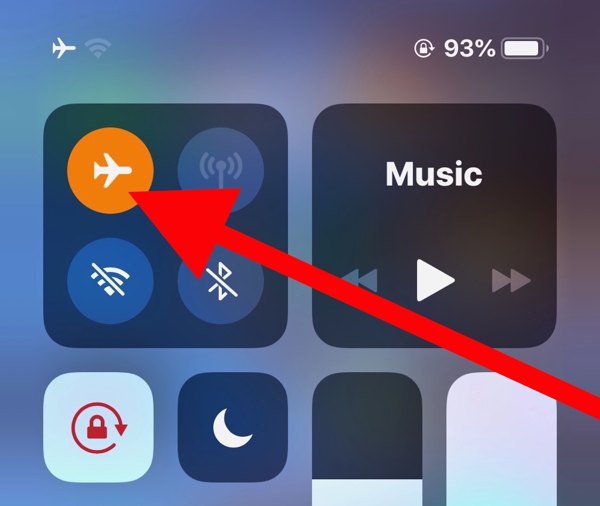
Entre no Centro de Controle bar.
Toque em Modo avião botão para habilitá-lo.
No Android
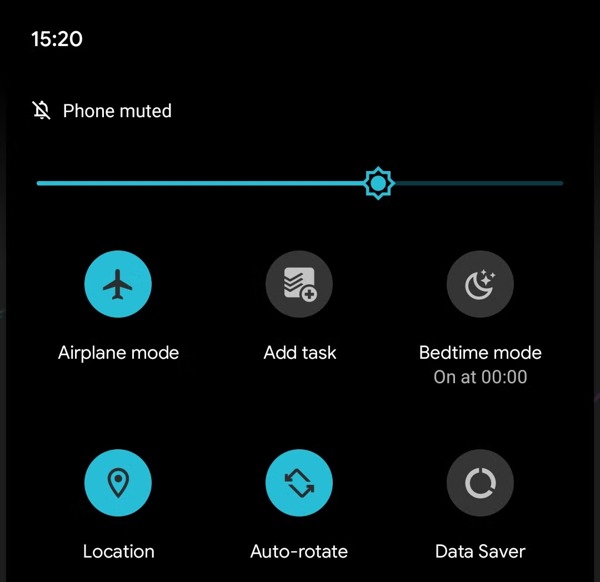
Deslize o dedo de cima para baixo na tela.
Toque em Avião mode in the Configurações rápidas painel.
Way 2: Disable Location Services
Another way to stop someone from tracking your phone is to turn off Location Services. This feature lets apps and services read your location information. Once you disable this feature, your location information is unavailable.
No iPhone
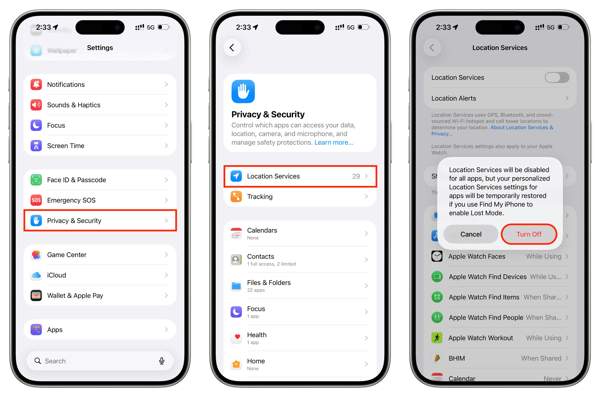
Execute seu Definições aplicativo.
Escolher privacidade e segurança e Serviços de localização.
Desligar Serviços de localização.
Se solicitado, toque em Desligar.
No Android
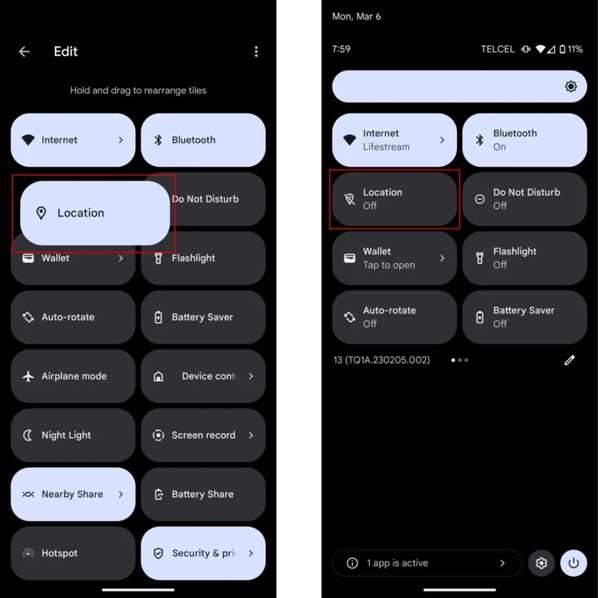
Entre no Configurações rápidas painel.
Tap the Location option to turn it off.
Leituras relacionadas:
Way 3: Use Fake Locations
imyPass iLocaGo is a quick way to stop someone from tracking your phone. It replaces your geolocation with a fake address or destination. So that you don’t need to turn on Airplane or disable Location Services.

Mais de 4.000.000 de downloads
Change your phone location in one click.
Make virtual locations and routes easily.
Ofereça vários modos para diferentes propósitos.
Support a wide range of iPhones and Android phones.
Como impedir que alguém rastreie seu celular
Conecte-se ao seu dispositivo
Start the location spoofer software after installing it on your PC or Mac. Connect your iPhone or Android phone to your computer with a compatible USB cable.

Escolha Modificar local
Once your device is detected, choose the Modify Location mode if you need to change the static location. The other three modes, Modo de parada única, Modo de parada múltipla, e Modo joystick, are used to simulate movements.

Fake your location
Type in an address into the field or click the destination position on the map. Finally, click the Modificar button to stop someone from tracking your phone.

Conclusão
Agora, você deve entender how I can tell if someone is tracking my phone, including iPhone and Android phones. You can follow our guide to check the signs and tell the result. If you suspect that your device is being monitored, stop the action with our solutions. imyPass iLocaGo enables you to hide your location on your iPhone or Android phone without disabling Location Services.
Penny focuses on GPS troubleshooting and Windows optimization. She formerly worked as a technical support engineer, helping clients solve location-based and system issues efficiently. Backed by IT support experience, she provides practical solutions that really work. In her free time, she likes hiking and geocaching, testing GPS tech in the real world.
Soluções quentes
-
Localização GPS
-
Desbloquear iOS
-
Dicas para iOS
-
Desbloquear Android


