



 Solução
 Centro de Apoio
 Sobre nós
 Contato
What Is Tenorshare iAnyGo and How to Use It on iOS/Android
 Penny Warren publicado em junho 02, 2026Localização GPSLeitura de 3 minutos
Today, there is a wide array of location-based apps and mobile games, like Pokémon Go. It means that they read your GPS information and apply the metadata. Furthermore, these apps and websites may share your location information with third-party companies. If you wish to protect your privacy, a spoofer service is helpful. Tenorshare iAnyGo, for example, is a great location-changing program. This article reviews it and shares the necessary information.

Neste artigo:
Part 1. Review of iAnyGo
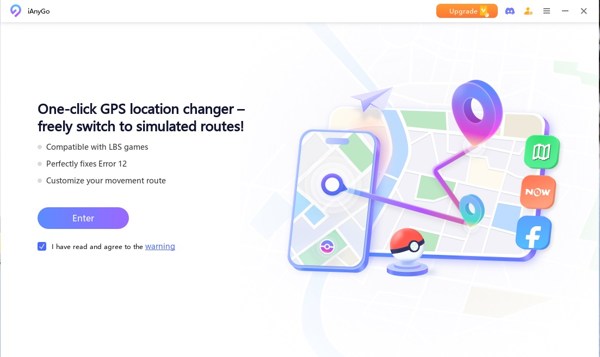
iAnyGo is a comprehensive GPS spoofing program. It offers both a mobile app and a desktop client for iOS and Android users to spoof Pokémon GO or any other location-based apps. That makes it a favorite among AR game players and more.
Key Features of Tenorshare iAnyGo
- 1.Change the GPS location on both the iPhone and the Android phone.
- 2.Offer different movement options to simulate movements.
- 3.Provide special modes for Pokémon GO.
- 4.Don't require jailbreak or root.
- 5.Protect your accounts from a ban with a cooldown timer.
- 6.Support single-click location change.
- 7.Integrate GPS joystick movement.
- 8.Compatível com dispositivos iOS e Android.
- 9.Import GPX file easily.
iAnyGo Review
Pros
- It builds in exclusive Bluetooth spoofing technology.
- iAnyGo doesn't require users to jailbreak or root their devices.
- It works for both iOS and Android.
- The user-friendly interface is available to beginners.
- The developer offers regular updates and a support team.
Contras
- iAnyGo free trial can change nothing.
- While it provides a mobile app, safe spoofing requires a computer.
iAnyGo Price
As mentioned previously, the software integrates a free trial. Users can download iAnyGo from the official website for free. However, you need to purchase a license to get the full features. The monthly license costs $12.95 for up to 5 iOS and unlimited Android devices. The quarterly license costs $22.95, and the annual license costs $42.95. It also offers a lifetime license, which costs $95.95.
Is iAnyGo Safe?
Security is always a major concern when using a spoofing program. Here, we consider several key factors:
Tenorshare is the developer of iAnyGo. It is a trusted name in the software industry. It states that user data is secure and won't be shared with any third parties.
According to our research, the software won't install extra software on your computer or mobile device when changing location.
Moreover, the desktop version won't jailbreak or root your mobile device or install anything on your device. That protects your account from being banned as much as possible.
Part 2. How to Use iAnyGo
How to Change Static Location with iAnyGo
Download iAnyGo to your hard drive and install it.
Open the program and activate it with a license.
The default mode is Mudar localização.
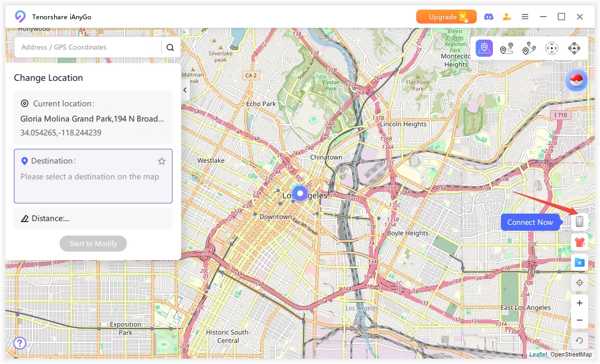
Connect your iPhone or Android phone to the computer with a USB cable.
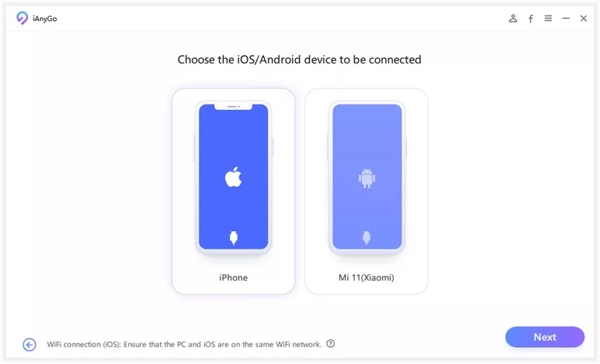
For Android, you must enable Depuração USB modo.
Clique no Digitar botão para prosseguir.
Choose your device model, like iPhone.
Enter an exact address or GPS coordinate you want to teleport to in the search box.
Clique no Comece a modificar button to change your device location.
Now, you can access the location-based apps on your mobile phone.
How to Simulate Movement with iAnyGo
Start iAnyGo from your desktop.
Connect your mobile device to the computer with a cable or Wi-Fi.
Clique no Digitar button to track your device on the map.
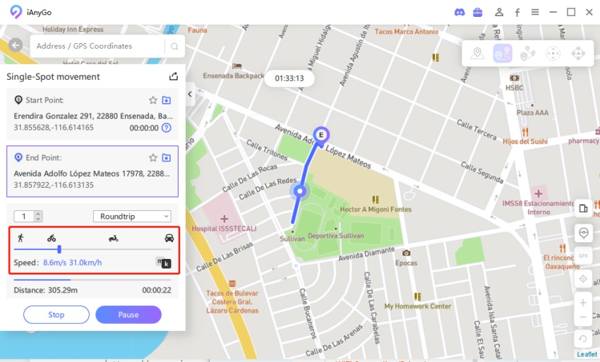
Choose a movement mode at the top right corner, such as Movimento de ponto único.
Input the start point and end point with accurate addresses.
Clique no Start Navigation botão para confirmar.
Choose a route and set the travel method and speed.
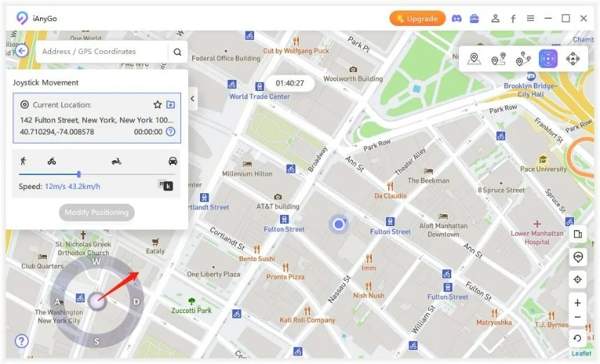
Por fim, clique no Comece a se mover botão e aperte Sim se solicitado.
You May Also Like:
How to Use Joystick Movement in iAnyGo
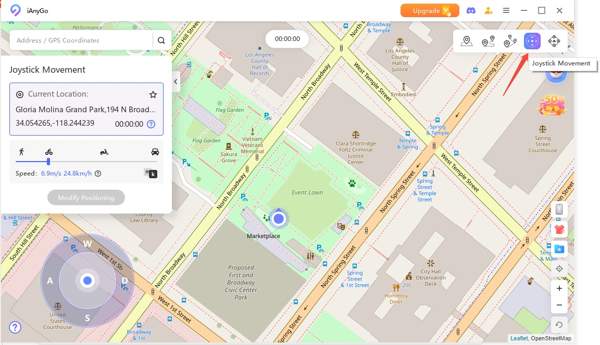
If you want to simulate movement with your keyboard or mouse, switch to the Movimento do Joystick modo.
Next, set the movement speed.
Drag the middle button to the circle and release it to begin moving automatically.
Part 3. An Excellent Alternative to iAnyGo
Spoofing programs, such as iAnyGo, can be detected by apps and mobile games. Once it is marked by an app, the program will be put in the blacklist. If the spoofing program is unavailable, you'd better look for an alternative, such as imyPass iLocaGo.

Mais de 4.000.000 de downloads
Change the static location of your mobile device in one click.
Make virtual routes with one spot, multi-spot, and more.
Ofereça vários modos para diferentes propósitos.
Use advanced technology to prevent being detected.
Support almost all iPhones and Android phones.
How to Use iAnyGo Alternative
Conecte-se ao seu telefone
Launch the powerful alternative to iAnyGo once you install it on your PC. There is another version for Mac. Connect your iPhone or Android phone to your computer with a compatible USB cable.

For Android users, you can connect the phone and computer wirelessly.
Escolha um modo
Once your device is detected, you will be taken to the mode window:
o Modificar localização mode is used to change the static location on your device.
o Modo de parada única is used to simulate movement with the start and end points.
o Modo de parada múltipla is used to make a virtual route with multiple stops.
o Modo joystick is used to simulate movement with your keyboard or mouse.
Escolha um modo de acordo com suas necessidades.

Alterar localização
Enter an address into the field or click a position on the map, and click the Modificar button. To simulate movements, set the stops, speed, and other custom options.

Conclusão
Este artigo reviewed iAnyGo for iPhone and Android users. It is one of the best location spoofing software. You can learn the program and decide if it is working for your situation. More importantly, we recommended an alternative solution, imyPass iLocaGo, to change your iPhone or Android phone location easily.
Penny focuses on GPS troubleshooting and Windows optimization. She formerly worked as a technical support engineer, helping clients solve location-based and system issues efficiently. Backed by IT support experience, she provides practical solutions that really work. In her free time, she likes hiking and geocaching, testing GPS tech in the real world.
Soluções quentes
-
Localização GPS
-
Desbloquear iOS
-
Dicas para iOS
-
Desbloquear Android


