



 Solução
 Centro de Apoio
 Sobre nós
 Contato
Quickly Remove All Types of MDM/Supervision on Your iPad
 Penny Warren publicado em outubro 15, 2026Desbloquear iOSLeitura de 3 minutos
iPad supervision allows an organization to control certain device settings, install apps, enforce restrictions, and manage security policies. However, some users see unexpected management messages on their iPads after purchasing a second-hand device or restoring an old iPad. If you want to remove iPad supervision, it is important to identify how the device is managed first. The available removal options depend on whether the iPad belongs to an individual, a school, or a company.

Neste artigo:
- Part 1: What Does "This iPad Is Supervised and Managed By" Mean?
- Part 2: Why Do You Need to Remove MDM from iPad?
- Part 3: How to Remove MDM from iPad
- Part 4: Can You Remove iPad Supervision After a Factory Reset?
- Part 5: Can You Remove iPad Supervision Without a Computer?
- Part 6: FAQs About iPad MDM Removal
Part 1: What Does "This iPad Is Supervised and Managed By" Mean?
The message "This iPad is supervised and managed by" indicates that the iPad device has supervision enabled. An organization or your school may use Apple's mobile device management (MDM) system to configure and control the iPad remotely.
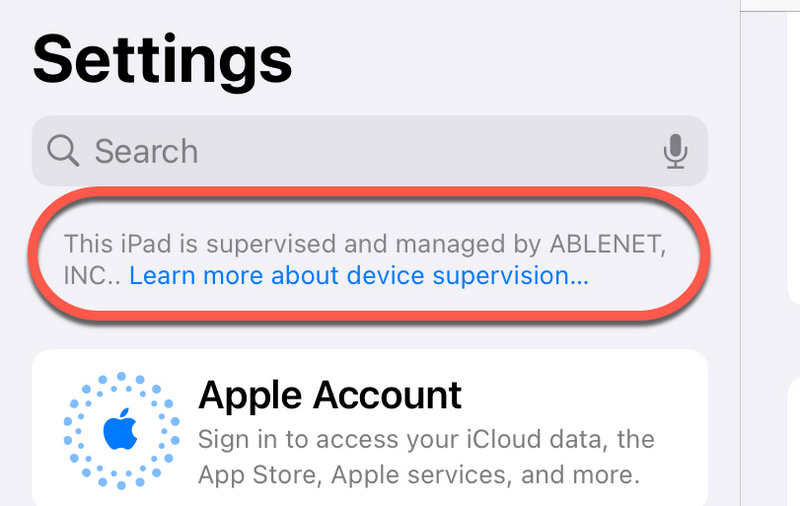
iPad Supervision provides administrators with additional management capabilities. These may include restricting features, configuring Wi-Fi settings, installing applications, and enforcing security requirements.
Supervision and MDM are related but different. Supervision gives an administrator additional control over a device, while MDM provides a system for managing device settings and policies. An iPad can be supervised and enrolled in MDM simultaneously.
Part 2: Why Do You Need to Remove MDM from iPad?
There are several reasons to remove MDM from an iPad. For example, a former employee may receive a company device, a student may keep an iPad after leaving school, or a second-hand buyer may discover that the device is still linked to an organization.
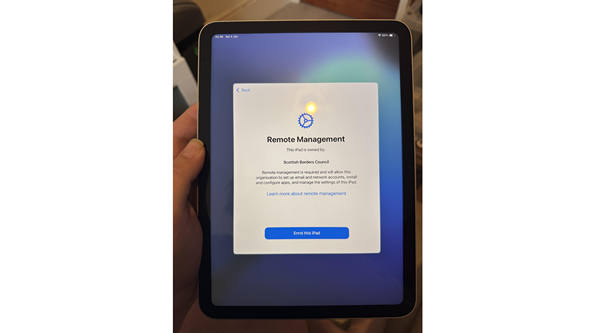
MDM restrictions can prevent users from changing certain settings, installing applications, or accessing specific features. Some configurations may also limit account changes and other device functions. An iPad that displays a remote management screen during setup may still be assigned to an organization's automated enrollment system. Erasing the device does not necessarily remove that assignment.
Before attempting MDM bypassing on an iPad, determine whether the device is personally owned or managed by an organization. This distinction affects which solutions are available.
Part 3: How to Remove MDM from iPad
There are several ways to remove MDM from an iPad. The appropriate method depends on the enrollment type, administrator permissions, and ownership status.
Way 1. Remove the MDM Profile in Settings
If the iPad allows profile removal, you can check the Settings app first.
- 1.Abrir Definições no seu iPad.
- 2.Selecionar Em geral.
- 3.Toque VPN e gerenciamento de dispositivos.
- 4.Find the management profile associated with the organization.
- 5.Check whether a Remover gerenciamento ou Remover perfil opção está disponível.
- 6.Follow the on-screen instructions and enter the required passcode if prompted.
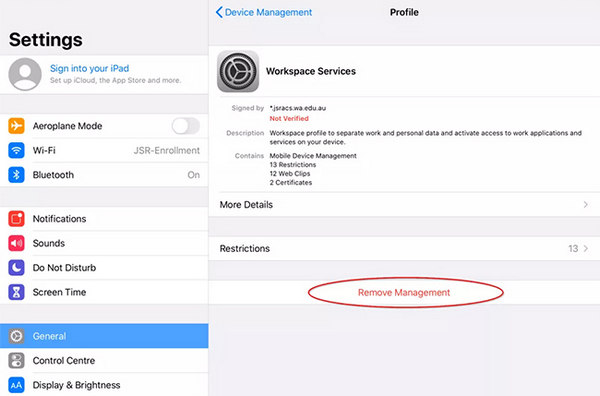
This method is suitable for removable profiles. If the profile is locked, the removal option may be unavailable. Some organization-managed devices require an administrator to remove the enrollment.
Way 2. Contact the Organization's Administrator
For company-owned or school-issued iPads, contacting the administrator is often the most reliable solution.
The administrator can determine whether the device is eligible for release from MDM. They may remove the enrollment profile from the management platform or update the device's assignment in Apple School Manager or Apple Business Manager.
This step is particularly important if you see a remote management screen during the initial setup process. The device may need to be released from the organization's automated device enrollment system before it can be configured independently.
If you purchased a used iPad, just ask the seller to resolve the management issue. A factory reset alone may not remove an organization's enrollment assignment.
Method 3. Remove iPad Supervision Without Restriction
Sometimes, you cannot directly remove MDM on your iPad for unknown reasons. That's because the MDM is highly restricted and fixed on your iPad. In that case, what you'll need is imyPass iPassGo.
This program is very comprehensive and powerful, for it can scan and detect MDM supervision on your iPad and directly remove it with only one click. You don't need to consider the source of your MDM supervision.
Get imyPass iPassGo
Clique no Download grátis button below to download, install, and launch this iPad MDM supervision removal tool.
Connect Your iPad to Computer
This program is available on Windows and Mac. You need to connect your iPad to Windows or Mac computer.
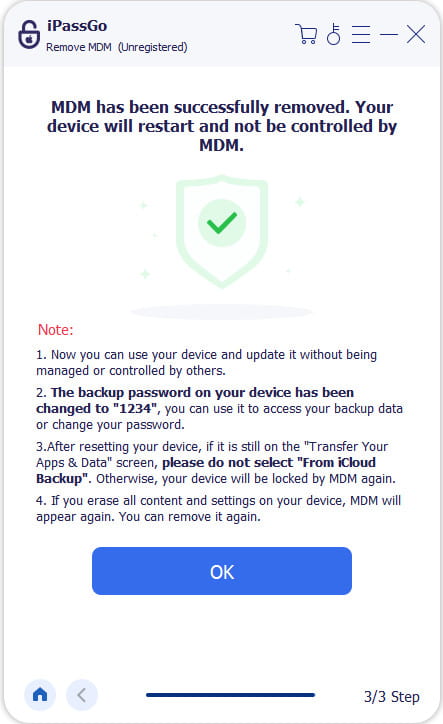
Remove MDM Supervision on iPad
You need to choose Ignorar MDM on the program interface.
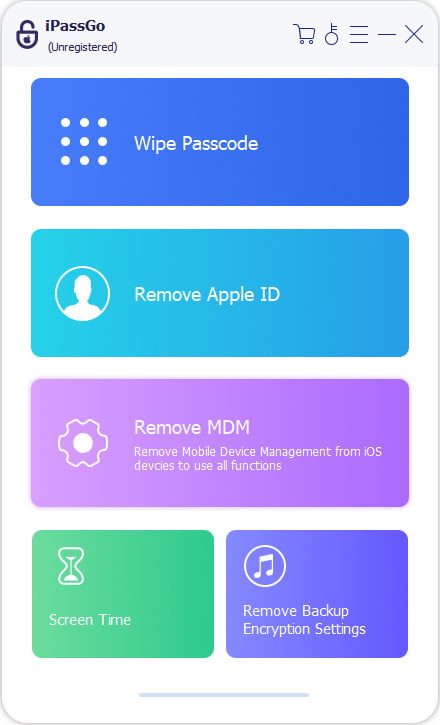
Finally, you just need to click the Começar button to remove iPad supervision. It will take only a few seconds to remove it.
Part 4: Can You Remove iPad Supervision After a Factory Reset?
Some users discover that remote management returns even after erasing their iPads. This behavior is often associated with Automated Device Enrollment. Organizations can assign eligible Apple devices to a management service. During activation, the iPad checks whether it must enroll in the organization's management system.
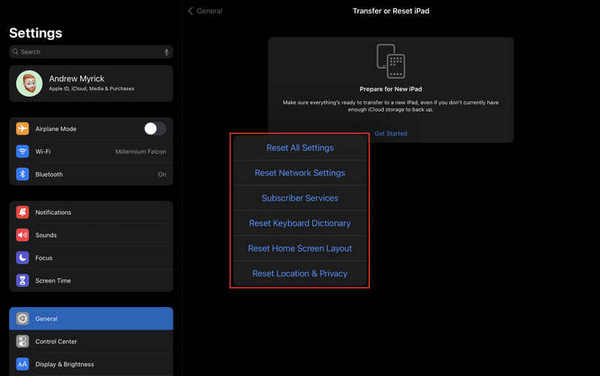
So, a restauração de fábrica does not necessarily remove remote management from an iPad. The device may download its management configuration again during setup.
Part 5: Can You Remove iPad Supervision Without a Computer?
In some cases, yes. If the MDM profile is removable, you may be able to delete it directly from the iPad's Settings app. You do not necessarily need a computer for this process.
However, removing supervision is not always possible through local settings. Administrators may enforce restrictions that prevent users from deleting management profiles.
If the device is organization-owned, obtain authorization before attempting to change its management status. For a personally owned iPad, check the available profile settings and contact Apple Support if the enrollment status remains unclear.
Part 6: FAQs About iPad MDM Removal
Perguntas frequentes.
-
Can I remove MDM from iPad for free?
Yes, when the management profile is removable, or the organization agrees to release the device. You can check the available options in Settings without purchasing additional software.
-
Does a factory reset remove iPad supervision?
Not necessarily. A reset erases local data and settings, but it does not automatically remove an organization's automated enrollment assignment.
-
Can I remove iPad supervision without the administrator's permission?
If the device is managed by a school or company, you should obtain authorization. The administrator may need to release the device through the organization's management system.
Conclusão
Para remover MDM de um iPad, first check whether its management profile can be removed through Settings. If the iPad displays a remote management screen or remains supervised after a factory reset, verify its enrollment status with the organization responsible for the device.
Sometimes, an MDM is not that easy to delete, and what you need is imyPass iPassGo. It can quickly scan and let you remove the MDM restrictions. This program can remove all types of restrictions to help you remove supervision on your iPad.
Penny focuses on GPS troubleshooting and Windows optimization. She formerly worked as a technical support engineer, helping clients solve location-based and system issues efficiently. Backed by IT support experience, she provides practical solutions that really work. In her free time, she likes hiking and geocaching, testing GPS tech in the real world.
Soluções quentes
-
Desbloquear iOS
-
Dicas para iOS
-
Desbloquear Android
-
dicas de senha


