Solução
 Centro de Apoio
 Sobre nós
 Contato
PokéStop Map Guide: Find & Explore Stops You Haven't Been To
 Penny Warren publicado em setembro 21, 2026Localização GPSLeitura de 3 minutos
If you want to catch more Pokémon, collect items, or plan a walking route, a PokéStop Map can make exploring Pokémon GO much easier. PokéStops are scattered across parks, landmarks, public artwork, and other actual locations. However, finding them all isn't always straightforward. In this post, we will explain what a PokéStop is and how to find them near you. We will also teach you how to nominate new ones in case you discover a new landmark. We'll also cover the gameplay mechanics and the weirdest PokéStops. As a bonus, we will introduce an advanced strategy to expand your map.

Neste artigo:
Part 1. What Is a PokéStop?
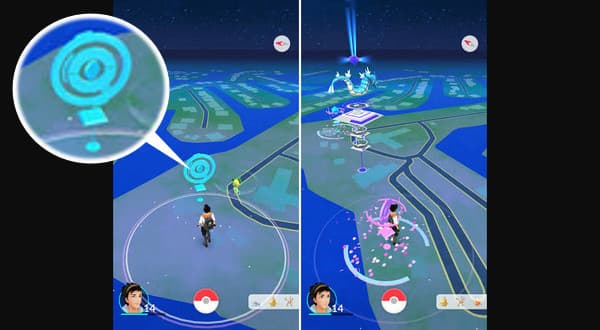
A PokéStops is the actual marker in Pokémon GO where you can collect free items. It appears on the game map as a blue structure topped with a floating 3D cube. It turns into a Pokéball disc when your avatar gets close to it. You can locate them at parks, plazas, public art, historical landmarks, sports facilities, and local hotspots.
When you spin, Pokémon GO gives standard items, such as Pokéballs, healing items, berries, gifts, and eggs. It also grants 100 XP for previously visited stops, 300 XP for unvisited stops, and an extra 100 XP when spinning 10 unique stops within 30 minutes. PokéStops maps failed to detect the location of private residences, schools, emergency services, and sensitive sites.
Part 2. How to Find PokéStops Near You
Method 1: The In-Game Map
The in-game map offers a direct way to see what is available in Pokémon GO. It reflects the player's actual location and displays the avatar, Pokémon, gyms, and routes.
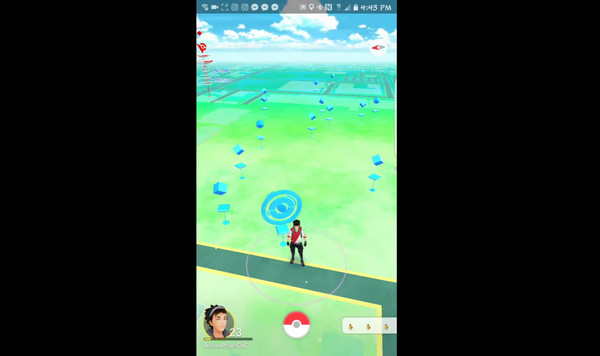
Start Pokémon GO and look for small floating blue cubes in the distance. Walk closer to the blue cube until it turns into a flat disc ring.
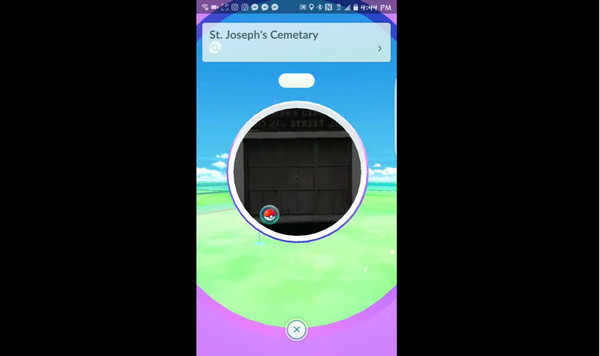
Tap the expanded disc to view the location's name and photo, then spin to view items.
Method 2: Niantic Wayfarer Map (The Official Map)
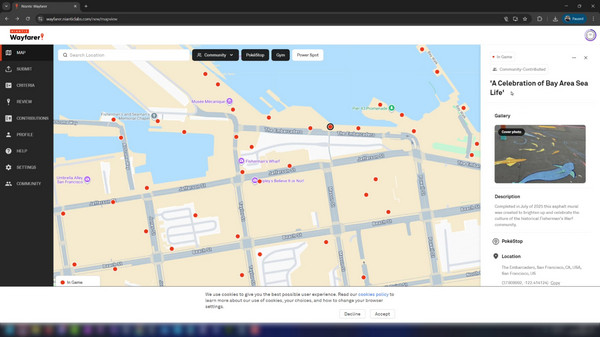
Niantic Wayfarer is an official tool that allows eligible players to browse Wayspot. It allows players to identify existing PokeStops, Gyms, and Power Spots in the neighborhood.
Go to the Niantic Wayfarer site and log in to the account linked to your Pokémon GO profile. Open the Mapa tab and search for a city, address, or latitude/longitude coordinates.
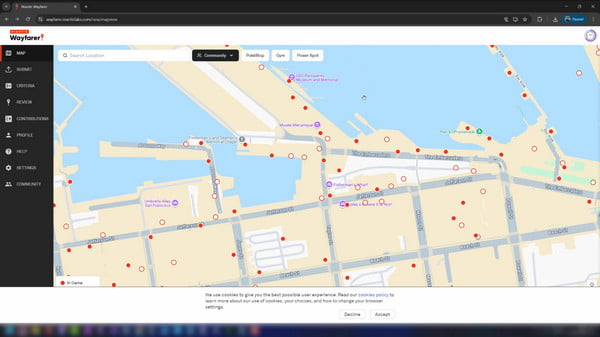
Zoom in closely to your target neighborhood until the map populates with markers. Use the map's filter overlay and toggle layers on or off to view nearby points of interest.
Method 3: Third-Party PokéStop Maps
PoGoMap is an interactive online Mapa do Pokémon GO used to find and track in-game locations. It can track nests for specific Pokémon and update active power spots or spawn markers.
Vamos para PoGoMap and allow the site to access your location. Alternatively, type your target city or neighborhood into the search bar.
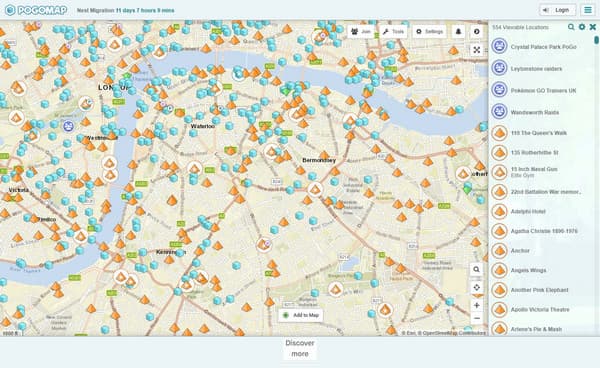
Look at the interactive markers, then click a specific pin to see the name and details of that location.
Method 4: Using Google Maps to Find Potential PokéStops
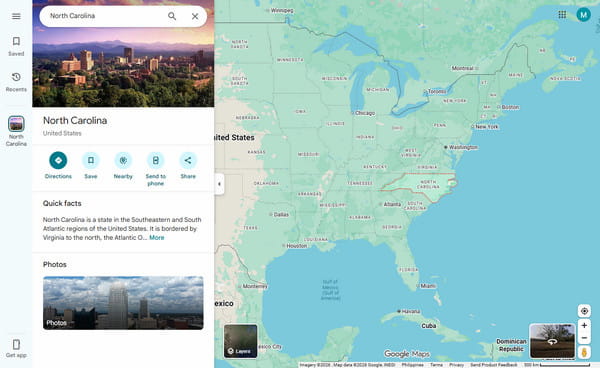
Google Maps can help you discover actual locations that might be interesting when you're exploring an area. You can search for parks, museums, monuments, libraries, community centers, tourist spots, and other sites. (Check the quick fixes here if your Pokémon GO routes are not working.)
Part 3. How to Create/Nominate a New PokéStop
Many players eventually ask, how do I create a PokéStop when they discover a landmark that is missing from Pokémon GO. Well, the process is not simply placing a new location wherever you want. Eligible nominations must go through Niantic's location review system and meet applicable requirements.
Reach Level 35 and complete the Wayfarer tutorial. Make sure you are physically near the location you want to nominate.

Open Pokémon GO, go to Poke Ball, selecione Definiçõese toque em New PokéStop to access the nomination form.
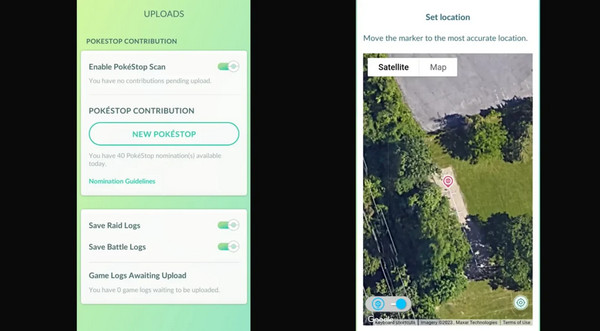
Pin the exact location of the landmark and take a clear photo. Use the location's official name and write a short description explaining why it is interesting.
Part 4. PokéStop Gameplay Mechanics
How Often Do PokéStops Refresh?
A common question is how often PokéStops refresh after being spun. To answer the question directly, it refreshes every 5 minutes to pick up items. The icon turns purple after a spin and fades back to blue when ready.
Golden PokéStops (What Are They?)
Golden PokéStops are a rare variation of standard PokéStops in Pokémon GO. It drops more items and grants Gimmighoul Coins when spun. These coins are highly sought after by players, as you must collect exactly 999 Gimmighoul Coins to evolve Roaming Form Gimmighoul into Gholdengo.
Part 5. Advanced Strategies: Using a Location Spoofer to Expand Your PokéStop Map
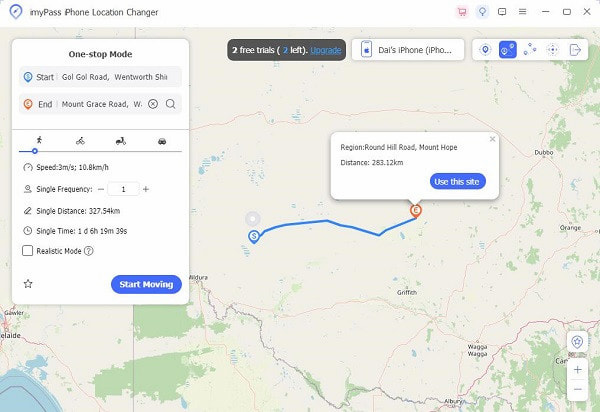
If you're living in areas that lack historical landmarks with very few PokeStops nearby, spoofing your location can help you teleport to areas with hundreds of overlapping PokéStops. That being said, you can use imyPass iLocaGo to expand your map and bypass geographical, physical, and time limitations.
imyPass iLocaGo lets you explore different areas virtually and view the Pokémon GO PokéStops map associated with that location. It provides several movement modes, including Modify Location, One-stop Mode, Multi-stop Mode, and Joystick Mode. It can simulate movements between locations and access Pokémon and raids from different areas.
Part 6. The Weirdest & Funniest PokéStops
The most entertaining thing about Pokémon GO is that its map is connected to actual locations. While many PokéStops represent parks, monuments, and other landmarks, some are much stranger. Some of the strangest examples reported by players and media include:
- The Pentagon: It is the headquarters of the U.S. Department of Defense. It is also a PokéStop and Gym where you can battle the Pokémon you've collected.
- Arlington National Cemetery: It is located in Virginia, and was not amused to have PokéStops located among the gravestones.
- Westboro Baptist Church: It became a Pokéstop ruled by a Jigglypuff.
- The 9/11 Memorial: It is located in Lower Manhattan, which serves as a spawn location for Slowpoke.
- Hospital Delivery Room C-Sections: It became a trend when a player started spinning stops and catching Pokémon inside a maternity ward.
Conclusão
A PokéStop helps you discover item locations, plan routes, and explore new landmarks. As we discussed earlier, there are several methods for finding new stops and potential new locations. If you want to explore location-based apps from different places, use imyPass iLocaGo. This tool provides GPS location-changing and simulation features that can manage your iPhone’s location.
Penny focuses on GPS troubleshooting and Windows optimization. She formerly worked as a technical support engineer, helping clients solve location-based and system issues efficiently. Backed by IT support experience, she provides practical solutions that really work. In her free time, she likes hiking and geocaching, testing GPS tech in the real world.
Soluções quentes
-
Localização GPS
-
Desbloquear iOS
-
Dicas para iOS
-
Desbloquear Android