Solução
 Centro de Apoio
 Sobre nós
 Contato
What Is General Unlocker Pro and How to Use the Software
 Gideon Byron publicado em julho 22, 2026Desbloquear AndroidLeitura de 3 minutos
Today, Android phones and tablets are increasingly secure and safe due to the security measures. Every coin has two sides. So do security measures on Android devices. The screen locks, for example, protect your device, data, and privacy. However, if you forgot your password, you will be locked out of all of them. Fortunately, unlocking software, such as Desbloqueador Geral Pro, enables you to unlock your device directly. This article reviews the software.

Neste artigo:
Part 1. General Unlocker Pro Review
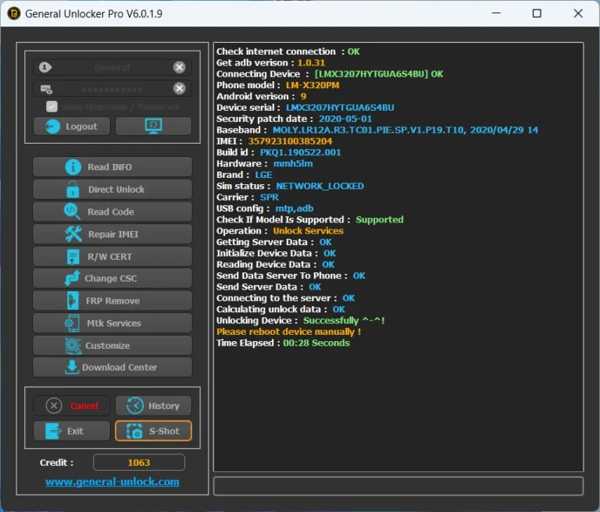
As mentioned previously, the General Unlocker tool is a software program for unlocking and repairing Android devices. It integrates a variety of security features that ensure the integrity of the data being locked. With the software, users can regain access to their devices without damaging files.
Key Features of General Unlocker Pro
- 1.Unlock an Android device with one click.
- 2.Support Android 11/10/9/8/7/6/5/4.
- 3.Work on fully independent servers.
- 4.No need to root your phone or tablet.
- 5.Repair IMEI, Write Cert, Read/Write QCN, and change CSC.
- 6.Retain your phone’s Warranty and User data.
- 7.Desvio de FRP without your Google account password.
- 8.Integrate a download center for Android users.
- 9.Compatible with Android devices from Samsung, LG, Huawei, etc.
Revisão geral do Unlocker Pro
Prós
- The user-friendly interface simplifies the unlocking process.
- It supports a wide range of devices and platforms.
- General Unlocker Pro works fast and efficiently in unlocking Android devices.
- The developer releases updates regularly for new devices.
- There is customer support available for troubleshooting.
Contras
- It may not work with all device models or Android versions.
- Some users reported bugs or glitches.
- General Unlocker requires an internet connection.
- The prices are high compared to some competitors.
- Falta recursos avançados.
Modelos suportados pelo desbloqueador geral
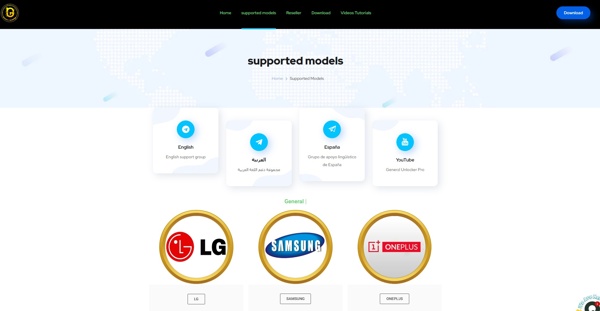
While the software works for a wide array of devices, General Unlocker doesn’t support all models. For instance, it supports Samsung Galaxy Note 10/Galaxy S10/Galaxy A51/Galaxy A50/Galaxy A20/Galaxy A10, and more. To find out if your phone is supported, go to the General Unlocker website, head to the modelos suportados web page, click your phone brand, and search for the model.
Part 2. How to Use General Unlocker Pro
If you wish to unlock your phone, remove SIM restrictions, bypass FRP, or repair IMEI without the password, download General Unlocker Pro on a computer. Then, follow the steps below to enjoy the features:
Go to the official website and go to the Download página.
Find the latest version and click the Baixe agora button to get the software.
After the download is completed, extract the archive.
Follow the onscreen instructions to install General Unlocker Pro.
Open the software on your PC and enter your username and password for login.
Clique no Save Account botão.
Connect your phone to the computer with a USB cable.
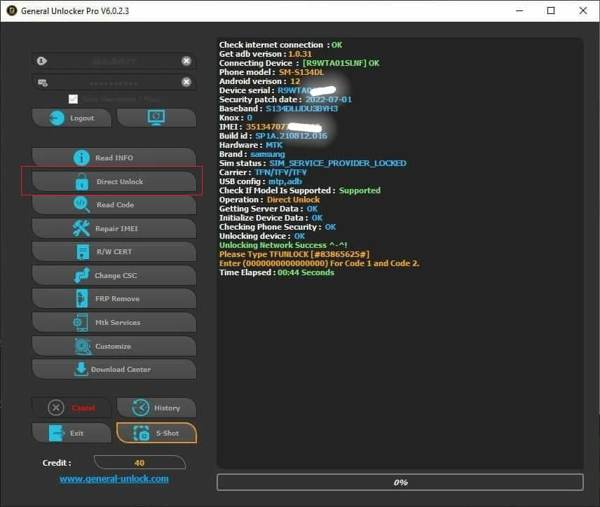
Click the feature you need to use. To unlock your phone, click the Desbloqueio direto botão.
Read the warning and click OK para confirmá-lo.
Observação:
The prices for different features and phone models vary. You need to purchase it according to your situation.
Part 3. A Great Alternative to General Unlocker Pro
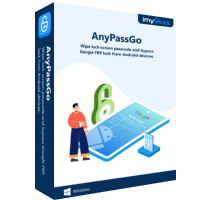
If General Unlocker Pro is unavailable for your phone, you will need an alternative solution, such as imyPass AnyPassGo. It works for a wide variety of Android brands and models. Plus, it comes with a user-friendly interface.
Mais de 4.000.000 de downloads
Remove screen locks from Android without the password.
Work for digit passwords, patterns, fingerprints, and face IDs.
Bypass FRP without your Google account password.
Compatible with almost all Android devices.
How to Use the Alternative to General Unlocker Pro
Instalar AnyPassGo
Launch the General Unlocker Pro alternative after you install it on your PC. There is another version for Mac. Choose the Remover senha da tela modo.
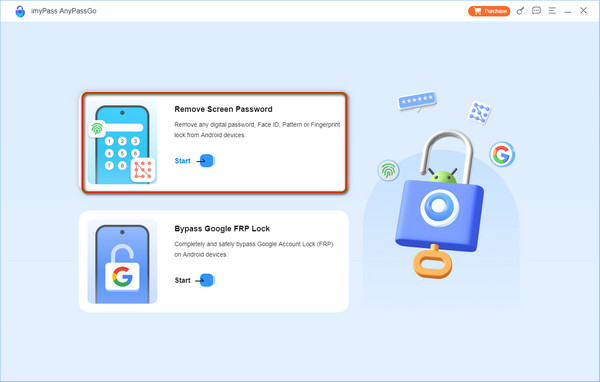
If your phone is locked by a Google account, choose Ignorar bloqueio do Google FRP em vez de.
Conecte-se ao seu telefone
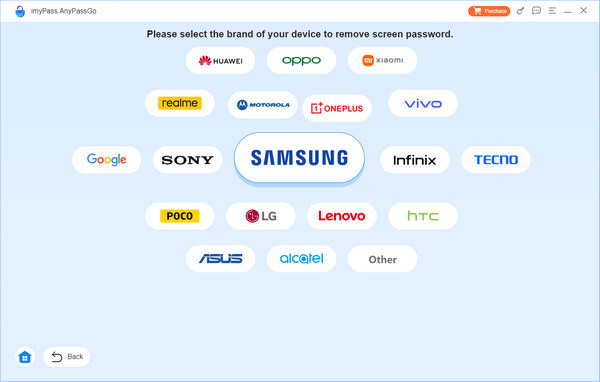
Choose your phone brand from the list and connect it to your computer with a compatible USB cable. Make sure to trust this PC, and the software will recognize your phone.
Desbloqueie seu telefone
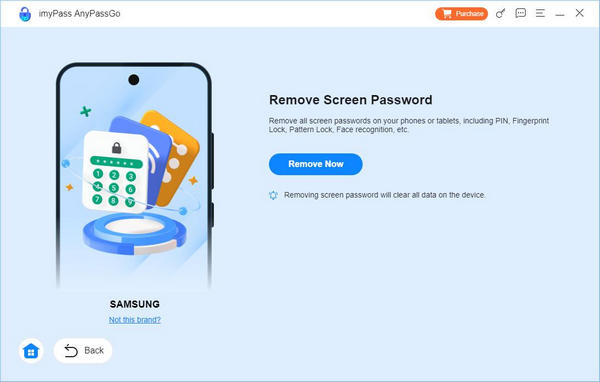
Next, click on the Remove Now button to begin unlocking your phone without the password. When it is done, close the General Unlocker Pro alternative and disconnect your phone.
Conclusão
Este artigo reviewed General Unlocker Pro, one of the best Android phone unlocking software. Now, you should understand what the software can do, its benefits, and its shortcomings. More importantly, you can learn how to use it to unlock your phone without the password from our guide. We also recommended imyPass AnyPassGo as an alternative program.
Gideon writes about unlocking iOS, Android, and Windows devices. He previously worked as a mobile device specialist in a repair center, assisting customers with locked devices and password recovery. In his spare time, he tests new unlock tools, customizes smart devices and makes complex unlock processes simple and safe.
Soluções quentes
-
Desbloquear Android
-
Desbloquear iOS
-
dicas de senha
-
Dicas para iOS