



 Solução
 Centro de Apoio
 Sobre nós
 Contato
PassFab Android Unlocker Review: How to Remove Android Screen Lock
 Penny Warren publicado em junho 01, 2026Desbloquear AndroidLeitura de 3 minutos
If you forget your Android screen password, getting back into your locked phone is not easy. Many users search for Android unlocking tools to remove screen locks or bypass FRP. However, not every tool works as advertised. Desbloqueador PassFab Android is one of the most popular Android unlockers, but is it actually effective? In this review, we will test its features, pricing, advantages, disadvantages, and real unlocking performance.

Neste artigo:
Parte 1: Revisão do PassFab Android Unlocker
As the name suggests, PassFab Android Unlocker is a tool designed to unlock Android phones and tablets. If you are locked out of your phone and completely forgot the password, it is worth using. Before you download it, let's learn what the software can do exactly.
Principais características do PassFab Android Unlocker
1. Desbloqueie um dispositivo Android com um clique.
2. Remove all kinds of screen locks: PIN, password, pattern, or fingerprint.
3. Desbloqueie telefones Samsung antigos sem perder dados.
4. Ignorar o Google FRP na Samsung, Xiaomi, Vivo e muito mais.
5. Compatível com as principais marcas de telefones, como Samsung, Moto, Google, etc.
Pricing of PassFab Android Unlocker
PassFab Android Unlocker offers three subscription plans. The software also provides a free trial version, but the trial cannot allow to unlock devices actually.
- 1 Month License: $24.95
- 1 Year License: $39.95
- Lifetime License: $49.95
Real User Review
"I was locked out of my Samsung phone after too many pattern attempts, and PassFab Android Unlocker worked like a charm. It was easy to use, and I didn’t need any technical skills to get the job done."
"It worked but took 3 attempts on my Redmi Note 10. Might be my USB cable though."
"Perfect for my Galaxy S9 but wouldn't work on coworker's newer S22. Check your OS version."
Pros & Cons of PassFab Android Unlocker
Prós
- The interface is simple and beginner-friendly.
- Available for both Windows and Mac users.
- Support over 6,000 Android phone and tablet models.
- Offer multiple subscription plans for different unlocking needs.
Contras
- Require a paid license to actually unlock Android phone.
- The success rate varies depending on the phone brand and Android version.
- It will erase all data on the device.
- Customer support responses may sometimes be slow according to user feedback.
Como desbloquear um telefone com o PassFab Android Unlocker
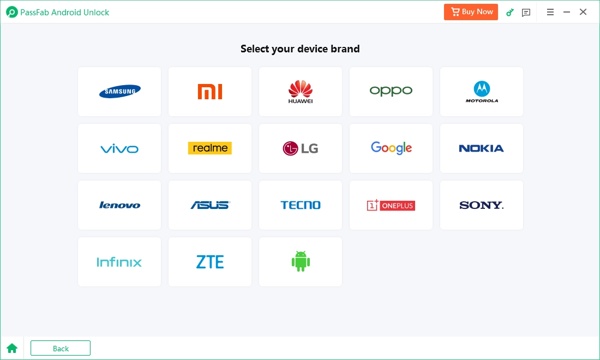
Inicie o PassFab Android Unlocker depois de instalá-lo no seu PC. Escolha Remover bloqueio de telae selecione a marca do seu telefone.
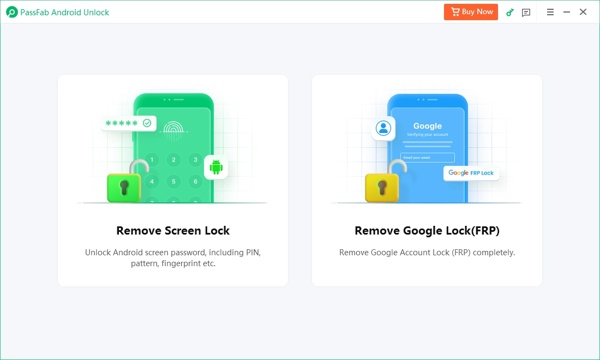
Dica: Se você escolher Samsung, selecione Limpar dados do dispositivo ou Mantenha os dados do dispositivo de acordo com o modelo do seu telefone e siga as instruções na tela para prosseguir.
Conecte seu telefone bloqueado ao seu PC com um cabo USB e aguarde o software reconhecer seu dispositivo.
A seguir, clique no Começar botão. Quando solicitado, pressione Sim para começar a desbloquear seu telefone imediatamente. Quando terminar, coloque seu telefone no Modo de Recuperação e execute uma redefinição de fábrica.
Parte 2: As 3 principais alternativas ao PassFab Android Unlocker
Top 1: imyPass AnyPassGo
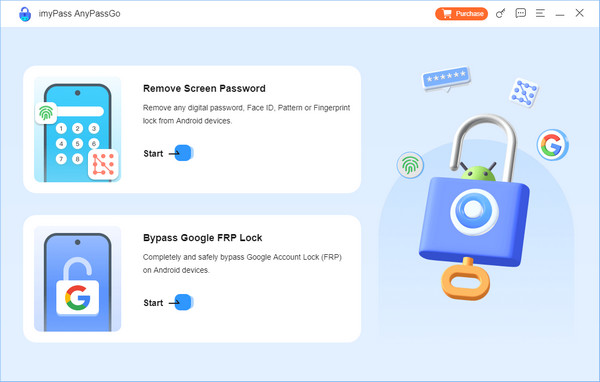
imyPass AnyPassGo is a reliable alternative to PassFab Android Unlocker. This all-in-one Android unlocking tool can remove various screen locks and bypass Google FRP within a few clicks. It supports almost all Android phone models and system versions, including Android 17. Its 3-month plan costs $29.95, while the lifetime plan is available for $43.71.
Prós
- The interface is clean and easy to navigate.
- Remove PINs, passwords, patterns, and fingerprints in minutes.
- Bypass Google FRP lock without passcode on Android devices.
- Unlock some older Samsung phones without erasing existing data.
- Includes a 30-days money back guarantee.
Contras
- Only available for Windows computers.
- You need purchase the paid version to access the full functionality.
Top 2: iMyFone LockWiper (Android)
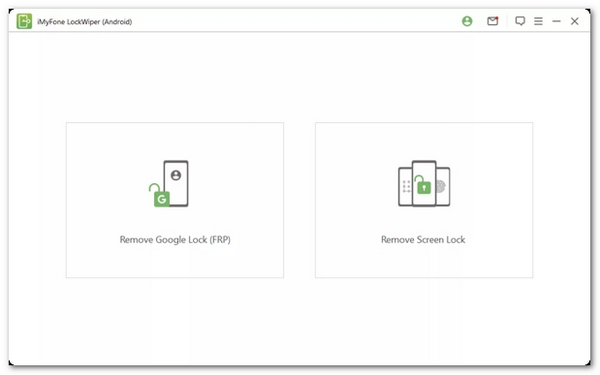
iMyFone LockWiper (Android) is a dedicated tool to unlock Android in various usage scenarios, such as remove screen lock, remove Google account verification, and factory reset your Android. It supports devices running Android 15 and earlier. The software offers three pricing plans, including a 1-Month Plan for $29.99, a 1-Year Plan for $49.99, and a Lifetime Plan for $59.99.
Prós
- Desbloqueie telefones e tablets Android com eficiência.
- Remova o bloqueio FRP sem as credenciais da conta do Google.
- Entregue uma alta taxa de sucesso.
- Suporte à remoção de qualquer tipo de bloqueio de tela no Android.
Contras
- Agora só está disponível para PCs.
- Atualmente não é compatível com o Android 16.
Top 3: Tenorshare 4uKey para Android
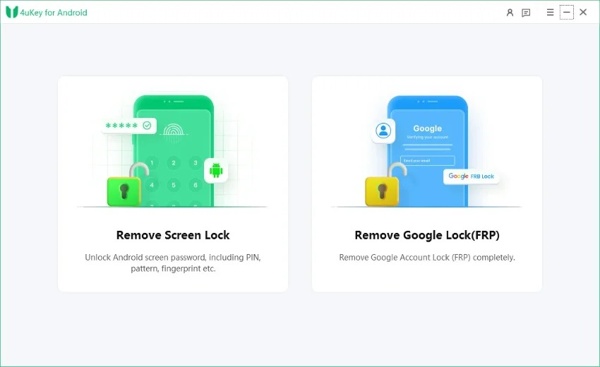
Tenorshare 4uKey for Android is another professional Android unlock tool that supports Android 15 password removal. It allows you quickly bypass FRP locks on Samsung, Xiaomi, Redmi, Vivo, OPPO, Realme, OnePlus, Huawei, and more. It has three plans: monthly license ($22.95), yearly license ($39.95), and lifetime license ($59.95).
Prós
- Possui uma interface de usuário amigável.
- Desbloqueie seu telefone Android rapidamente.
- Ignore o bloqueio do Google FRP com eficiência.
- Suporte ao Android 16 e versões anteriores.
Contras
- It doesn't support Android 16.
- A taxa de sucesso não é muito alta.
Perguntas frequentes.
-
Quanto custa o PassFab Android Unlocker?
Há três planos. A licença mensal custa $29,95, a licença anual custa $39,95 e a licença vitalícia custa $49,95.
-
O uso do PassFab Android Unlocker é legal?
Sim, o PassFab Android Unlocker é um programa legal desenvolvido por uma empresa de software respeitável. Se você baixar o software do site oficial, ele não instalará vírus ou malware no seu computador.
-
O PassFab suporta o desbloqueio de iPhones?
Sim, o PassFab oferece um aplicativo chamado Desbloqueador de iPhone PassFab para desbloquear dispositivos iOS com um computador. Você pode conferir nossa análise.
Conclusão
Depois de ler isto Análise do PassFab Android Unlocker, você pode entender o que esta ferramenta de desbloqueio para Android pode fazer, suas vantagens e desvantagens, e como usá-la para desbloquear seu telefone Android. Além disso, também recomendamos três programas alternativos. Você pode tomar a melhor decisão com base em nossa análise.
Penny focuses on GPS troubleshooting and Windows optimization. She formerly worked as a technical support engineer, helping clients solve location-based and system issues efficiently. Backed by IT support experience, she provides practical solutions that really work. In her free time, she likes hiking and geocaching, testing GPS tech in the real world.
Soluções quentes
-
Desbloquear Android
-
Desbloquear iOS
-
dicas de senha
-
Dicas para iOS

