



 Solução
 Centro de Apoio
 Sobre nós
 Contato
Fix Apple ID Not Active to Make Changes to Your Account
 Samuel Spenser publicado em junho 09, 2026Desbloquear iOSLeitura de 3 minutos
You can use different accounts on your iPhone for additional services. An Apple ID account is one of them. It is the supported account that is needed for your iPhone or other Apple devices. It is the same way that Android phones need a Google account.
However, there are instances where the ID Apple não ativo message is seen. But why? This issue does not allow you to manage or make any changes to your account. In this article, we will help you determine the factors causing the problem. It includes the ten proven methods that can help you fix it. If you want to know their full details, continue browsing this post.

Neste artigo:
Part 1. Why Is My Apple ID Not Active?
When the Apple ID is not valid or supported, including an inactive issue, it means that Apple has temporarily locked it. It is due to human error, system issues, and other factors. One of the most common issues is an incorrect password too many times. Also, there might be security concerns or suspicious account activity.
Additionally, an Apple ID can be inactive due to unpaid charges or billing problems. Or worse, there are violations of the Apple Terms and Conditions. It is the most serious problem your account will ever face.
Part 2. Before You Begin - Quick Checks
Knowing the password of your account will help you Gerencie seu ID Apple easily. There are quick methods that can be used. Below are the four most suggested. Please continue browsing to know them.
1. Verifique o status do sistema Apple
Apple has a website that allows you to see the current status of its services. An Apple ID password does not work when it is down on Apple's end. Apple is the only one that can fix it.
2. Verify Your Internet Connection
Managing and making changes to your Apple ID requires an internet connection. If you do have an internet connection, the changes will not be made. Checking and verifying the internet connection is recommended.
3. Check Your Password
When signing in, there are instances when the Apple ID password is incorrect due to typographical errors. Checking the password is important when signing in.
4. Look for Emails from Apple
If there are issues, you can also look for emails from Apple. In this case, you know if there are issues with your account. So, you will know the issue causing it.
Part 3. How to Fix Apple ID Not Active
How to fix This Apple ID is Not Active error message when the issue is serious? Five proven methods are here to help you with the process. Please continue browsing to discover them.
1. Unlock Your Account via Password Reset
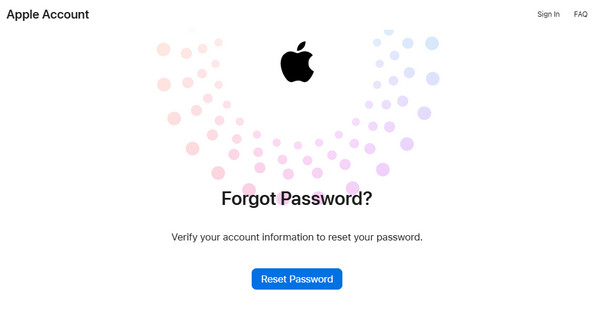
If the password is incorrect, you may reset it. Apple has a website that can reset your Apple ID without difficulty. The steps for the reset process can be seen below.
Visite o site oficial de Apple iEsqueci. Em seguida, selecione o Redefinir senha botão na parte inferior.
Enter the Apple ID email or phone number. Then, enter the seen characters from the image. Click the Continuar button at the bottom. Authenticate the process, and you need to follow the on-screen steps to make a new password.
2. Verify Your Email Address
The Apple ID needs to be verified to make changes when issues are faced with the account. This method requires code from the associated phone number or email. See how below.
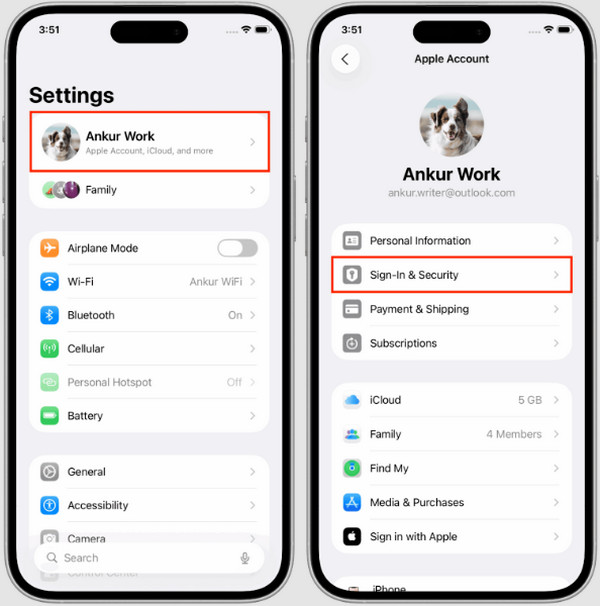
Abra o Definições app on your iPhone. Then, choose the name at the top. Tap the Login e segurança botão.
Toque em E-mail e números de telefone from the screen. Tap the Verificar button. Enter the code given afterward.
3. Unlock via Account Recovery
The account recovery can be made with a recovery contact. The contact will receive a code that can be used to recover the Apple ID account. The imported information must be active to receive the code. Please learn how to use a recovery contact to recover your Apple ID account.
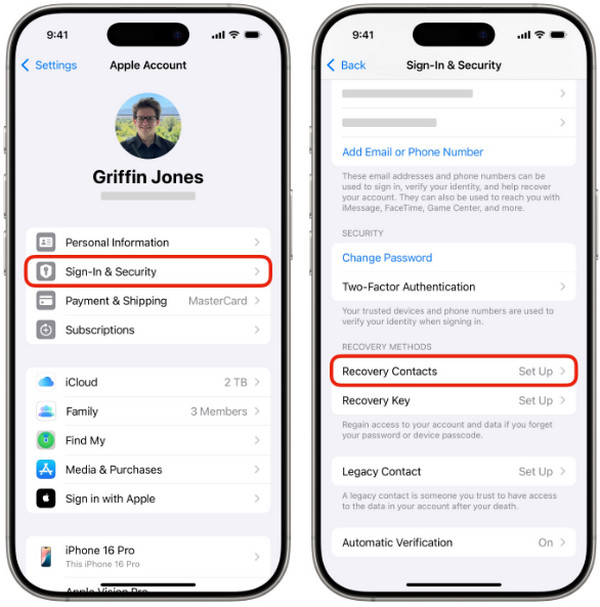
Abra o Definições app. Then, select the account name at the top. Choose the Login e segurança botão.
Toque em Recovery Contacts button. Choose a contact from the list, and a code will be sent. You only need to ask for the code and enter it on the main interface of your iPhone.
4. Check Payment & Billing Information
As mentioned, if there is a balance from your Apple ID for your digital purchases, the Apple ID might be locked. In this case, you need to check your payment and billing information. You can access the process online since Apple allows it on its website.
Acesse o Apple Account Management website. Select the Entrar button. Then, sign in to the associated Apple ID account on your iPhone.
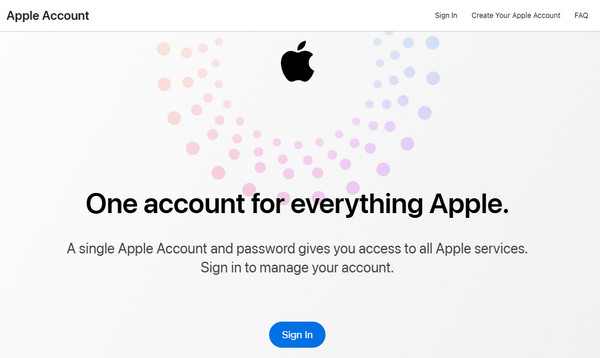
Selecione os Métodos de pagamento button from the sidebar. Then, edit your information when needed to fix the issue.
5. Contact Apple Support
Apple Support has different services that they offer for free. It can remove an old Apple ID from an iPhone, fix hardware issues, and more. The manufacturer can also be contacted to fix the This Apple ID is Not Active issue.
Part 4. How to Bypass Apple ID If It's Still Not Working
But what if the simple techniques above did not work? imyPass iPassGo is to the rescue! This third-party tool can remove the Apple ID on your iPhone without the need for the credentials, which most previous methods require. It supports most of the iPhone models and versions. iPod and iPad are also supported.
Besides the Apple ID, this program can also be used to bypass Screen Time, MDM, screen lock, and other security features on the mentioned Apple devices. Do you want to use it? Please refer to the steps below to know how to use the tool.
Pegue imyPass iPassGo from its website. Then, set up the downloaded file. Install and open it afterward to start the process.
Selecione os Remover ID Apple button at the top. Then, plug your iPhone into the computer. Then, choose the Comece agora button at the bottom left. Follow the on-screen instructions for other operations needed to be done on your iPhone.
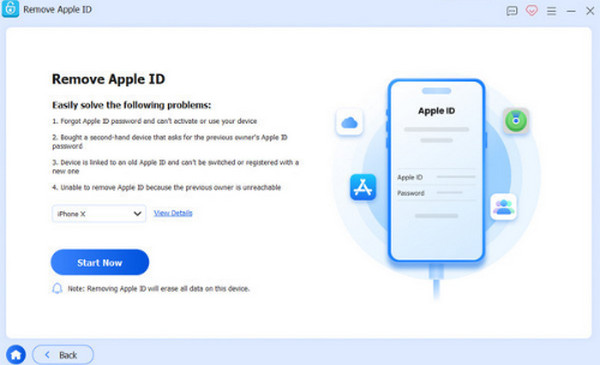
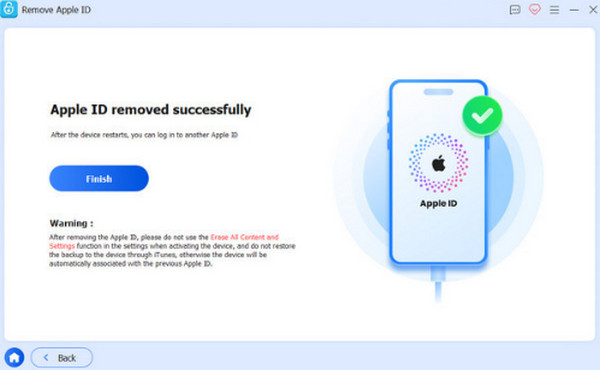
Escolha o Confirm Again button to start the Apple ID removal. Later, wait for the process to end. Click the Terminar button as the last step.
Conclusão
Why is my Apple ID not active? To sum it up, there are account or system issues with your Apple ID. This article has ten methods that can help you fix it. imyPass iPassGo can be used to remove the Apple ID from your iPhone. Download the tool to know more about its features!
Samuel specializes in password security and digital privacy. He used to work as a cybersecurity consultant for small businesses to protect digital assets. With certifications in Cybersecurity and Ethical Hacking, he turns complex security topics into easy-to-follow advice. He also enjoys sharing password tips to help users protect their accounts more confidently.
Soluções quentes
-
Desbloquear iOS
-
Dicas para iOS
-
Desbloquear Android
-
dicas de senha


