



 Solução
 Centro de Apoio
 Sobre nós
 Contato
What Is AnyUnlock iPhone Password Unlocker and How to Use It
 Samuel Spenser publicado em agosto 13, 2026Desbloquear iOSLeitura de 4 minutos
If you are locked out of your iPhone or iPad by lock screens, MDM, Apple Account, and more, you will need a proper program to unlock your device and regain access to your data. iMobie AnyUnlock, for example, is a popular iPhone, iPad, and iPod password unlock software program. This review dives deep into its features, advantages, shortcomings, how-to, and other information you need to know.

Neste artigo:
Part 1. Review AnyUnlock iPhone Password Unlocker
As its name indicates, AnyUnlock iPhone Password Unlocker can help you remove multiple types of passwords and restrictions on an iOS device, from screen locks to Apple ID passwords, from MDM to Screen Time. Before walking through the review, let's discuss what the unlocking software can do first.
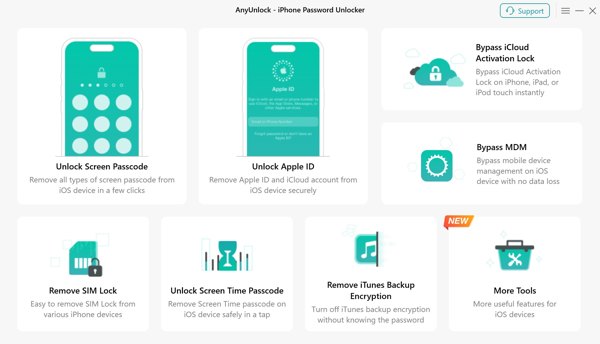
Core Features of AnyUnlock iPhone Password Unlocker
- 1.Remove iPhone passcode, Apple ID password, and more.
- 2.Ignorar o bloqueio de ativação do iCloud on an iPhone or iPad.
- 3.Remove MDM lock, SIM card lock, and verification options.
- 4.Bypass authentication for iOS Password Manager and Screen Time.
- 5.Delete encryption from iTunes backup.
- 6.Disable Camera sound without data loss.
- 7.Find the Apple ID linked to your iPhone.
- 8.Available to iOS/iPadOS 5 to 27.
Unbiased Review of AnyUnlock iPhone
Prós
- The payment options are flexible, and users can purchase specific features or the entire toolkit.
- It offers a 60-day money-back guarantee.
- AnyUnlock iPhone comes with an intuitive interface.
- The software covers nearly every iOS lock scenario.
- It boasts a high success rate across features.
- It works for most iPhone, iPad, and iPod models.
Contras
- Not all features are available to old iPhone models.
- The unlocking processes may result in data loss.
- iMobie AnyUnlock requires iTunes for operation.
- Carrier unlocking and Activation Lock bypass require jailbreaking.
Is AnyUnlock Free?
No, AnyUnlock is not free, but it offers a free trial. If you want to unlock your iOS device, you have to purchase the desired feature or the entire toolkit. The full toolkit costs $59.99 per year for up to 5 devices. Alternatively, you can purchase a specific feature, like Unlock Screen, Ignorar MDM, and more. The prices range from $39.99 to $19.99.
Is AnyUnlock Legit?
Yes, AnyUnlock is legit and safe to use. It has successfully passed all antivirus tests and is free of ads and malware. However, you must get the software from the official website or trusted sources.
Part 2. How to Use AnyUnlock iPhone Password Unlocker
While AnyUnlock iPhone Password Unlocker is easy to use, we share the process to unlock an iPhone to help you start and continue the process properly. Follow our steps to avoid software and hardware damage. Since the process will erase all data on your iPhone or iPad, you'd better back up your device to iCloud or a computer before the process.
Get AnyUnlock downloaded on your computer and launch it.
Connect your iOS device to the computer with a USB cable.
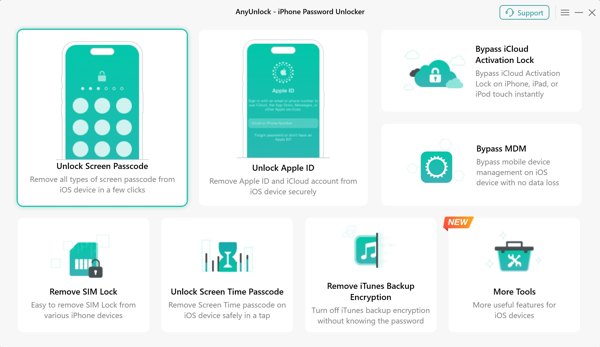
Escolha o Senha de desbloqueio da tela option from the home interface.
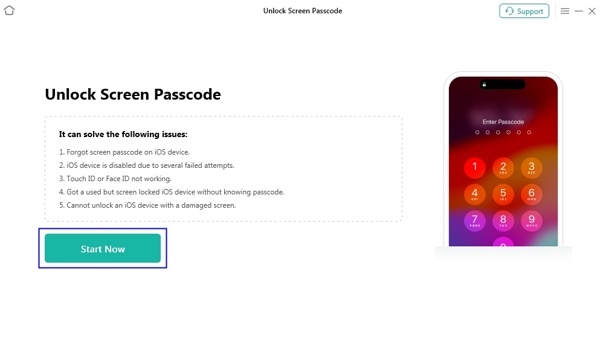
Once the software detects your device, click the Comece agora botão para iniciar o processo.
The program will match the firmware.
Then, check your device model and click the Download botão para baixá-lo.
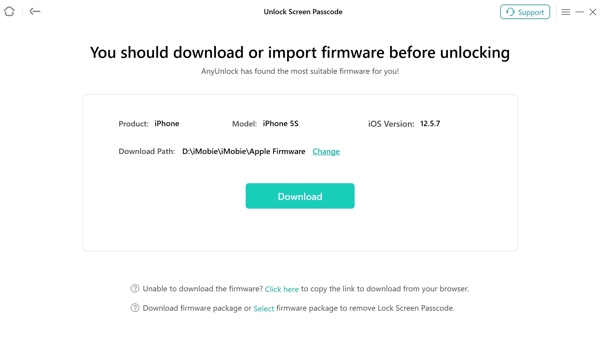
Make sure your internet connection is stable, and there is enough storage on your computer.
When the download process finishes, read the note on the interface.
Por fim, clique no botão Desbloquear agora button to initiate removing the screen passcode immediately.
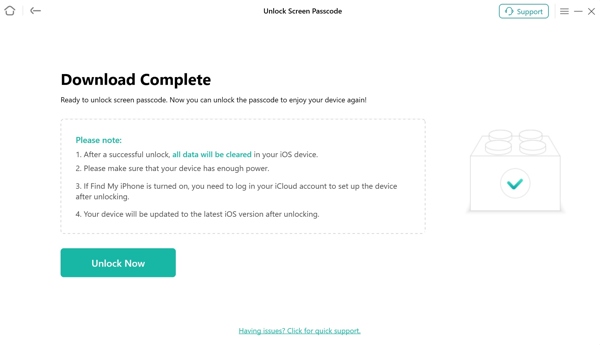
Keep your device connected to the computer during the process.
A few minutes later, the screen passcode will be removed from your device.
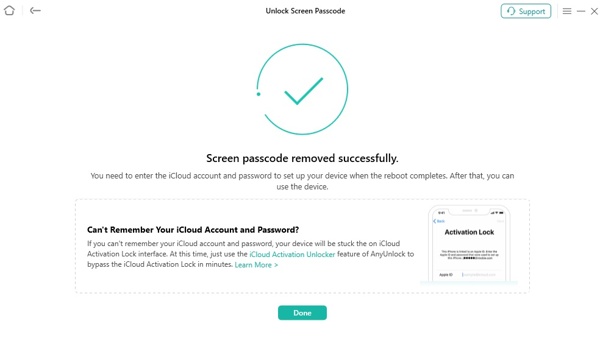
Clique no Feito button, close the software, and disconnect your device.
Part 3. A Great Alternative to AnyUnlock iPhone Password Unlocker
Even if AnyUnlock for iPad and iPhone offers a high success rate, it is unavailable to all devices or situations. If you don't like the unlock tool or it is unavailable for your device, learning an alternative solution is indispensable. imyPass iPassGo, for example, is easier to use and available to a wider range of iOS and iPadOS devices.

Mais de 4.000.000 de downloads
Unlock screen locks on an iOS device in 3 steps.
Work for digit passcodes, Face IDs, and Touch IDs.
Remove Apple ID and password without restrictions.
Bypass MDM, Screen Time, and SIM Card lock without data loss.
Get rid of iCloud Activation Lock quickly.
Vantagens
- 1.Integrate a straightforward interface.
- 2.Remove almost all locks and restrictions from iOS devices.
- 3.Protect your data as much as possible.
- 4.Don't require your iPhone passcode or Apple ID password during the process.
Desvantagens
- 1.The AnyUnlock alternative requires a computer and a compatible cable.
How to Unlock Your iPhone Without a Password
Install the AnyUnlock alternative
Launch the alternative software to AnyUnlock iPhone Password Unlocker after you install it on your computer. It is available on Windows 11/10/8/7 and Mac OS X 10.12 or above. Choose the Desbloquear tela do iOS modo para prosseguir.
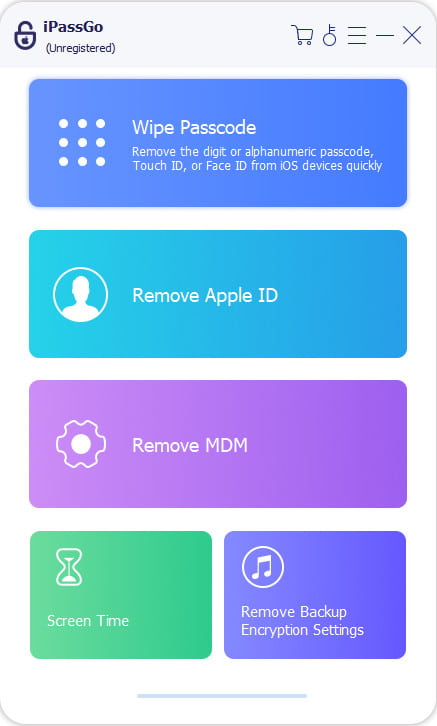
Conecte-se ao seu dispositivo
Plug your iPhone into the computer with a Lightning cable. If prompted, tap Confiar on your screen to trust this computer. Then, the software will recognize your device and load device information immediately.
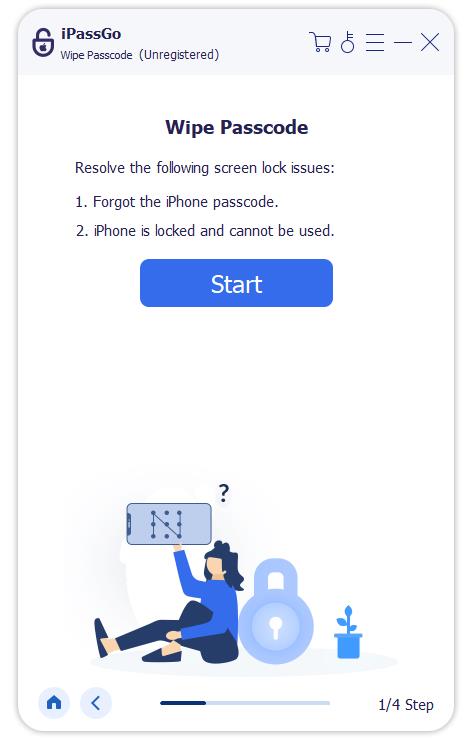
Desbloqueie seu iPhone
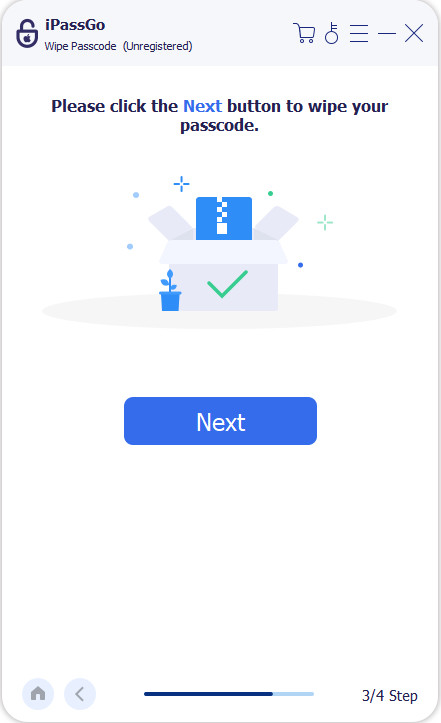
Clique no Comece agora button to begin downloading the firmware. When it is done, hit Começar a remover to continue. Read the notification, and confirm the process. Next, click Confirm Again to begin unlocking your iPhone with the alternative to AnyUnlock.
Conclusão
Agora, você deve entender what iMobie AnyUnlock is, the unbiased review, and other information. More importantly, you can learn the detailed steps to unlock your iPhone or iPad with the unlocking software. Furthermore, you can get an excellent alternative program, imyPass iPassGo. It can help you get rid of all restrictions on your iPhone or iPad without a passcode or password.
Samuel specializes in password security and digital privacy. He used to work as a cybersecurity consultant for small businesses to protect digital assets. With certifications in Cybersecurity and Ethical Hacking, he turns complex security topics into easy-to-follow advice. He also enjoys sharing password tips to help users protect their accounts more confidently.
Soluções quentes
-
Desbloquear iOS
-
Dicas para iOS
-
Desbloquear Android
-
dicas de senha


