Solução
 Centro de Apoio
 Sobre nós
 Contato
Disk Drill Data Recovery for iPhone: Pros, Cons & Best Alternatives
 Clara Prescott publicado em abril 09, 2026Recuperar dadosLeitura de 1 minuto
An iPhone can store or hold multiple types of data every day. It is very convenient for its users, especially when they are taking a lot of videos or photos, creating documents, and more. But sometimes, an iPhone experiences lagging or crashing issues due to excessive data. In this case, users decide to free up space by removing the unnecessary data from the said Apple device.
However, this matter is the main cause of data loss. Luckily, there are iPhone data recovery tools that can be used, like Recuperação de dados do iPhone com Disk Drill. There is more information you need to know about this tool. Scroll below to know the full details about it.

Neste artigo:
Part 1. What Is Disk Drill?
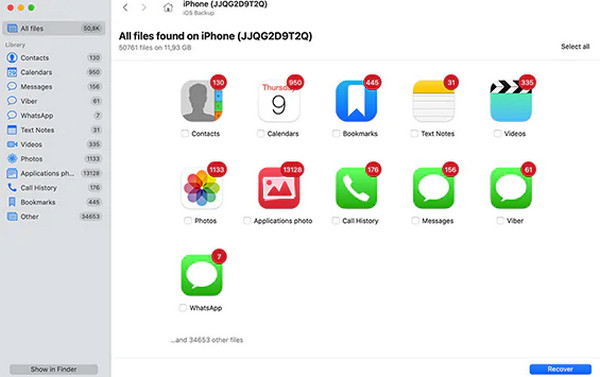
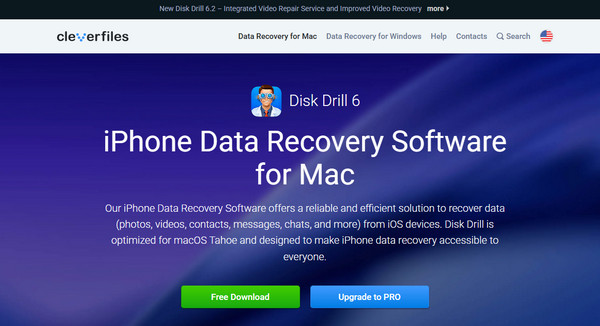
CleverFiles developed Disk Drill iPhone Data Recovery. It is bound to recover deleted files from your iPhone. You can recover the data from your local storage. It can also retrieve files from your memory cards, external drives, etc. Can Disk Drill recover deleted photos from an iPhone? Definitely, yes! Besides photos, it can also retrieve your videos, documents, messages, archives, and more data types. Also, it supports various recoverable scenarios, including lost data due to system issues and when you accidentally delete files.
Part 2. How Disk Drill Recovers Your iPhone
Disk Drill iPhone Data Recovery can retrieve multiple data types by scanning them from your iPhone. The good thing about it is that it does not rely on a single scanning method. It checks multiple folders or locations on your iPhone. This way, it can increase the chance of finding more recoverable files from the mentioned Apple device.
The tool can directly recover files from your iPhone through a USB connection. Besides that, it can also help you retrieve data from your iTunes, iCloud, and Finder backups. If you recover data from iTunes and Finder backup, the tool must be downloaded to the computer where the backups are stored. On the other hand, the associated Apple ID for the iCloud backup must be present. Disk Drill iPhone Data Recovery recovers your data from your computer back to your iPhone.
Part 3. Hands-On Review: Testing Key Features & Limits
Is Disk Drill free iPhone recovery software? It offers a free version, which has multiple limitations. Its paid versions allow you full access to its recovery features. There are multiple tests that you can do to evaluate the performance of Disk Drill iPhone Data Recovery. In this section, we will tell you our hands-on review of the tool, including its pros and cons. Below is our evaluation.
1. Limitations of Recovering Data
The data recovery success rate of Disk Drill iPhone Data Recovery depends on different factors. Overwritten backups make the recovery procedure less successful. Some users report that not all of their data is scanned and recovered with the tool. Having a full backup from your iPhone makes the recovery success rate high.
2. File Preview
The Preview feature of Disk Drill iPhone Data Recovery allows you to see the files you want to recover first. It is quite beneficial because you will be certain of the files you will recover from your iPhone. However, not all can be previewed, especially the files that contain large file sizes.
3. Supported File Types
Disk Drill iPhone Data Recovery allows you to recover multiple data types, including videos, app data, images, and more. However, it cannot retrieve your iPhone settings that are included with your iTunes, Finder, and iCloud full backup. Additionally, corrupted files cannot be repaired or recovered.
4. Scan Success Rate
The software uses multiple methods to scan your deleted or lost data from your iPhone. It finishes the scanning procedure in a reasonable timeframe. However, the scanning procedure still depends on your data size. Large backups or file sizes make the scanning process slower.
Part 4. Better Alternatives for iPhone Data Recovery
If you notice, Disk Drill iPhone Data Recovery still lacks in some aspects. In this section, you will discover the three best alternatives to the tool. You may browse their information to see their pros, cons, and key features. Scroll below to see their full details.
1. Recuperação de dados do iPhone imyPass
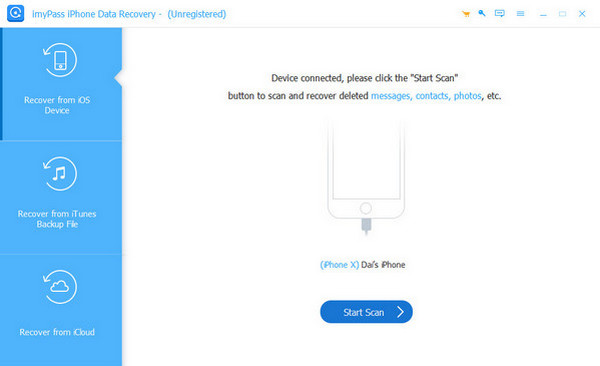
Recuperação de dados do iPhone imyPass is the leading alternative to Disk Drill iPhone Data Recovery. It can recover data from different iOS versions of the iPhone. It includes iOS 5 to 18, including iOS 26/27 Beta. Besides an iPhone, you can also recover files from your iPad and iPod Touch. Additionally, the tool uses advanced algorithms that cater to iOS systems, which have a high success rate
Prós
- It can recover directly from your iPhone without a backup.
- It does not require an internet connection to function.
- It can recover data from iTunes, Finder, and iCloud backups.
- It supports different recoverable scenarios, including accidental deletion, water damage, broken screen, etc.
- The tool can recover multiple media and text contents.
- It has an intuitive interface that is best for novices.
- The software allows you to filter the data for faster navigation to lost files.
- You may search for a specific file using its name.
Contras
- Its free trial has limitations.
2. Recuperação de dados do iPhone Stellar
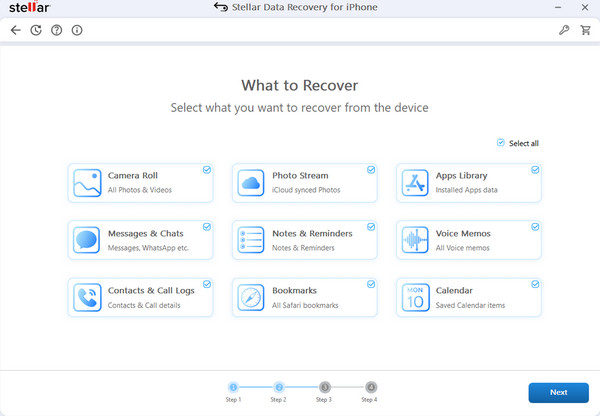
Besides the previous tool, Recuperação de dados do iPhone Stellar is another alternative to Disk Drill iPhone Data Recovery. It supports multiple data types, including documents, call logs, photos, videos, and more. It can also recover your app data from WhatsApp and Viber, including other messaging apps.
Prós
- It can recover backups from iTunes and Finder
- It enables you to preview data or files before recovering them.
- It has a user-friendly interface.
- The tool can work with encrypted backups.
Contras
- Its free version contains limited features.
- The paid version of the tool is really expensive for one-time use.
- The recovery result of the tool is inconsistent.
- It has an interface and stability issue.
3. iSkysoft iPhone Data Recovery
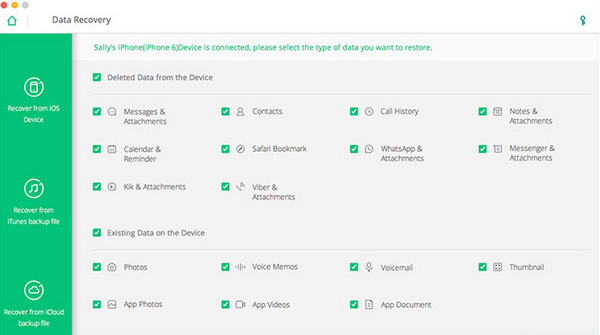
Lastly, Recuperação de dados do iPhone iSkysoft. The tool is designed to recover lost data from your iPhone, iPod Touch, and iPad. You can use it to recover your images, videos, messages, call history, etc. It is downloadable on Windows and Mac.
Prós
- It supports three recovery modes, including recovery directly from your iPhone, iTunes, or Finder backup, and iCloud backups.
- It can preview your files before recovery.
- It allows a selective recovery from your backups.
- The tool analyzes your iPhone storage before recovering the lost or deleted data.
Contras
- It cannot recover overwritten files.
- The iPhone detection is an issue.
- The scanning procedure of the tool is long, especially for large files.
- Its free version has limitations.
Conclusão
To sum it up, the Disk Drill iPhone data recovery tool is a great tool for recovering deleted data from the mentioned device. However, the tool is slow in scanning deleted data. The good thing about this post is that it also introduces its best alternatives, including Recuperação de dados do iPhone imyPass. You can download the tool to explore the features that the previous tool is lacking.
Clara has over 8 years of experience helping users recover lost files and transfer data. She previously worked as a data recovery technician for a major IT service company. Certified in Data Recovery and Digital Forensics, her articles focus on simple solutions that make complicated recovery tasks easier for everyday users.
Soluções quentes
-
Recuperar dados
- Análise da recuperação de dados do AppGeeker iOS
- Disk Drill iPhone Data Recovery Review
- How to Get iPhone Out of Recovery Mode
- How to Fix support.apple.com/iphone/restore
- How to Recover Data from DFU Mode
- Análise do Gbyte iPhone Data Recovery
- How to Recover iPhone Deleted Photos After 30 Days
- How to Recover Deleted Photos on iPad
-
Desbloquear iOS
-
Transferir dados
-
Dicas para iOS

Recuperação de dados do iPhone
Recuperar dados do iPhone excluídos ou perdidos
Download grátis Download grátis