Solução
 Centro de Apoio
 Sobre nós
 Contato
What Is WooTechy iMoveGo and How to Use the Software
 Penny Warren publicado em julho 22, 2026Localização GPSLeitura de 3 minutos
Today, more and more apps and mobile games require location information. They collect your GPS locations and offer geo-restricted content. If you wish to get rid of the restrictions, you will need a location spoofer tool. That is where WooTechy iMoveGo comes in. It is a tool designed to offer you full control over your GPS location without the hassle. This article will share an honest review of the software.

Neste artigo:
Part 1. iMoveGo Review
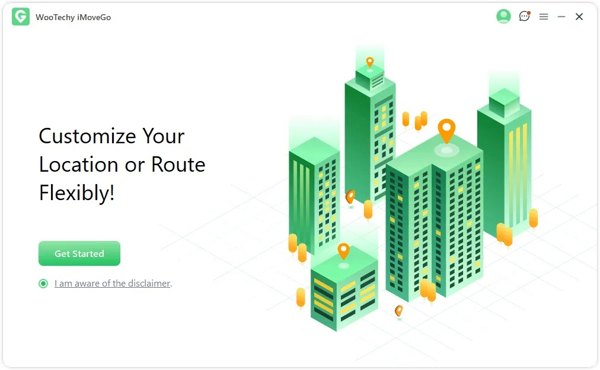
As mentioned previously, WooTechy iMoveGo is a professional location spoofing tool designed for both iOS and Android devices. It lets users change their GPS location to anywhere around the world instantly. So that you can access geo-restricted content, fake your real location, and make virtual routes.
Main Features of iMoveGo for iOS and Android
- 1.Change GPS location on mobile devices in real time.
- 2.Save the favorite location history.
- 3.3.Available on iOS and Android devices.
- 4.Integrate multiple modes, including Joystick.
- 5.Offer an interactive map.
- 6.Support the cooling timers.
- 7.Adjust speed and other custom options.
- 8.Provide an offline mode.
IMoveGo Review
Prós
- iMoveGo provides more realistic movements.
- It supports AR games, social media, and so on.
- It won't ask you to jailbreak or root your device.
Contras
- The moving modes are limited compared to competitors.
- It is not free, and the prices are high.
- The success rate is different, depending on your phone model.
Is iMoveGo Free?
No, iMoveGo is not freeware. You can download iMoveGo for free on the official website, but you have to subscribe to a plan. The monthly plan costs $19.99, the quarterly plan costs $39.99, and the lifetime plan costs $119.99.
Is iMoveGo Safe?
Yes, iMoveGo is safe to use. We have tested the software with popular antivirus software. They don't report malware or other problems when using the location changer software. Moreover, it is released by WooTechy, a reputable software company.
Parte 2. Como usar o iMoveGo
To use iMoveGo, you must install it on a computer and connect your mobile device to the computer. It won't install any app on your mobile phone. That prevents social media or mobile games from detecting your actions.
Install and launch iMoveGo on your PC.
Clique no Iniciar botão para prosseguir.
Connect your iPhone or Android phone to the computer with a compatible cable.
If you don't have a cable, connect them to the same Wi-Fi network.
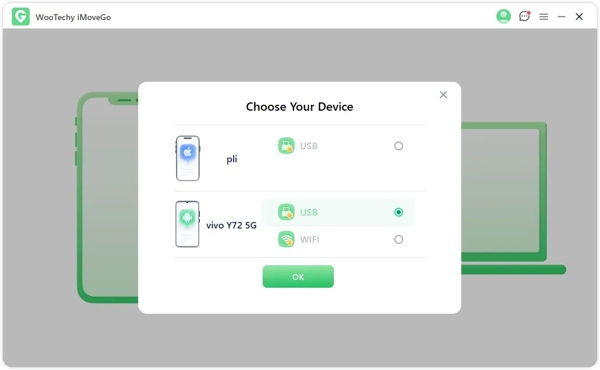
Select your device and click OK.
Escolha o Specific Game Mode ou Universal Mode, dependendo da sua situação.
To use iMoveGo for Pokémon Go, select the former.
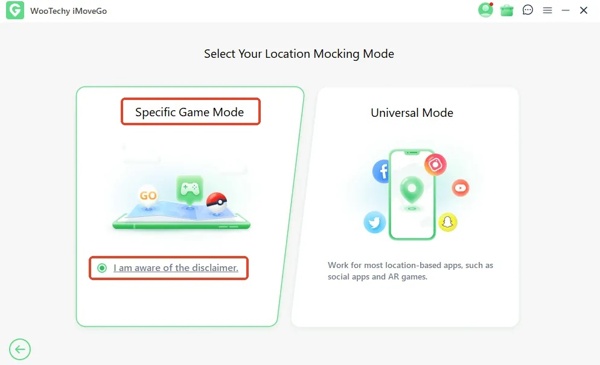
Follow the onscreen instructions to confirm the connection.
Next, the interactive map window will pop up.
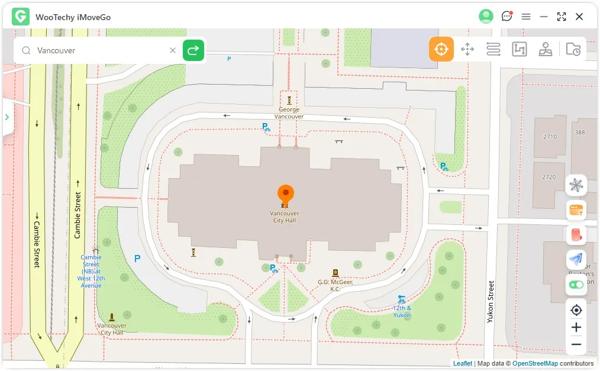
Se você escolher o Modo Teletransporte, click the destination on the map or enter an address. Click the Mover button to teleport to the selected location instantly.
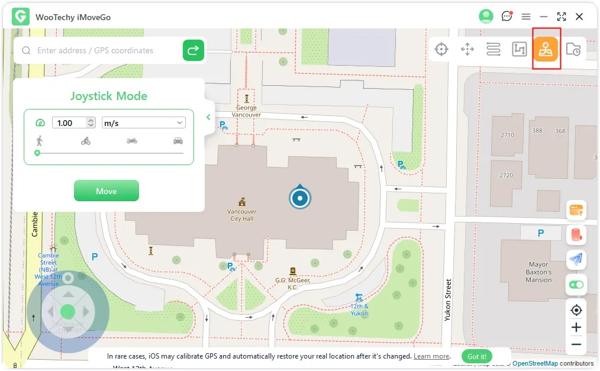
Observação:
You can switch to other modes on the toolbar at the top right corner.
Part 3. A Powerful Alternative to iMoveGo
If iMoveGo is unavailable or you don't like the software, try imyPass iLocaGo. It integrates a user-friendly interface and simplifies the workflow. According to our test, it delivers a high success rate.
Mais de 4.000.000 de downloads
Change the GPS location and create a localização virtual on mobile devices.
Simulate human movements instantly.
Ofereça vários modos para diferentes propósitos.
Available to almost all streaming apps, social media, and games.
Suporte às versões mais recentes do iOS e Android.
How to Use the iMoveGo Alternative
Conecte-se ao seu dispositivo
Open the iMoveGo alternative tool after you install it on your PC. There is another version for Mac users. Plug your iPhone or Android phone into your PC with a Lightning cable. Make sure to trust your PC, and the software will detect your device.
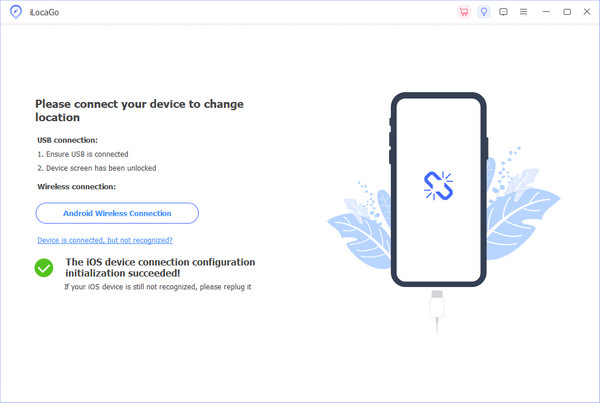
Escolha um modo
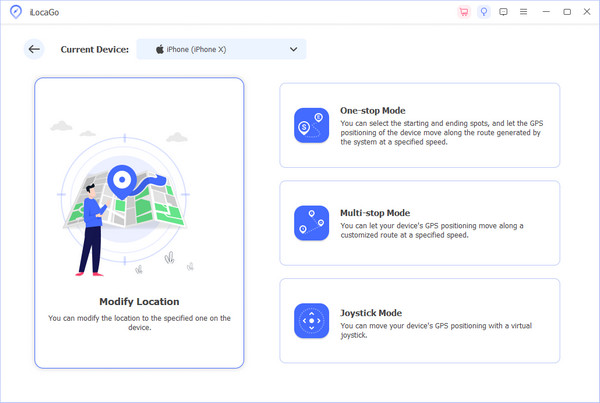
Escolha o Modificar localização if you want to change the static location on your device. The other three modes, Modo de parada única, Modo de parada múltipla, e Modo joystick, are used to simulate movements.
Alterar sua localização
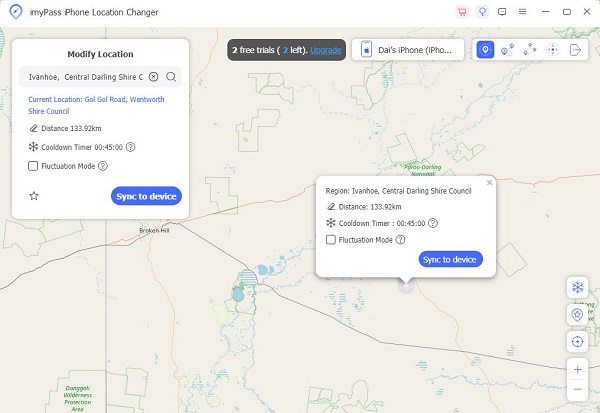
Input an address into the field or click a position on the map. Finally, click on the Modificar button to change your GPS location immediately. Now, you can access the geo-restricted content on your mobile device.
Conclusão
Este artigo tem reviewed iMoveGo, a professional spoofing program for iOS and Android devices. You should understand what the program can do, its advantages and disadvantages, and other information. Moreover, we shared the process to change your phone location using the software. Of course, it is not a perfect location spoofing tool. That is why we recommended an alternative program, imyPass iLocaGo. It is easier to use and delivers a high success rate.
Penny focuses on GPS troubleshooting and Windows optimization. She formerly worked as a technical support engineer, helping clients solve location-based and system issues efficiently. Backed by IT support experience, she provides practical solutions that really work. In her free time, she likes hiking and geocaching, testing GPS tech in the real world.
Soluções quentes
-
Localização GPS
-
Desbloquear iOS
-
Dicas para iOS
-
Desbloquear Android