



 Opløsning
 Supportcenter
 Om os
Om os Kontakt
Unlock Boost Mobile Cell Phone Carrier Restriction for Free
 Gideon Byron Udgivet den 6. februar 2026Lås Android op3-min læsning
It is cost-effective to purchase a carrier-locked phone, such as a Boost Mobile contract phone. However, the downside to the low price is a SIM lock, which means that your phone cannot work with other carriers like T-Mobile, AT&T, etc. So, when you want to switch to a cheaper and nicer data plan from another carrier, you'll need to unlock Boost Mobile phone first. Here comes the detailed guide, which will show you the prerequisites and how to unlock a Boost Mobile phone yourself for free.

I denne artikel:
Part 1: When Can You Unlock Boost Mobile Cell Phone
To unlock a Boost Mobile iPhone or Android phone, you must meet specific requirements established by their policy. Generally, the most important factor is the length of time the device has been active on their network.
Here are the specific criteria you must fulfill:
12-Month Active Service: The device must have been active on a Boost Mobile account for at least 12 months.
Account Standing: Your account must be in good standing, meaning all bills are paid and the account is currently active.
Payment Completion: If the phone was purchased through a financing plan, it must be fully paid off.
Not Flagged for Fraud: The device cannot be reported as lost, stolen, or otherwise flagged as involved in fraudulent activity.
Military Personnel: If you are a member of the U.S. military and have received deployment papers, Boost Mobile will typically unlock your device even if you haven't met the 12-month requirement. You will need to provide proof of deployment to their customer service team.
Part 2: How to Unlock a Boost Mobile Phone
Now, let's see how to unlock a Boost Mobile phone yourself for free. Whether you use a Boost Mobile iPhone or Android model, you can find specific guides here.
Sørg for, at din Boost-mobiltelefon er kvalificeret til at blive låst op. Grundlæggende kan du låse din telefon op på et-års mærket med et godt omdømme.
Urskive #06# to see the IMEI number of your Boost Mobile phone or go to the Settings app to find it.
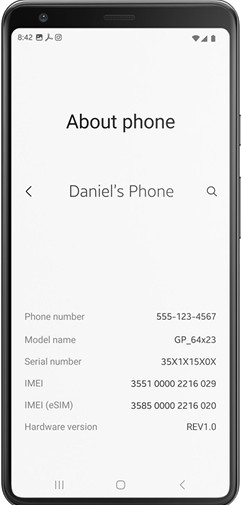
Prepare all the relevant credentials:
Your phone's IMEI number
Phone number or email account linked to the phone
Your account PIN
Then, contact the Boost Mobile customer support line: 1-888-266-7848. Request a Boost Mobile phone unlock.
You may get a response from Boost Mobile within 2 business days.
Til iPhone: If you unlock a Boost Mobile iPhone, Boost will contact Apple, and your iPhone gets unlocked remotely.
Til Android: If you unlock a Boost Mobile Android phone, Boost may give you an unlock code and instructions to manually unlock your phone.
Power off your phone and replace the Boost Mobile SIM card with a new one. Then, power it on. If you use an Android phone, you may need to enter the Boost Mobile unlock code to unlock your device.
Lær også:
Part 3: How to Check Whether You Boost Mobile Phone Is Unlocked
Er Boost-mobiltelefoner låst op eller ej? Dette spørgsmål er vigtigt, før du udfører en Boost-mobiltelefonoplåsning. Du kan øve dig på følgende trin for at kontrollere status for din Boost-mobiltelefonlås.
Sluk for din Boost Mobile-telefon, og tag Boost Mobile SIM-kortet ud af din telefon. Brug venligst et værktøj til fjernelse af SIM-kort for at fjerne det sikkert.
Indsæt derefter et brugbart SIM-kort fra en anden udbyder i din Boost-mobiltelefon.
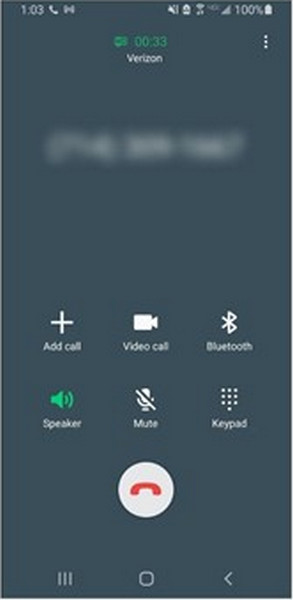
Tænd din telefon og vent i sekunder. Hvis du kan se det nye mobilselskabs navn og har klare signalbjælker øverst på din telefonskærm, kan du prøve at ringe til nogen.
Hvis dette opkald går igennem, er din Boost-mobiltelefon SIM-ulåst. Hvis opkaldet ikke kan oprette forbindelse, og fejlmeddelelser som 'Kun nødopkald' eller 'Ugyldigt SIM' vises, er din telefon stadig låst til Boost Mobile.
Tips: Why You Fail to Unlock a Boost Mobile Device
Situation 1: You want to switch to a different carrier, but your phone shows Ugyldigt SIM-kort eller SIM understøttes ikke when you insert a new card.
Løsning: Verify you have met the 12-month active service requirement and that your account is in good standing. If eligible, contact Boost Mobile Customer Care to request a manual unlock.
Situation 2: Boost Mobile has rejected your request to unlock the phone.
Løsning: Ask for the specific reason for the denial. Usually, it is because the device hasn't been active for 365 days or there is an unpaid balance on the device. Resolve the payment or wait until the 12-month threshold is met.
Situation 3: The second-hand phone won't unlock
Løsning: Because Boost Mobile unlock requires the account to be in good standing, you may need to contact the original owner to settle any udestående saldi eller opfylde servicetiden kravene.
Part 4: Bonus: How to Unlock Boost Mobile Phone Screen
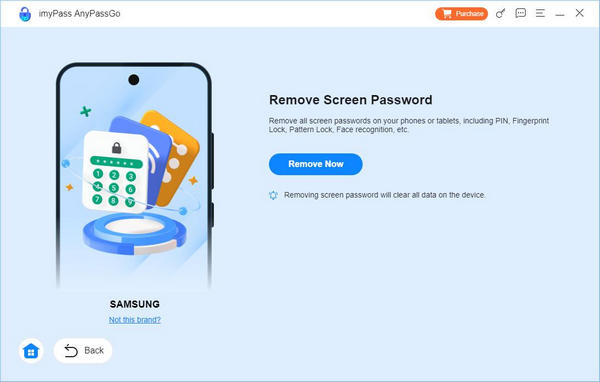
Lad os antage, at du er låst ude af din Boost Mobile-telefon på grund af en glemt adgangskode, eller at du ikke kan finde dit IMEI-nummer på grund af en låst skærm. I så fald kan du bruge imyPass AnyPassGo at omgå Boost Mobile-telefonen uden et mønster, pinkode, fingeraftryk eller ansigtsgenkendelse.
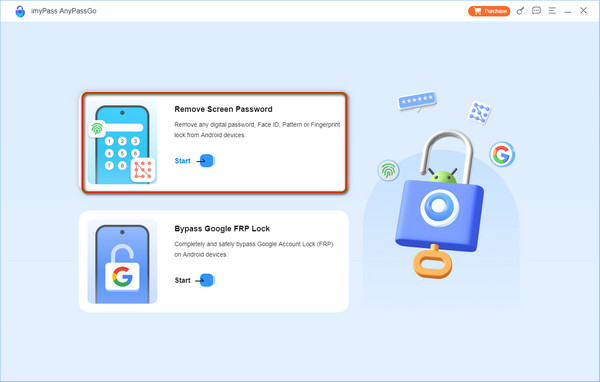
Gå til imyPass' hjemmeside for at downloade imyPass AnyPassGo. Start programmet, og klik på Fjern skærmadgangskode i hjemmegrænsefladen. Tilslut derefter din Boost-mobiltelefon til computeren.
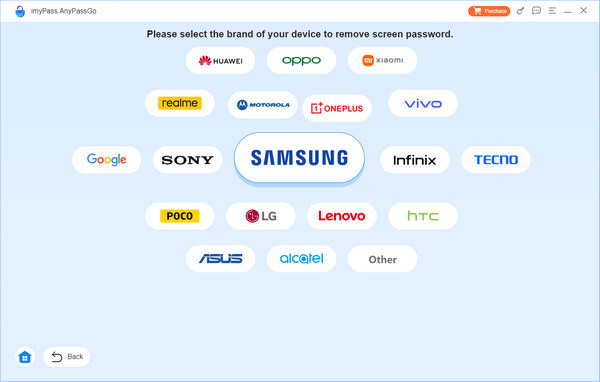
Efter en vellykket forbindelse skal du vælge dit telefonmærke og fortsætte.
Når alt er klar, skal du klikke på Fjern nu, og programmet vil slette skærmadgangskoden for dig.
Ofte stillede spørgsmål.
-
Kan jeg downloade Boost Mobile-oplåsningssoftware for at låse SIM-låsen op?
Ja, du kan downloade AnyUnlock for at låse SIM-låsen op for enhver udbyder på din iPhone. Eller du kan downloade nogle Boost Mobile-oplåsningsapps til Android på Google Play.
-
Kan jeg låse en Boost-mobiltelefon op online?
Ja, du kan udforske nogle sikre online IMEI-oplåsningstjenester for at bestille en Boost Mobile-oplåsningskode. For eksempel kan du gå til DirectUnlocks for at indtaste dit IMEI-nummer og låse din Boost-mobiltelefon op online.
-
Er ulåste telefoner kompatible med Boost Mobile?
Ja, din ulåste telefon er kompatibel med alle udbydere uden begrænsninger. Så hvis du låser din telefon op fra Boost Mobile-låsen, kan du stadig bruge et SIM-kort fra Boost Mobile.
Konklusion
Hvis du vil lås Boost Mobile‑mobiltelefon op selv gratis, følg vejledningen i dette indlæg for at låse din iPhone eller Android op og skifte til en anden udbyder nemt. Du bør først tjekke, om din telefon opfylder oplåsningspolitikken. Hvis du har glemt skærmkoden til din Android‑telefon, imyPass AnyPassGo kan hjælpe dig med nemt at fjerne enhver skærmlås på Android-telefoner, inklusive den nyeste Android 17 og mange mærker som Samsung, LG, OnePlus, Sony og flere.
Gideon skriver om oplåsning af iOS-, Android- og Windows-enheder. Tidligere arbejdede han som mobilspecialist på et værksted, hvor han hjalp kunder med låste enheder og gendannelse af adgangskoder. I sin fritid tester han nye oplåsningsværktøjer, tilpasser smarte enheder og gør komplekse oplåsningsprocesser enkle og sikre.
Hot løsninger
-
Lås Android op
-
Lås iOS op
-
Adgangskode tips
-
iOS-tip

