Uklonite i poništite Widnows lozinku u nekoliko sekundi
Obrišite lozinku za iOS zaslon, uklonite Apple ID itd.
Jednim klikom za zaobilaženje iCloud aktivacijske blokade
Pregledajte, izvezite i vratite iPhone lozinke
Zaobiđite Android zaključavanje zaslona i FRP
Promijenite ili sakrijte lokaciju na iOS/Android uređajima
Oporavite iOS podatke s uređaja, iCloud, iTunes backup
Prijenos podataka između iPhonea, prijenosnih računala i iTunesa
Has your iPhone been locked, damaged, broken, lost, or exposed to water? imyPass iPhone Data Recovery can help you safely recover lost iPhone data in all unexpected situations! Even without a backup!
Recover accidentally deleted photos, videos, messages, contacts, and other important files from your iPhone.
Retrieve important iPhone data when you forget your passcode or your device becomes disabled.
Restore data from an iPhone with a broken or unresponsive screen before replacing your device.
Recover lost files from iPhones affected by water damage, drops, or other unexpected accidents.
Get back lost iPhone data after accidentally resetting your device without a previous backup.
Get back your files after iOS crashes, update failures, system errors, or unexpected shutdowns.
Recover data from a lost or stolen iPhone. Get your important data back even if your device is gone.
Restore lost iPhone data caused by jailbreak issues or unsuccessful system modifications after system errors.
No matter where your lost data is stored, imyPass provides multiple ways to get it back. Recover files from iPhone, iPad, or iPod directly, or extract data from iCloud, iTunes, Finder, and local backups with ease.
Lost important files but don't have an iTunes or iCloud backup? imyPass can directly scan your iPhone, iPad, or iPod to recover data without a backup.
When your iPhone is lost, damaged, or reset and you have an iCloud backup available, imyPass allows you to access backup data securely, preview files before recovery, and restore only the content you need.
If your iPhone is disabled, stuck, or unresponsive, imyPass can extract hidden data from iTunes/Finder backups on Windows PC or Mac, then you can recover data selectively instead of restoring everything.
Want to retrieve data from an older backup? imyPass can help you load existing backup files stored locally and recover valuable information whenever you need it.
With advanced scanning technology and smart recovery features, you can quickly find, preview, and restore the data you need.
imyPass iPhone Data Recovery can recover all kinds of lost files, including photos, videos, messages, contacts, notes, call history, voicemails, reminders, WhatsApp chats, attachments, Safari history, app data and more.
imyPass retrieves lost files without replacing existing content on your iPhone. It allows you to selectively recover deleted files you need instead of performing a full restore. Your current data remains safe during the recovery process.
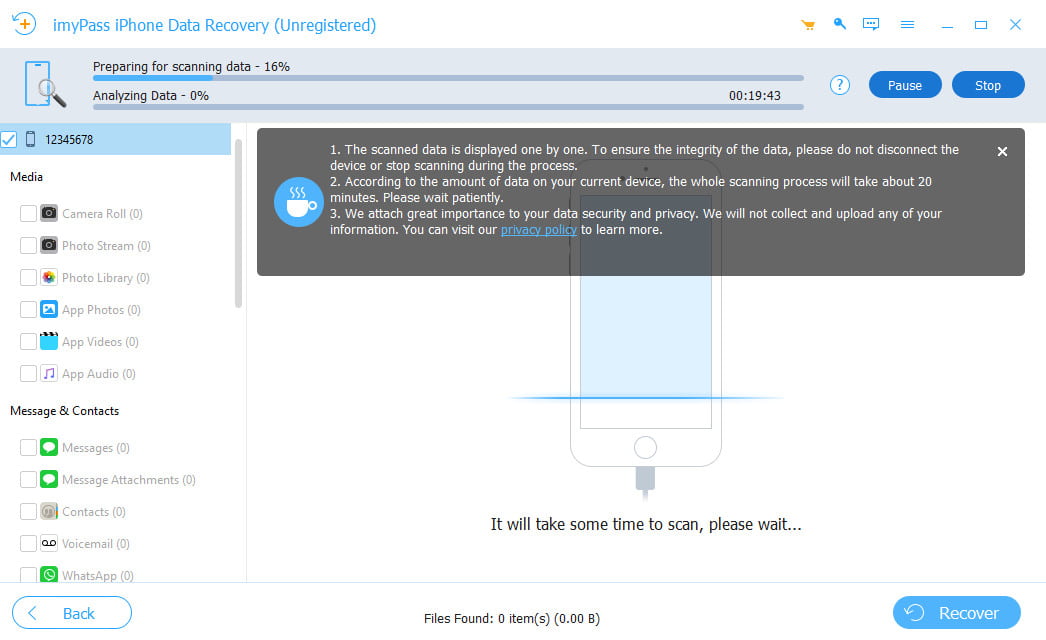
imyPass quickly analyzes your iPhone and searches for all recoverable files from your device or backups. The deep scan mode can automatically detect deleted or hidden data in a short time. Even if your data was lost days, weeks, or longer ago, imyPass helps you find and recover it efficiently.
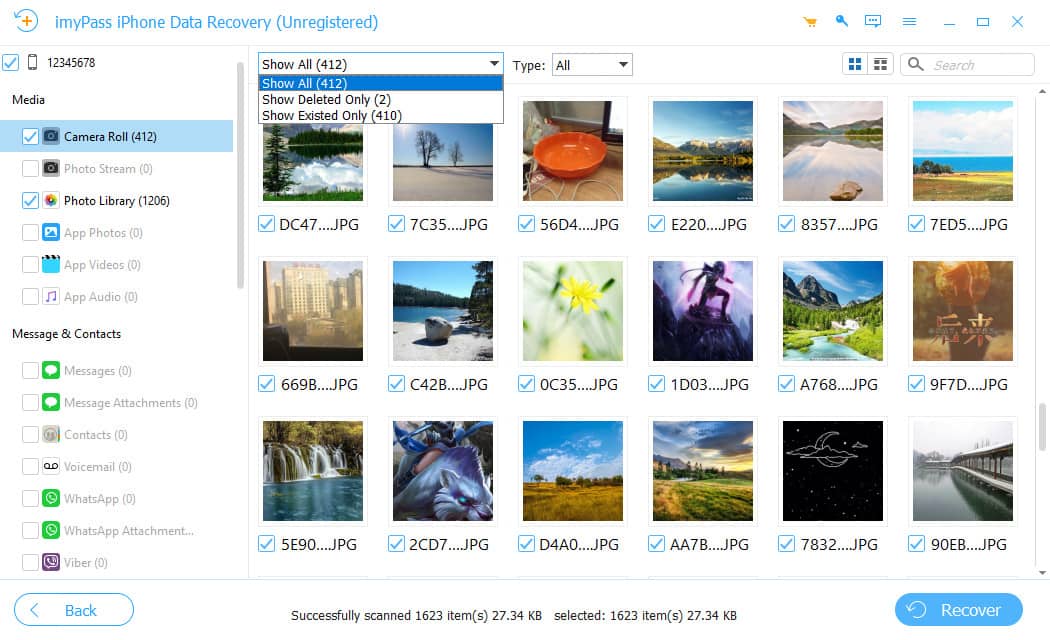
Before recovering your files, you can preview scanned data in detail. The program allows you to filter data by category and search for specific data directly. You can also choose Show All or Show Deleted Only to quickly locate your files, select the items you want, and restore them immediately.
Enjoy a smoother and more efficient iPhone data recovery experience with these smart and convenient features.
Recover files safely without overwriting your existing iPhone data.
Filter scanned files by type, date, and category to find data faster.
Find specific deleted files instantly by entering keywords or file names.
Jednostavan, vođeni postupak – bez potrebe za tehničkim znanjem.
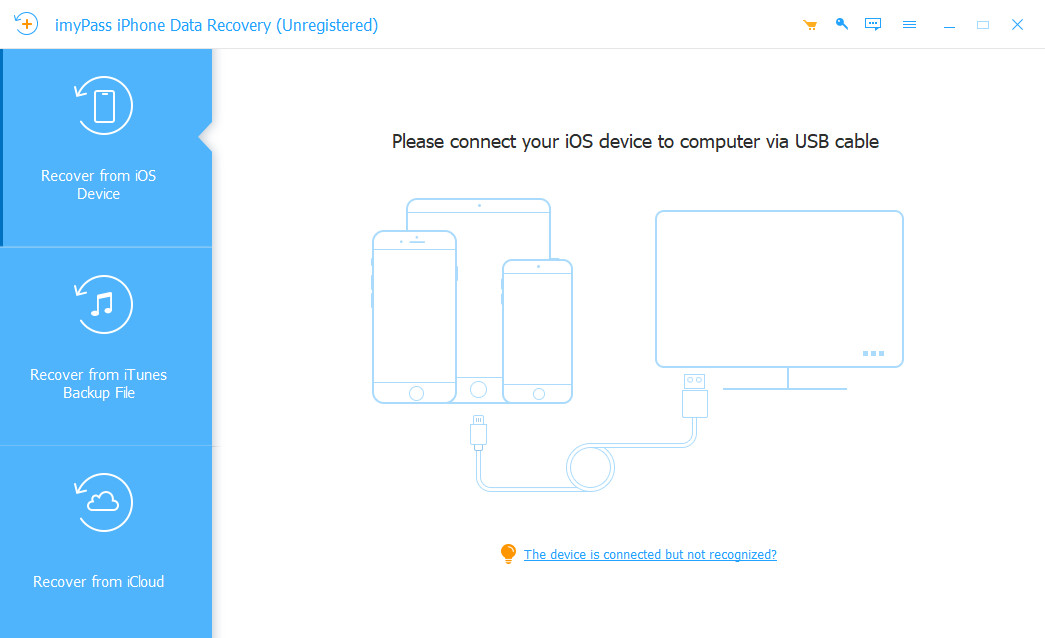
Pokrenite program i povežite svoj uređaj s računalom. Program će automatski prepoznati vaš uređaj.
Odaberite Recover from iOS devices za početak skeniranja. Nakon skeniranja možete filtrirati datoteke po kategoriji ili izravno potražiti određene datoteke.
Odaberite datoteke koje želite oporaviti, izaberite izlaznu mapu i kliknite Recover. Pričekajte da se postupak oporavka dovrši.
Najviše mi se svidjelo što me nije prisilio da vratim cijelu iTunes sigurnosnu kopiju. Mogao sam sve pregledati i oporaviti samo datoteke koje su mi stvarno trebale.
Ispustio sam iPhone u vodu i zaslon je potpuno prestao raditi. Iako se telefon nije mogao normalno uključiti, svejedno sam uspio oporaviti svoje WhatsApp razgovore i fotografije.
Greškom sam izbrisala važan dokument i satima sam tražila način da ga vratim. Ovaj softver ga je zaista oporavio bez resetiranja mog telefona.