Navigation

Get the Full Version of iPhone Transfer for Mac Now

Free Trail

  • Photos Transfer (20 pieces)
  • Media Transfer (20 pieces)
  • Contacts Transfer (10 pieces)
  • Message Transfer (10 pieces)
  • Note Transfer (10 pieces)
  • Can’t Use Other Functions

Full Version

  • All functions in Free Trial (Unlimited)
  • iCloud Manager
  • Edit Music Info
  • One-click Photo Transfer
  • One-click Transfer
  • Contacts Backup and Restore
  • Ringtone Maker
  • HEIC Converter
  • Free lifetime upgrade
  • Free lifetime technical support
1 Month License Lifetime License

$19.96 / 5 Devices

Original Price: $24.95

$49.96 / 5 Devices

Original Price: $62.95

Days : Hours : Mins : Secs

Enjoy the Full Version of iPhone Transfer for Mac Now

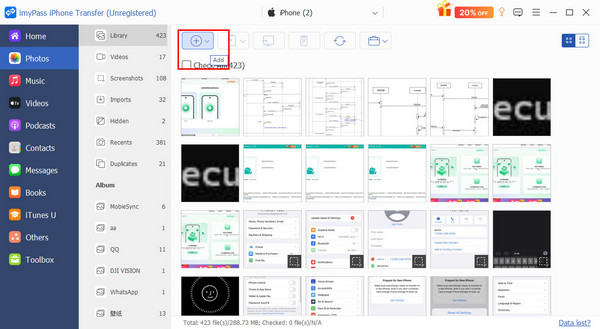
Transfer Files

Step 1: Connect your iPhone, iPad, or iPod to your computer using a USB cable.

Step 2: Click file categories on the left panel.

Step 3: Press the Add and Export button at the top to import and export files.

See Full Guide Here
Import Photo to iPhone

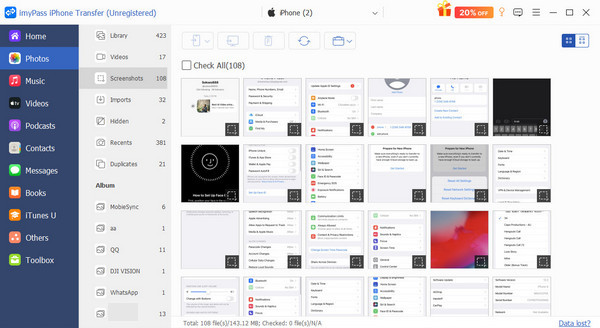
Manage Files

Step 1: Connect your iPhone, iPad, or iPod to your computer using a USB cable.

Step 2: Click file categories on the left panel.

Step 3: You can create contact groups, organize photo albums, and perform many other operations on the laptop directly.

See Full Guide Here
iPhone Photos in Organize

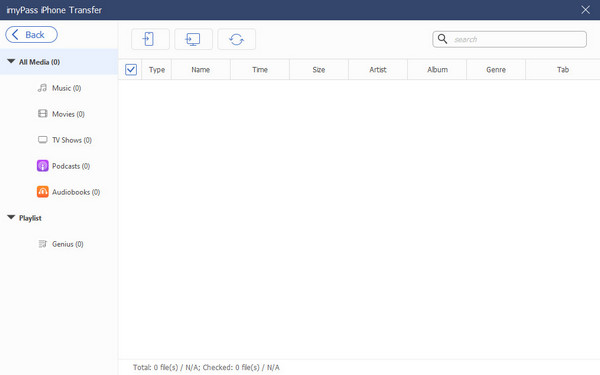
Use Toolbox

Step 1: Connect the iDevice(s) to the computer. Click Toolbox on the left.

Step 2: Click the Ringtone Maker, iTunes Library, HEIC Converter, and Phone to Phone buttons at the top.

Step 3: Follow the on-screen steps to use the toolboxes.

See Full Guide Here
View iTunes Library

Why Choose imyPass