Solution
 Support Center
 About Us
 Contact
Retrieve Deleted TikTok Messages [iPhone & Android]
 Clara Prescott Published on October 24, 2025Recover Data3-min reading
As one of the most popular social media, TikTok not only allows you to share video posts but also enables you to send and receive direct messages from others. These messages can include text, videos, and images. That makes communication versatile. Nevertheless, it is a big challenge to recover deleted TikTok messages for average people. This guide demonstrates the verified methods to get back sent and received messages on the social platform.

In this article:
Part 1: Can You Recover Deleted Messages on TikTok
No. Unlike iPhone iMessages or Android Messages, TikTok officially doesn't provide the "Recently Deleted" option for users to get back deleted TikTok chat history. Therefore, this article will introduce other tricks to recover deleted TikTok messages and pictures, including iPhone data recovery software, TikTok backup, Android notification history, and so on.
Part 2: How to Recover Deleted Messages on TikTok
Way 1: How to Recover Deleted TikTok Messages from Sender or Recipient
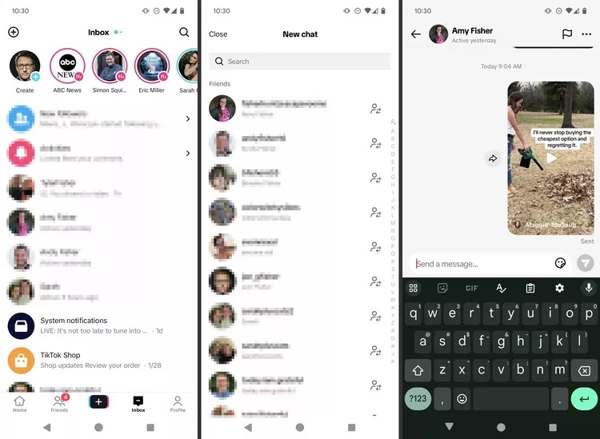
The easiest but barely works way to recover the TikTok message is to ask the sender or recipient. If you just deleted messages in your inbox, you can contact the sender or recipient and ask them to send you the screenshot again. If you withdraw a message rather than delete it, this way is unavailable.
Way 2: How to Recover Deleted TikTok Messages by Requesting Data
TikTok allows you to request a download of your data. The download includes your profile information, your videos, chat history, comment history, and app settings. The workflows are a bit different on Android and iOS.
On Android
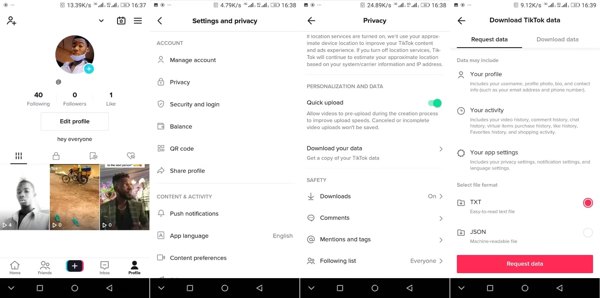
Sign in to your account in the TikTok app.
Tap on your profile, and press the Settings button with a three-line icon at the top right side. Choose Privacy, and tap Download your data.
Pick the right file format under Select file format, and tap the Request data button.
Wait for a few days and you will get the download. Then you can see deleted messages on TikTok.
On iPhone
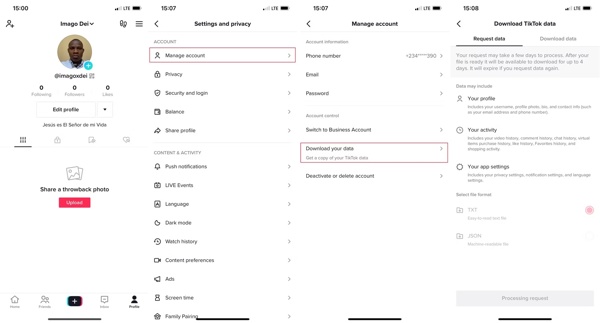
Tap on your profile in TikTok.
Press the Settings button with a three-line icon, choose Settings and privacy, and tap Manage account under the Account heading.
Tap Download your data, choose a file format, TXT or JSON. Then hit the Request Data button at the bottom.
When you receive the data, download it and recover deleted TikTok messages.
Way 3: How to Recover Deleted TikTok Messages on iPhone
If you cannot see the deleted TikTok messages after performing the methods above, you will need a powerful data recovery tool. imyPass iPhone Data Recovery, for example, enables you to recover deleted TikTok messages from your memory.
4,000,000+ Downloads
Recover deleted messages, images/videos in the conversation.
Recover data lost in many scenarios, like accidentally deleting, factory resetting, system glitches, etc.
Retrieve data from third-party apps, like WhatsApp, Messenger, etc.
Support the latest iOS 26/27 Beta and iPhone 17.
How to Retrieve Deleted TikTok Messages on Your iPhone
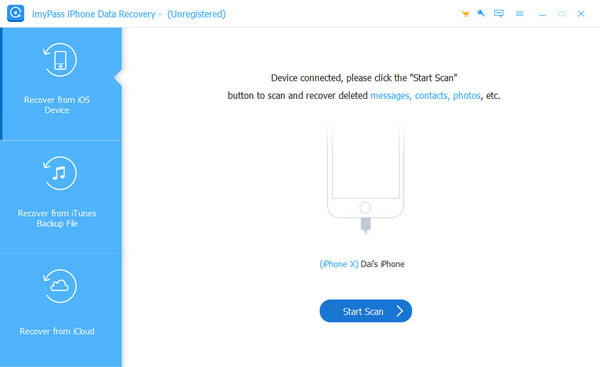
Connect to your iPhone
Launch the best iPhone data recovery software after installing it on your PC. There is another version for Mac. Connect your iPhone to your PC with a Lightning cable. Pick Recover from iOS Device on the left sidebar. Trust your PC, and click the Start Scan button to continue.
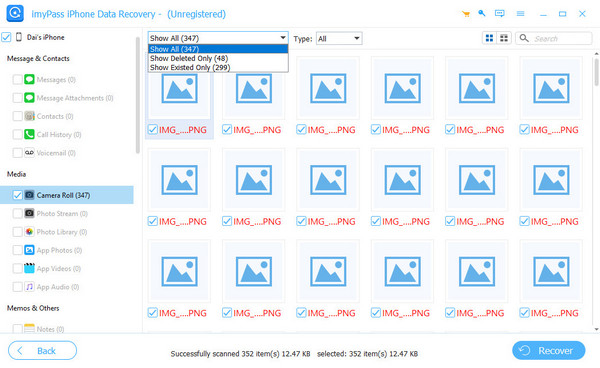
Preview TikTok messages
Once the data scan is done, you will be presented with the preview window. Choose the data type that you want to recover on the left side. Here we select TikTok and pick Show Deleted Only from the top option.
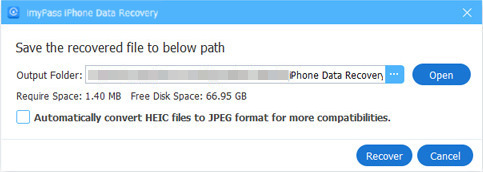
Recover deleted TikTok messages
Check the box next to each TikTok message that you want to recover, and click the Recover button at the bottom right corner. Next, set the output folder, and click Recover again.
Part 3: Tips to Avoid TikTok Message Loss
Backup Regularly
TikTok officially doesn't publicly disclose an exact duration for how long it stores your chat history. However, there is no "recycle bin" in TikTok. Therefore, in case data expires or messages are lost, you'd better use Google or iCloud, or other cloud services, to back it up regularly. If some things are vital, please take a screenshot and preserve them.
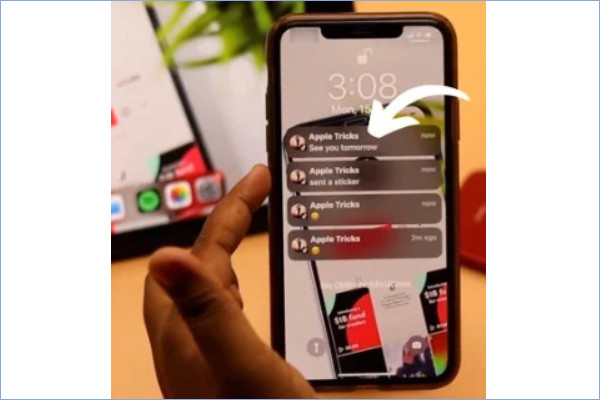
Enable Notification History
This is only for Android users to retrieve their accidentally deleted TikTok messages when they are not lost for a long time. If you enabled it previously, it will show recent messages even if you have deleted them. Just go to Settings > Notifications > Advanced Settings > Notification History, and toggle it on.
Conclusion
This guide has demonstrated four ways to see deleted messages on TikTok. Before deleted messages are synced, you can get them back by re-logging in your account. Plus, you can request a copy of your data on the TikTok app and retrieve your conversations. imyPass iPhone Data Recovery is the ultimate solution to get back your TikTok messages.
Clara has over 8 years of experience helping users recover lost files and transfer data. She previously worked as a data recovery technician for a major IT service company. Certified in Data Recovery and Digital Forensics, her articles focus on simple solutions that make complicated recovery tasks easier for everyday users.
Hot Solutions
-
Recover Data
- AppGeeker iOS Data Recovery Review
- Disk Drill iPhone Data Recovery Review
- How to Get iPhone Out of Recovery Mode
- How to Fix support.apple.com/iphone/restore
- How to Recover Data from DFU Mode
- Gbyte iPhone Data Recovery Review
- How to Recover iPhone Deleted Photos After 30 Days
- How to Recover Deleted Photos on iPad
-
Unlock iOS
-
Transfer Data
-
iOS Tips