



 Solution
 Support Center
 About Us
 Contact
What Is GPS and How GPS Work on Your Digital Device
 Penny Warren Published on February 06, 2026GPS Location3-min reading
While GPS is not a new technology, it is essential in the mobile ecosystem. Thousands of years ago, humans found their way by looking to the sky, sun, and stars. Currently, all we need is a device equipped with GPS. Navigate apps, for example, like Google Maps, use GPS data to help you find the best routes. Social media apps track your GPS and add location tags to your post to enhance engagement. This guide explains what GPS stands for.

In this article:
Part 1: What Is GPS
GPS, which stands for Global Positioning System, is a space-based radio-navigation system. It broadcasts highly accurate navigation pulses to users on or near our Earth.
The Devices Equip GPS
1. Smartphones and tablets.
2. Cars come with aviation navigation systems.
3. Wearable fitness trackers.
4. Drones and delivery robots.
5. Shipping and logistics systems.
GNSS vs. GPS
GNSS, which stands for Global Navigation Satellite System, is a global term encompassing all satellite-based navigation systems used for determining location, time, and elevation.
| Differences | GPS | GNSS |
| Stand for | Global Positioning System | Global Navigation Satellite System |
| Users | Civilians | Navigation, agriculture, surveying, and disaster management industries |
| Coverage | Anywhere in the world | Global or regional |
| Accuracy range | Up to 4.9m | From 5 to 15m |
| Number of satellites | 31 satellites in 6 orbits | Vary from system to system |
Part 2: How Does GPS Work
GPS includes a three-part system: satellites, ground stations, and receivers. Satellites act like the stars in constellations. A system must include at least 4 satellites. The ground stations monitor and control the satellites remotely. More importantly, they determine satellites’ locations. The receiver is a device or component that constantly receives signals from satellites. Furthermore, the receiver can calculate the distance from satellites.
Part 3: 5 Best GPS Apps
Top 1: Apple Maps
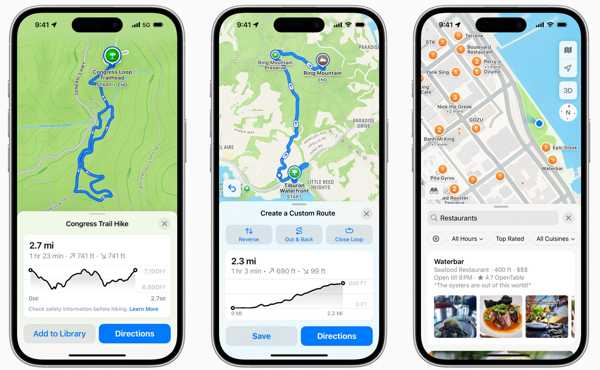
Apple Maps is one of the best GPS apps. Due to the easy-to-read icons, it is popular among Apple users. It comes with advanced features, like impressive 3D Flyover mode, and prominent air quality readings.
Pros
- Integrate a clean interface.
- Offer a stunning 3D Flyover mode.
- Won’t hold onto your private data.
- Support offline maps.
Cons
- To use Apple Maps, you must have an Apple device.
- The indoor maps are limited.
Top 2: Waze
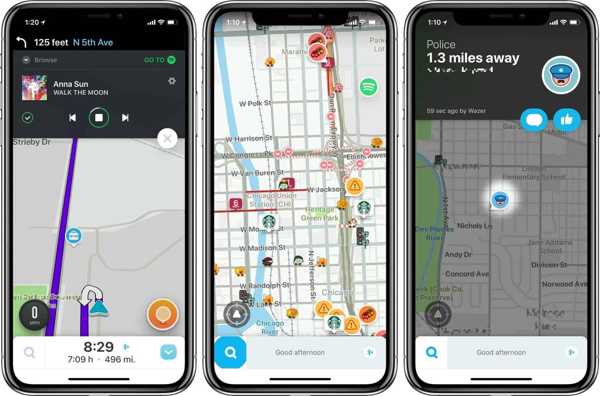
Waze is a popular GPS app available on iPhone, Android, and computers. In addition to traditional features, it also integrates social features. This navigation app was designed for getting you from point A to point B in a car.
Pros
- Provide crowdsourced traffic conditions in real time.
- Establish social connections for drivers.
- Manually control streaming music services.
- Provide a browser-based version.
Cons
- It lacks rich map imagery.
- There is no offline option.
Top 3: Google Maps
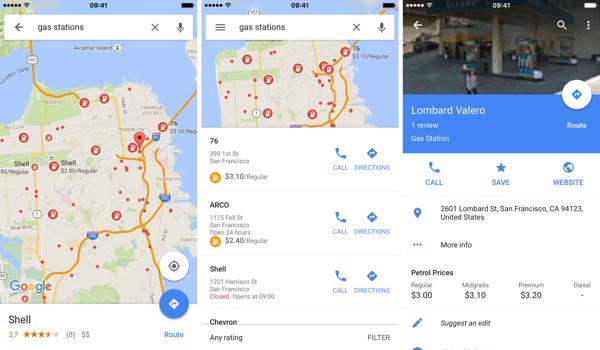
Google Maps is one of the best GPS apps in the navigation industry. The superior directions, real-time data, and useful tools make it stand out. Moreover, it is completely free to use on iOS, Android, Windows, and Mac.
Pros
- Integrate robust maps.
- Offer Google Earth and Street View.
- Display crowdsourced traffic data.
- Direct for biking, driving, bus, and walking.
Cons
- Some street view images are outdated.
- The app is large and slow.
Top 4: MapQuest
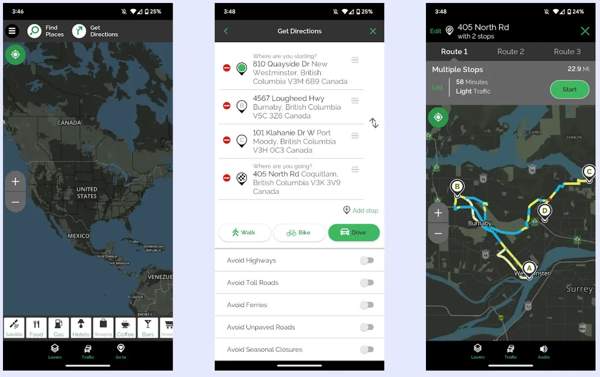
MapQuest is another GPS app for drivers. It works well with voice and gesture commands. That is convenient when driving cars. Moreover, it can report accident rerouting, cheap gas finders, and multi-stop driving routes.
Pros
- Offer driving and walking directions.
- Support multi-segment routes.
- Display traffic information in real time.
- Include a variety of custom options.
Cons
- It lacks public transportation data.
- The database is limited.
Top 5: Komoot
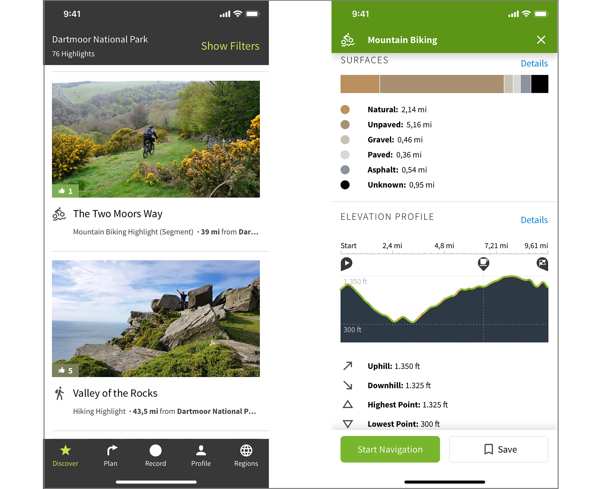
Komoot is one of the best GPS apps for sports. It can keep you safe when riding, hiking, or going on an adventure. Moreover, it comes with a community for sharing and recommending relevant knowledge.
Pros
- Support voice commands.
- Sync with Garmin instantly.
- Offer offline maps.
- Show hidden gems.
Cons
- It is not free.
- Regions are tiny.
Extended Reading:
Part 4: Ideal GPS Spoofer Software
What is GPS spoofing? GPS spoofing involves the transmission of fake GPS signals to trick a receiver into thinking it's in a different location or time than it actually is. If you want to spoof GPS on your mobile device, iLocaGo is an ideal option. It is able to change your GPS location to any address worldwide.

4,000,000+ Downloads
Hide your GPS with fake locations quickly.
Simulate routes using different modes.
Work on apps, mobile games, and websites.
Offer custom options for simulated driving, biking, and walking.
Support the latest versions of iOS and Android.
How to Spoof GPS Location on Your Phone
Install GPS spoofer software
Launch the GPS spoofer software once you install it on your PC. There is another version for Mac users. Connect your iPhone or Android phone to your PC with a USB cable. If prompted, tap Trust on your screen to trust this PC. If you are using an Android phone, you can also link it to your PC via Wi-Fi.

Choose a mode
After your device is detected, you will be redirected to the mode window. Here, we choose Modify Location. The other three modes, One-stop Mode, Multi-stop Mode, and Joystick Mode, are used to simulate routes.

Spoof GPS
Next, type in an address into the field or click an appropriate position on the map. Finally, click on the Modify button to confirm the change. Then, turn on your phone and access apps and games.

Conclusion
This article explained what GPS spoofing is and the relevant knowledge. You should understand the term GPS. Moreover, we identified and reviewed the best GPS apps for you to use in different situations. It cannot be denied that GPS is essential to staying safe and convenient. However, it may leak your privacy, too. Therefore, we also recommended a spoofer tool, iLocaGo, to hide your GPS location and protect your private data.
Penny is a senior editor from imyPass. She has focused on discovering perfect GPS location solutions in all scenarios, and also has experience in fixing computers.
Hot Solutions
-
GPS Location
- Best Pokemon Go Locations with Coordinates
- Turn Your Location Off on Life360
- How to Change Location on iPhone
- Review of iSpoofer Pokemon Go
- Set Virtual Locations on iPhone and Android
- TikTok Track Your Location
- Monster Hunter Now Joystick
- Review of IP Location Finder
- Change Mobile Legends Location
- Change Location on Tiktok
-
Unlock iOS
-
iOS Tips
-
Unlock Android


