Solution
 Support Center
 About Us
 Contact
8 Best File Transfer Apps on iPhone, Mac, and Windows
 Clara Prescott Published on December 19, 2025Transfer Data3-min reading
According to a survey, the majority of people are using more than one operating system, like iOS, iPadOS, macOS, Windows, ChromeOS, Linux, and Android. Due to the different file systems, it is difficult to transfer files between different operating systems. A right file transfer app is indispensable to use your files across these devices. A new problem is too many tools on the market. Therefore, our article identifies the top list.

In this article:
Part 1: Comparison of Top File Transfer Apps
| Price | Support Platforms | |
| imyPass iPhone Transfer | $19.96 per month, $49.96 lifetime | iPhone 4 and above All iPad All iPod Touch Windows 11/10/8/7 macOS 10.12 or above |
| Google Drive | 15GB for free Start at $1.99 per month for 100GB | Web |
| SpiderOak | $6 monthly for 150GB $11 monthly for 400GB $14 monthly for 2TB $29 monthly for 5TB | Windows, Mac, and Linux |
| WeTransfer | Free Start at $10 per month per person | Windows, Mac, iPhone, and Android |
| Xender | Free | Android, iOS, Windows, and macOS |
| SHAREit | Free $2.99 on iOS | Android, iOS, Windows, and macOS |
| Dropbox | $9.99 to $20.00 per month | Web |
| Send Anywhere | Free Start at $5.99 per moth | Windows, macOS, Linux, iOS, Android, Amazon Kindle |
Part 2: Top 8 File Transfer Apps
Top 1: imyPass iPhone Transfer
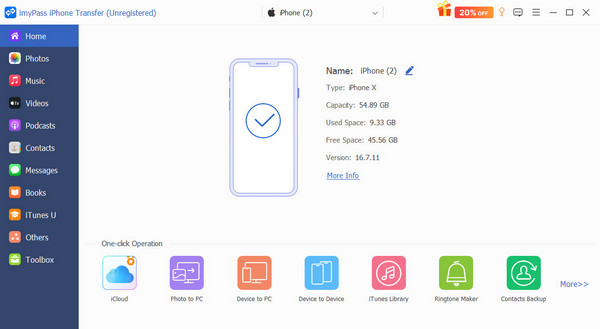
As one of the best file transfer apps for iPhone to PC, imyPass iPhone Transfer allows you to transfer and sync data between iPhone and other platforms. Moreover, it works for photos, videos, music, files, documents, contacts, and more.
Pros
- Transfer a wide range of file types.
- Keep the files in their original condition.
- Quickly and fast.
- Support the latest models of iPhone and iPad.
- Preview files before syncing them.
Cons
- It requires a computer when transferring files between iPhones.
Top 2: Google Drive
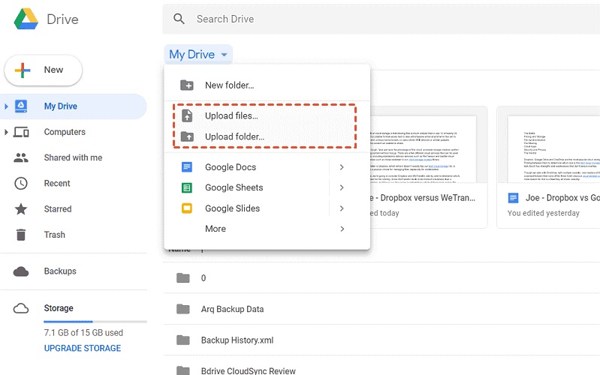
Google Drive is a data transfer app across devices through an internet connection. Google assigns each account 15GB of free storage. Moreover, users can purchase more space at affordable prices. In addition to file transfer, it can edit files online.
Pros
- Offer desk-to-desktop file syncing.
- Integrate third-party plugins.
- Provide both web-based and mobile apps.
- Protect against spam and malware.
Cons
- It lacks password protection for shared files.
- There are some privacy concerns.
Top 3: SpiderOak

SpiderOak is a secure file transfer app. It is great for security and privacy when syncing and sharing files between devices. While it is expensive compared to competitors, the file backup and restore features are impressive.
Pros
- Come with end-to-end encryption.
- Work for unlimited devices.
- Provide responsive customer support.
- Support cross platforms.
Cons
- The prices are expensive.
- It lacks the backup feature in the mobile app.
Top 4: WeTransfer
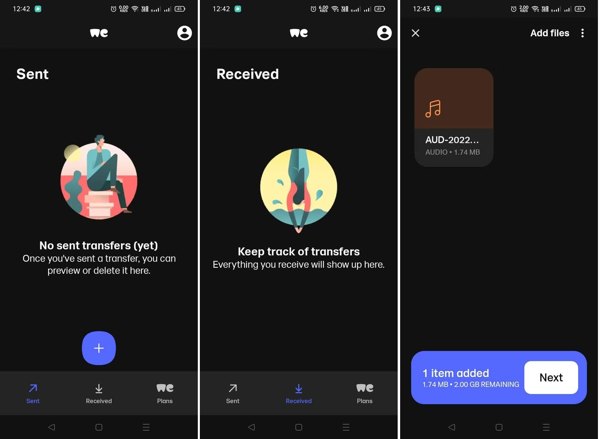
WeTransfer is a great large file transfer app. It provides seamless experiences when sending large files without an account. It is perfect for individuals and businesses to share high-quality images, videos, documents, and more.
Pros
- Integrate a simple and intuitive interface.
- Share files up to 2GB without an account.
- Transfer files up to 20GB at a time.
- Quickly transfer files via a network.
Cons
- The free plan is limited.
- It doesn’t provide advanced collaboration features.
Top 5: Xender
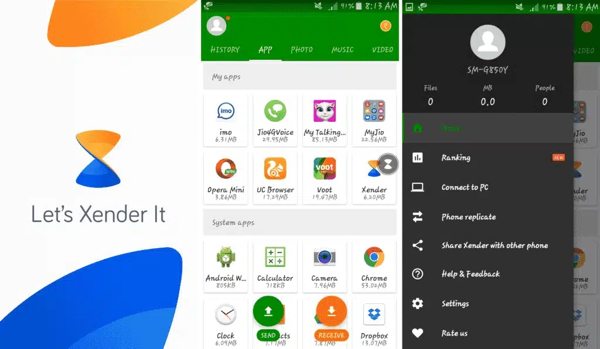
Xender is one of the best iPhone-to-iPhone transfer apps. It allows users to transfer and share files between various platforms. It works for all types of files, like music, videos, documents, and more. Plus, there are no file size restrictions.
Pros
- Transfer files across different platforms.
- Independence from internet connection.
- Provide high speeds.
- Offer a user-friendly interface.
Cons
- The local network permissions bring security concerns.
- It drains the battery.
Top 6: SHAREit

As its name indicates, SHAREit is a free file transfer app. It allows you to share files between various devices. You can transfer files between iPhone and PC, Mac, Android, iPad, and even more devices. It is a good option for individuals to share photos, videos, music, or documents. Plus, it breaks down the barriers between file systems.
Pros
- Free of charge on Android, PC, and Mac.
- Easy to use.
- Manage and organize files quickly.
- No limited on file size.
Cons
- Some features require improvement.
- The free version is packed with annoying ads.
Top 7: Dropbox
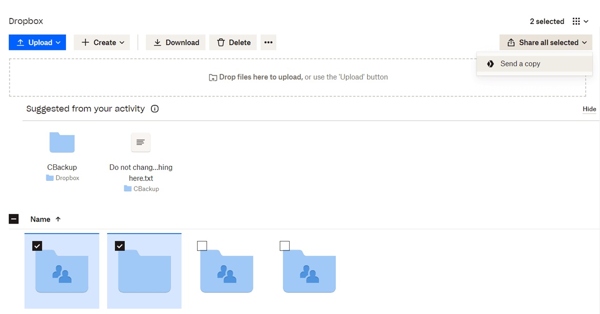
Dropbox is a standout file transfer app for PC, Mac, iPhone and Android. Even if there are free tools, Dropbox is still an attractive option for backing up and transferring files between devices. Moreover, the cloud storage can expand your memory capacity.
Pros
- Available for almost every operating system.
- Integrate an array of collaborative tools.
- Enable digital signatures.
- Automatically back up and sync files.
Cons
- The free version offers limited storage.
- The search function is poor.
Top 8: Send Anywhere

Send Anywhere is a solid data transfer app. It enables users to share files directly with each other without cloud storage. It allows for direct, peer-to-peer data transmission with security links. It simplifies the file-sharing process. If AirDrop isn't working, you can use it to share files quickly.
Pros
- Provide affordable paid packages.
- Simple to use.
- No file size limit.
- Available on almost all platforms.
Cons
- It requires an internet connection.
- It lacks the backup feature.
Part 3: How to Transfer Files between iPhone and PC
Install the file transfer app
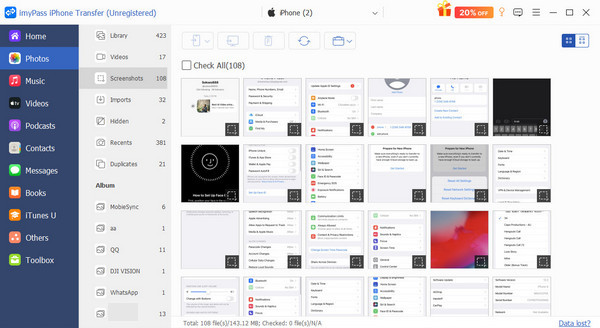
Launch the best file transfer app after installing it on your computer. We use imyPass iPhone Transfer as an example. Connect your iPhone to your computer with a Lightning cable. The application will recognize your device.
Transfer files
Choose a file type on the sidebar, like Photos. Then, preview and select the files you want to share. Click the PC button and navigate to a folder to save transfer files from iPhone to PC.
Conclusion
Now, you should learn at least the top 8 best apps for transferring files between iOS, Android, macOS, Windows, ChromeOS, and Linux. You can pick an appropriate one based on our review and share your files across devices. imyPass iPhone Transfer is the best option for transferring files between an iPhone and other devices, including a computer and mobile device.
Clara is an editor from imyPass. She specializes in data recovery. You can find professional tutorials and solutions for recovering lost data from any device. Many users reported that his tutorial is easy and useful.
Hot Solutions
-
Transfer Data
-
Recover Data
-
Unlock iOS
-
iOS Tips