Solution
 Support Center
 About Us
 Contact
Online FRP Unlock Tools Review: Best Tools to Bypass Google Lock
 Gideon Byron Published on July 27, 2026Unlock Android-min reading
Factory Reset Protection, or FRP, was made to keep Android phones safe after a reset. It protects personal data if the phone is lost or stolen. But sometimes, even real owners get locked out if they forget their Google login. This is why many people look for online FRP Bypass tools to get back into their devices.
So, in this write-up, we will discuss these online FRP Bypass free options. You will learn what devices and Android versions they support, how fast they are, and their real benefits and drawbacks. No matter what option you choose, take your time, stay safe, and soon, you will have your device back in your hands.

In this article:
Part 1. Quick Comparison of the Best Online FRP Bypass Tools
Before choosing an online FRP unlock tool, check the table below to have a quick overview of the five tools discussed in this article.
| FRP Tool | Supported Devices | Android Support | Speed | Best For |
| FRPRemoval.com | Samsung | Up to Android 13 | 15-30 minutes | Users with older Samsung devices |
| GSM Flasher ADB Bypass Tool | Samsung, ZTE, LG, Motorola | Older Android versions | A few minutes after connection | Advanced users familiar with ADB |
| UnlockHere.com | Samsung, LG, Xiaomi, and more | Up to Android 13 (limited on Android 14/15) | 1-2 hours | Users looking for a simple online solution |
| Cpidserver | Samsung | Up to Android 13 | 30-60 minutes | Samsung users who need FRP and network unlock services |
| UnlockJunky | Samsung, Motorola, ZTE, Huawei | Android 5-13 (depends on device) | 10-15 minutes | Users who prefer technician assistance |
Part 2. Top 5 Online FRP Unlock Tools for Google FRP Removal
1. FRPRemoval.com
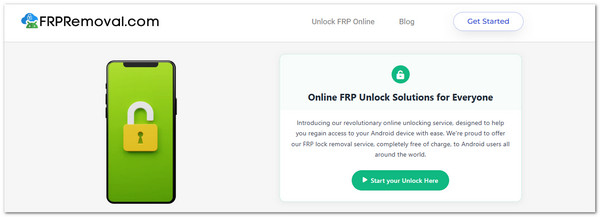
Many people like FRPRemoval.com because it is a free Samsung FRP Unlock Tool Online and runs only on a browser. The trick it uses is a dummy Google account that lets you pass the FRP screen for a short time. It makes it a simple choice for old Android devices, where security is not as strict.
Supported Devices: Samsung phones
Supported Version: Up to Android 13 (fails on Android 14+)
Speed: 15 - 30 minutes
Pros
- It is free to use.
- No apps or tools need to be installed.
- You can do it by yourself with simple steps.
Cons
- There is no support if you get stuck.
- It does not work well on new Android versions.
- The site owner is hidden, which makes it less trusted.
2. GSM Flasher ADB Bypass Tool
GSM Flasher ADB Bypass Tool has been around for a long time and is still used by many users today. It works with ADB commands to bypass Google locks. You only need a computer, a USB cable, and the tool installed. It is more helpful for older Android phones, where ADB is easier to access. However, it can be tricky, since USB debugging must be turned on before the reset.
Supported Devices: Samsung, ZTE, LG, Motorola
Supported Version: Works best on older Android versions (not for Android 14+)
Speed: A few minutes once connected
Pros
- It is free to access.
- It can flash phone firmware.
- It works on many Android brands.
Cons
- It is hard to use for beginners.
- Some antivirus programs may block it.
- USB debugging must be turned on first.
3. UnlockHere.com
UnlockHere.com can handle Samsung, LG, Xiaomi, and more. This online FRP Unlock Tool takes longer compared to other tools, often reaching up to two hours. It is not a bad choice for older phones, but newer Android 14 or 15 devices may not pass.
Supported Devices: Samsung, LG, Xiaomi, others
Supported Version: Up to Android 13 (not reliable on 14/15)
Speed: 1 - 2 hours
Pros
- The site is simple to open and use.
- It works on more than just Samsung phones.
- The process is done online with no extra tools.
Cons
- You must pay a small hidden fee for verification.
- Unlocking takes longer compared to other tools.
- It does not work well on the newest Android versions.
4. Cpidserver
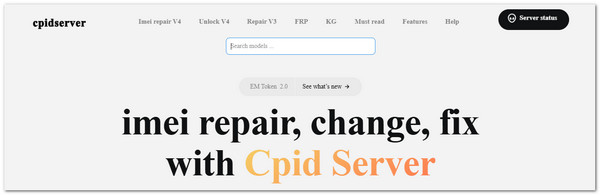
Unlike casual free tools, this unlock Google FRP Online free works more like a professional server. It manages FRP and even carrier unlocks with IMEI entry. It is mostly designed for Samsung phones running Android 13 or below. Many advanced users like it since they can do both network and FRP unlock in one place. The main risk is sharing your IMEI online, which may worry some people.
Supported Devices: Samsung (newer models)
Supported Version: Up to Android 13
Speed: 30 - 60 minutes
Pros
- It can unlock both FRP and network locks.
- It supports newer Samsung phone models.
- The process is faster than many other tools.
Cons
- It may fail on Android 14 and newer.
- Sharing your IMEI online can be risky.
- It does not work for iOS or other brands.
5. UnlockJunky
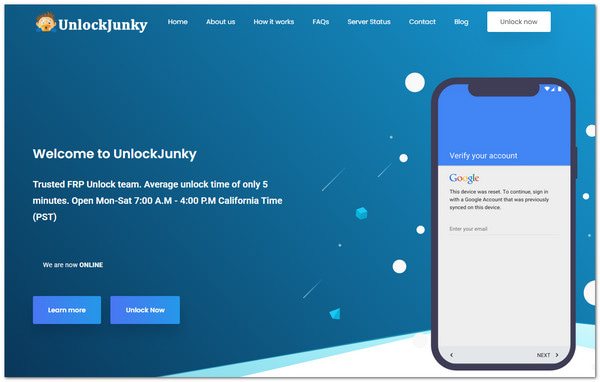
It is not just a website; it connects you with real technicians who guide you while unlocking, offering free online FRP unlock services. You need a computer to connect your phone, but the process is fast. Many people trust this service for Samsung, Motorola, ZTE, and Huawei. The support and reliability make it worth it for many users.
Supported Devices: Samsung, Motorola, ZTE, Huawei
Supported Version: Android 5 to 13 (depends on brand)
Speed: 10 - 15 minutes
Pros
- The unlock process is fast.
- It supports different Android brands.
- You get real-time help from a technician.
Cons
- A computer and an internet connection are required.
- It only works on certain Android versions.
Part 3. Online FRP Tools vs Desktop Tools: How to Choose
When choosing an FRP bypass solution, many users wonder whether an online tool or a desktop program is the better option. The truth is, both online and desktop tools have their advantages and disadvantages. You should choose the one according to your specific needs.
Online FRP Tools
Online FRP tools are usually easier to use because they do not require installing extra software. You can use them directly through a browser. However, these online tools often have limitations. Some of them may not work properly on newer systems, such as Android 14 or above. Some services may include hidden fees or involve privacy concerns when users provide information.
Pros
- Easy to access and use.
- Suitable for users who want a simple FRP unlock.
- Do not require installing additional software.
Cons
- Limited support for newer Android versions.
- May have security risks.
- Some services may require extra fees.
Desktop FRP Tools
Compared with online solutions, desktop FRP tools usually provide more features and broader device support. They handle different Android brands and support additional functions, such as unlocking lock screen. The downside is that desktop tools usually require a computer, a USB cable, and some setup steps to connect your device.
Pros
- Supports more Android brands and models.
- Provides more unlocking features.
- More suitable for complicated FRP lock situations.
Cons
- Requires a computer connection.
- The setup process is more complicated.
Part 4. Best Desktop FRP Bypass Tool - imyPass AnyPassGo
After reading above, you may wonder which desktop FRP solution is worth trying. imyPass AnyPassGo is your reliable choice to remove Google FRP locks. Unlike many online FRP services that only support specific brands or older Android versions, it lets you remove Google FRP locks on any phone brand with ease, including Samsung, Huawei, Oppo, Xiaomi, Realme, Motorola, OnePlus, Vivo, and more. It even supports the latest Android 17 version.
4,000,000+ Downloads
Bypass Google account lock (FRP) across different Android devices.
Remove screen lock types, such as pattern, PIN & facial recognition.
High success rate across all Android brands and models.
Safe to use, with no risk of harming your phone or data.
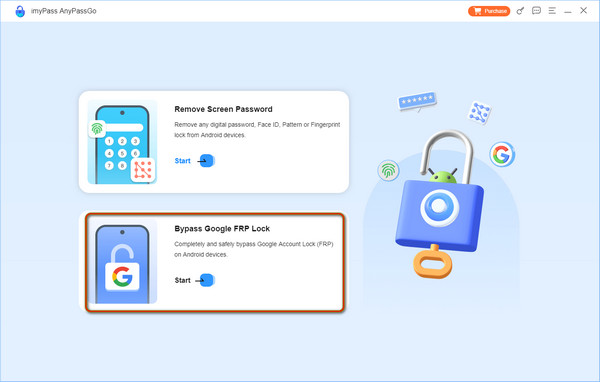
Launch the sofeware on your computer and select the Bypass Google FRP Lock feature.
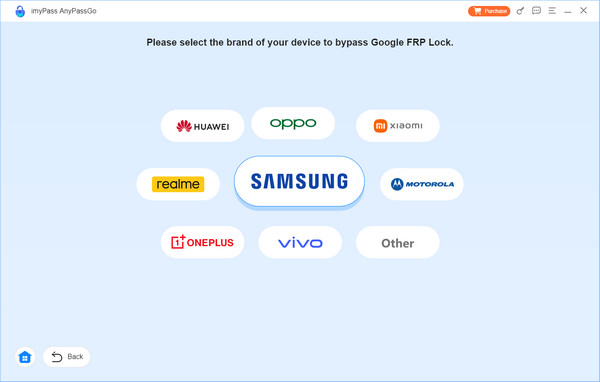
Select the brand of your device and connect your device to your computer via a USB cable.
Once recognized by AnyPassGo, click the Bypass Now button to continue. Follow the on-screen instructions to set up your device.
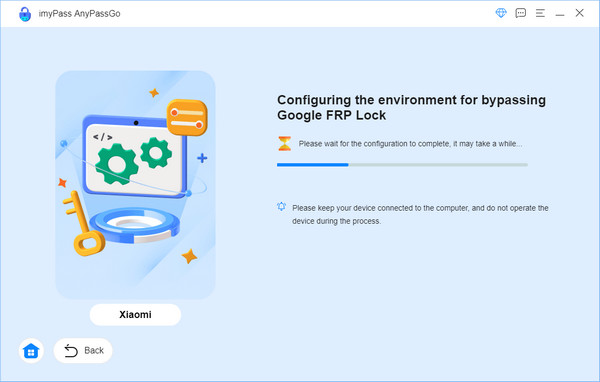
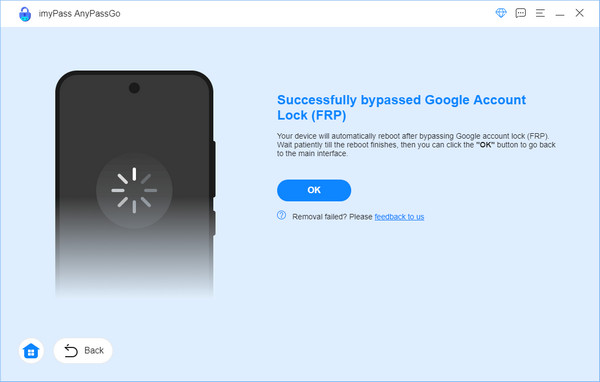
Now you can start bypassing the Google FRP lock on your device and wait for the removal to be finished in seconds.
Conclusion
Using an online FRP Unlock Tool may sound easy, but it is not always safe. Many of these tools hide scams, extra fees, or risk your data. Most free sites also fail to update for the newest Android versions, so they often cannot unlock phones running Android 14 or higher. If you want peace of mind and a tool that really works, go with a trusted desktop program, like imyPass AnyPassGo. That way, you can unlock your phone fast and get back to doing the things you enjoy without stress.
Gideon writes about unlocking iOS, Android, and Windows devices. He previously worked as a mobile device specialist in a repair center, assisting customers with locked devices and password recovery. In his spare time, he tests new unlock tools, customizes smart devices and makes complex unlock processes simple and safe.
Hot Solutions
-
Unlock Android
-
Unlock iOS
-
Password Tips
-
iOS Tips