



 Solution
 Support Center
 About Us
 Contact
Revvl 7 FRP Bypass - Complete Guide to Unlock Your Device Safely
 Gideon Byron Published on June 12, 2026Unlock Android3-min reading
Being locked out of a phone is stressful. This guide explains how to use the Revvl V 5G FRP unlock tool and other safe options. Start by checking Google Password Manager for saved credentials. If that does not work, follow the simple, stepwise methods below. We cover device basics, a TalkBack bypass, tool-based workarounds without TalkBack, and a bonus section for Android 5 to 15.

In this article:
Part 1. About Revvl 5G and FRP
The T-Mobile Revvl V 5G and Revvl 6 5G are budget phones built to deliver fast 5G at a low price. Both use Qualcomm processors, feature large HD+ screens, and run Android for smooth performance. The Revvl 6 5G provides a special modern design, a strong battery life, and runs Android 12 or later.
Factory Reset Protection (FRP) is a built-in Android security feature that prevents unauthorized access after a factory reset. When a phone is reset without removing the previously synced Google account, it will require the original account credentials. This helps protect lost or stolen devices, but it can also lock out owners who forget their account password.
T-Mobile models use Google's FRP system, and the unlocking process may vary depending on the model and Android version. Move to next part and check several dedicated tools for Revvl 5G FRP bypass.
Disclaimer: The methods described in this guide are intended only for devices you own or have permission to access. Attempting to bypass FRP without authorization may be illegal or against carrier rules!
Part 2. Bypass Google FRP Revvl 5G Using TalkBack
Sometimes, TalkBack can help regain access to a Revvl 5G device when FRP locks it after a reset. This method works on many Revvl phones but may fail if the firmware has been patched. Before trying, it's recommended to check Google Password Manager for saved credentials.
Prerequisites:
• A stable Wi-Fi connection.
• The Revvl device powered on and charged.
• Patience for precise gestures and prompts.
Step-by-step Guide:
Press and hold Volume Up + Volume Down until TalkBack starts. When the TalkBack tutorial shows, draw an L across the screen to reveal voice options.
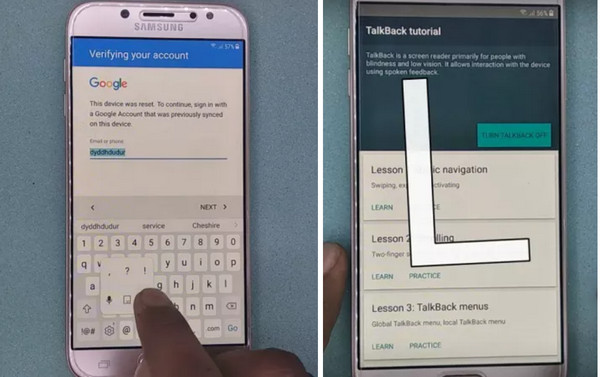
Select the voice option and say Open Google Assistant. In Assistant, tap the keyboard icon, type Settings, and choose Open Settings. Turn TalkBack off by pressing Volume Up + Volume Down again.
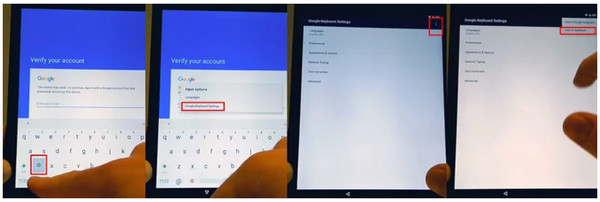
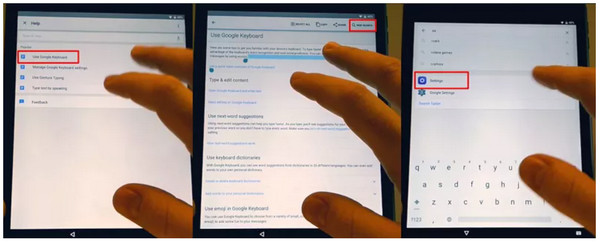
In Settings, go to System or General Management > Backup & Reset > Reset all settings. Allow any restart. After reboot, repeat steps 1- 3 to relaunch TalkBack and open Chrome via voice.
In Chrome, search for a reputable FRP bypass site that provides an Open Set Lock Screen or similar tool. Follow the site instructions to set a new lock screen PIN or password. Use the new lock to unlock the phone and finish the Android setup.
Tips and Cautions:
Perform each step carefully, as incomplete gestures can interrupt the process. Some security updates may prevent this method from working, so always use trusted and verified tools and avoid random third-party websites. If you are unsure, consider contacting T-Mobile support or a licensed repair technician for assistance.
Part 3. More Tools to Bypass Revvl 5G FRP [No TalkBack]
When TalkBack is not available, several PC-based tools can assist in FRP recovery. Use the comparison table below to choose the most suitable option.
| Tool | Tool | PC Required | Supported Devices | Risk | Cost |
| imyPass AnyPassGo | Simple | Yes | Almost all models, Android 5-17 | Low | Paid |
| UnlockTool | Simple | Yes | Most Qualcomm-based Android phones | Low | Paid |
| Tenorshare 4uKey for Android | Simple | Yes | Almost all models, Android 6-17 | Low | Paid |
| Octoplus FRP Tool | Advanced | Yes | Most Qualcomm + some MediaTek devices | Medium | Paid |
| SP Flash Tool | Advanced | Yes | Only MediaTek devices | High | Free |
| SigmaKey | Advanced | Yes | Most Qualcomm + MTK devices | Medium | Paid |
| Miracle Box | Advanced | Yes | Multiple chipsets (MTK/Qualcomm/Spreadtrum) | Medium | Paid |
1. imyPass AnyPassGo
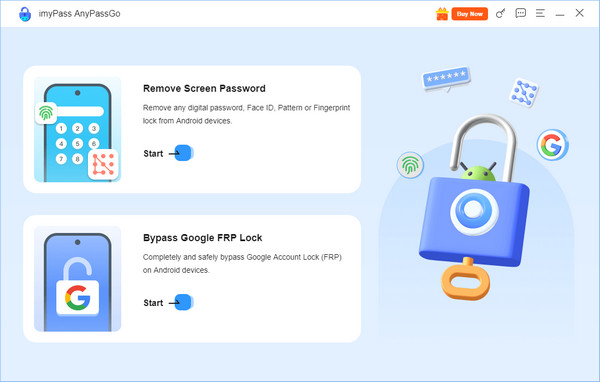
imyPass AnyPassGo is an FRP removal tool that supports Android 5-17 devices. It can bypass Google FRP and remove screen locks easily. This tool offers a guided PC-assisted process and is regularly updated to improve compatibility with newer Android versions and security patches. If standard recovery methods are unsuccessful, it can be a useful alternative.
2. Octoplus FRP Tool
Octoplus FRP Tool is a robust Windows program for bypassing locks on many Android phones. It can handle complex jobs like skipping Google FRP T-Mobile Revvl 6 5G, and it also supports flashing and other repair tasks. The interface is clear, and the software walks you through steps, which helps reduce mistakes.
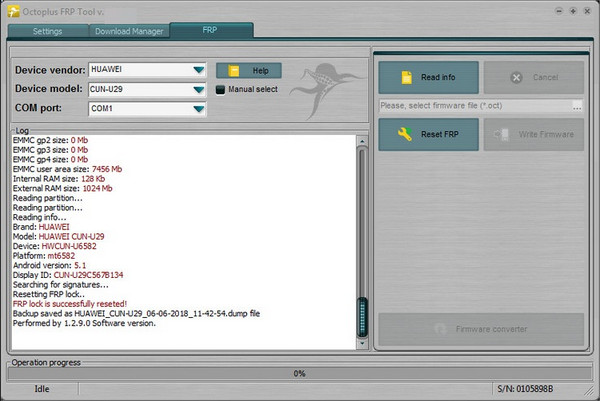
Still, it relies on a PC and technical steps that may overwhelm new users. The full feature set requires a paid license. If you are comfortable with a Windows setup and need broad device support, Octoplus is a dependable choice.
3. UnlockTool
UnlockTool offers a simpler, faster route for FRP removal on many Android models. It runs from a PC and focuses on quick bypass routines, which can save time compared with manual methods. Note that it may not work on the newest security patches, and some phones will need alternative approaches.
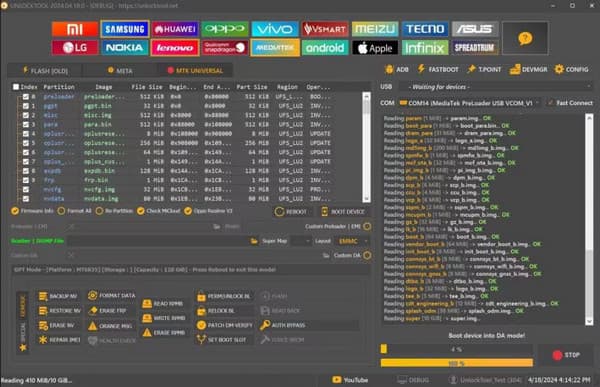
For users testing different devices, UnlockTool can be a useful option for FRP bypass Revvl 7 attempts, but expect to buy a license for full access. If you want convenience and speed, and you have a computer, this tool is worth trying.
4. Tenorshare 4uKey for Android
Tenorshare 4uKey for Android offers a guided, user-friendly way to remove FRP without deep technical skills. Its installer guides you through the process of detecting the device and unlocking it, which is why it is a good option in case you desire an easy Revvl V 5G FRP unlock tool experience.
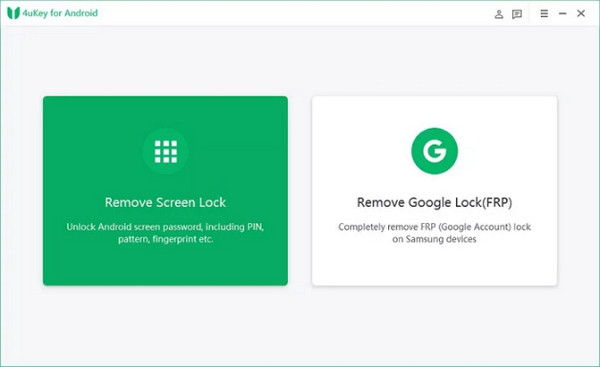
It is commercial software, so expect a license fee, and very recent security patches may limit success on some firmware. For users who prefer a polished interface and clear prompts, 4uKey is worth considering. Plus, it can be used as an iPhone unlocker as well since it has iPhone support.
5. SP Flash Tool
SP Flash Tool is a free, widely used utility for MediaTek devices that can flash firmware and recover images. While it is not a one-click FRP solution, technicians sometimes use it in multi-step repairs on compatible phones, which can be relevant when assessing options for a Revvl 7 FRP bypass case that involves firmware work.
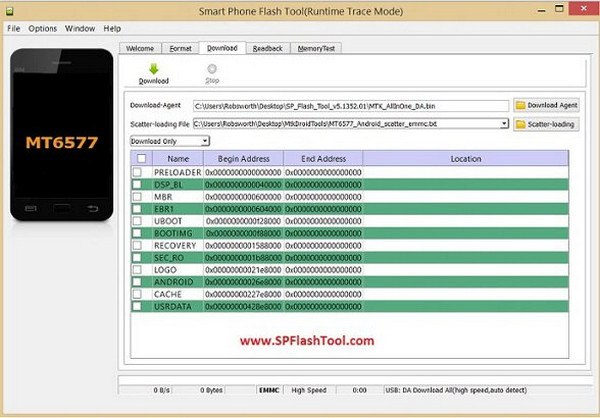
The tool is powerful but unforgiving: incorrect scatter files or firmware can brick a device, so it is best for experienced users who can verify every file and step.
6. SigmaKey
SigmaKey is a long-standing unlocking solution with a clean desktop client and a good reputation for stable device communication. It supports many models and offers licensed modules for specific vendors, making it a solid option when PC-based approaches are needed for a Revvl 6 5G FRP bypass without a talkback scenario.
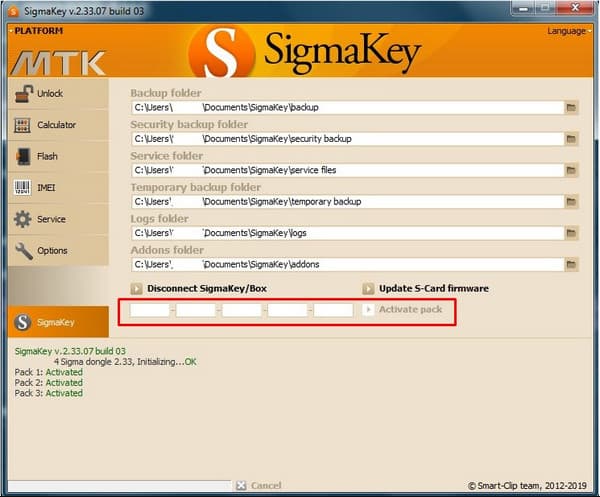
Licensing is per-module, so that costs can add up, and some carriers or newer security patches may limit effectiveness.
7. Miracle Box
Miracle Box is a professional flasher box favored by many repair shops for its wide protocol support and batch processing. It handles many chipsets and offers modules for unlocks and resets, which is why some technicians use it as a Revvl V 5G FRP unlock tool.
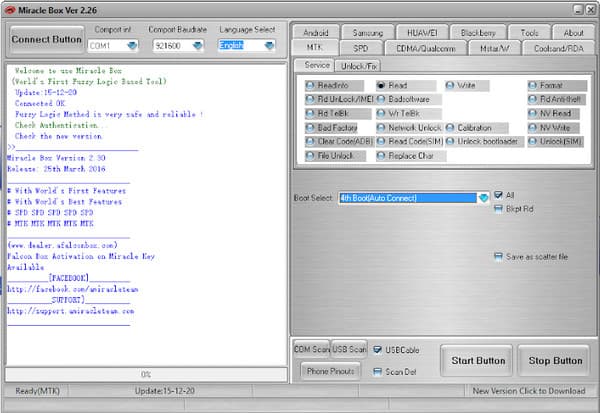
The interface is aimed at experienced users, and the hardware cost plus frequent updates make it more suitable for shops than casual users. Expect a learning curve, and always verify device compatibility before buying.
Part4. FAQs About Bypassing Revvl 5G FRP
FAQs.
-
Why is the REVVL 5G FRP harder than other Android phones?
REVVL devices often use customized T-Mobile firmware with integrated Google Play protection layers. This configuration prevents generic FRP APK tools from running correctly, requiring firmware-specific or SIM-triggered bypass workflows.
-
Can REVVL 5G FRP bypass affect 5G connectivity?
In rare cases, FRP modifications can disrupt carrier profiles and prevent 5G registration. Restoring the APN or resetting carrier settings usually resolves this, but users should back up configurations before attempting a bypass.
-
What alternative tools exist for REVVL 5G FRP bypass?
Aside from browser-based tricks, users can try an ADB-enabled bypass after flashing a custom recovery. Community tools like SamFRP support newer REVVL models, but compatibility depends on the Android patch date.
Conclusion
Start by taking precautionary measures, such as checking Google Password Manager and contacting T-Mobile support. If you decide to use tool-based solutions, follow trusted Revvl 7 FRP bypass tutorials and choose highly rated programs. Keep in mind that bypassing FRP can void warranties and may damage devices with recent security updates. Only attempt these methods on devices you own or are authorized to service, or seek help from a licensed technician.
Gideon writes about unlocking iOS, Android, and Windows devices. He previously worked as a mobile device specialist in a repair center, assisting customers with locked devices and password recovery. In his spare time, he tests new unlock tools, customizes smart devices and makes complex unlock processes simple and safe.
Hot Solutions
-
Unlock Android
-
Unlock iOS
-
Password Tips
-
iOS Tips

