



 Solution
 Support Center
 About Us
 Contact
Get 5 iPhone Location Changers & Tutorial to Modify Location
 Penny Warren Published on November 28, 2025GPS Location3-min reading
Location services makes the iPhone a versatile device. However, every coin has two sides. So does the location services capability. Marketers and brands can track your GPS geolocation in order to provide personalized ads. Plus, apps and mobile games offer specific content and rewards based on location too. More importantly, your location information may be delivered to third-party organizations. This article reviews the top 5 best iPhone location changers to spoof your GPS effectively.

In this article:
Part 1. Top 5 iPhone Location Changers You Should Not Miss
Top 1. imyPass iLocaGo
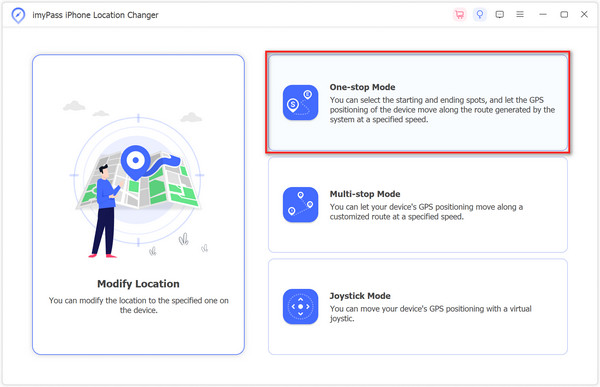
Price: $9.9 per month, 19.90 per quarter, $69.90 for a lifetime
Key Features of imyPass iLocaGo
1. Modify iPhone location in one click.
2. Create virtual routes on the iPhone without moving.
3. Preset iPhone location route.
4. Work for iOS/iPadOS 26 and lower versions.
5. Support the latest versions of iPhone and iPad models.
Pros
- This iPhone location spoofer delivers a high success rate on location faking.
- imyPass iLocaGo is pretty easy to learn and use.
- The interface is user-friendly.
- It effectively hides your actual location and protects privacy.
Cons
- It requires a computer to change the GPS location on your iPhone.
Top 2: iWhere
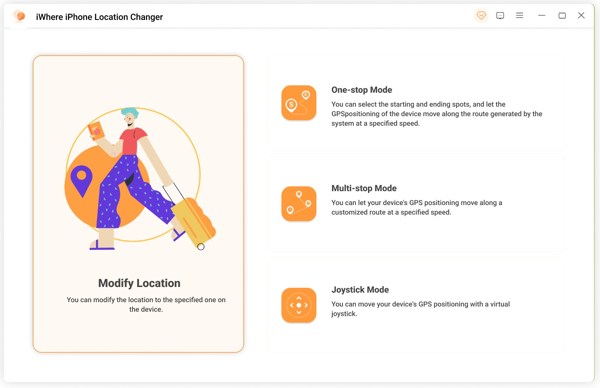
Price: $9.99 per month, $39.99 per year, $49.99 for a lifetime
Key Features of iWhere
1. Modify the location of iOS devices.
2. Trick location-based apps and mobile games.
3. Offer 4 modes to fake GPS location.
4. Come with a GPS joystick.
5. Import or export GPX files.
Pros
- This location spoofer for iPhone has a clear interface.
- It is stable when changing the iPhone's GPS location.
- The prices are affordable.
Cons
- It only supports iOS devices.
- Your account might be banned if the software is detected.
Top 3: MocPOGO
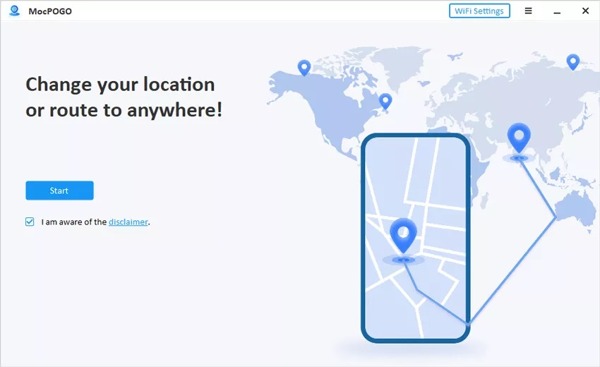
Price: $12.95 per month, $89.95 for a lifetime
Key Features of MocPOGO
1. Change location on iPhone and Android devices.
2. Save history and favorite locations.
3. Create virtual routes by dropping pins.
4. Offer custom options for faking locations.
5. Provide joystick experience.
Pros
- It allows you to set a cooldown timer for scheduling location changes.
- It works with a Wi-Fi connection for better connectivity.
- Users can adjust the speed flexibly.
Cons
- It cannot export your location as GPX files.
- Some features need to be improved, such as inaccurate step count.
Top 4: Dr.Fone - Virtual Location
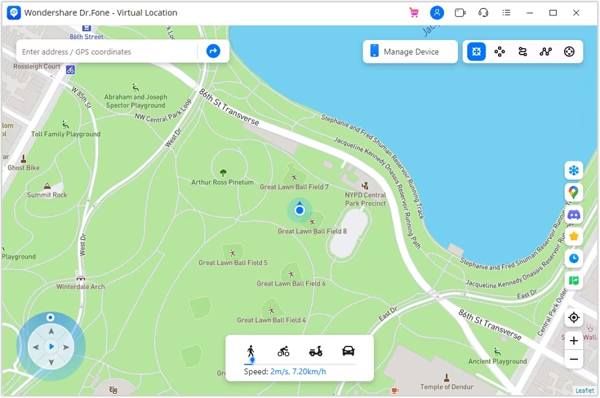
Price: $14.95 per month, 29.95 per quarter, $59.95 per year.
Key Features of Dr.Fone - Virtual Location
1. Teleport GPS location on iPhone to anywhere.
2. Simulate GPS movement with virtual routes.
3. Joystick to simulate GPS movement in AR games.
4. Work with located-based apps.
5. Support iOS 17 and earlier.
Pros
- This iPhone location spoofer offers an easy-to-navigate interface.
- It works seamlessly on both iOS and Android.
- It does not require you to jailbreak your device.
Cons
- You need to purchase a license although it provides a free trial.
- It lacks a lifetime plan and the prices are high.
Top 5: 3uTools
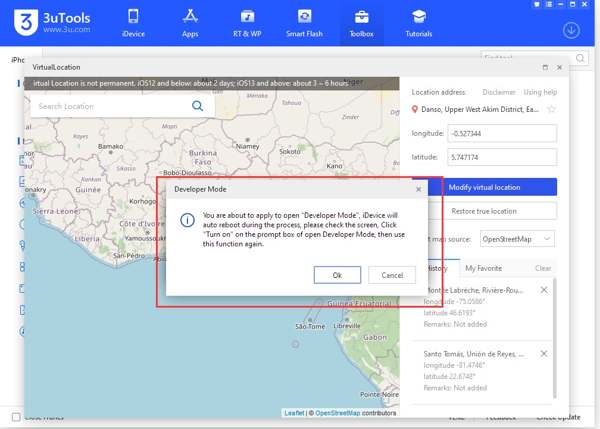
Price: free
Key Features of 3uTools
1. Fake GPS location on iOS devices.
2. Make virtual locations for GPS-based apps and games.
3. Offer three ways to set virtual locations.
4. Provide lots of bonus tools, like backup iPhones.
5. Compatible with iOS 17 and earlier.
Pros
- This iPhone location changer is completely free to use.
- It integrates a lot of features including jailbreaking iPhone.
- It can flash iOS devices without data loss.
Cons
- It only works on Windows.
- Some features may put your data at risk.
Part 2. How to Choose the iPhone Location Changer
| Best for | Spoofing Methods | Speed Control | |
| imyPass iLocaGo | Ordinary and advanced users | Modify Location, One-stop Mode, Multi-stop Mode, Joystick Mode | Yes |
| iWhere | Users with GPX Files | Modify Location, One-stop Mode, Multi-stop Mode, Joystick Mode | 1m/s to 50m/s |
| MocPOGO | AR Game Players | Teleport Mode, Two-spot Mode, Multi-spot Mode, Joystick Mode | Yes |
| Dr.Fone – Virtual Location | Multi-device users | Teleport Mode, One-stop Route, Multi-stop Route | 3.6 km/h to 108 km/h |
| 3uTools | Beginners | Virtual Location | No |
Part 3. How to Modify iPhone Location
The 5 best iPhone location changers can definitely modify your iPhone's location. What they differ in is the speed, key features, price, and pros and cons. But the steps to use are similar. Therefore, we take imyPass iLocaGo as an example. Please see how to change the iPhone location with it.
Launch the best location faker for iPhone after you install it on your PC. There is another version for Mac. Next, hook up your iPhone to the PC with a Lightning cable.

Choose Modify Location in the home interface. If you want to create virtual routes, choose One-stop Mode, Multi-stop Mode, or Joystick Mode instead.

If you have an exact address, type it into the box on the Modify Location dialog. If not, click the proper position on the map. At last, click the Sync to device button. This feature allows you to change the Life360 location on your iPhone.

Part 4. Benefits and Disadvantages of Using an iPhone Location Changer
Your location provides plenty of information that may be used by marketers, brands, ad agencies, and more. Using an iPhone location changer offers both benefits and disadvantages. We will give you a short overview of them below.
Benefits of using an iPhone location changer
1. Protect your privacy. As mentioned previously, GPS geolocation provides lots of information. If you do not want apps and websites to track your online activities and footprints, an iPhone location changer can meet your needs.
2. Access geo-restricted content. A part of apps and platforms offer exclusive content in different regions. With an iPhone location spoofer, you can access the exclusive content that is unavailable in your region.
3. Make fun on social media. Most social platforms track your geolocation and add GPS labels to your posts. The iPhone location changer can help you hide your real position and trick your followers.
4. Play AR games without moving. There are more and more AR games in the App Store. Most of them are location-based. It means that you have traveled here and there to capture the objects. An iPhone location changer enables you to complete tasks at home.
Disadvantages of using an iPhone location changer
1. You may violate the law: In some regions, changing GPS location to enjoy some services or get resources is not allowed. If you do that, you may violate the law. But generally, if you can download the software, it usually means it's OK to use an iPhone location changer. Since the location changer product page won't open to users who are in the restricted regions.
2. You will miss emergency services: The most serious disadvantage of an iPhone location spoofer is that it will prevent you from getting support for emergency services. You may not need it often, but you will be thankful when your iPhone can broadcast your exact geolocation to rescue personnel in a disaster.
3. It will disrupt the photos' location: iPhone embeds location data in your photos so that you can organize and revisit memories. However, an iPhone location changer will disrupt the location data. So don't use an iPhone location changer when you're taking photos.
Conclusion
This article has reviewed the top 5 best applications to change iPhone location and view iPhone location history. You can read our review and introduction to make the best decision. imyPass iLocaGo, for example, is the best option for both ordinary people and tech-savvy due to its flexible design.
Penny is a senior editor from imyPass. She has focused on discovering perfect GPS location solutions in all scenarios, and also has experience in fixing computers.
Hot Solutions
-
GPS Location
- Best Pokemon Go Locations with Coordinates
- Turn Your Location Off on Life360
- How to Change Location on iPhone
- Review of iSpoofer Pokemon Go
- Set Virtual Locations on iPhone and Android
- TikTok Track Your Location
- Monster Hunter Now Joystick
- Review of IP Location Finder
- Change Mobile Legends Location
- Change Location on Tiktok
-
Unlock iOS
-
iOS Tips
-
Unlock Android


