



 Solution
 Support Center
 About Us
 Contact
What Is FonesGo Location Changer and How to Use It
 Penny Warren Published on June 30, 2026GPS Location4-min reading
This article reviews one of the popular location changer programs, FonesGo Location Changer. It is not a secret that you can change your iPhone or Android phone location for various purposes. Natively, Apple and Google don't allow users to customize their phones' location due to security concerns. However, you can get freedom and set any destination from your home if you have the right tool. Our review can help you make a better decision.

In this article:
Part 1. FonesGo Location Changer Review
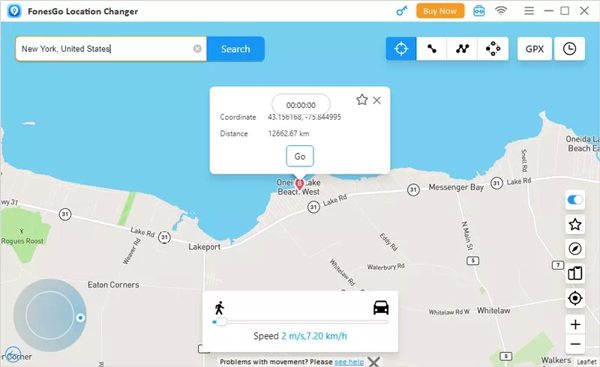
As its name indicates, FonesGo Location Changer provides a seamless method to alter your GPS location on an iPhone or Android phone quickly, ensuring that your real position remains hidden.
Key Features of FonesGo Location Changer
- 1.Change GPS locations anywhere in the world.
- 2.Save favorite location and route history.
- 3.Work for all Android and iOS versions.
- 4.Simulate movements with spots or keyboard.
- 5.Add a cooling timer to prevent being detected.
- 6.Find the exact location with the Resource Search.
- 7.Available to Pokémon Go, Monster Hunter, and more.
- 8.Offer both a mobile app and a desktop program.
FonesGo Location Changer Review
User Review on Reddit
Recently, I discovered that FonesGo has updated the new feature of the Android Bluetooth Joystick which may spoof iOS location now.
I use it to spoof the location of my phone, but McAfee's Scam Detector flags threats.
I am currently freely spoofing on an iPhone. FonesGo has been through countless updates since I started.
User Review on Trustpilot
Easy to use and intuitive interface to get me out of stress.
FonesGo Location Changer is the best I have ever used.
It doesn't honor the refund policy. I had it for less than 24 hours, and they offered me 30%.
Our Opinion
Pros
- It is available for the latest versions of iOS and Android.
- FonesGo Location Changer provides the onscreen instructions to simplify the workflow.
- It won't ask you to jailbreak or root your mobile device.
Cons
- Once it is detected by your apps, your account will be banned.
- The mobile app is not as efficient as the desktop program.
FonesGo Location Changer Price
FonesGo Location Changer is not freeware. Users can download the software from the official website for free. After the free demo, you need to purchase a license. The monthly license costs $9.95, the quarterly plan costs $19.95, and the yearly license costs $49.95. There is a lifetime license, which costs $79.95.
Part 2. How to Use FonesGo Location Changer
Install FonesGo Location Changer on a computer.
Open the program and connect your iPhone or Android phone to the computer with a USB cable.
Click the Start button to proceed.
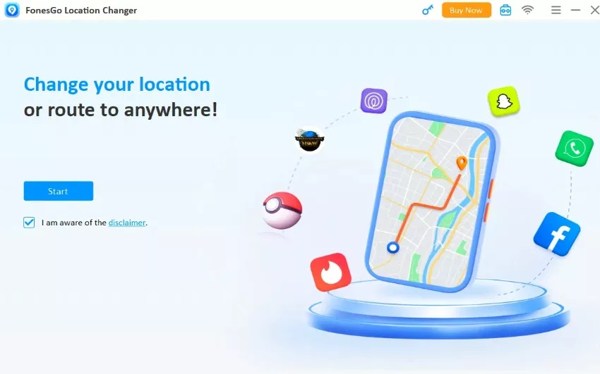
By default, you will be presented with the location changing window.
Search for the destination in the Search bar.
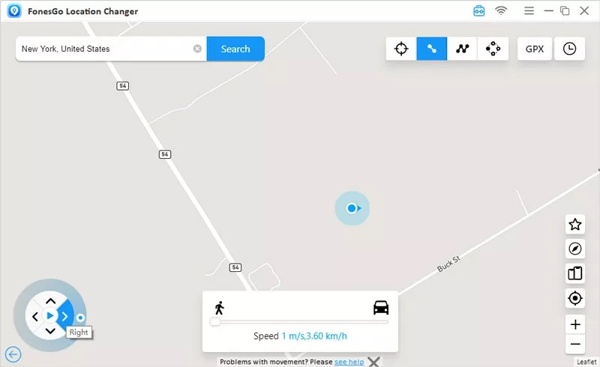
Click the Go button to change your device location.
Part 3. An Ideal Alternative to FonesGo Location Changer
As mentioned previously, location spoofing applications can be detected by apps. Therefore, it is a good idea to master more than one tool. imyPass iLocaGo is a powerful alternative to FonesGo Location Changer. It is able to fake your phone location with one click.

4,000,000+ Downloads
Modify any location on iOS and Android in one click.
Simulate movements and make virtual routes easily.
Offer multiple modes for various purposes.
Provide custom options, like adjustable speed.
Support the latest editions of iOS and Android.
How to Use FonesGo Location Changer Alternative
Link to your phone
Launch the great alternative of FonesGo Location Changer once you install it on your PC. There is another version for Mac. Link your iPhone or Android phone to your PC with a compatible cable. The program will detect your device immediately.

Choose a mode
If you want to change your location, choose the Modify Location mode. If you need to simulate movements, choose One-stop Mode, Multi-stop Mode, or Joystick Mode. Here, we choose Modify Location.

Change your location
Type in an accurate address into the field or click the right position on the map. Finally, click on the Modify button to confirm it. Now, turn on your iPhone or phone and use location-based apps without leaking your GPS. When you want to stop it, disconnect your device.

Related Readings:
Conclusion
This article reviewed FonesGo Location Changer. You can read our review and introduction to learn what the program can do, its advantages and disadvantages, and how to change your phone location with it. Of course, the program is not perfect. Once your action is detected, your account may be banned. Therefore, we recommended an alternative, imyPass iLocaGo. It is easier to use and works for a wide range of mobile games and apps.
Penny focuses on GPS troubleshooting and Windows optimization. She formerly worked as a technical support engineer, helping clients solve location-based and system issues efficiently. Backed by IT support experience, she provides practical solutions that really work. In her free time, she likes hiking and geocaching, testing GPS tech in the real world.
Hot Solutions
-
GPS Location
-
Unlock iOS
-
iOS Tips
-
Unlock Android


