



 Solution
 Support Center
 About Us
 Contact
Can Someone Track My Location with My Phone Number
 Penny Warren Published on June 23, 2026GPS Location4-min reading
Modern smartphones are advanced devices. Today, we almost cannot leave the tiny device, from making phone calls to texting, from accessing social media to reading emails, from tracking health to surfing the internet. However, it is not a secret that apps, websites, and even your manufacturer monitor your location information. Plus, hackers may spy on your location. This concrete tutorial explains how to tell if someone is tracking your phone in various situations.

In this article:
Part 1. Can Someone Track My Phone
Can someone track my phone with or without my phone number? Yes. In fact, others can spy on your phone without your knowledge. There are a few ways to track someone else’s cell phone location:
- 1.Spyware.
- 2.Parental controls.
- 3.MDM.
- 4.Malware.
- 5.Monitoring chips.
Part 2. How to Tell If Someone Is Tracking Your Phone
Even if someone tracks your phone without you knowing, there are signs. If you notice some of these signs, you will get the result. We list the signs below to help you learn the status of your phone.
Sign 1: High Data Usage
On iPhone
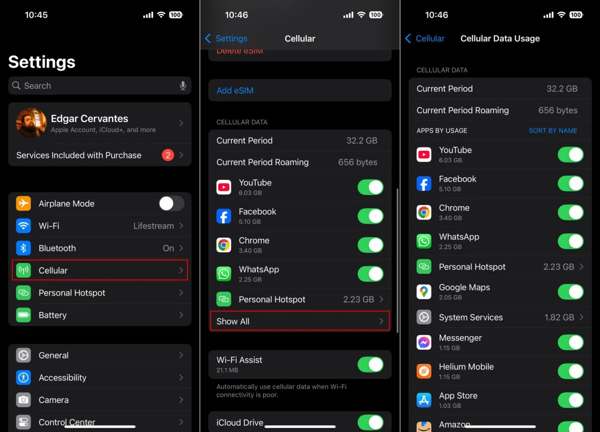
Open the Settings app.
Go to Cellular and locate the Cellular Data section.
Check the apps ordered by usage to tell if someone is tracking my iPhone.
On Android
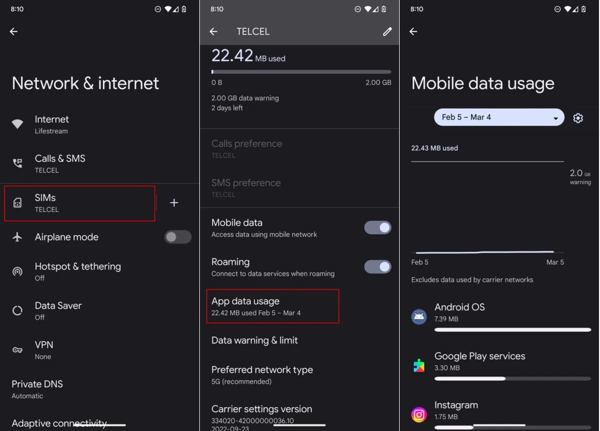
Run your Settings app.
Go to Network & internet, SIMs, and App data usage.
Check how much data each app uses.
Sign 2: Unexpected Reboots
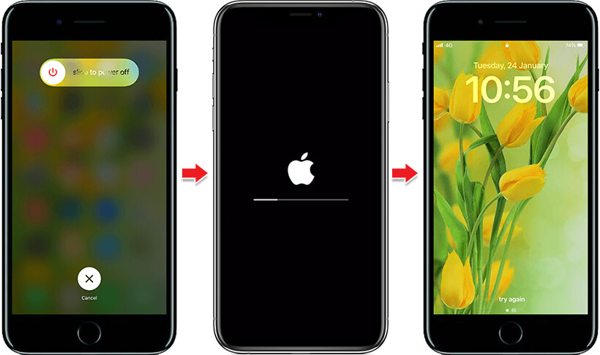
Can someone track my phone if my location is off? Yes. However, you can tell the truth by following a few signs. If your phone suddenly shuts down and powers on, chances are that your device is tracked or controlled by others.
Sign 3: Odd Sounds
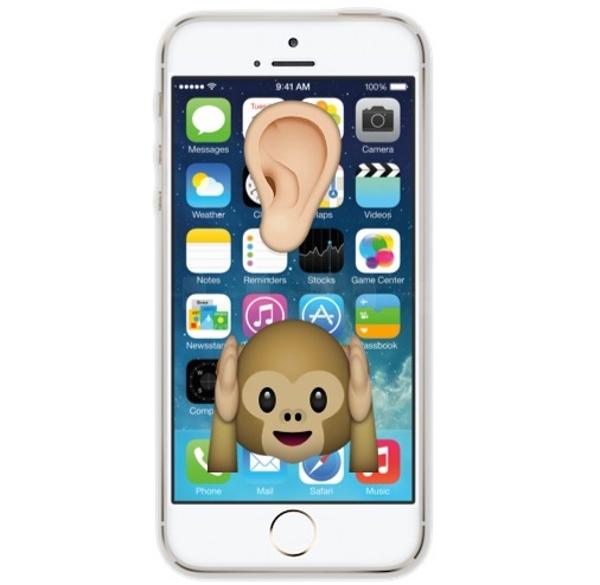
Hearing clicking, static, or faint voices in the background of phone calls could suggest that someone is tracking your location with your phone number. Occasional odd sounds may be due to a weak signal or network issues, but persistent noises indicate a problem.
Sign 4: Increased Battery Consumption
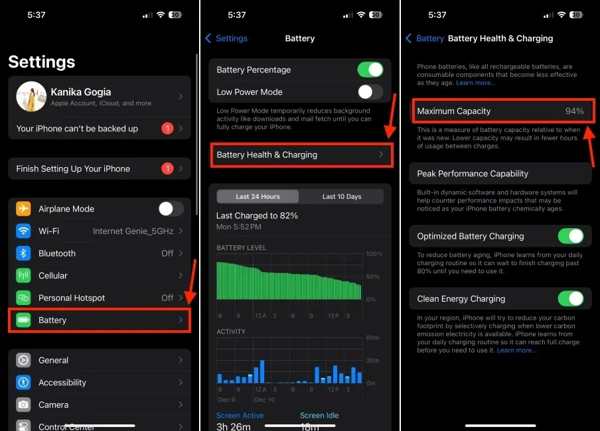
Another important sign to tell if someone is tracking my phone is the power consumption. If your phone battery begins deteriorating rapidly or suddenly, it means your battery is old or odd apps are working in the background.
Sign 5: Unknown MDM
On iPhone
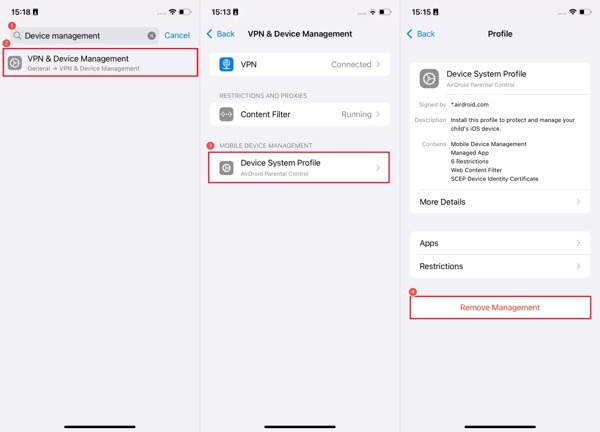
Go to General in your Settings app.
Choose VPN & Device Management.
Check the unexpected MDM profile
On Android
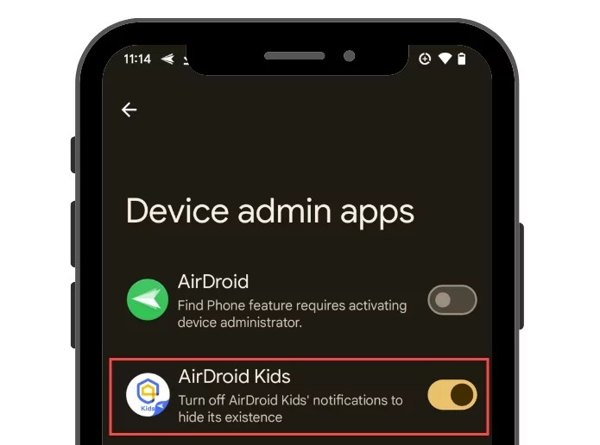
Run the Settings app.
Go to Security or Security & privacy.
Look for the MDM app to tell if someone is tracking your phone.
Sign 6: Unexplained Apps
On iPhone
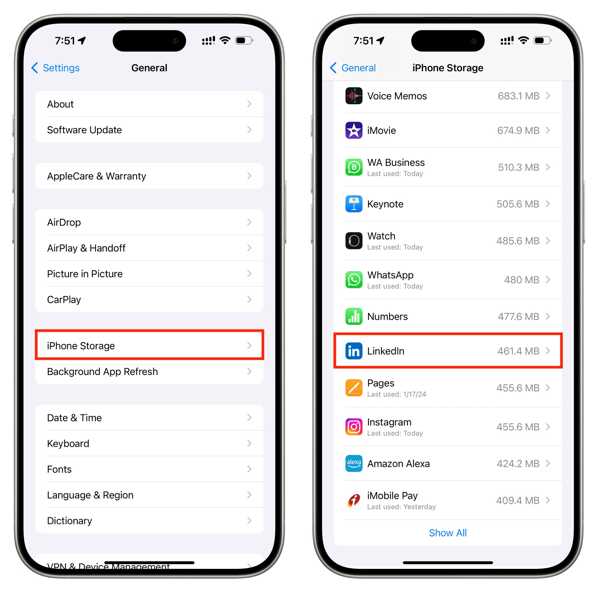
Run your Settings app.
Choose iPhone Storage.
Check all apps installed on your device.
Find the wired app.
On Android
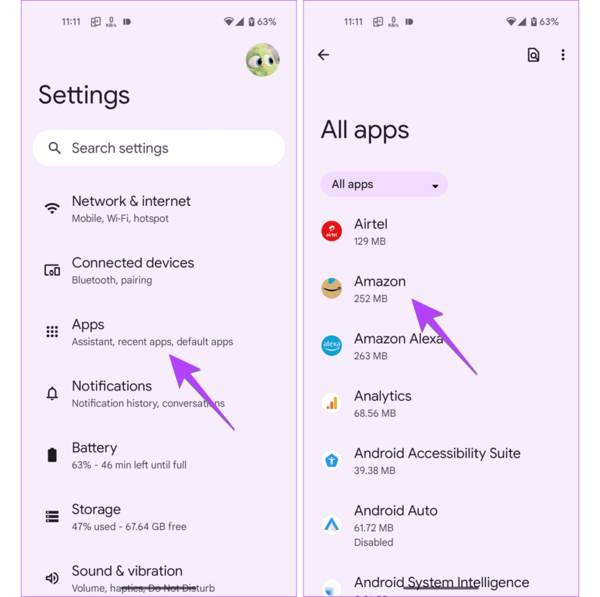
Go to Apps in the Settings app.
Check if an app is not installed by yourself.
Sign 7: Performance Issues
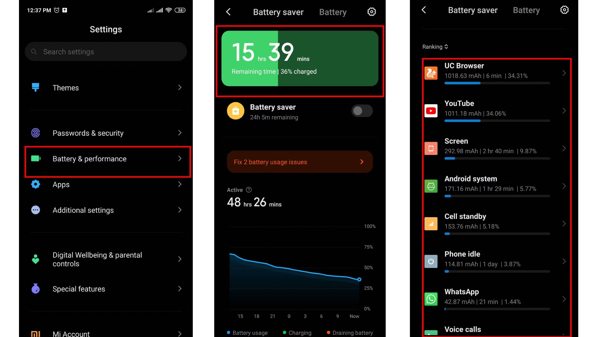
If your iPhone or Android phone suddenly becomes slow, you’d better check the performance and battery health. If your battery is healthy, that can tell someone is tracking your phone in the background.
Sign 8: Temperature Suddenly Rising
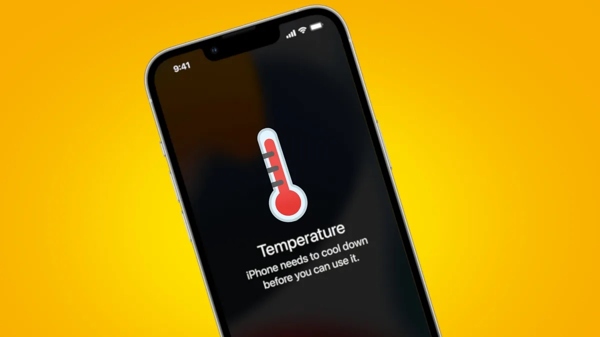
Another sign to tell if someone is tracking your device is the temperature. In other words, if you don’t open any apps, but it is still hot, chances are that malware or spy apps are running in the background.
Part 3. How to Stop Someone from Tracking Your Phone
Way 1: Enable Airplane Mode
The easy way to stop someone from tracking your phone is to turn on Airplane Mode. It turns off any connection on your mobile device, and no one can detect your device using spy apps or malware.
On iPhone
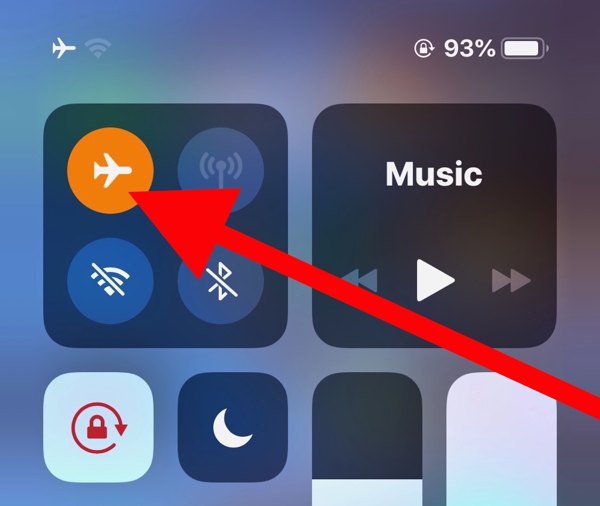
Enter the Control Center bar.
Tap the Airplane Mode button to enable it.
On Android
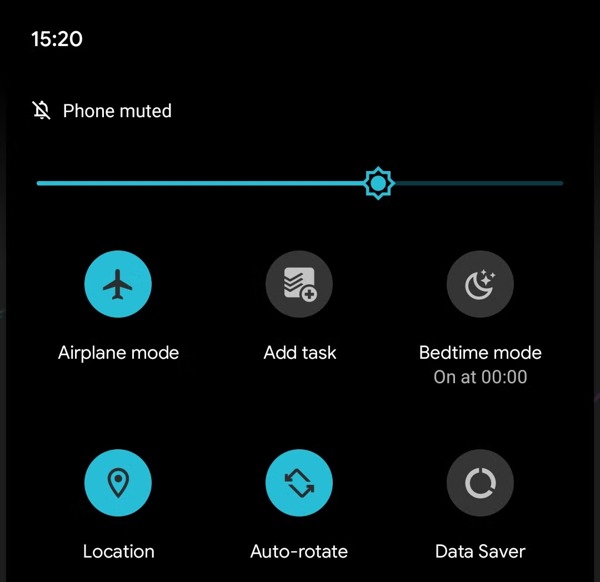
Swipe downward from the top of your screen.
Tap the Airplane mode in the Quick Settings pane.
Way 2: Disable Location Services
Another way to stop someone from tracking your phone is to turn off Location Services. This feature lets apps and services read your location information. Once you disable this feature, your location information is unavailable.
On iPhone
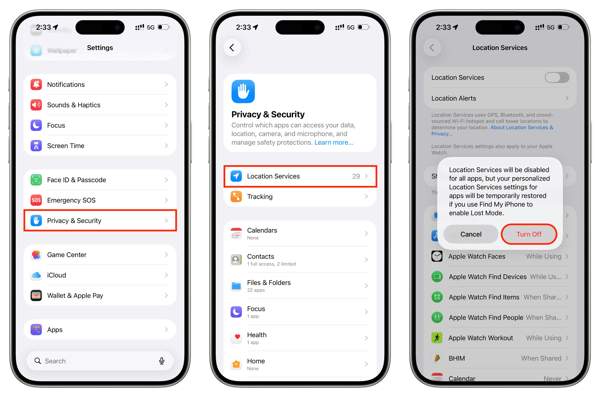
Run your Settings app.
Choose Privacy & Security and Location Services.
Toggle off Location Services.
If prompted, tap Turn Off.
On Android
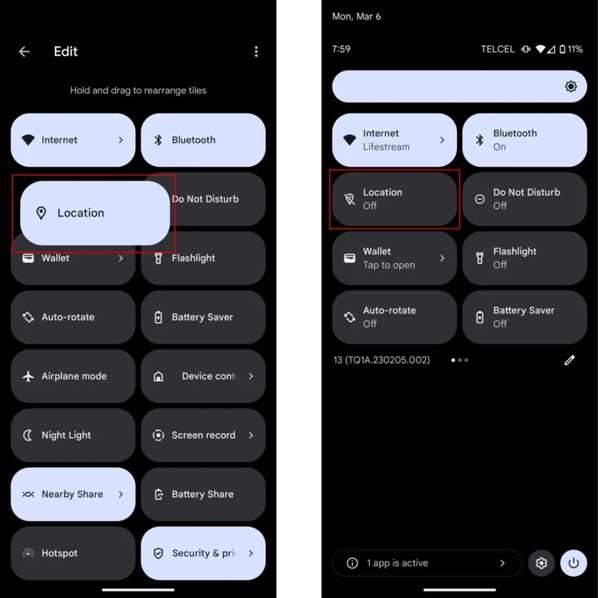
Enter the Quick Settings pane.
Tap the Location option to turn it off.
Related Readings:
Way 3: Use Fake Locations
imyPass iLocaGo is a quick way to stop someone from tracking your phone. It replaces your geolocation with a fake address or destination. So that you don’t need to turn on Airplane or disable Location Services.

4,000,000+ Downloads
Change your phone location in one click.
Make virtual locations and routes easily.
Offer multiple modes for different purposes.
Support a wide range of iPhones and Android phones.
How to Stop Someone from Tracking Your Phone
Connect to your device
Start the location spoofer software after installing it on your PC or Mac. Connect your iPhone or Android phone to your computer with a compatible USB cable.

Choose Modify Location
Once your device is detected, choose the Modify Location mode if you need to change the static location. The other three modes, One-stop Mode, Multi-stop Mode, and Joystick Mode, are used to simulate movements.

Fake your location
Type in an address into the field or click the destination position on the map. Finally, click the Modify button to stop someone from tracking your phone.

Conclusion
Now, you should understand how I can tell if someone is tracking my phone, including iPhone and Android phones. You can follow our guide to check the signs and tell the result. If you suspect that your device is being monitored, stop the action with our solutions. imyPass iLocaGo enables you to hide your location on your iPhone or Android phone without disabling Location Services.
Penny focuses on GPS troubleshooting and Windows optimization. She formerly worked as a technical support engineer, helping clients solve location-based and system issues efficiently. Backed by IT support experience, she provides practical solutions that really work. In her free time, she likes hiking and geocaching, testing GPS tech in the real world.
Hot Solutions
-
GPS Location
-
Unlock iOS
-
iOS Tips
-
Unlock Android


