



 Solution
 Support Center
 About Us
 Contact
Location Changing Apps for iOS and Android Devices
 Penny Warren Published on June 23, 2026GPS Location4-min reading
A location changer app is a GPS spoofing app that replaces the geolocation with a fake location and simulates movement on an iPhone or Android phone. It is well known that technology giants, such as Google, Meta, Apple, and more, collect oceans of personal information and data every day. Changing location helps to protect your location privacy, test location-based apps, and hide your current position from others. Here we review the top list.

In this article:
Part 1. Comparison of the 5 Best Location Change Apps
Methodology
We tested the popular apps to change location on iPhones and Android devices to identify the effective tools. Furthermore, we collected millions of users' reports. When testing the apps, we focus on a few factors, like price, supported devices, supported apps, bonus features, and more.
| Support devices | Best for | |
| Location Changer – Fake GPS | Android 6.0 and above | Change location in the background |
| Location Changer Fake GPS-Mock | Android 5.0 and above | Location-based mobile games |
| GPS Joystick: Location Changer | Android 4.4 and above iOS 16 or later | Change location across devices |
| Location Changer – LocChanger | iOS 18.6 or later | Add fun location context to photos |
| Mock Location, GPS Changer | iOS 16 or later |
Part 2. Top 5 Location Changer Apps
Top 1: Location Changer - Fake GPS
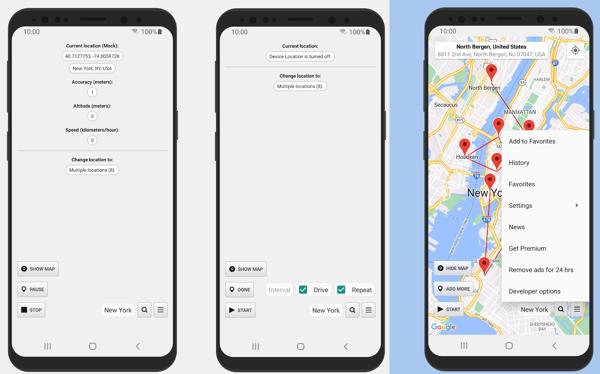
Location Changer - Fake GPS is a location changer APK. It helps when you need to protect your location privacy, prevent others from tracking iPhone location, use location-based apps, or preview routes without moving. It mocks the GPS coordinates with a position you choose to spoof other apps.
Pros
- Joystick movement with adjustable speed.
- Offer multiple routes and drive modes.
- Keep the mock location service active in the background.
- Show clear location status.
Cons
- It isn't available to old devices.
- It doesn't optimize for tablets.
Top 2: Fake GPS location
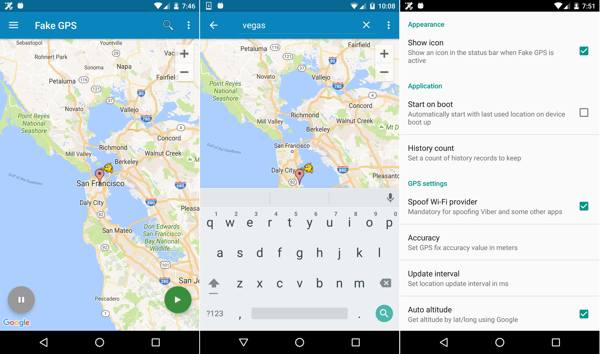
Fake GPS location is another location changer app for Android devices. It allows users to quickly simulate a location for demos, testing apps, or developing scenarios when a real trip is not practical.
Pros
- Change Android location quickly.
- Automatically start and stop location changing.
- Offer advanced features on rooted devices.
- Won't collect or share your personal data.
Cons
- The configuration is a little complicated.
- It cannot bypass app-level detection.
Top 3: GPS Joystick: Location Changer
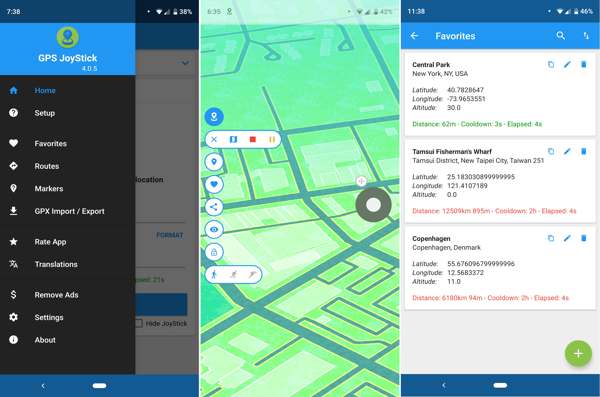
GPS Joystick is a powerful location changer app designed to enhance your travel experience. It can easily modify the GPS metadata to set a different location on Android phones and iPhones when posting on social media.
Pros
- Change the GPS location instantly.
- Set any location in the world.
- Joystick anywhere with latitude and longitude.
- Set custom speeds.
Cons
- It requires a subscription on iPhones.
- It cannot change the real GPS on iOS.
Top 4: Location Changer - LocChanger
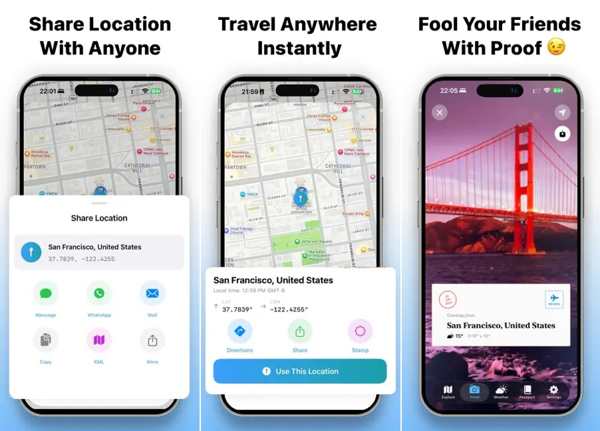
LocChanger is an app to change location on iPhones. It lets you create stunning, realistic travel photos from anywhere in the world without leaving your home. It enables you to share your location with anyone.
Pros
- Choose from professionally designed stamps.
- Learn the weather around the world.
- Available in different languages.
- Plan your next vacation easily.
Cons
- It cannot spoof GPS on an iPhone.
- Features are limited.
Top 5: Mock Location, GPS Changer
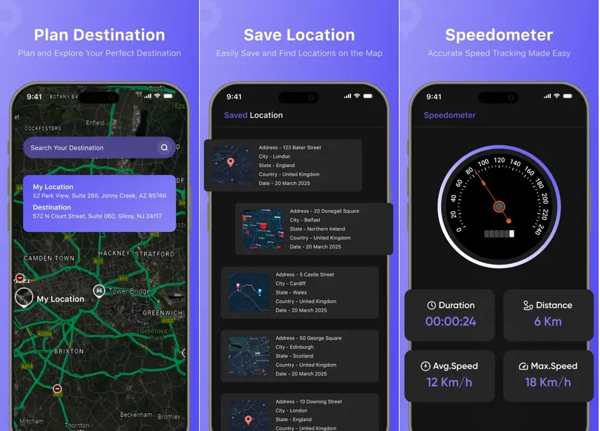
As its name indicates, Mock Location, GPS Changer allows you to simulate and change your location on your iPhone. The built-in map allows you to track your location in real time on your iOS device.
Pros
- Track your accurate location.
- See the world with satellite imagery.
- Switch your location instantly.
- Share your location in one tap.
Cons
- It is only available in English.
- This app can decrease battery life.
Part 3. Recommend: A Safe Way to Change Location on iPhone/Android
According to our research, location changer apps can be detected by some apps. As a result, your accounts may be banned. Fortunately, imyPass iLocaGo can help you spoof location on your mobile device without detection.

4,000,000+ Downloads
Change the static locations of your mobile devices.
Simulate routes in multiple modes.
Work for a wide range of apps, like AR games, WhatsApp, and more.
Support almost all iPhones and Android phones.
How to Change Location on Your iPhone
Connect to your device
Open the location changer application after installing it on your computer. Connect your iPhone to your computer with a compatible cable. The application will recognize your device.

If you are using a phone, connect it to your computer with a cable or wireless network.
Choose a mode
Choose the Modify Location mode if you want to change the static GPS. The other three modes are used to make virtual routes.

Change iPhone location
If you have an accurate address, type it into the field. If not, click the right position on the interactive map. Finally, click on the Modify button to change the GPS location on your iPhone. Then, turn on your iPhone and use location-based apps.

Related Readings:
Conclusion
This article reviewed the top 5 best location changer apps for iPhone and Android devices. Some of them are designed for specific platforms. Others can be used across devices. You can follow our reviews to discover an appropriate app for your device according to your situation. imyPass iLocaGo is a good option to change the location on your mobile device if you have a computer.
Penny focuses on GPS troubleshooting and Windows optimization. She formerly worked as a technical support engineer, helping clients solve location-based and system issues efficiently. Backed by IT support experience, she provides practical solutions that really work. In her free time, she likes hiking and geocaching, testing GPS tech in the real world.
Hot Solutions
-
GPS Location
-
Unlock iOS
-
iOS Tips
-
Unlock Android


