Solution
 Support Center
 About Us
 Contact
Top iCloud Data Recovery Software Compared: Features, Pros & Cons
 Clara Prescott Published on October 27, 2026Recover Data3-min reading
Losing photos, messages, or contacts on your iPhone? iCloud backups may save your data, but Apple's restore process requires restoring the entire backup, which may replace your current data. Using an iCloud recovery tool can help find missing files, and recover specific data easily. In this article, we compare the top iCloud data recovery software and highlight their pros and cons, so you can choose a tool that matches your recovery needs.

In this article:
- How We Evaluate iCloud Data Recovery Software
- Comparison of Top iCloud Recovery Software
- Top 1. imyPass iPhone Data Recovery
- Top 2. Disk Drill iPhone Data Recovery
- Top 3. Stellar Data Recovery for iPhone
- Top 4. Dr.Fone - iOS Data Recovery
- Top 5. EaseUS Data Recovery Wizard
- Things to Know Before iCloud Data Recovery for iPhone
How We Evaluate iCloud Data Recovery Software
How do we rank the best iCloud data recovery software? We compare each tool based on several important factors, including recovery features, speed, ease of use, compatibility, and pricing.
- Recovery Capability: Can the software restore different types of files from iCloud backups?
- Scanning & Recovery Speed: How long does it take to scan iCloud backups, find recoverable data, and complete the recovery process?
- Ease of Use: Is the recovery process simple enough for users without technical experience?
- Compatibility: Does the software work with multiple iOS versions, iPhone models, and computer systems?
- Pricing: Do its recovery features match its price?
Comparison of Top iCloud Recovery Software
Check the comparison below to see how these iCloud recovery software differ. You can quickly find the one that fits your needs.
| Software | Platforms | Ease of Use | Lifetime License | Free Version |
| imyPass iPhone Data Recovery | Windows, macOS | Easy | $59.96 | Preview files only |
| Disk Drill iPhone Data Recovery | Windows, macOS | Moderate | $149.00 | Up to 100 MB recovery |
| Stellar Data Recovery for iPhone | Windows, macOS | Moderate | $39.99 per year | Preview files only |
| Dr.Fone – iOS Data Recovery | Windows, macOS | Advanced | $69.95 | Preview files only |
| EaseUS Data Recovery Wizard | Windows, macOS | Easy | $149.95 | Up to 2 GB recovery |
Top 1. imyPass iPhone Data Recovery
imyPass iPhone Data Recovery is a simple iCloud data recovery tool that helps users retrieve lost iPhone data from iOS devices, iTunes backups, and iCloud backups. It supports multiple file types, including photos, messages, contacts, notes, and more. Whether you deleted files accidentally, damaged your iPhone, or lost data after a reset, it can help find and extract the recoverable data from iCloud or the device itself. The software also works with the latest iOS 27 and iPadOS 27.
Pros
- Supports recovery from iPhone, iTunes backups, and iCloud backups.
- Allows selective recovery after previewing files.
- Simple interface for beginners.
- Supports the latest iOS and iPadOS versions.
Cons
- Requires a paid license for full recovery features.
Top 2. Disk Drill iPhone Data Recovery
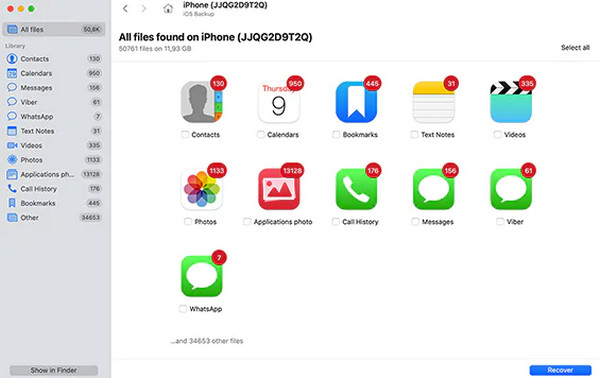
Disk Drill is a professional data recovery tool developed by Cleverfiles. It is primarily a broader data recovery program rather than iCloud data recovery software. It can also recover lost files from computers, external drives, SD cards, USB drives and other storage devices. Its basic version allows users to recover up to 100 MB for free. Disk Drill offers enhanced data protection features like SMART monitoring, Recovery Vault, and byte-to-byte backup technology.
Pros
- Useful for recovering files from different storage devices.
- Recover specific files from iCloud without erasing the data.
- Offers free data protection tools.
Cons
- The free version doesn't let you recover data.
Top 3. Stellar Data Recovery for iPhone
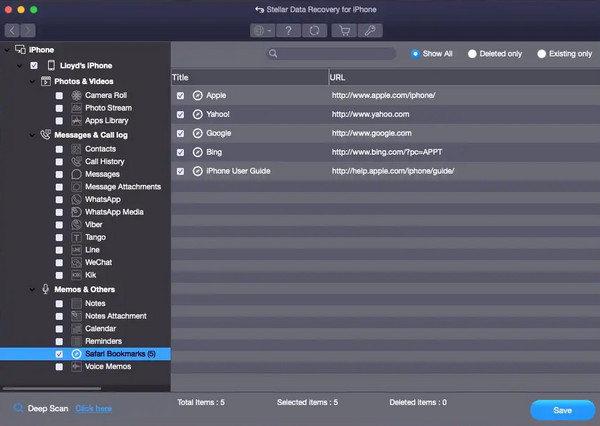
Stellar Data Recovery for iPhone is feature-rich iCloud data recovery software that supports recovering a wide range types of iPhone data from iPhone, iPad, iTunes backups, and iCloud backups. It can recover data from encrypted iTunes backups and perform deep scans when regular scanning cannot find the needed files. Stellar also offers additional iOS utilities in its Toolkit version, such as iOS system repair, data erasure, and Apple ID removal.
Pros
- Supports a wide range of iPhone data types.
- Offers deep scan and preview options.
- Can recover data from encrypted iTunes backups.
Cons
- Some features are only available in the Toolkit version.
Top 4. Dr.Fone - iOS Data Recovery
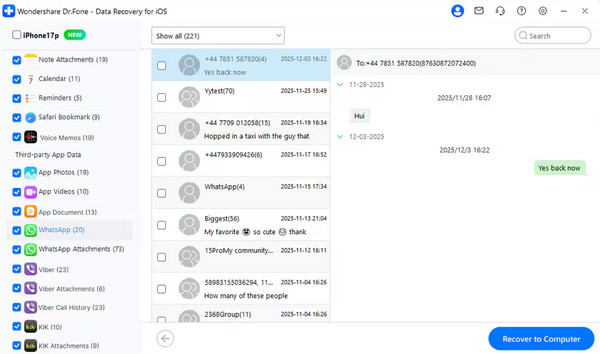
Dr.Fone - iOS Data Recovery is a solid choice for iCloud data recovery. It focuses on retrieving lost data from iOS devices and backups. Dr.Fone can download iCloud backups directly to preview and selectively restore files and messaging app data. It also selectively extracts iCloud-synced data and iCloud Drive files, including WhatsApp View Once data.
Pros
- Extract recovered data directly to computer or iOS devices.
- Recover messaging app data, like WhatsApp chats or LINE chats.
- Includes additional iPhone features.
Cons
- You need to pay for and register the app for recovery.
Top 5. EaseUS Data Recovery Wizard
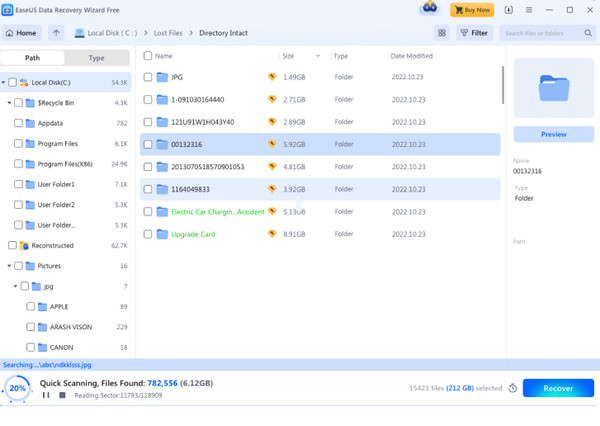
EaseUS Data Recovery Wizard is a comprehensive iCloud data recovery tool for Windows and macOS. Besides iCloud.com data recovery, it also handles data loss scenarios caused by accidental deletion, formatting, partition loss, or system crashes. It supports over 1,000 file types and provides a simple recovery process. The free version allows you to recover up to 2 GB of data, but some advanced recovery features also require a paid license.
Pros
- Supports various storage devices and 1000+ file formats.
- Offers quick scan, deep scan, preview, and filtering features.
- Simple interface suitable for beginners.
Cons
- The free version has limited recovery features.
Things to Know Before iCloud Data Recovery for iPhone
Before learning how to recover iCloud using the recovery software above, there are a few things worth knowing.
- 1.An iCloud backup only contains the data available when it was created. Before restoring a backup, check its date to make sure it was made before your data disappeared.
- 2.Restoring from iCloud can overwrite the existing data. If you do not want to replace your current files, preview and extract specific data from backups.
- 3.Not all lost data can be recovered. If your lost files were never backed up or synced to iCloud, the recovery options may be limited.
Conclusion
Still not sure which iCloud data recovery tool to pick? All the software mentioned above are worth considering and have their own strengths. If you need help choosing a suitable recovery tool, imyPass iPhone Data Recovery is a reliable choice. It makes it easier to find specific files from iCloud backups, iTunes backups, or iOS devices, and restore the data you actually need in a few clicks.
Clara has over 8 years of experience helping users recover lost files and transfer data. She previously worked as a data recovery technician for a major IT service company. Certified in Data Recovery and Digital Forensics, her articles focus on simple solutions that make complicated recovery tasks easier for everyday users.
Hot Solutions
-
Recover Data
- AppGeeker iOS Data Recovery Review
- Disk Drill iPhone Data Recovery Review
- How to Get iPhone Out of Recovery Mode
- How to Fix support.apple.com/iphone/restore
- How to Recover Data from DFU Mode
- Gbyte iPhone Data Recovery Review
- How to Recover iPhone Deleted Photos After 30 Days
- How to Recover Deleted Photos on iPad
-
Unlock iOS
-
Transfer Data
-
iOS Tips