



 Solution
 Support Center
 About Us
 Contact
How to Download and Use the AddROM FRP Bypass Tool Easily
 Gideon Byron Published on December 17, 2025Unlock Android3-min reading
Although the FRP feature can protect your device and data from unauthorized factory resets by strangers, it can also be a barrier that prevents you from accessing your Android phone when you forget your Google account credentials. In that case, AddROM can help you bypass FRP.
AddROM FRP Bypass APK is a free tool for bypassing the Google FRP. This post will introduce its main features, pros & cons, and usage to you. But AddROM doesn't work well on newer Android OS, so we also offer a better alternative to the AddROM FRP bypass tool.

In this article:
Part 1. What is AddROM Bypass APK
When you factory reset an Android phone with a Google Account login, it will be locked unless you enter the Google account and password. that is Google FRP. AddROM Bypass APK can bypass FRP (Google Factory Reset Protection) on Android devices without a Google account or password.
The webpage of AddROM FRP Bypass is addrom.com/bypass/. It supports various old Android versions, and you don't need to have a computer but directly download and install it on your Android phone and quickly bypass the FRP lock.

Main Features of AddROM FRP Bypass
- Bypass FRP on Android: Using its designed APK or specialized methods for certain models, you can bypass Android FRP for free.
- No computer required: AddROM firmware offers various ways to enter the browser under FRP locked mode, like through Galaxy Store, YouTube, and so on. Once you can enter the browser, you can visit their website and download their APK files.
- Various tutorials available: On the AddROM FRP Bypass website, you can find various guides that are specifically for one model, increasing the success rate when bypassing FRP.
AddROM FPR Bypass - Supported Android Versions
Although AddROM Bypass tool is free to use, it supports limited Android versions; you can check them below:
- Lollipop 5.0
- Marshmallow 6.0
- Nougat 7.0
- Oreo 8.0
- Pie 9.0
Note:
As you can see above, you cannot use the AddROM Bypass APK if your Android phone runs a version above Android 10. In this case, if you want to bypass Google FRP on Android 11 to 16, see Part 4 and try an AddROM alternative.
Part 2. How to Download and Use the AddROM FRP Bypass Tool
Please prepare another normal Android phone before downloading the AddROM FRP Bypass tool.
First, ensure that your locked Android phone has a valid SIM card. Then, put it aside and grab another Android phone where you download and install AddROM.
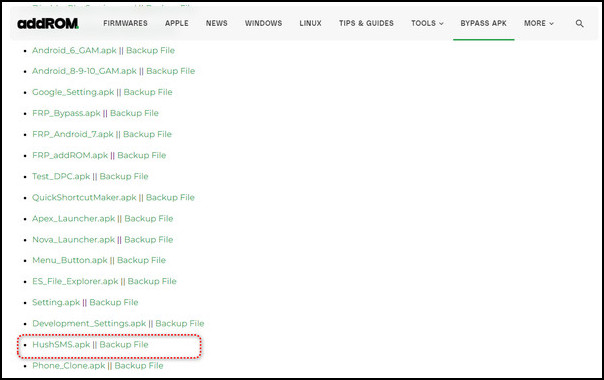
Visit addrom.com/bypass/ and download HushSMS.apk at the bottom on the normal Android device. Then, go to My Files > Downloads to locate the HushSMS.apk and install it.
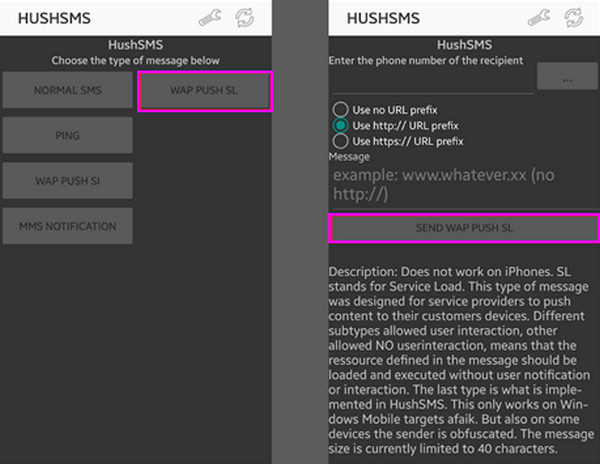
Open the HushSMS and tap WAP PUSH SL. Enter the correct phone number of the locked Android phone. Then, type www.youtube.com/@addROMcom in the message box and tap the SEND WAP PUSH SL button.
Wait until the AddROM YouTube channel appears on your locked phone. Tap the Menu symbol at the upper right corner and choose Terms & Privacy Policies. Then, you will see a browser page. Tap the search bar and type addrom.com/bypass to open its website. Here, select a specific GAM APK based on your Android versions.
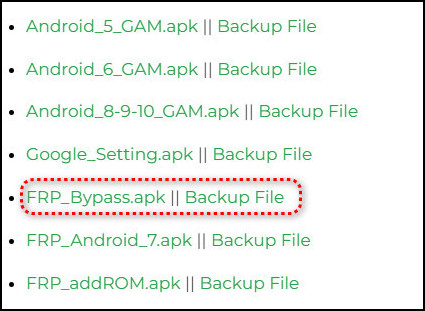
Then, download the FRP Bypass APK file. Now, install this APK file and the APK file sent by another phone on the locked phone.
Open the FRP Bypass APK and tap the Menu symbol. Select the Brower sign-in option. Sign in with the Google account you prefer and restart your phone. After the restart, the Google verification interface will no longer appear. That's how the AddROM FRP Bypass tool works.
Part 3. Detailed Review of the AddROM FRP Bypass Tool
The AddROM bypass tool allows you to bypass FRP through tips and tricks, making use of Android bugs. However, the success rate of this computer-free bypass method highly depends on the operating steps. Let's quickly see the pros and cons of it.
Pros
- This AddROM FRP Bypass Tool is free to use.
- You don't need a computer to install the AddROM FRP Bypass tool.
- It works with popular Android brands, including Samsung, LG, Xiaomi, etc.
- Offer tutorials in the addrom.com/bypass/ webpage and its YouTube channel.
Cons
- It cannot support Android devices running Android 11 and above.
- There is no technical support or official assistance; you can only follow along the tutorials, which may not match your phone.
- It is a big challenge for beginners to download and use AddROM.
Performance of AddROM FRP Bypass
From our tests, the overall performance rating of the AddROM FRP Bypass tool is 2/5. It's good only in limited situations and unreliable on newer Android versions.
Works on Older Android Versions: The best success rate (94%) is on Android 5.0 to 7.1 (Lollipop to Nougat). We used the AddROM FRP tool to bypass the Zenfone ZC554KL running Android 7, and it works well. We can easily install the AddROM FRP Bypass files and remove Google account from phone.
Very Poor on Newer Android Versions: On Android 8.0 or higher versions, the AddROM FRP tool doesn't work well. The success rate is only 40% from our tests. Google has closed most loopholes, and the Browser sign-in tricks are blocked. We also want to use AddROM to bypass Android 13 or 14, but it doesn't work at all.
AddROM FRP Bypass – Security Risks
Many AddROM FRP Bypass tools contain ads, trackers, and malware. Those files are also outdated and modified. So, if you care about your privacy, you'd better not use AddROM FRP tools. Also, those files in AddROM don't have official support or guarantee, which is also a big problem.
However, it doesn't mean that you must not use AddROM. There's no clue that AddROM has a virus. From Gridinsoft, AddROM is verified safe, although content analysis is not available.
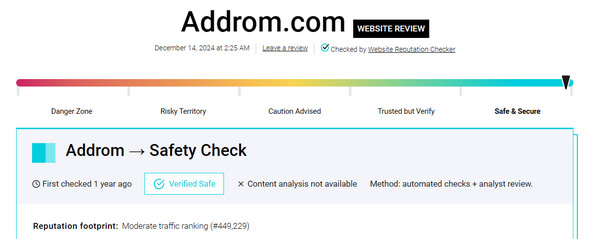
User Reviews on AddROM FRP Bypass
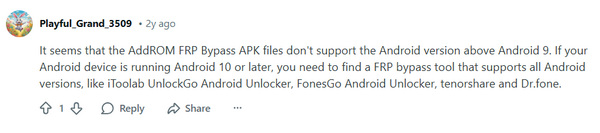
From a user review from r/TechnocareApk in Reddit, we can also see that AddROM FRP Bypass is workable only on lower Android versions, like Android 8 or lower. For higher Android versions, you can use an AddROM alternative.
Part 4. The Best Alternative to AddROM FRP Bypass
Since you cannot use AddROM Bypass on the latest Android versions, there is a better alternative. imyPass AnyPassGo supports Android 5.0 and later, including Android 16. It allows users to bypass Google FRP without the Google account and password in several clicks. More importantly, this program is totally skill-free, so that everyone can use it easily. You can use this alternative to AddROM to bypass Android 14 or higher.
Pros
- Bypass Google lock on Android devices running Android 5.0 to 16.
- Unlike AddROM Bypass APK, imyPass AnyPassGo has a clean interface with simple workflow.
- In addition to FRP bypass, it can remove Android screen locks.
- It is compatible with Samsung, Motorola, Mi, OPPO, and more brands.
Cons
- You need a computer to download imyPass AnyPassGo.
How to Bypass FRP with imyPass AnyPassGo
Click the Free Download button below to download imyPass AnyPassGo. Then, install and launch it.
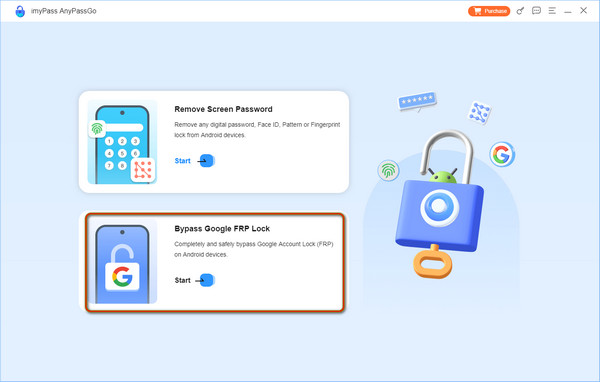
Plug your locked phone into the computer using a USB cable. Click the Bypass Google FRP Lock button.
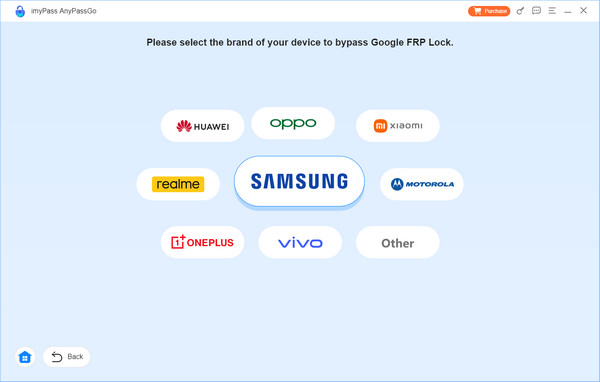
Select your phone brand. This AddROM alternative supports Samsung, OPPO, Motorola, Xiaomi, and more. You can also select Other.
Select your phone model, like USA-Model or Exclusive models. Then, click the Bypass Now button to bypass FPR easily and quickly.
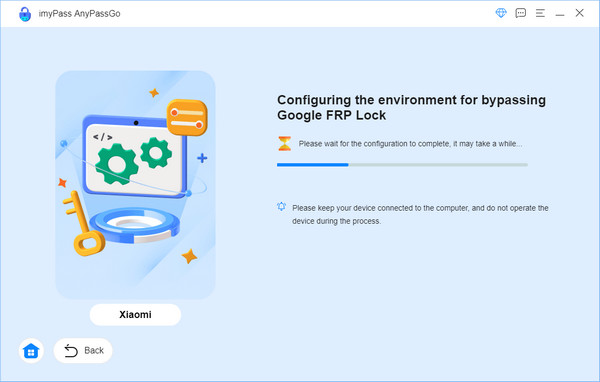
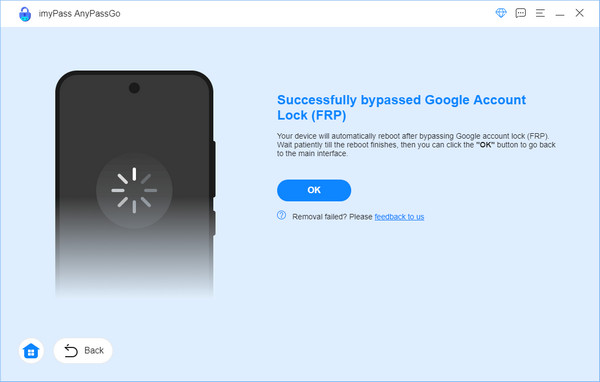
In several minutes, the FRP lock will be removed, and you can click OK and unplug your phone to check your phone.
FAQs.
-
Is it safe to use AddROM Bypass tool?
Yes, it is safe to use AddROM Bypass tool to remove the FRP lock on Android devices. However, it is still possible to lose data, you'd better back up your Android data before bypassing the FRP lock.
-
Can I use AddROM to bypass FRP on Android 11?
No. You cannot use AddROM Bypass on Android 11 because it only supports Android versions from 5 to 10. So, you can turn to imyPass AnyPassGo. It supports Android versions from 5 to 16, and is easy to operate even for beginners.
-
Does AddROM FRP Bypass APK really work?
According to our research on users' reviews, many people have successfully bypassed the Google FRP using this free APK file. But your phone brand and model have to be right. There are also a few users complained about its inefficiency and incompatibility.
Conclusion
This article shows you what AddROM FRP Bypass is and how to use this FRP bypass APK step-by-step. As a free FRP bypass tool, it works only for several old brands and Android versions. If you are looking for a universal solution, try imyPass AnyPassGo to remove the Google FRP on newer Android OS like Android 16. It only requires a computer, and then you can bypass FRP with only a few clicks.
Gideon is a senior editor from imyPass. He is an expert in unlocking phones and computers, and he has written password tutorials in imyPass for 3 years.
Hot Solutions
-
Unlock Android
-
Unlock iOS
-
Password Tips
-
iOS Tips

