



 Solution
 Support Center
 About Us
 Contact
PassFab Android Unlocker Review: How to Remove Android Screen Lock
 Penny Warren Published on June 01, 2026Unlock Android3-min reading
If you forget your Android screen password, getting back into your locked phone is not easy. Many users search for Android unlocking tools to remove screen locks or bypass FRP. However, not every tool works as advertised. PassFab Android Unlocker is one of the most popular Android unlockers, but is it actually effective? In this review, we will test its features, pricing, advantages, disadvantages, and real unlocking performance.

In this article:
Part 1: Review of PassFab Android Unlocker
As the name suggests, PassFab Android Unlocker is a tool designed to unlock Android phones and tablets. If you are locked out of your phone and completely forgot the password, it is worth using. Before you download it, let's learn what the software can do exactly.
Main Features of PassFab Android Unlocker
1. Unlock an Android device with one click.
2. Remove all kinds of screen locks: PIN, password, pattern, or fingerprint.
3. Unlock old Samsung phones without losing data.
4. Bypass Google FRP on Samsung, Xiaomi, Vivo, and more.
5. Compatible with major phone brands, like Samsung, Moto, Google, etc.
Pricing of PassFab Android Unlocker
PassFab Android Unlocker offers three subscription plans. The software also provides a free trial version, but the trial cannot allow to unlock devices actually.
- 1 Month License: $24.95
- 1 Year License: $39.95
- Lifetime License: $49.95
Real User Review
"I was locked out of my Samsung phone after too many pattern attempts, and PassFab Android Unlocker worked like a charm. It was easy to use, and I didn’t need any technical skills to get the job done."
"It worked but took 3 attempts on my Redmi Note 10. Might be my USB cable though."
"Perfect for my Galaxy S9 but wouldn't work on coworker's newer S22. Check your OS version."
Pros & Cons of PassFab Android Unlocker
Pros
- The interface is simple and beginner-friendly.
- Available for both Windows and Mac users.
- Support over 6,000 Android phone and tablet models.
- Offer multiple subscription plans for different unlocking needs.
Cons
- Require a paid license to actually unlock Android phone.
- The success rate varies depending on the phone brand and Android version.
- It will erase all data on the device.
- Customer support responses may sometimes be slow according to user feedback.
How to Unlock a Phone with PassFab Android Unlocker
Launch PassFab Android Unlocker after you install it on your PC. Choose Remove Screen Lock, and select your phone brand.
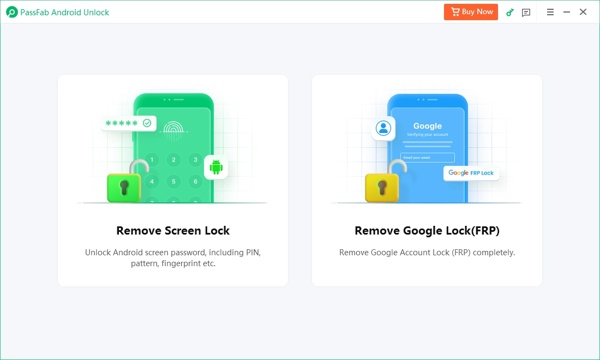
Tip: If you choose Samsung, select Clear device data or Keep device data according to your phone model, and follow the on-screen instructions to move on.
Connect your locked phone to your PC with a USB cable, and wait for the software to recognize your device.
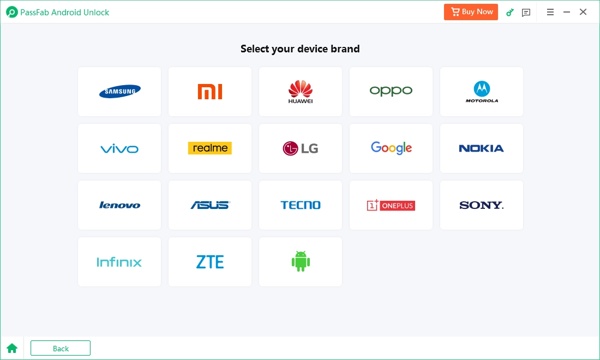
Next, click the Start button. When prompted, hit Yes to begin unlocking your phone immediately. When it is done, put your phone into the Recovery Mode and perform a factory reset.
Part 2: Top 3 Alternatives to PassFab Android Unlocker
Top 1: imyPass AnyPassGo
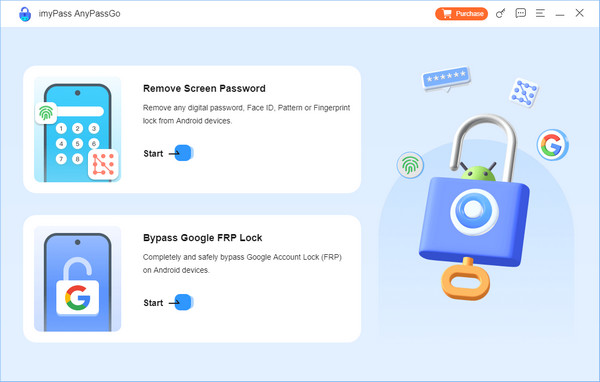
imyPass AnyPassGo is a reliable alternative to PassFab Android Unlocker. This all-in-one Android unlocking tool can remove various screen locks and bypass Google FRP within a few clicks. It supports almost all Android phone models and system versions, including Android 16. Its 3-month plan costs $29.95, while the lifetime plan is available for $43.71.
Pros
- The interface is clean and easy to navigate.
- Remove PINs, passwords, patterns, and fingerprints in minutes.
- Bypass Google FRP lock without passcode on Android devices.
- Unlock some older Samsung phones without erasing existing data.
- Includes a 30-days money back guarantee.
Cons
- Only available for Windows computers.
- You need purchase the paid version to access the full functionality.
Top 2: iMyFone LockWiper (Android)
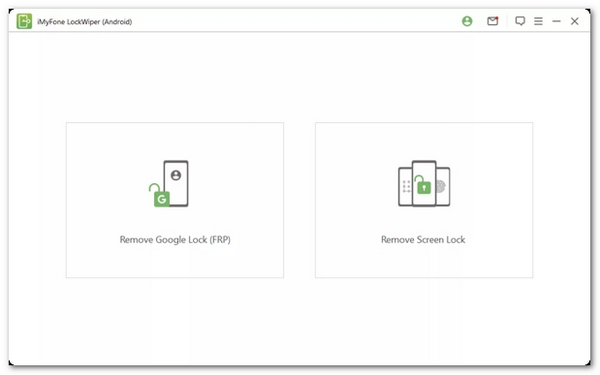
iMyFone LockWiper (Android) is a dedicated tool to unlock Android in various usage scenarios, such as remove screen lock, remove Google account verification, and factory reset your Android. It supports devices running Android 15 and earlier. The software offers three pricing plans, including a 1-Month Plan for $29.99, a 1-Year Plan for $49.99, and a Lifetime Plan for $59.99.
Pros
- Unlock Android phones and tablets effectively.
- Remove the FRP lock without Google account credentials.
- Deliver a high success rate.
- Support the removal of any kind of screen locks on Android.
Cons
- It is only available on PCs now.
- It is not compatible with Android 16 currently.
Top 3: Tenorshare 4uKey for Android
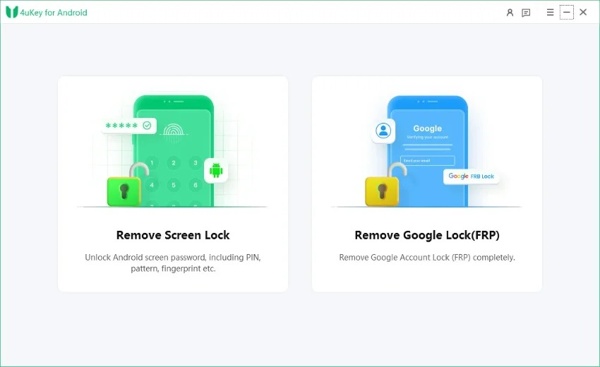
Tenorshare 4uKey for Android is another professional Android unlock tool that supports Android 15 password removal. It allows you quickly bypass FRP locks on Samsung, Xiaomi, Redmi, Vivo, OPPO, Realme, OnePlus, Huawei, and more. It has three plans: monthly license ($22.95), yearly license ($39.95), and lifetime license ($59.95).
Pros
- It has a user-friendly UI.
- Unlock Android phone quickly.
- Bypass Google FRP lock efficiently.
- Support Android 16 and earlier.
Cons
- It doesn't support Android 16.
- The success rate is not very high.
FAQs.
-
How much does PassFab Android Unlocker?
There are three plans. The month license costs $29.95, the year license costs $39.95, and the lifetime license costs $49.95.
-
Is PassFab Android Unlocker legal to use?
Yes, PassFab Android Unlocker is a legal program developed by a reputable software company. If you download the software from the official website, it won't install viruses or malware on your computer.
-
Does PassFab support unlocking iPhones?
Yes, PassFab does offer an application called PassFab iPhone Unlocker to unlock iOS devices with a computer. You can check our review.
Conclusion
After reading this PassFab Android Unlocker review, you can understand what this Android unlocking tool can do, its benefits and disadvantages, and how to use it to unlock your Android phone. Besides, we also recommended three alternative programs. You can make the best decision based on our review.
Penny focuses on GPS troubleshooting and Windows optimization. She formerly worked as a technical support engineer, helping clients solve location-based and system issues efficiently. Backed by IT support experience, she provides practical solutions that really work. In her free time, she likes hiking and geocaching, testing GPS tech in the real world.
Hot Solutions
-
Unlock Android
-
Unlock iOS
-
Password Tips
-
iOS Tips

