



 Solution
 Support Center
 About Us
 Contact
Global Unlocker: Easily Unlock SIM and Bypass FRP on Phone
 Gideon Byron Published on January 28, 2026Unlock Android3-min reading
Have you ever heard of the Global Unlocker Tool when you search for tools to unlock SIM and FRP? Do you know how to use this all-in-one Android unlocking tool to unlock the SIM lock for network flexibility and remove the FRP lock for device accessibility? If not, you can read this complete review of Global Unlocker about its features, pricing, pros & cons, and usage.

In this article:
Part 1. In-depth Review of Global Unlocker
Global Unlocker is a professional multi-functional tool for Android devices (only minor features for iOS). It can unlock SIM restrictions, IMEI-related services, bypass FRP, and repair system mistakes for many supported Android brands.
Supported OS: Windows 7/8/10/11 (32-bit and 64-bit)
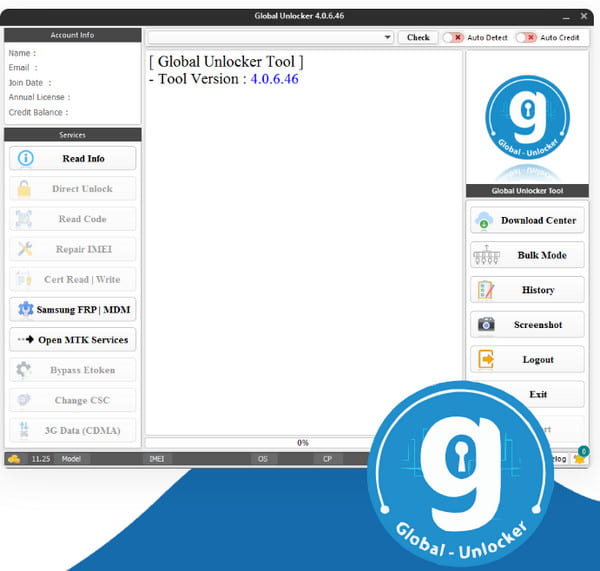
Main Features of Global Unlocker
1. Bypass Google FRP: Global Unlocker can helps remove Factory Reset Protection (Google Lock) on Android devices like Samsung, LG, Motorola, Alcatel, OnePlus, Google Pixels, and more.
2. Network/SIM Unlock: Global Unlocker can removes carrier locks on many Android brands.
3. MDM Bypass: Global Unlocker can remove MDM profiles on Samsung and iPhone.
4. IMEI Repair / Patch Certificate: It can repair or patch IMEI information on supported devices (often necessary after hardware repairs).
5. Direct Unlock: Unlike old methods that required waiting days for a code, Global Unlocker often performs a Direct Unlock via USB cable in minutes.
Global Unlocker vs. Global Unlocker Pro
If you're using an older version of Global Unlocker, you may want to review this comparison table between Global Unlocker and Global Unlocker Pro. Global Unlocker Pro is the current and updated version, offering the latest features and improvements.
| Global Unlocker (Legacy) | Global Unlocker Pro (Current) | |
| Primary Focus | Older Samsung & LG models. | Latest Samsung (S21-S24), Pixel, and More. |
| Android OS Support | Android 5.0 to Android 11. | Android 10 up to Android 15. |
| Connection Speed | Standard USB 2.0 speeds. | Optimized for High-Speed USB-C / 3.1. |
| Bypass Methods | Primarily ADB and Download Mode. | Adds EDL (Emergency Download) & Test Mode. |
| Server Stability | Slower verification for older security. | High-speed server handshakes for instant unlock. |
| Security Patch Support | Stopped at older 2021/2022 patches. | Updated frequently. |
| User Interface | Basic, text-heavy. | Modern GUI with step-by-step instructions. |
Pricing of Global Unlocker
10 credits - $10.00
25 credits - $24.00
50 credits - $47.00
100 credits - $90.00
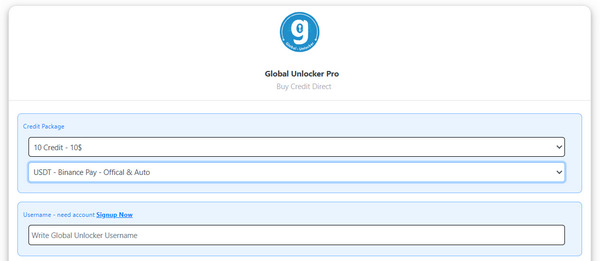
The Global Unlocker tool uses a credit-based system. Each operation, such as SIM unlocking, FRP removal, or other services, consumes a certain number of credits.
For example, a simple FRP bypass may cost 1–3 credits, while unlocking the network on older Samsung phones typically requires around 3–5 credits.
Many users want to find a Global Unlocker crack version. However, those cracked versions are not reliable. They are highly risky for both your computer and your phone. Maybe you can try to find a Global Unlocker tool username and password free in some sharing communities.
Pros and Cons of Global Unlocker Pro
Pros
- Offer a high success rate for modern security.
- Work well on mainstream providers like T-Mobile and even on devices that carriers often refuse to unlock.
- The features are not too expensive.
- Support wide phone brands.
Cons
- Work only on Windows.
- Require a technical learning curve.
- No refund for user errors.
Part 2. How to Use Global Unlocker
Global Unlocker Pro offers a wide range of practical features. In this guide, we’ll show you how to use these features step by step. Although the Global Unlocker tool is free to download, it is commercial software, which means that many of its features require a payment (credits) to use.
Global Unocker Tool Free Download
Go to the Global Unlocker Pro official website: global-unlocker-pro.com/index
Click the Download Now button to go to the download page. Then, click the DOWNLOAD NEW TOOL button to free download the Global Unlocker tool.
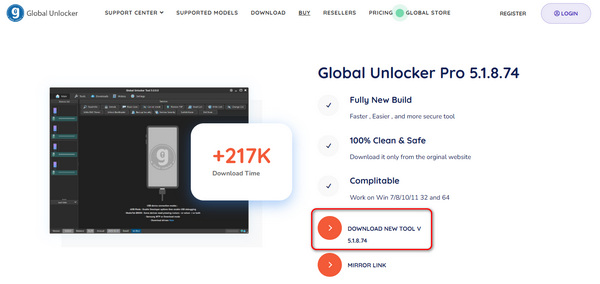
The downloaded file is a ZIP file. Extract it and launch the EXE file to install Global Unlocker Pro.
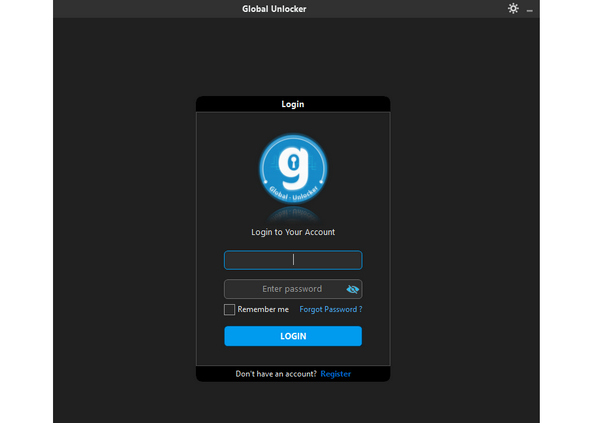
This software requires a login. You should register an account and enter your Global Unlocker tool username and password.
1. Bypass Global with Global Unlocker Pro
Register with Global Unlocker if you are a new user. Before you use this tool, you should buy credits or an annual license to unlock its features. Then, download Global Unlocker from its official website.
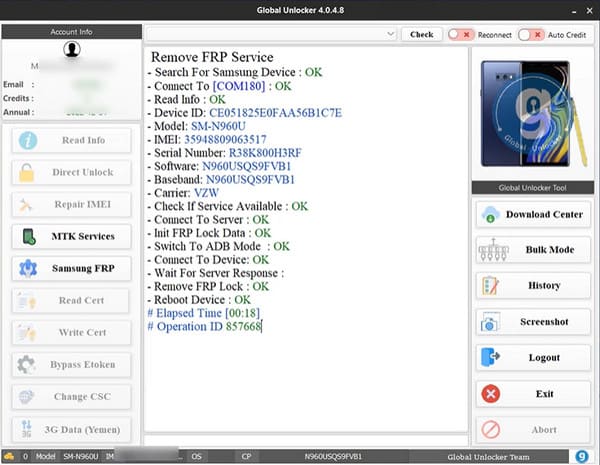
After launching it, plug your Android phone into your computer using a USB cable. Here, we take a locked Samsung phone as an example. In the beginning interface, click Samsung FRP and follow the on-screen window to tap *#0*# using Emergency Call. Back to your Samsung phone, tick Always allow from this computer > Allow to allow USB debugging.
Global Unlocker will bypass the FRP lock and reboot your Samsung device.
2. Bypass SIM Lock with Global Unlocker Pro
Create your account on the Global Unlocker website and buy sufficient credits. Then, download it and connect your phone to your computer.
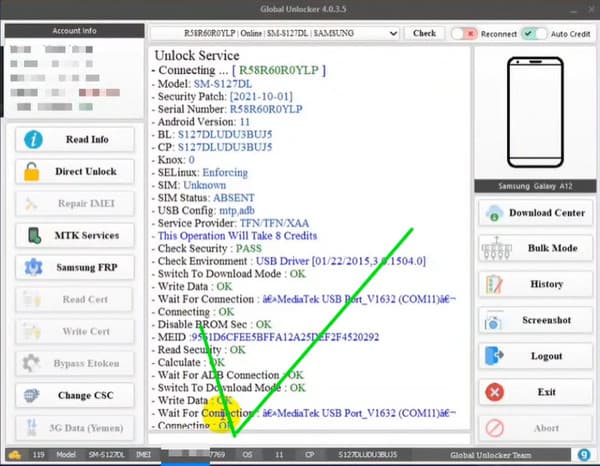
Click Check at the top. Then, click Direct Unlock at the left sidebar. Click Continue when it pops up. Then, this tool will help remove the SIM lock on your Android phone.
Related Readings:
Part 3. Top Alternative to Global Unlocker in FRP Bypass
Global Unlocker is multifunctional and works in many situations. However, the software can be somewhat difficult to use, which may confuse beginners. As a result, you may prefer a more reliable and user-friendly tool to bypass the Google FRP lock.
imyPass AnyPassGo is designed to bypass Google FRP locks and remove Android screen locks with only a few clicks. This beginner-friendly FRP unlocking tool supports devices from Samsung, Xiaomi, Redmi, Vivo, and OnePlus. With a clear interface and easy workflow, this Global Unlocker Pro alternative will help you easily bypass FRP for Android phones.
4,000,000+ Downloads
Bypass the Google FRP lock easily and quickly.
Unlock the screen password in a few seconds.
Supports PIN, pattern, Face ID, and Fingerprint screen passwords.
Support a wide range of brands: Samsung, Google, LG, Xiaomi, etc.
Pros
- Easy to use but powerful simultaneously.
- Thorough guide available on the official website.
- 24/7 online support available.
Cons
- You need to purchase a license and download it on your computer.
How to easily bypass Google FRP using imyPass AnyPassGo:
Download and launch imyPass AnyPassGo on your computer. Use a USB cable to connect your Android phone to your computer. Click the Remove Google Lock (FRP) feature on the home interface.
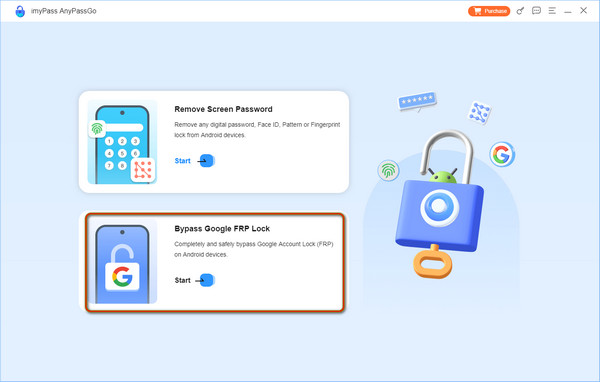
The program will detect the brand of your Android device automatically. Here, you should choose the correct Android brand for your phone.
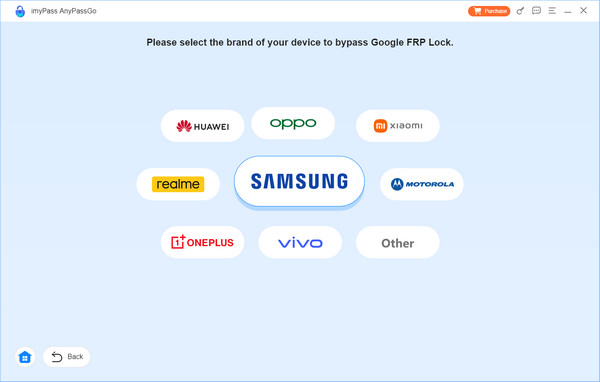
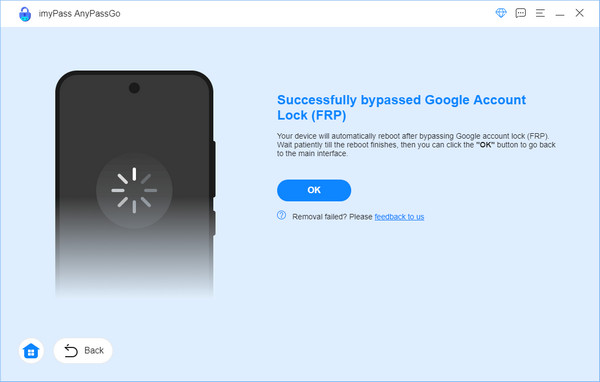
Then, the program will provide specific on-screen instructions based on different Android versions for you to follow. It may take a few minutes to bypass the Google FRP lock on your phone.
FAQs.
-
How long does Global Unlocker Pro take?
FRP bypass may take 1-3 minutes. SIM unlock typically takes 2-10 minutes. IMEI repair may take 5-15 minutes.
-
Is Global Unlocker Pro legit?
Yes, Global Unlocker Pro is considered legit within the specialized world of GSM (Global System for Mobile Communications) repair and phone unlocking.
-
Is it safe to unlock the bootloader?
Unlocking the bootloader is safe for your hardware, but it will highly weaken the software security.
Conclusion
By reading this Global Unlocker Pro review, you’ll learn about its key features, pricing plans, as well as its pros and cons. It also provides step-by-step instructions for bypassing SIM and FRP locks.
If Global Unlocker Pro doesn't work on your Android device, you can try an alternative, imyPass AnyPassGo, to bypass the Google FRP lock on most Android devices. It features a simple workflow and an intuitive interface, making it easy for both beginners and experienced users to remove FRP locks or Android screen locks.
Gideon is a senior editor from imyPass. He is an expert in unlocking phones and computers, and he has written password tutorials in imyPass for 3 years.
Hot Solutions
-
Unlock Android
-
Unlock iOS
-
Password Tips
-
iOS Tips

