



 Solution
 Support Center
 About Us
 Contact
How to Unlock a T-Mobile Phone to Change Providers: Official Ways
 Samuel Spenser Published on July 09, 2026Unlock Android3-min reading
According to network providers, phones are locked to prevent fraud and ensure that customers complete their contract payments. A T-Mobile carrier locked phone can make it difficult to switch networks, travel abroad, or use a different SIM card. If you are facing these restrictions, this guide will explain how to unlock a T-Mobile phone without losing your data.

In this article:
Part 1. What are T-Mobile Phone Unlock Requirements
T-Mobile won't unlock your phone automatically. To check your device status, log in to your account on the T-Mobile website, select your line on the Accounts page, and click Check device unlock status. If your phone is still locked, check T-Mobile's unlock policy before you start the process.
General Eligibility
1. Your phone has not been reported stolen, blocked, or lost.
2. Your T-Mobile account is in good standing.
3. Your device must be purchased from T-Mobile.
Additional Eligibility for a Postpaid Phone
1. Your phone must have been active for over 40 days.
2. The device payment must be fully paid off.
3. Your account must have a zero balance if you have canceled it.
Additional Eligibility for a Prepaid Phone
1. Your phone must have been active for over a year.
2. If it has been active for less than a year, your phone must have had more than $100 in refills.
3. You cannot unlock more than two devices within a year.
If you can meet the conditions, move on to unlock your phone from T-Mobile. Bear in mind that T-Mobile may ask you to provide proof of purchase or other information about your device.
Part 2. How to Unlock a T-Mobile Phone Officially
Official ways of unlocking T-Mobile phones are typically free and secure. You can request unlock on your Android phone by contacting customer support or using the T-Mobile Unlock app.
How to Unlock an iPhone from T-Mobile
Go to the Settings app, choose General, and tap About phone to check your IMEI number.
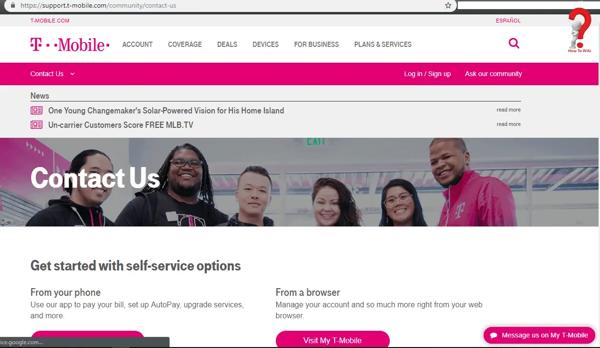
Once you meet all the requirements, contact T-Mobile customer service(877-453-1304) or make a live chat, submit your IMEI number and other phone information to request device unlock.
How to Unlock an Android Phone from T-Mobile
Run the Settings app from your app screen.
On the Samsung phone, go to Connections, choose More Connection Settings, and select Network Unlock.
On the Motorola phone, choose About Phone, and select Device Unlock.
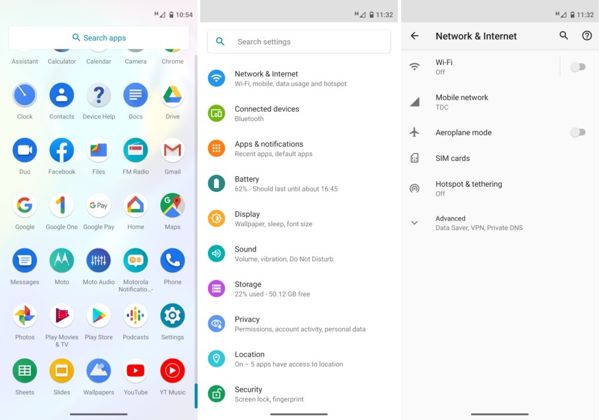
On the LG phone, go to Network & Internet, choose Mobile Networks, select Network Unlock, and tap Continue.
On the OnePlus phone, navigate to Wi-Fi & Internet, SIM & network, and Advanced or Network Unlock.
Tap the Permanent Unlock button to unlock your T-Mobile phone yourself. It may take a while to complete the process.
How to Unlock a Phone Using T-Mobile Unlock
Visit the T-Mobile Devices page in your browser, and check if your phone is supported by the T-Mobile Device Unlock app.
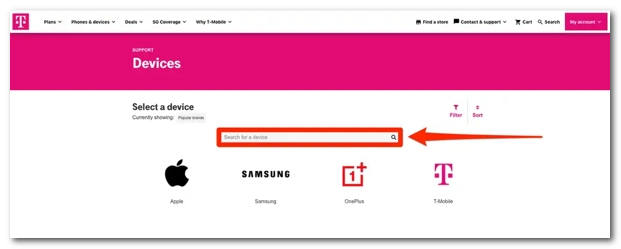
Then download the app and install it on your phone.
Open the app, sign in with your T-Mobile account, and choose your phone.
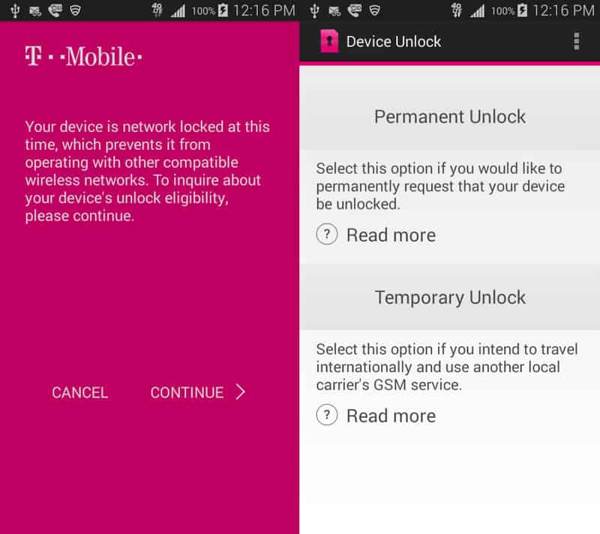
Tap the CONTINUE button when you are prompted that your device is network-locked at this time. Then tap the Permanent Unlock button.
If prompted, tap OK to confirm your action, and wait for the process to finish. When you see a message saying Device is Permanently Unlocked, your T-Mobile phone is unlocked. If it fails, you will get an alert, too.
Part 3. How to Unlock a T-Mobile iPhone Without an Account
If you purchased a second-hand T-Mobile iPhone but don't have access to the original T-Mobile account, some third-party unlocking tools can also help you remove carrier lock from your iPhone. imyPass iPassGo is an all-in-one iOS toolkit designed to solve various iOS lock issues. Whether your iPhone is locked to any carrier, it can remove SIM restrictions from your device. With a user-friendly interface and straightforward steps, it allows beginners to complete the carrier unlock effortlessly.

4,000,000+ Downloads
Unlock T-Mobile iPhone without losing personal data.
Unlock iPhone from Spectrum, AT&T, Verizon and more carriers.
Remove screen locks, Screen Time passcode, and MDM easily.
Compatible with the latest iOS versions and iPhone models.
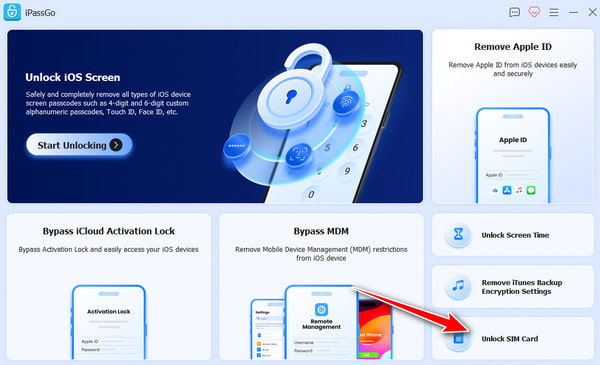
Connect your iPhone to the computer, launch the software, and choose Unlock SIM Card from the interface.
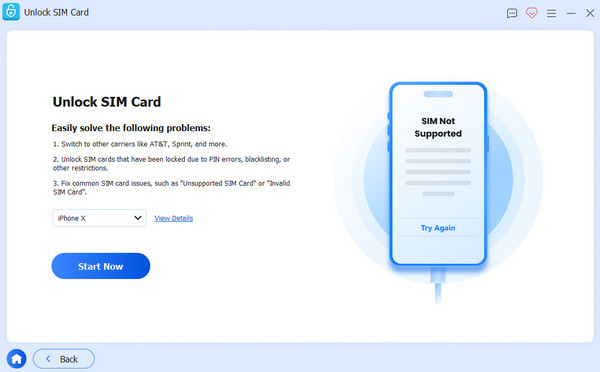
Please review the statement and warnings carefully, then click Start Now to proceed.
Mack sure your device information is correct, and click Start Bypassing. If your device is not jailbroken, you need to jailbreak it first. Follow the on-screen tutorial to set up your device.
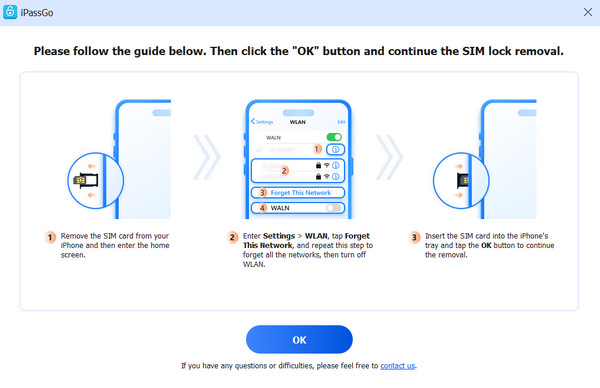
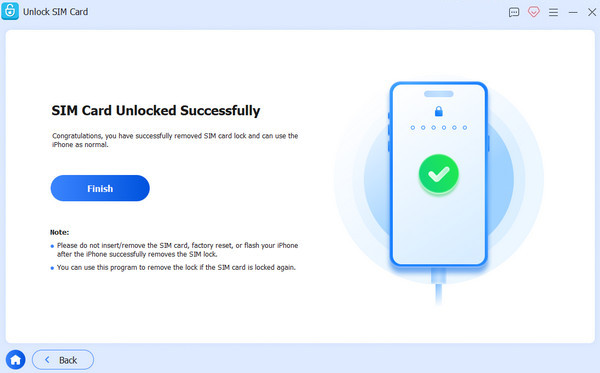
Click the OK button to confirm the removal. Then your SIM lock will be removed in minutes.
FAQs.
-
Does T-Mobile sell unlocked phones?
T-Mobile does offer unlocked phones, but not all devices sold by T-Mobile are unlocked by default. The good news is you have multiple ways to unlock your T-Mobile phone. Moreover, T-Mobile supports unlocked phones that were originally locked by other carriers.
-
Can I temporarily unlock my phone on T-Mobile?
Yes, you can temporarily unlock your phone from T-Mobile if you intend to travel internationally and use the local carrier's SIM card. You can request by contacting T-Mobile customer service or using the T-Mobile Device Unlock app.
-
How much to unlock a T-Mobile phone?
If you unlock a T-Mobile phone using the official ways, it is completely free after you fully paid the contract. With a third-party unlock service, you have to pay the bill. The price ranges from a few to hundreds of dollars.
Conclusion
This guide has discussed how to unlock T-Mobile device. Before that, you'd better learn the eligibility requirements for your device, and make sure you meet all the conditions. Then you can unlock your SIM carrier in your Settings, by contacting customer service or using the T-Mobile Device Unlock app.
Samuel specializes in password security and digital privacy. He used to work as a cybersecurity consultant for small businesses to protect digital assets. With certifications in Cybersecurity and Ethical Hacking, he turns complex security topics into easy-to-follow advice. He also enjoys sharing password tips to help users protect their accounts more confidently.
Hot Solutions
-
Unlock Android
-
Unlock iOS
-
Password Tips
-
iOS Tips


