



 Solution
 Support Center
 About Us
 Contact
What vnROM Bypass Is and How to Bypass FPR with vnROM
 Gideon Byron Published on December 17, 2025Unlock Android3-min reading
Bypassing the Google FRP on Android after resetting is necessary if you want to use your phone as normal. vnROM Bypass is a tool that can bypass the Google verification interface. It offers files and APKs that can help you bypass FRP for free.
You can learn the detailed usage, pros, and cons of vnROM from this review. Additionally, if you are unsatisfied with vnROM FRP Bypass, you can check two better alternatives to bypass the FRP lock on your phone easily.

In this article:
Part 1. What Is vnROM Net Bypass?
The vnROM Bypass, whose official webpage is vnrom.net/bypass/, offers free tools for Android users to remove the Google verification screen after a factory reset, drivers and flashing tools, some firmware and tools, and more. With vnROM Bypass APK, you can set up a factory reset Android phone without entering Google account credentials.
Key Features of vnROM Bypass:
1. Bypass FRP on Android with files and APKs.
2. Offer user guides or tutorial videos to bypass FRP.
3. Support different Android OS versions and phone brands.
4. Offer other tech tips and files in the phone field.
5. Regularly update tools, APKs, files, and tutorials.
Compatibility of vnROM Bypass
The vnROM Bypass tool is compatible with a number of Android models running from Android OS 5.0 to 16, including Samsung, Redmi, Oppo, LG, Motorola, and more. But its main target is Samsung models. From our earnest tests, we find that vnROM firmware has different performances based on the Android versions.
vnROM bypass Android 5.0-7.0: The success rate is high, and many files and APKs support those lower Android versions. However, their security level is low.
vnROM bypass Android 8.0-9.0: The success rate is medium, but the FRP bypass files and APKs are safer.
vnROM bypass Android 10-13: The success rate is low. It requires many and frequent addons to bypass FRP and keep your phone usable.
vnROM bypass Android 14-16: The success rate is very low. Google's addon updates will easily remove FRP bypass.
Note:
However, those free FRP bypass tools (files and APKs) have no official support or guarantee. Therefore, think twice before downloading and using the vnROM Bypass APK to bypass the Google lock. Besides, you need to prepare a USB drive and an OTG cable to download and use the vnROM Bypass tool on your locked Android phone.
vnROM Samsung: Samsung is the main target of vnROM Bypass. You can find many files and guides to bypass FRP on Samsung phones. However, it won't work well with the latest security patch from Samsung.
vnROM Motorola: Old Motorola devices (Android 7.0-10) are well supported. You can use keyboard or browser accessibility to install specific APKs and files from vnROM to bypass FRP. However, the newer Android versions highly vnROM firmware fails to work.
Pros and Cons of vnROM Bypass
Pros
- The vnROM Bypass APK is offered free of charge.
- Supports Android 5-10, and supports certain Android 11-16 for several models.
- Don't need a computer if you use keyboard or browser tips.
Cons
- It usually fails to work on Android 10 to 16.
- vnROM Bypass tools have no official support or guarantee.
- The FRP bypass methods and workflow are complex.
Part 2. Where to Download vnROM APK
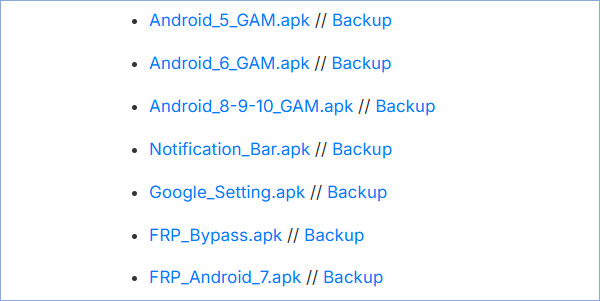
The vnROM net bypass address isvnrom.net/bypass/. What you need to do first is download APKs and files on a FRP-locked phone. After that, you have a chance to bypass the Google lock. Let's check how you can go to its website.
Browser Trick
Now, you cannot access the home screen on your phone, so you need to use a trick to access the browser. You can repeatedly tap the TalkBack settings, and then draw an L-like gesture on the screen to open a Help menu where you can access Google search or YouTube.
Download vnROM Bypass APK
Visit vnrom.net/bypass/. Many links on the webpage confuse you. Just download a FRP_Bypass.apk file. You can search for it on this page directly.
Note:
You can also download the vnROM Bypass APK on a PC or another phone. Then, prepare an OTG cable or a Dual USB Drive and transfer the APK into the FRP-locked phone. You will use it in the bypass process.
Part 3. How to Install vnROM and Bypass FRP for Android 5-16
After downloading, you can learn to use the vnROM bypass APK file. The steps are complex because you need to perform FRP bypass on a locked phone. Therefore, please be careful, or any mistake may cause a restart.
By the way, this is a common tutorial that may not work for all phones, especially if they are running Android 10-16. Therefore, if you tried it and it doesn't work for you, you can go to the vnROM website and see if there is a guide to bypass FRP for your phone. If not, you can skip to Part 4 and use the universal method.
When the Google verification screen shows up, connect your USB drive that has the vnROM Bypass APK file to your locked phone using an OTG cable. If you've downloaded vnROM Bypass APK on the phone, please go to Step 2.
Open Talkback: Connect the phone to a WiFi network and tap and hold the home button or the volume up and down button together to open Talkback.
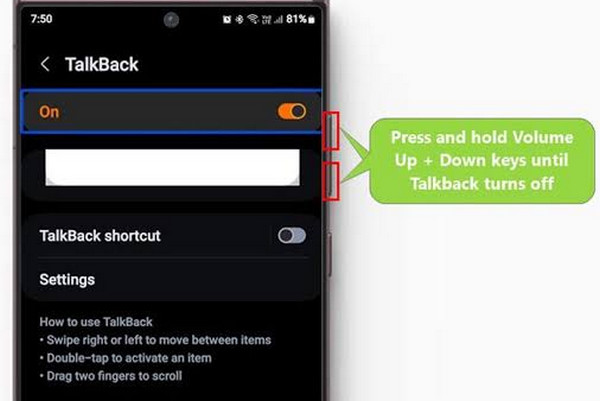
Open Help & Feedback pane: Swipe left and up (like a flipped L). Then hold the same button(s) again.
Open YouTube: Tap or say "Get Started with Voice Access" and play the video.
Open Browser: Tap the user profile icon in the upper right corner, go to Terms and Privacy Policy, and cancel. Come back and then tap on Bookmarks.
Install APK: Hold the Bookmarks tab, then go to Download History and tap My Files. Then, install the APK you downloaded.
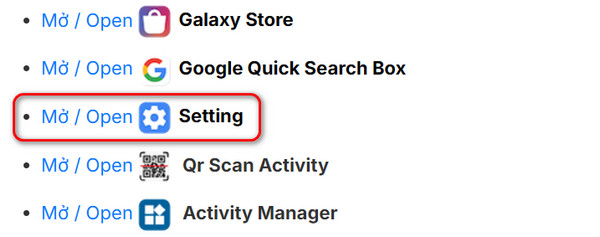
Open Settings: Visit vnrom.net/bypass/ and tap the link to open Settings. Then allow installation of unknown apps.
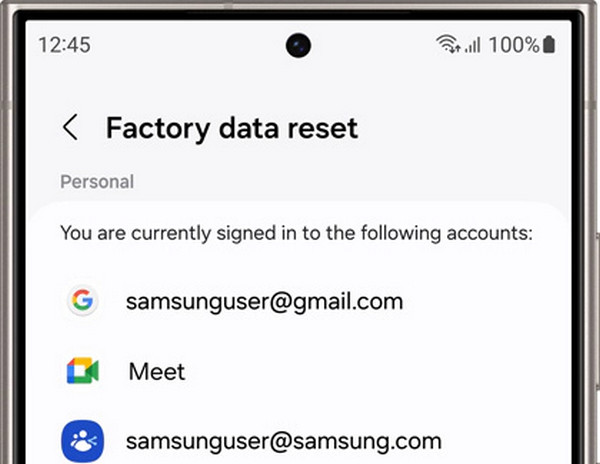
Reset Device: Once it's successfully installed, go to Settings > General Management > Reset > Factory Data Reset. Confirm by tapping the Reset option. Then, your Android phone will restart, and you can set it up without entering any Google account credentials.
Part 4. Two Better Alternatives to vnROM FRP Bypass [Support Android 16]
Although vnROM APK works well on old Android versions like Android 5 to 9, it no longer works on newer Android versions. vnROM Bypass and addROM are not compatible with today's devices. Also, their workflows are too complex and time-wasting. Is there a faster and easier vnROM alternative? Please check two options.
1. imyPass AnyPassGo
If your FRP-locked phone new Android OS like Android 16, you can use imyPass AnyPassGo to bypass FRP. Based on our tests, this program bypasses Google FRP automatically, and only several clicks are needed. The success rate is 98% for Android 10 to 16 phones.
Furthermore, the free online support will help you with any problems or when you get stuck on any step. You can effortlessly remove the Google lock and different screen locks from your Android device using this vnROM alternative.
Pros
- Bypass FRP with only a PC and a USB cable.
- The interface is clear and neat, and the workflow is very simple.
- Offer official support and detailed user guide.
- Highly compatible with all Android OS, from Android 5 to 16.
Cons
- It requires a computer.
Let's see how to use imyPass AnyPassGo to bypass the Google FRP lock.
Click the Free Download button below to download imyPass AnyPassGo. Then, install and launch this vnROM alternative tool.
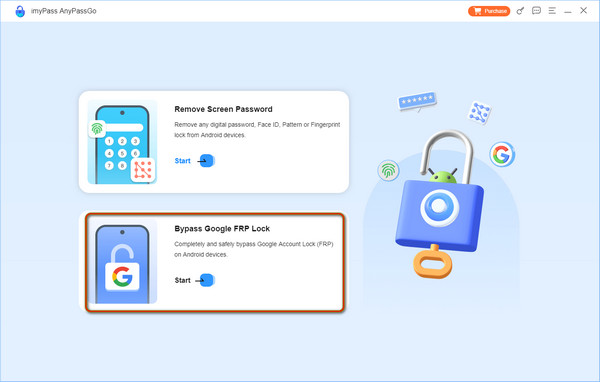
Connect your device to this computer via a USB cable. Then, select Bypass Google Lock.
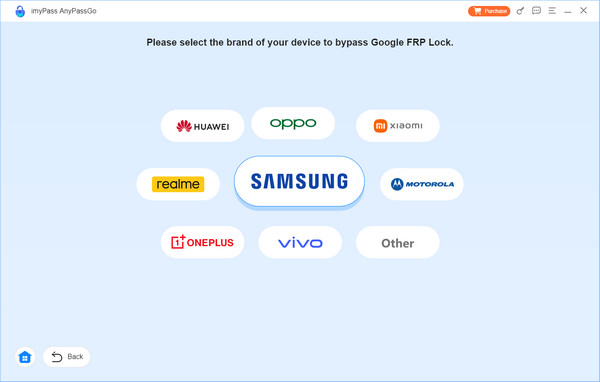
Choose your phone brand, like Samsung, Motorola, OPPO, or Other.:
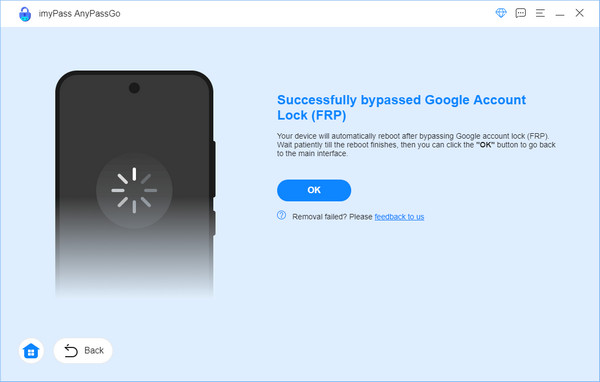
Prepare your Android phone following the detailed on-screen guide. When it is finished, unplug your phone and check if you can access the phone successfully.
2. Tenorshare 4uKey for Android
Tenorshare 4uKey for Android is another vnROM Bypass APK alternative in FRP bypass. It is compatible with the latest Android OS 11-14. You can use it to remove the Google FRP lock on Samsung, Huawei, Vivo, Motorola, Xiaomi, Redmi, Oppo, Realme, and OnePlus.
Pros
- Tenorshare provides a detailed guide for you to follow.
- You can contact its support team when you have an inquiry.
Cons
- You need to pay for the FRP bypass feature.
How to use 4uKey for Android to remove the FRP lock
Download and install it on your computer from its official website. Open it and plug your locked phone into your computer. Click Remove Google Lock (FRP) on the main interface.
After the software detects your Android model, you will see the corresponding interface. Select Remove Now to install the driver.
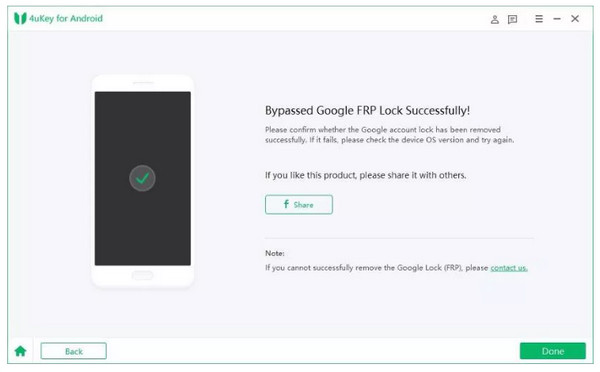
Once the driver is installed successfully, follow the on-screen steps to operate your locked Android phone. Then, the Google lock will be automatically bypassed.
Extended Reading:
FAQs.
-
Is FRP bypass legal?
It's generally legal. However, it's illegal if you bypass FRP on a phone that doesn't belong to you.
-
Can I use AddROM Bypass on Android 11?
You cannot use AddROM Bypass on Android 11 because it only supports Android versions from Lollipop 5.0 to Pie 9.0. So, you can use imyPass AnyPassGo to bypass Android 5-16 FRP.
-
What brands do vnROM FRP bypass support?
vnROM FRP bypass works for many Android brands. It tends to succeed especially on popular brands: Samsung, Xiaomi/Redmi, Huawei, OPPO/Realme, Vivo, Motorola, and OnePlus.
Conclusion
By reading this full review of the vnROM FRP Bypass tool, you can learn how to use vnROM to bypass Google accounts and its pros and cons. If your locked phone runs newer Android versions like Android 10 to 16, you can turn to an easier and more compatible vnROM alternative - imyPass AnyPassGo. It can help you easily bypass FRP in just a few clicks. You don't need to do complicated Talkback or voiceover tricks and can quickly get access to your phone.
Gideon is a senior editor from imyPass. He is an expert in unlocking phones and computers, and he has written password tutorials in imyPass for 3 years.
Hot Solutions
-
Unlock Android
-
Unlock iOS
-
Password Tips
-
iOS Tips

