



 Solution
 Support Center
 About Us
 Contact
Unlock Any Android Phone: 8 Best Tools & Services in 2026
 Gideon Byron Published on May 25, 2026Unlock Android3-min reading
Forgetting your Android screen lock or pattern can be frustrating. Fortunately, Professional Android unlock tools can quickly restore access to your phone. We tested multiple tools, evaluating their reliability, security, and success rates, including their compatibility with Android 17 and flagship devices. Below is our curated list of the top 8 unlock tools with detailed comparisons.

In this article:
Part 1: Top 8 Android Phone Unlockers in 2026
How We Tested
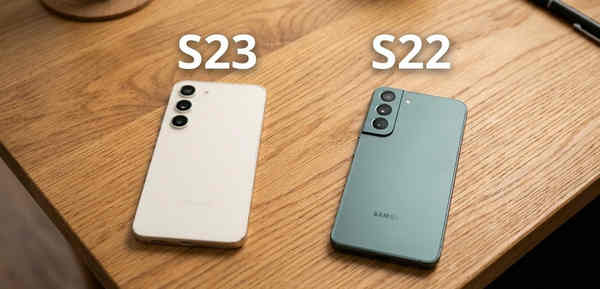
To ensure a fair and reliable review, we tested all 8 Android unlockers on two Samsung devices: a Galaxy S22 running Android 14 and a Galaxy S23 running Android 16. Our evaluation focused on several key aspects:
- Success Rate: How reliably the tool can remove screen locks and bypass FRP on different devices.
- Speed: The time required to unlock a device under normal conditions.
- Compatibility: Support for various Android versions and popular phone brands, including Samsung, Xiaomi, Huawei, Sony, and OnePlus.
- User Experience: Ease of use and potential issues such as slow loading, temporary freezes, or unexpected crashes.
Top 1: imyPass AnyPassGo
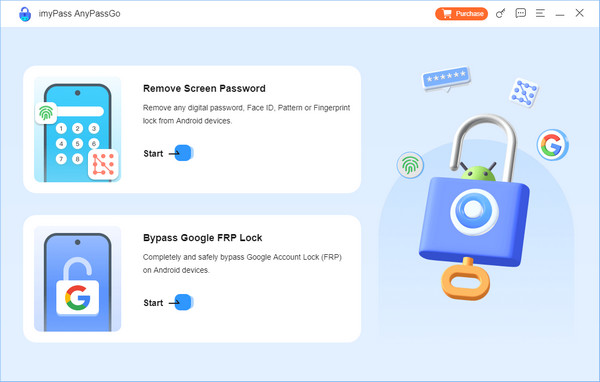
Price: $29.95/3 month; Lifetime License: $43.71
Compatibility: Supports Android 5 to Android 17.
imyPass AnyPassGo is a popular Android unlocking tool for users who have forgotten their screen password, or dealing with a damaged locked screen. It offers two main functions: removing the lock screen and bypassing FRP, allowing you to regain access to Samsung, OnePlus, Sony, Xiaomi, and many other popular brands.
In our tests, imyPass AnyPassGo works quickly and smoothly on Android 14-16, making it a reliable choice if you've forgotten your pattern lock or screen passcode.
Pros
- Remove Android screen locks without rooting.
- Support passwords, PINs, patterns, fingerprints, etc.
- Bypass Google FRP lock without Google account credentials.
- Factory reset Android devices quickly.
Cons
- It is only working on PCs.
Top 2: iToolab UnlockGo (Android)
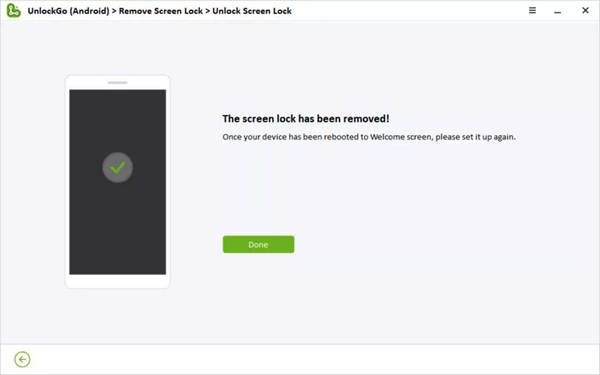
Price: Start from $14.95 per month
Compatibility: Supports Android 5 to Android 17.
If your phone is damaged, you forgot the password, or you are locked out of your device, iToolab UnlockGo lets you bypass the screen lock without any problems. Moreover, this Android phone screen unlocker stands out among cell phone unlock software due to its user-friendly interface and high level of compatibility.
From our test, this Android screen unlocker can work fast on Android 16. It's a very powerful tool to deal with forgotten passwords or Google account passwords.
Pros
- Support Samsung, Xiaomi, Huawei, Asus, Sony, and more.
- Remove passwords, PINs, patterns, fingerprints, and bypass face ID on Android phone.
- Unlock old Samsung phones without data loss.
- Get rid of Google FRP without your Google account.
Cons
- It lacks a free plan.
- The device loading time is a bit slow.
Top 3: Tenorshare 4uKey for Android
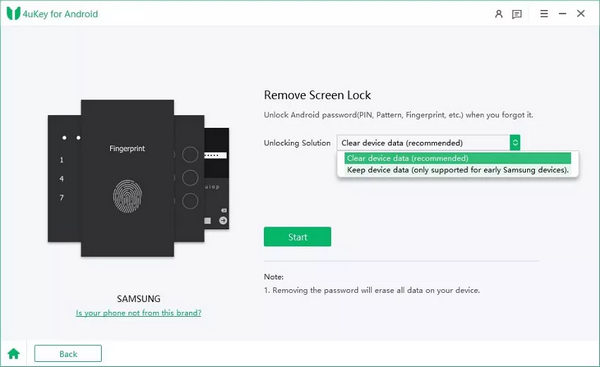
Price: Start from $24.95 per month
Compatibility: Supports Android 4 to Android 17.
If you prefer compact Android password unlock software, Tenorshare 4uKey for Android is a good option. It is popular among Android unlocking software due to the quick and safe workflow. It just does the job without installing extra software or malware on your device.
From our test, Tenorshare 4uKey for Android can remove screen lock on Android 16, but it takes about 10 minutes, which is a bit slow.
Pros
- Seamlessly remove all types of Android screen locks.
- Set your handset free from Google FPR.
- Provide an intuitive interface.
- Offer on-screen instructions for beginners.
Cons
- It erases all content on your phone when unlocking it.
- The supported devices are limited.
Top 4: Dr.Fone - Screen Unlock (Android)
Price: Start from $24.95 per month
Compatibility: Supports Android 5 to Android 17.
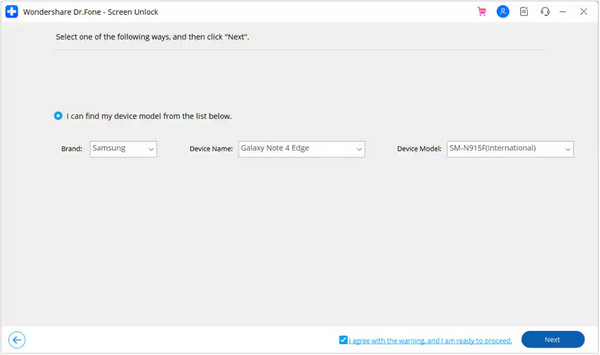
Dr.Fone is more than just Android password removal software for PCs. It is a comprehensive toolkit that offers multiple solutions, like Android backup, system repair, and more. If you are looking for a one-stop toolkit for Android devices, it is a good option.
From our test, Dr.Fone Screen Unlock can support Android 16. This Android phone unlocker can also quickly remove screen lock with or without data loss, based on different phone models.
Pros
- Remove the Android screen lock easily.
- Available to all screen lock types on Android.
- Offer a wide range of features.
- Support major Android phone models.
Cons
- You have to download the whole toolkit.
- It is not compatible with all Android devices.
Top 5: EaseUS MobiUnlock for Android
Price: Start from $39.95 per year
Compatibility: Supports Android 2 to Android 13.
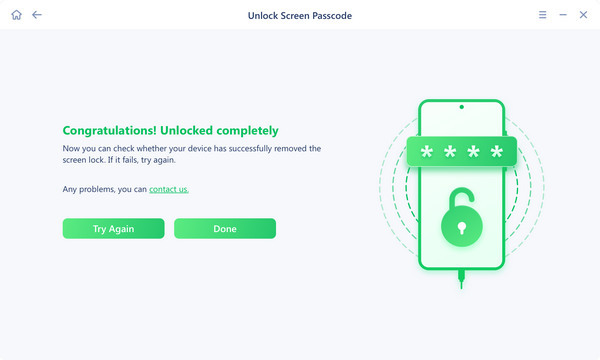
This Android device unlock application can unlock Android without a hard reset if you are using an earlier Samsung Galaxy phone. For other devices, like our tested Samsung Galaxy S22 and S23, it will remove screen locks along with other data, apps, and personal settings from your device. However, it's workflow can work on a damaged screen, so that's why we select it as a reliable and versatile Android phone unlocker.
Pros
- Easy to use and don't require technical skills.
- Support a variety of Android phone models.
- Won't erase data when unlocking old Samsung phones.
- Come with a money-back guarantee.
Cons
- You have to purchase the full version.
- Many users have reported the failure of unlocking their Android devices.
Top 6: PassFab Android Unlocker
Price: Start from $24.95 per month
Compatibility: Supports Android 4 to Android 17.
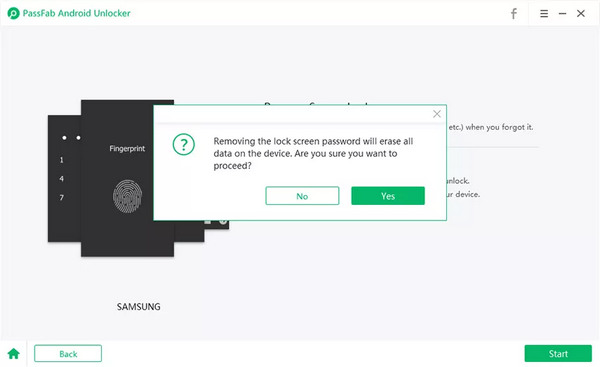
PassFab Android Unlock is also a popular Android phone screen password unlocker to help you get rid of different kinds of screen locks on Android phones and tablets. Plus, it enables you to bypass Google Factory Reset Protection when you forgot your Google account password.
From our test, PassFab works very fast on our Samsung Galaxy S22 – Android 14. However, it performs screen unlocking twice on Samsung Galaxy S23 – Android 16, to make it. Therefore, it may better on older Android versions.
Pros
- Offer affordable and flexible subscriptions.
- Remove Android screen locks easily.
- Available in multiple languages.
- Integrate with an intuitive interface.
Cons
- It is only available on PCs.
- It lacks bonus features.
Top 7: iMobie DroidKit
Price: Start from $29.99 per month
Compatibility: Supports Android 6 to Android 17.
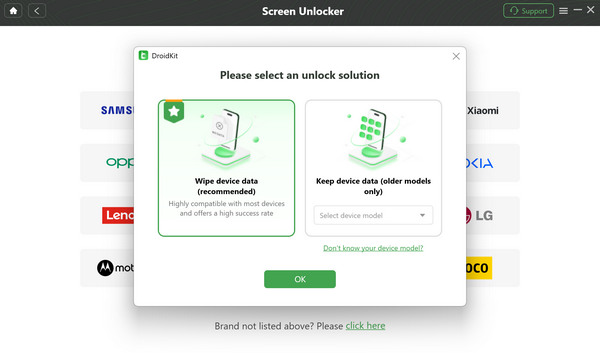
iMobie DroidKit is a full-featured toolkit for Android devices, including a phone unlocking service. It allows you to remove almost all types of screen locks on Android phones and tablets quickly. It can help you remove Android phone screen with or without losing data based on different phone models. Moreover, you can find lots of useful features in a single program.
From our test, DroidKit can work well on older Android 14; the success rate decreases when unlocking Android 16. If your phone OS isn't the newest, you may try this Android phone screen unlocker.
Pros
- Remove screen locks of any kind.
- Fix Android system issues.
- Extract data from a crashed phone.
- Preview and download data from the Google account.
Cons
- It may break the terms of your device warranter.
- The software is large and takes up space.
Top 8: Multi Unlock Software
Price: Completely Free
Compatibility: Supports Android 5 to Android 9.
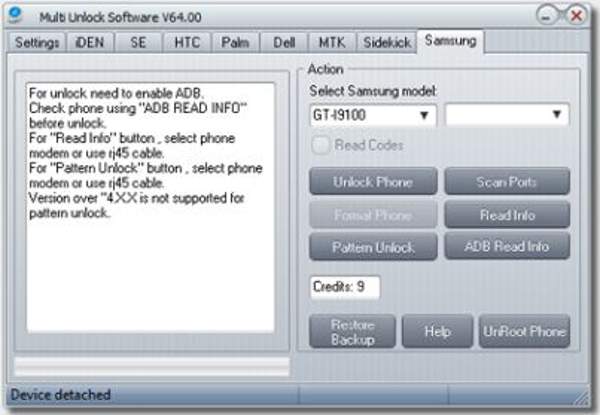
Multi Unlock Software is an open-source and free Android phone unlocker application that allows you to unlock and flash Android devices. It works for a wide range of devices like Samsung, LG, HTC, Sony, Nokia, Vivo, and more. However, it can only work on older Android versions from Android 5 to Android 9. Our Samsung S22 and S23 cannot get unlocked by it. If you have an old Android device, you may try it.
Pros
- Unlock Android phones without a password.
- Completely free to use.
- Lightweight and works fast.
- Come with a simple interface.
Cons
- The features are limited.
- It does not support new Android devices.
Editor's Recommendation
If you are using an older Samsung phone, iToolab UnlockGo is a good choice for its good compatibility on some older models. For newer devices running Android 17, imyPass AnyPassGo stands out with its high success rate, stable performance, and fast unlocking process. If you want a free solution, Multi Unlock Software may be worth trying, but it only supports Android 9 and earlier versions.
Part 2: How to Unlock Android Passcode or Pattern
With one of the Android phone unlocker program above, you can easily remove forgotten passcode or pattern lock. Let's take imyPass AnyPassGo as an example.
Before you start, make sure to back up your important data. Almost all unlock tools will erase your phone's data during the process, so having a backup ensures your files, contacts, and photos stay safe.
Get the Android Unlocker Software
Download and install this software on your computer, and launch the program.
Select Your Phone Model
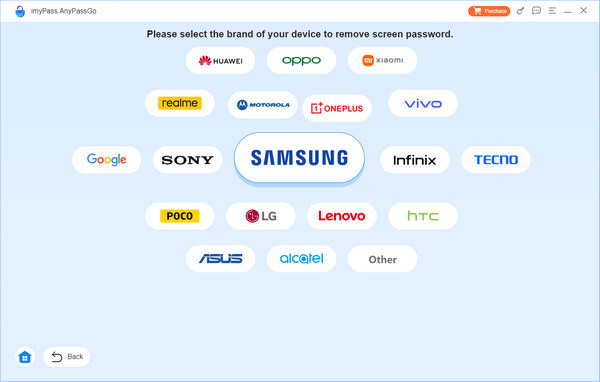
Connect your Android phone to your computer. Then, click Remove Screen password on the interface. After that, you can select your phone brand, such as Samsung, Sony, Lg, etc.
Remove Android Screen Lock
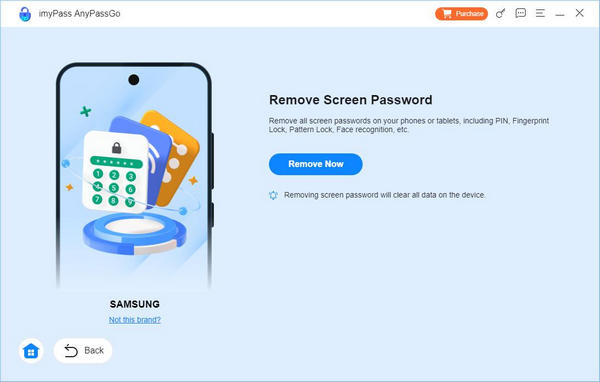
Click the Remove Now button to start unlocking your Android phone. It may take a few minutes to finish. After that, just click OK and start using your Android phone.
Part 3: Comparison of the Best Android Phone Unlockers
| Software | Price | Compatibility | Data Loss | Unlock Speed |
| imyPass AnyPassGo | $29.95/3 month | Android 5-17 | Yes | Fast |
| iToolab UnlockGo | $14.95/month | Android 5-17 | Yes | Fast |
| Tenorshare 4uKey | $24.95/month | Android 4-17 | Yes | Medium |
| Dr.Fone Screen Unlock | $24.95/month | Android 5-17 | Yes | Fast |
| EaseUS MobiUnlock | $39.95/year | Android 2-13 | Yes | Medium |
| PassFab Android Unlocker | $24.95/month | Android 4-17 | Yes | Medium |
| iMobie DroidKit | $29.99/month | Android 6-17 | Yes | Medium |
| Multi Unlock Software | Free | Android 5-9 | Yes | Slow |
FAQs.
-
What is the secret code to unlock any Android phone?
There is no "secret master code" that can bypass the lock screen on a modern Android phone. If you see a video or a post claiming that dialing a sequence like *#0000#* or *#8888#* will magically unlock your device, it is misinformation.
-
What is the free tool to unlock Android phone?
Finding a truly free and safe tool to unlock an Android phone can be difficult because most professional software requires a paid license for full functionality. However, you can factory reset your device to unlock screen passcode for free.
-
Will unlocking my phone with a third-party tool erase data?
In most cases, using a third-party Android unlock tool will erase all data on your device. Always back up your important files, documents, and photos before proceeding, as there is usually no way to preserve data during the unlock process.
Conclusion
Now, you should know 8 powerful Android phone unlockers. With one of them, you can easily unlock forgotten screen passcode or pattern lock. Some of them can also help you bypass Google FRP after a factory reset.
Many users want to know how to unlock the screen on new Samsung devices running Android 17. imyPass AnyPassGo is a good choice. It has strong and stable performance on newer Android models and OS. The success rate is also very high.
Gideon writes about unlocking iOS, Android, and Windows devices. He previously worked as a mobile device specialist in a repair center, assisting customers with locked devices and password recovery. In his spare time, he tests new unlock tools, customizes smart devices and makes complex unlock processes simple and safe.
Hot Solutions
-
Unlock Android
-
Unlock iOS
-
Password Tips
-
iOS Tips

