Solution
 Support Center
 About Us
 Contact
5 Best Pokémon GO Scanner Applications You Should Try
 Penny Warren Published on October 29, 2026GPS Location3-min reading
As one of the most popular AR games, Pokémon GO comes with a lot of third-party tools to help players enjoy smooth gameplay. The Poké mon GO scanner, for example, is a tool designed to provide information about the game to help players locate Pokémon in the virtual world. It uses a combination of GPS, sensor data, and online intelligence to provide vital information about the game world. This article shares the top list.
In this article:
Part 1: Comparison of Pokémon GO Scanners
Methodology
To identify the best Pokémon GO map scanners, we collected the popular tools on the market and tested them in our professional lab. Moreover, we collected hundreds of users’ reports. When testing them, we focus on a few factors, such as accuracy and data validity, performance and reliability, security and anti-cheat evasion, and more.
| Platforms | Accuracy | Update | Best for | |
| Poke Genie | Android, iOS | Very High | Frequent | Accurately calculate Pokémon IVs |
| PokeWhere | Android, iOS | High | Real-time | Real-time radar scan |
| WeCatch | Android, iOS | Moderate to High | Fast | Find rare Pokémon Raids |
| PokeRadar | Android, iOS | Inconsistent | Real-time | IV scan and raid coordination |
| PokeMap | Web | Low to Moderate | Variable | Find PokéStops, Gyms, and nests |
Part 2: Top 5 Pokémon GO Scanners
Top 1: Poké Genie
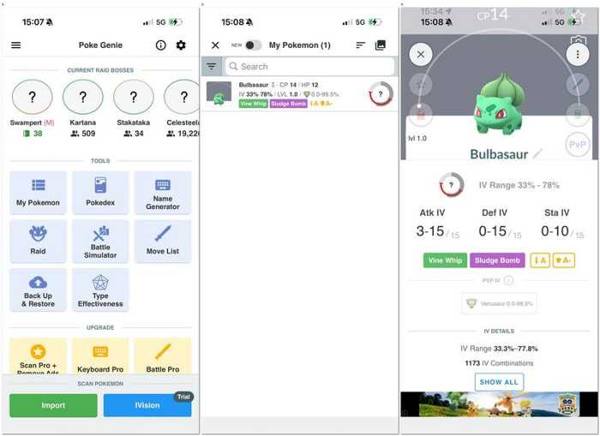
Poké Genie is a reliable Pokémon GO scanner to help trainers evaluate hidden values, analyze battle stats, plan raid and PvP battles, and more on iOS and Android devices. It can enhance the Pokémon GO experience.
Pros
- Check IV quickly.
- Join Remote Raids around the world.
- Integrate the PvP IV calculator.
- Catalog all Pokémon in the game.
Cons
- There are ads in the free version.
- Users reported small bugs.
Top 2: PokeWhere
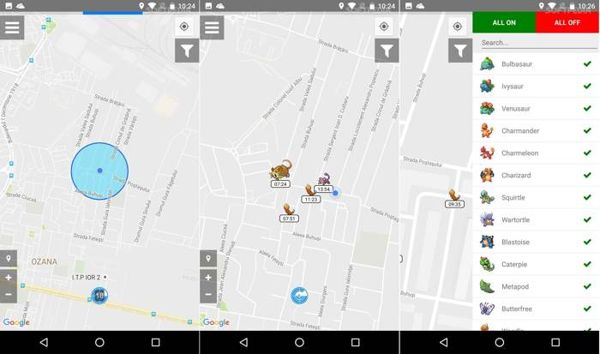
If you are tired of finding all the Pokémon by yourself, PokeWhere is a good Pokémon scanner for Pokémon GO. It is a simple app that displays the location of the Pokémon around the world.
Pros
- Find all Pokémon around.
- Easy to install and run.
- Integrate a real-time map.
- Available on both iOS and Android.
Cons
- Niantic may ban your account.
- Unavailable in the Play Store.
Top 3: WeCatch
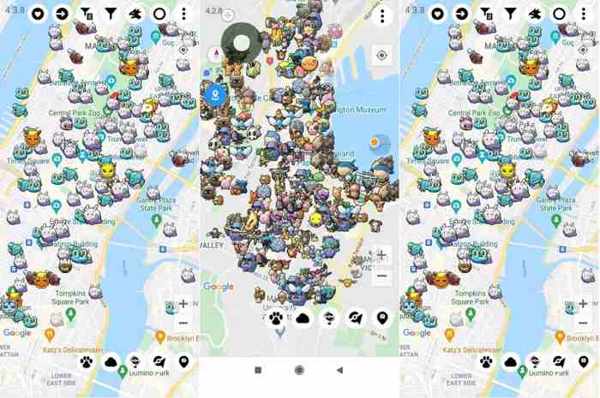
WeCatch is a useful Pokémon GO map scanner powered by the Pokémon GO community. It brings players, trainers, and lovers together and shares information immediately. Therefore, you can even find rare Pokémon quickly.
Pros
- Receive notifications.
- Locate the rare Pokémon’s location.
- Search Pokémon, Gyms, and Raids.
- Share the Pokémon you found.
Cons
- The direct cornets of the Pokémon are not accurate.
- Some Pokémon don’t spawn in the wild.
Top 4: PokeRadar
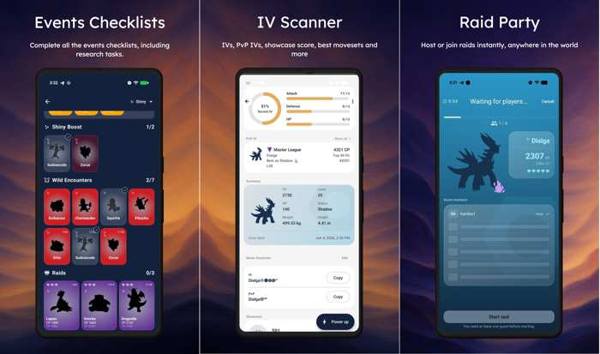
If you want to scan events, scan IVs instantly, and manage your shiny or hundo hunt, PokeRadar is a good Pokémon GO scanner. It helps you stay organized and efficient when playing Pokémon GO.
Pros
- Track all events.
- See what to hunt for instantly.
- Support all kinds of events.
- Offer multiple checklist modes.
Cons
- Cannot switch the indexing of shiny.
Top 5: PokeMap
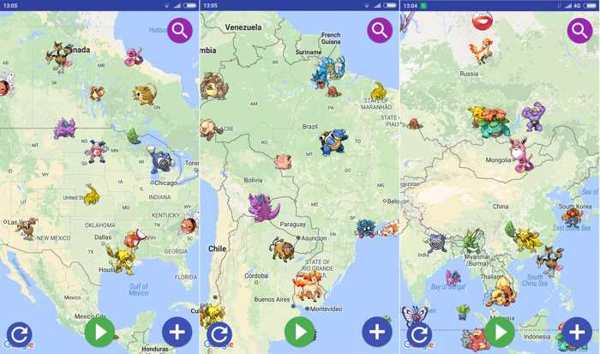
PokeMap is another Pokémon GO scanner that maps nearby Pokémon, Gyms, and Poké Stops in real-time. It can interface with Pokémon GO server APIs and provides a visual overview of surroundings.
Pros
- Track Pokémon spawns in real time.
- Visualize Gyms and Poké Stop locations.
- Explore location-based game data.
- Come with a community.
Cons
- Bring risks to your account.
- Require a native map on iOS.
You May Also Like:
Part 3: How to Capture Pokémon Anywhere
Once you find a rare item with a Pokémon GO scanner that locates another country, imyPass iLocaGo can help you capture it without traveling overseas. The unique design won’t install anything on your mobile device and enhances security.
4,000,000+ Downloads
Change locations on a mobile device quickly.
Create and simulate virtual routes with your keyboard or mouse.
Offer multiple modes for different purposes.
Provide custom options, like speed.
Available on iPhones and most Android device models.
How to Capture Pokémon Anywhere on Your iPhone
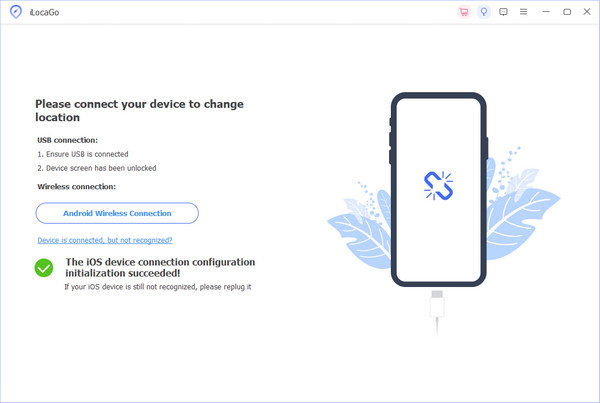
Connect to your device
Launch the Pokémon GO spoofer software after installing it on your computer. It is compatible with Windows 11 to 7 and macOS 10.12 or newer. Connect your device to the computer with a compatible cable.
Choose a mode
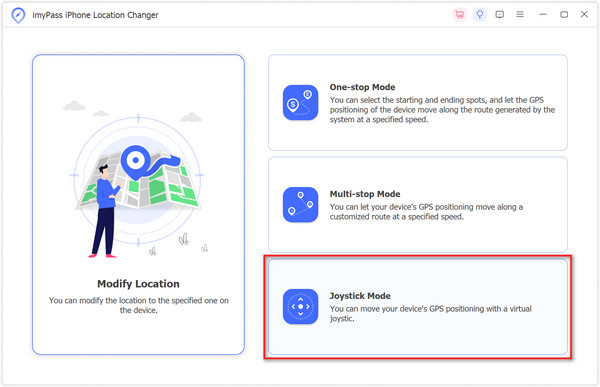
Once your device is detected, choose a proper mode. The Modify Location mode is used to change a static location. The other three modes, One-stop Mode, Multi-stop Mode, and Joystick Mode, are used to simulate routes. Here, we choose Joystick Mode.
Change your location
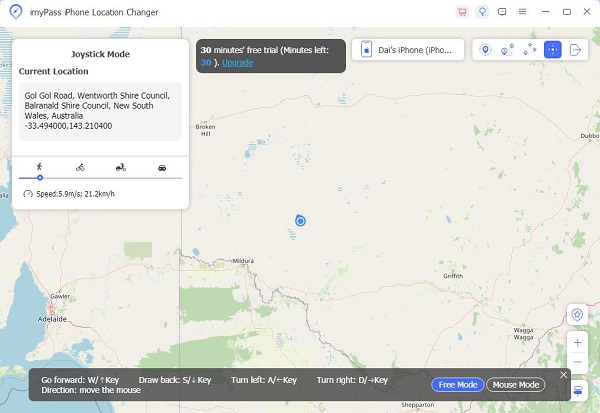
Set your current location as the starting point. Then, use your keyboard or mouse to move to the destination. Next, click the Start Moving button. Then, open Pokémon GO on your phone and capture the rare Pokémon.
Conclusion
Now, you should learn the top 5 Pokémon GO scanners available on iOS and Android devices. You can read the reviews based on our lab testing and users’ reports. The information can help you discover an appropriate tool. imyPass iLocaGo is the ultimate way to capture Pokémon around the world.
Penny focuses on GPS troubleshooting and Windows optimization. She formerly worked as a technical support engineer, helping clients solve location-based and system issues efficiently. Backed by IT support experience, she provides practical solutions that really work. In her free time, she likes hiking and geocaching, testing GPS tech in the real world.
Hot Solutions
-
GPS Location
-
Unlock iOS
-
iOS Tips
-
Unlock Android