Solution
 Support Center
 About Us
 Contact
5 Best Free Android Unlockers to Unlock Android Devices
 Gideon Byron Published on August 21, 2026Unlock Android3-min reading
The screen lock is an essential security measure on Android phones and tablets. It is designed to protect your data and privacy. However, if you forgot your password, you will be locked out of your device. There are unlocking programs on the market. They can remove the screen locks and let you regain access to your device. This article identifies the top 5 freemium or free Android unlocker programs.
In this article:
Part 1: Comparison of Free Android Unlock Tools
Methodology
We have tested the popular free Android unlock tools on the market to identify the best ones. Moreover, we collected hundreds of users’ reports. When testing these tools, we concentrate on a few aspects, like system requirements, success rate, supported devices, and more.
| Supported brands | Success rate | System Requirements | |
| imyPass AnyPassGo | Almost all Android phone brands | 98% | Windows 11/10/8/7 |
| SamFw Tool | Samsung, LG, Xiaomi | 85% | Windows 11/10/8/7 |
| D&G Unlocker Tool | Samsung, Xiaomi, Lenovo, Motorola, HTC, Huawei, Asus | 83% | Windows 11/10/8/7 |
| Odin | Samsung | 78% | Windows 11/10/8/7/XP |
| GSM Flasher ADB Bypass FRP Tool | Samsung, HTC, LG, Huawei, Xiaomi | 75% | Windows 11/10/8/7 |
Part 2: Top 5 Free Android Unlock Tools
Top 1: imyPass AnyPassGo
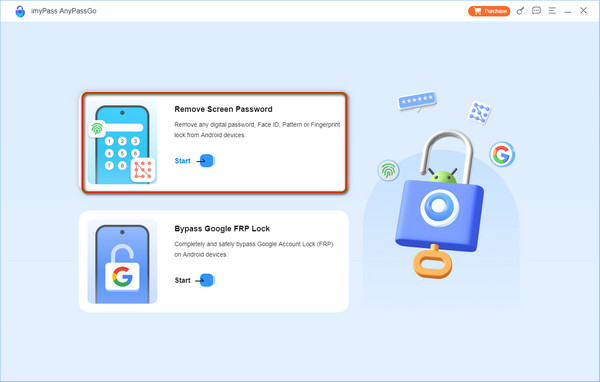
imyPass AnyPassGo is a great Android phone unlocking tool. It is able to remove any screen lock on Android devices. Furthermore, the user-friendly interface simplifies the workflow. That makes it a good option for ordinary people.
Pros
- Unlock the Android device screen in three steps.
- Remove PINs, passwords, patterns, fingerprints, and more.
- Safe and easy to use.
- Bypass Google FRP Lock without the password.
- Support a wide range of Android brands.
Cons
- It clears your data during the process.
Top 2: SamFw Tool
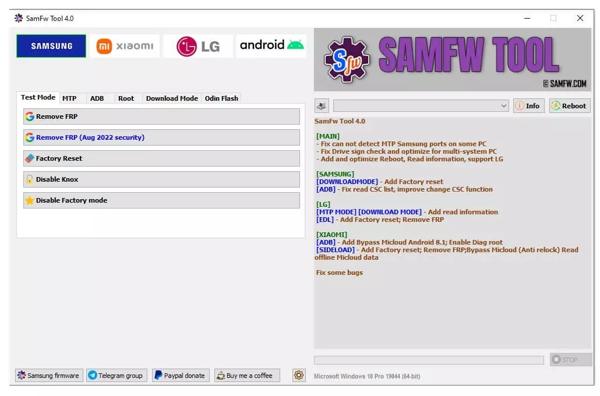
SamFw Tool is a free Android phone unlocker designed for Samsung devices. However, it is available to other brands, like LG and Xiaomi. It is able to remove FPR from Android devices without the linked Google account.
Pros
- Factory reset Android devices.
- Remove screen locks from Android.
- Bypass FRP with one click.
- Change CSC quickly.
Cons
- It is unavailable for Mac OS X.
- It only works for a limited number of Android brands.
Top 3: D&G Unlocker Tool
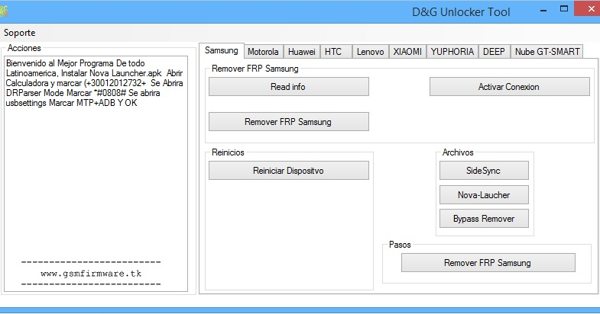
D&G Unlocker Tool is another free Android unlock tool. Since it is open source, everyone can download and use it for free. As its name indicates, it can remove forgotten lock screen passwords from Android devices quickly and easily.
Pros
- Unlock Android devices with a few clicks.
- Remove lock screen passwords.
- Safe and secure with no data loss.
- Compatible with a wide array of brands.
Cons
- It may trigger an antivirus warning.
- There is no official way to download the tool.
Top 4: Odin
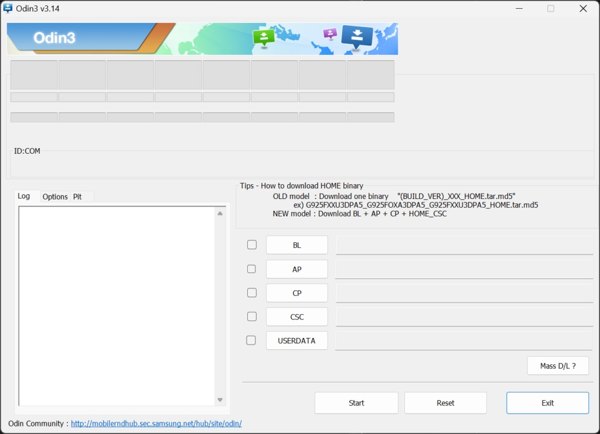
Odin is a free Android unlock tool designed for Samsung devices, like Galaxy S, Note, A, M, and J series. It allows Samsung users to flash Samsung devices with compatible firmware. As a result, it can unlock Samsung Android devices.
Pros
- Remove custom ROMs.
- Bypass Google FRP locks.
- Fix bootloop and soft-brick issues.
- Portable and no installation requirement.
Cons
- It is only compatible with Samsung devices.
- Your phone must be accessible.
Top 5: GSM Flasher Tool
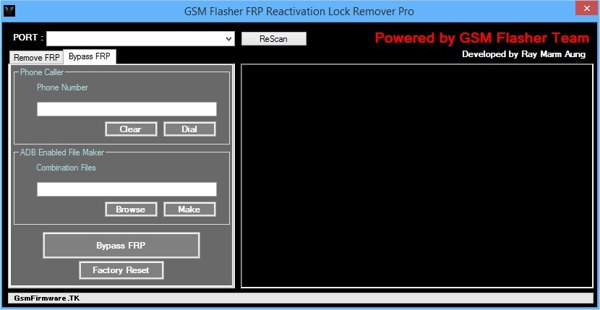
GSM Flasher Tool is a free Android unlock tool used to bypass FRP and lock screen on Android devices. While it doesn’t equip a dedicated option for unlocking, it can factory reset your locked phone or tablet with one click.
Pros
- Unlock Android by factory reset.
- Bypass FRP lock on Android devices.
- Support many Android brands.
- Completely free to use.
Cons
- It requires the NET Framework.
- You must install the tool on your PC.
Part 3: How to Unlock an Android Phone
Install Android unlocker
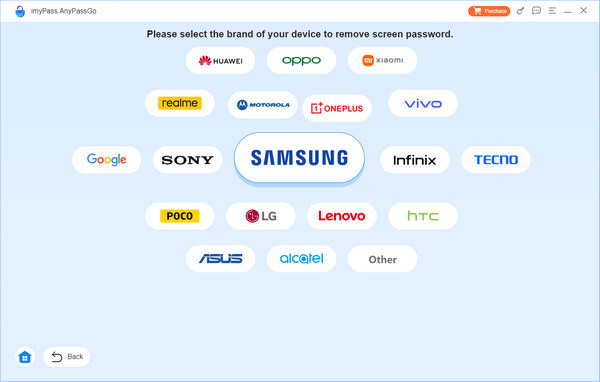
Download the Android unlock tool for free, such as imyPass AnyPassGo. Install it on your desktop and launch it. Choose the Remove Screen Password mode. If your phone is locked by FRP, choose Bypass Google FRP Lock instead. Next, select your device brand to proceed.

Link with your phone
Connect your phone or tablet to your computer with a compatible cable. If prompted, tap Trust on the screen to trust your computer. The software should recognize your device immediately. If not, click This device is connected but cannot be recognized and follow the instructions to rebuild the connection.
Step 3: Unlock the Android phone
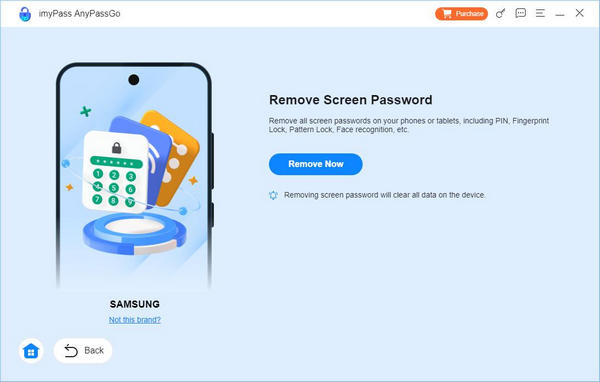
Next, click on the Remove Now button to begin unlocking your Android device automatically. During the process, keep your device connected.
Conclusion
This article reviewed the top 5 free Android unlock tools to help Android users regain access to their devices even if they forgot the lock screen passwords. You can pick an appropriate tool according to our review and your situation. imyPass AnyPassGo, for example, is a great option to unlock almost all Android devices.
Gideon writes about unlocking iOS, Android, and Windows devices. He previously worked as a mobile device specialist in a repair center, assisting customers with locked devices and password recovery. In his spare time, he tests new unlock tools, customizes smart devices and makes complex unlock processes simple and safe.
Hot Solutions
-
Unlock Android
-
Unlock iOS
-
Password Tips
-
iOS Tips