Solution
 Support Center
 About Us
 Contact
FRP Bypass for TCL - 2 FRP Bypass Tools [No PC Required]
 Gideon Byron Published on June 12, 2026Unlock Android3-min reading
Many Android devices, like TCL, use Google as their primary account. This service adds different features and functions that are helpful to the TCL mobile phone or tablet's operations. Google Factory Reset Protection (FRP) lock is the top one when it comes to security. It prevents unauthorized access when someone factory resets your TCL device. It requires signing in to your Google account before wiping it.
However, the Google FRP lock is inconvenient when you cannot remember your Google account on TCL devices. We got you! This article offers the two leading ways to bypass the TCL FRP. As we scroll through this article, we will see their full information and additional bonus tips.

In this article:
Part 1. Everything You Should Know Before You Start
Before attempting a TCL FRP bypass, keep the following points in mind:
- Back up your important data as the bypass will erase all your existing data.
- Make sure your TCL device has at least 50% battery remaining.
- Connect to a stable Wi-Fi network during the process.
- This method may not work on all TCL models or Android versions.
- Only perform FRP removal on a device you own or are authorized to access.
Part 2. How to Bypass FRP on TCL with Techeligible
Best for: TCL devices running Android 11-12 that allow browser-based FRP bypass methods.
TCL devices are equipped with Google's Factory Reset Protection (FRP), which helps prevent unauthorized access after a factory reset. So, it's hard to bypass FRP on TCL phones. One solution is Techeligible. Besides the FRP lock, this tool can also unlock a TCL phone from its carrier. Additionally, this third-party website offers methods that can be used to unlock your TCL screen without the credentials.
The best thing about this third-party website is that it also offers tutorials, guides, and firmware tools that are helpful for your Android phones. It also offers safe download tools for your FRP bypass procedures. Please note that bypassing the FRP lock violates Google's security terms. This bypass procedure has a drawback for your Android phone after the process. Perform the TCL FRP bypass tool free download and steps below for the best result.
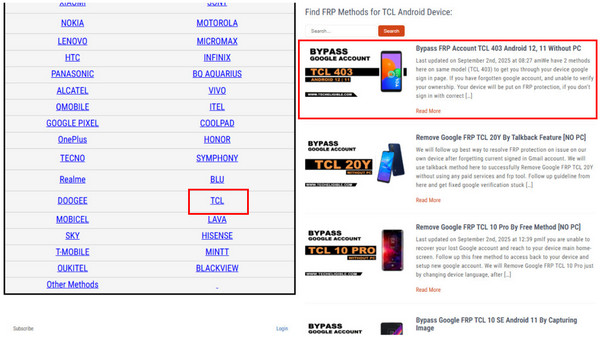
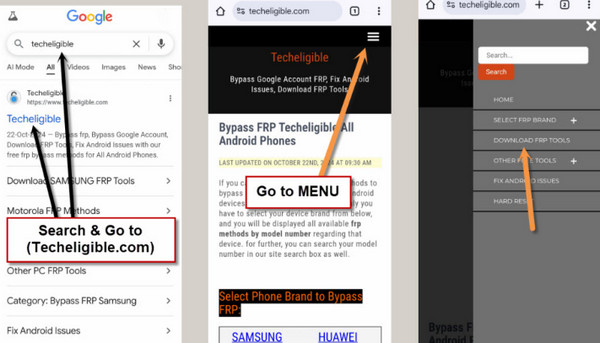
Search for the official website of Techeligible. After that, the supported Android phone brands of the third-party website will appear on the screen. Go to the Select Phone Brand to Bypass FRP section and click the TCL button from the list.
The related methods to bypass the TCL mobile phone will be listed on the screen. The top method will appear at the top. Please select the Bypass FRP Account TCL 402 Android 12, 11 Without PC method.
Turn on your TCL mobile phone. After that, the Hello screen will appear. Please tap the Emergency Call button at the bottom left. Type the 112 code from the Emergency Call Only screen. The Google Map interface will appear, and tap it to continue.
Tap the Skip button at the top right and select the Share option at the bottom. Select Google and add a Google account, which is required. Then, search for the website of Techeligible and tap the Menu button at the top right.
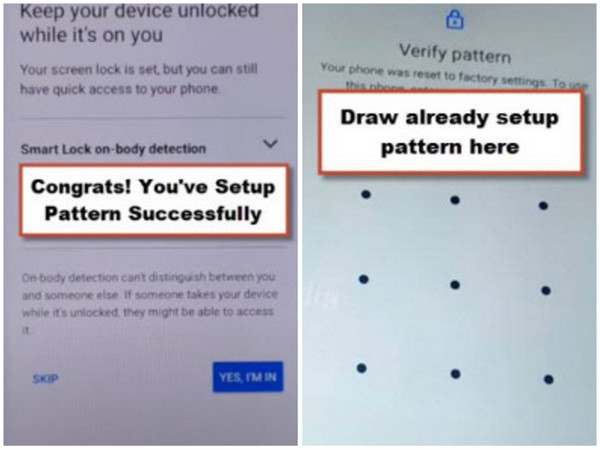
Please tap the Download FRP Tools button on the list. Then, tap the Open button from the Set Pattern Lock section. Later, select the Pattern button and set multiple tries. Finally, the Google FRP lock will be bypassed after multiple tries.
Tap the Skip button at the bottom left. A small window will appear. Please tap the Skip button again to authenticate the process. Then, complete the pattern verification afterward.
Part 3. How to Bypass FRP on TCL with TalkBack
Best for: TCL devices with TalkBack features and users who prefer a no-PC solution.
TalkBack is an accessibility feature on TCL devices, designed for users who are blind or have low vision. It provides a screen reader, gesture-based controls, spoken feedback, and other tools that make navigation easier.
Although some people try using master codes to unlock phones, these methods are usually unreliable. Fortunately, Techeligible offers supported steps to bypass the FRP lock on TCL devices using the TalkBack feature. Follow the steps below to perform the FRP bypass on TCL T607DL and other models.
Go to the main website of Techeligible. After that, select the TCL brand from the list. Later, tap the Remove Google FRP TCL 20Y By TalkBack Feature [NO PC] method. Then, open your TCL phone and tap the Call button at the bottom left and tap the Turn On button.
Swipe right and up on the screen. After that, the functions of TalkBack will appear on the screen. Double-tap the Use Voice Commands button at the bottom right. Then, say Google Assistant loudly and tap the Keyboard button.
Search for YouTube and tap the Profile button at the top right. Then, tap the Help & Feedback button. Search for Delete, Disable and Manage Unused Apps on Android. Now, tap the Application Settings button.
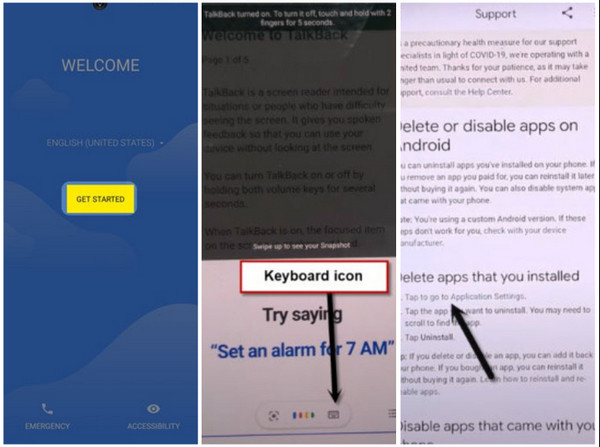
Tap the Settings button from the All Apps section. Then, tap the Open button on the screen, and you can finally bypass the TCL FRP lock feature with the TalkBack feature.
Part 4. Bypass FRP on Android 5-17 for Various Models
Best for: Users who have newer Android devices, including Android 5-17.
If the no-PC methods above do not work, the most common reason is that the device has received newer security updates. In such cases, a professional tool may help you.
imyPass AnyPassGo is an advanced FRP bypass tool that works on Android 5-17. It supports a wide range of Android devices, including Huawei, Vivo, Motorola, Xiaomi, Samsung, and more. This tool can also remove screen locks without the original credentials, including PINs, patterns, fingerprints, and passcodes.
Follow the steps below to see how to use AnyPassGo to bypass TCL FRP.
Visit the imyPass AnyPassGo website on your preferred web browser. Then, download the tool on your computer. Set it up and install it to proceed with the bypass procedure.
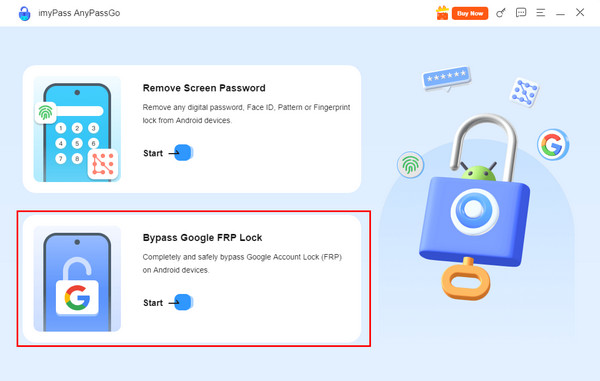
The two main functions of the tool will appear on the first screen. Please click the Bypass Google FRP Lock button at the bottom right. Alternatively, click the Start button under the feature's name, which will show you the same result.
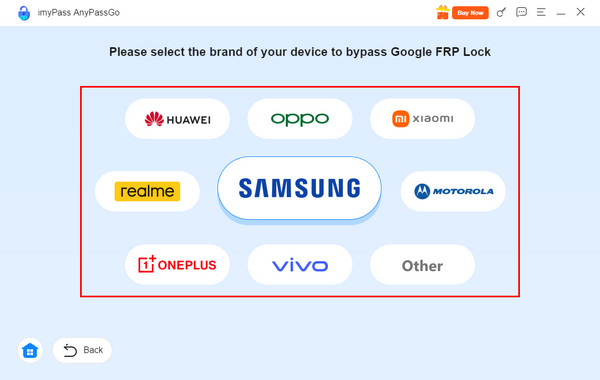
The tool's supported Android brands will appear on the main interface. Please choose the brand of your mobile phone. Then, you can proceed to the next screen.
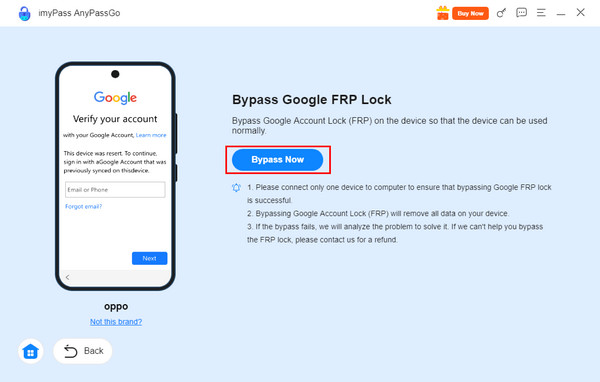
Please get a USB cable and plug your Android phone into the computer where the software is installed. Finally, click the Bypass Now button at the bottom left to start bypassing the Android phone. Click the OK option to end the procedure when completed.
Part 5. FAQs About Bypassing TCL FRP
FAQs.
-
Why do newer TCL models resist FRP bypass tools?
TCL's latest firmware versions implement stronger Google account verification APIs that block common exploit paths. Security patches from Android 12 onward make browser-based or SIM-triggered bypass methods far less reliable than before.
-
Can TCL FRP be bypassed through emergency call tricks?
Hardly No. Some older TCL devices allowed bypass via emergency dialers to open system settings, but this loophole has been patched in most regions. Carriers often modify emergency protocols differently, so results vary depending on firmware builds.
-
What should you check before attempting a TCL FRP bypass?
Ensure Wi-Fi is connected, OEM unlocking is disabled, and the device isn't carrier-locked. Checking Android version and region code prevents wasted attempts.
Conclusion
In conclusion, this post contains the best two TCL FRP bypass tools! You will also encounter some tools that can bypass the FRP lock in other Android models. This includes imyPass AnyPassGo, a 2-in-1 third-party tool that can remove your Android screen and FRP lock. Bypass the TCL FRP lock with us using this post before it is too late!
Gideon writes about unlocking iOS, Android, and Windows devices. He previously worked as a mobile device specialist in a repair center, assisting customers with locked devices and password recovery. In his spare time, he tests new unlock tools, customizes smart devices and makes complex unlock processes simple and safe.
Hot Solutions
-
Unlock Android
-
Unlock iOS
-
Password Tips
-
iOS Tips