Solution
 Support Center
 About Us
 Contact
Vivo FRP Bypass Guide: Remove Google Verification After Reset
 Gideon Byron Published on October 15, 2026Unlock Android3-min reading
Today's smartphones, like Vivo devices, hold a lot of personal data. Because of this, Factory Reset Protection (FRP) is used as a safety feature. It helps keep your phone secure after a reset. But if you forget your account details, the same lock can stop you from using your phone.
In that case, you may need to bypass Vivo FRP. The question is, do you have any idea how?
The good news is that there are safe ways to remove the lock. You can do it with or without a computer, and still keep your privacy safe. In this guidepost, you will learn the latest methods to bypass Google lock and get back into your device.

In this article:
Part 1: What Is Vivo FRP Lock and Why Does It Appear
Vivo FRP (Factory Reset Protection) is a security feature from Google that helps protect your phone after a factory reset. When you reset a Vivo phone, the Google lock may appear and ask you to sign in with the Google account that was used before. If a phone is lost or stolen, it can prevent others using the phone.
Vivo FRP usually appears in situations like forgetting your Google password, buying a second-hand Vivo phone that is still linked to the previous owner's account, or resetting a device without removing the Google account first.
Part 2: Before Bypassing Vivo FRP - Try These Official Solutions
Before trying any Vivo FRP bypass method, check if you can unlock your phone with the official options first.
1. Recover Your Google Account
If you forgot your Google account password, try to recover it through Google's official recovery page. You may need to confirm your identity with a recovery email, phone number, or other account information.
2. Ask the Previous Owner to Remove the Account
If you bought a second-hand Vivo phone, it may still be linked to the previous owner's Google account. Ask the previous owner to remove their account from the phone is the easiest way.
3. Contact Official Support
If you cannot recover the account or reach the previous owner, contact Vivo support or an authorized service center. Prepare your proof of purchase and device information, such as the IMEI number, to show that you own the phone.
Part 3: Best Bypass Vivo FRP Tool to Unlock Android Easily
If you cannot access your Vivo phone through the official methods above, you can try this Android unlocking tool to remove the FRP lock. imyPass AnyPassGo provides a more straightforward option when you forget your Google account or get locked out. The process is simple to follow and each step comes with clear guidance. AnyPassGo also works with other popular brands like Samsung, Huawei, Oppo, Xiaomi, LG, and many more.
4,000,000+ Downloads
Unlock Vivo and other Android phones with a few simple steps.
Remove screen locks such as PINs, passwords, and patterns.
Compatible with Android versions up to Android 17.
Work smoothly with most supported Android devices.
No technical skills are required.
Learn how Vivo Y02 FRP Bypass works, as well as the other units using imyPass AnyPassGo:
Launch imyPass AnyPassGo on your computer
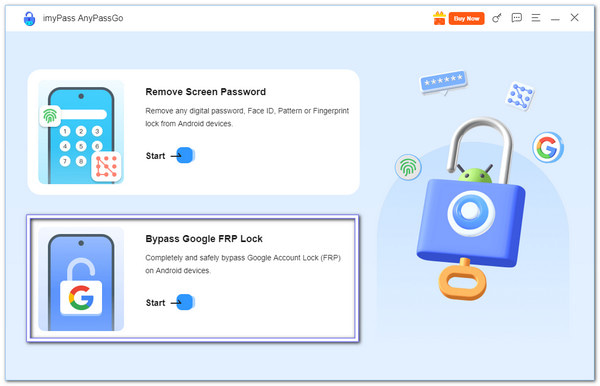
Download, install, and launch imyPass AnyPassGo. From the main screen, choose Bypass Google FRP Lock to begin.
Connect Your Vivo Phone to Computer
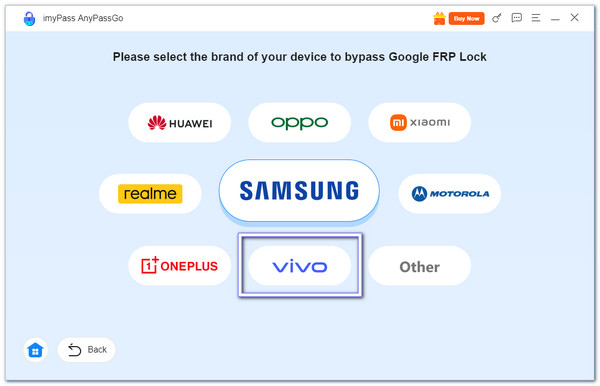
Select the Vivo logo inside the program. Then, connect your Vivo device to the computer with a USB cable.
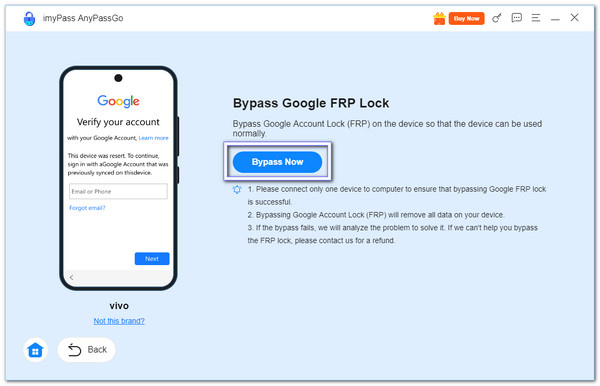
Start the Bypass Process
To start the Vivo FRP bypassing process, click the Bypass Now button, and imyPass AnyPassGo will prepare the drivers and start bypassing the Google lock. Do not unplug your device during this stage; please wait until the process finishes.
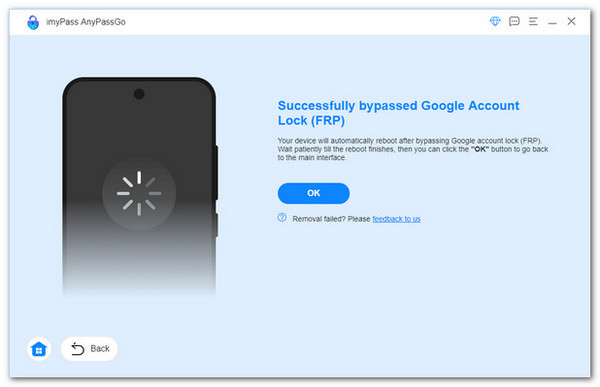
Restart & Set Up Your Device
Once the bypass is complete, your Vivo phone will restart. Now, you can set it up from the start or add a new Google account. The FRP lock is removed, and you have full access again. That is how simple and fast the process is!
Aside from FRP bypass, imyPass AnyPassGo can also unlock forgotten Android lock screens, such as PINs, patterns, fingerprints, or face recognition. It makes it a reliable program when you are locked out of your Android device.
Part 4: How to Bypass Vivo FRP Without a Computer
One way to bypass Vivo FRP without a computer is by using Quick Shortcut Maker. This free app helps create shortcuts to apps and system settings, allowing you to access certain Google Account Manager options. Then you can add a new Google account and complete the verification process.
Connect Vivo to Wi-Fi
Please turn on your Vivo 2149 or other model you have and connect it to a working Wi-Fi network. Tap the Small arrow next to the Wi-Fi name. Choose Manage network settings. Enable the Use Static IP option and check the IP Address field.
Open Web Search
Press and hold anywhere on the screen. A menu will pop up. Select Web Search. In the search bar, type Quick Shortcut Maker APK. Download it directly to your Vivo phone.
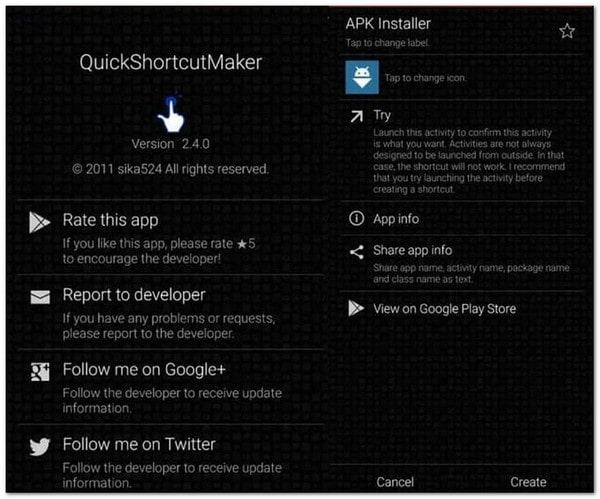
Install Quick Shortcut Maker
After the download, install the Quick Shortcut Maker APK. Open the app. On the home screen of the app, use the search bar and enter Google Account Manager.
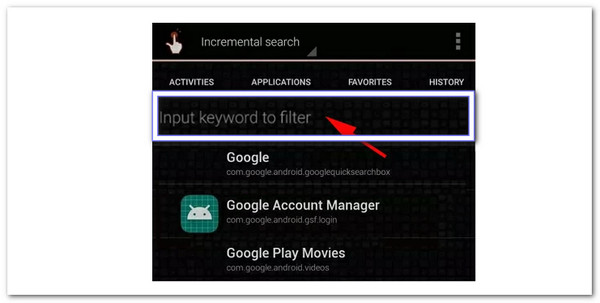
Tip: If you get an error, go back to Web Search. Download and install the Google Account Manager version that matches your Android system.
Access Google Account Manager
Tap on Google Account Manager from the results. Press the Try button. A Gmail login window will show up. Press the three-dot menu at the upper-right corner. Choose Login Browser > Login Now. Sign in with another Google account for which you already know the username and password.
Restart & Set Up
Restart your Vivo device. Go through the setup process. Once you reach the Google verification screen, you will see Account added. It shows that the Vivo FRP lock is bypassed. After getting into your phone, you can remove the account anytime by going to Settings > Accounts.
Conclusion
There you go! You now know how Vivo FRP bypass works with and without a computer. If you prefer a more convenient way to handle FRP and screen lock issues, imyPass AnyPassGo is your best choice. After bypassing the Google FRP, you can set up your Vivo phone again, add your own Google account, and continue using your device.
Gideon writes about unlocking iOS, Android, and Windows devices. He previously worked as a mobile device specialist in a repair center, assisting customers with locked devices and password recovery. In his spare time, he tests new unlock tools, customizes smart devices and makes complex unlock processes simple and safe.
Hot Solutions
-
Unlock Android
-
Unlock iOS
-
Password Tips
-
iOS Tips