



 Solution
 Support Center
 About Us
 Contact
4 Correct Ways to Perform Cricket Device Unlock for Free
 Gideon Byron Published on January 23, 2026Unlock Android3-min reading
As a prepaid mobile brand owned by AT&T, Cricket Wireless is well known for its reliable network service. If you purchase a phone directly from Cricket Wireless or an authorized retailer, the device is typically locked to the Cricket network. To switch to another carrier, you must first unlock Cricket phone in accordance with the official device unlock policy. This comprehensive guide will show you how to unlock your Cricket phone and use it with other compatible carriers.

In this article:
Part 1. Official Ways to Unlock a Cricket Phone
Unlocking a carrier-locked phone is essential if you plan to travel abroad, switch to another carrier, or sell your device on the second-hand market. To unlock a Cricket phone, you must meet all the requirements outlined in Cricket's unlock policy:
1. Your phone must have been active for over 6 months of paid service (If you are a military member, you can dial 611 from your Cricket phone or call 1-800-274-2538 to request an unlock for one Cricket device).
2. Your device must not be reported as stolen or lost.
3. Your account must not be involved in fraudulent activities.
4. Your contract must be fully paid off.
Method 1: Unlock a Cricket Phone in myCricket App
Work on: Cricket or Motorola phones launched in 2025 or earlier
When you purchase a Cricket or Motorola phone released no later than 2025 from Cricket Wireless, the myCricket app comes preinstalled on the device. The app allows you to manage your Cricket account and includes a built-in option to unlock your Cricket phone without account free once the eligibility requirements are met.
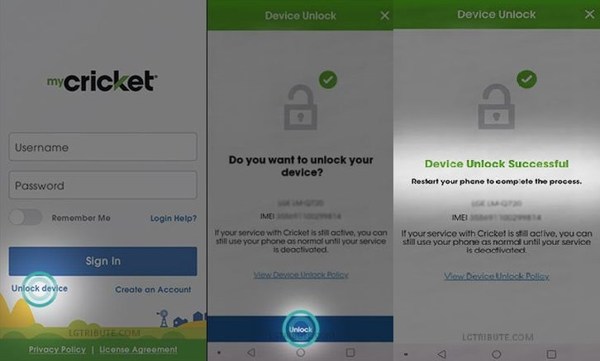
Open the myCricket app on your phone. If you are already signed in, sign out your account.
Tap the Unlock device button on the sign-in screen. Then press Unlock at the bottom to confirm the action.
Wait for the process to finish, and you will get a message saying Device Unlock Successful. Now, you can remove the original SIM card or scan an eSIM QR code to switch to another carrier.
Note:
This way cannot unlock all Cricket Android phones. If you encounter an error, try other methods below.
Method 2: Unlock Cricket Phone in the Cricket Device Unlock App
Work on: Cricket and Motorola phones launched on 2025 or later
If you use an Android phone produced and launched by Cricket or Motorola in 2025 or later, you can download the Cricket Device Unlock app. This app can help you quickly unlock phone from Cricket Wireless with only one click for free, as long as you meet the Cricket unlock policy.
Download, install, and open the Cricket Device Unlock app on your phone.
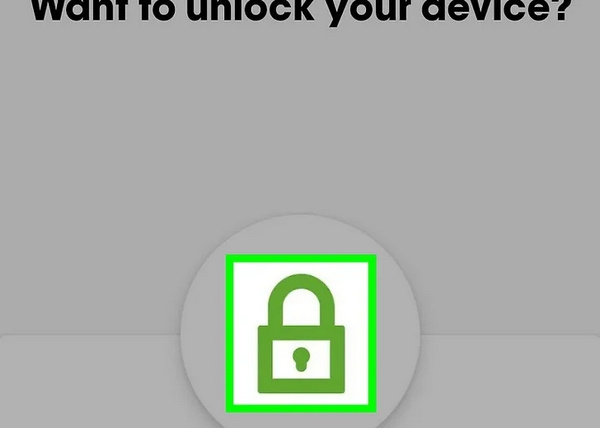
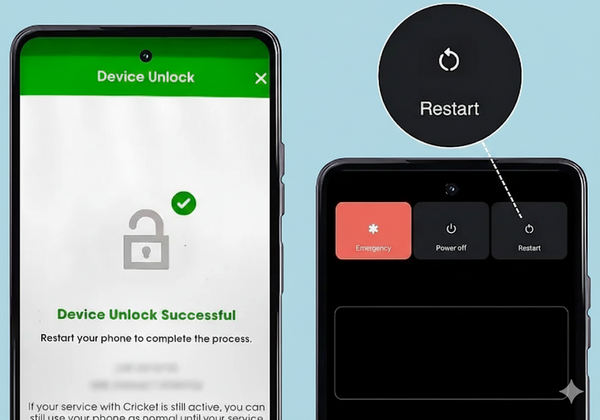
Tap Lock on the bottom of the screen. Then, it will test your eligibility. If you can see a message saying device unlock successful, that means Cricket unlocked your phone.
Restart your phone to let the device reset the network settings. Then, you can switch to another carrier by changing a SIM card or eSIM.
Method 3: Unlock Cricket Phone Online
Work on: Almost all phones, including iPhone and Android
You can directly go to cricketwireless.com/manageaccount to unlock your Cricket Wireless phone free online. But this method requires your Cricket account login. If your device meets the Cricket unlock policy, you can use this method.
Step 1: Visit cricketwireless.com/manageaccount and scroll down to select How to Unlock Your Device under the Need Help tab.
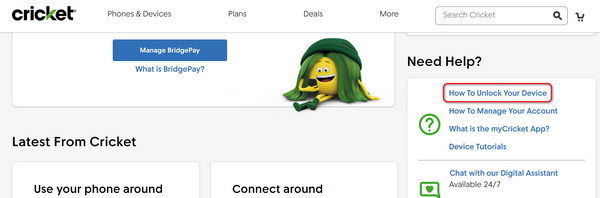
Step 2: If you use an Android, it will tell you to use My Cricket app to unlock your phone from the Cricket network. If you use an iPhone, click Device Unlock to continue.
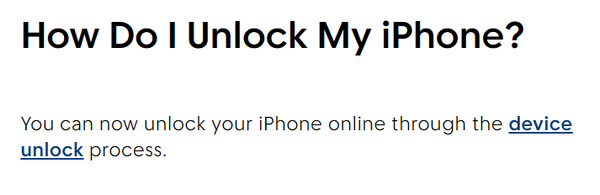
Step 3: Then, you'll need to sign in to your Cricket account to unlock your iPhone from Cricket following the on-screen guide.
Method 4: Unlock Cricket Phone with a Code
Work on: Older phones launched before 2024
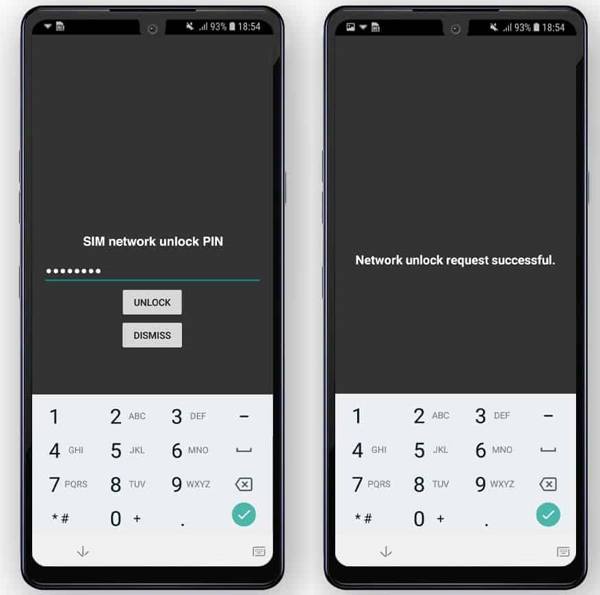
On some older phone models offered by Cricket Wireless, you can unlock the network restriction using an unlocking code provided by Cricket without an account. In most cases, the code can be obtained by contacting Cricket customer support or through the myCricket app. Of course, your phone must meet Cricket's device unlock policy before an unlock code is issued.
Turn off your phone and remove your current SIM card. Then, insert your new SIM card into your phone from another carrier. If your phone uses eSIM, you can still turn off your phone because it can reset the network settings.
Restart your phone, and you'll need to enter your unlock code to unlock your phone from Cricket. After that, your phone will restart again. That means you've unlocked Cricket phone without an account for free.
Part 2. Can You Use Third-Party Cricket Unlock Phone Services?
You may come across some third-party unlocking services that claim to unlock your Cricket phone without requiring an active account. These services usually charge dozens of dollars and ask for your phone’s IMEI number, then either make you wait for the unlock to be completed or provide an unlock code.
However, such third-party services are not reliable. Their practices often violate Cricket Wireless’s terms of service, and using them may result in your phone being bricked or expose you to scams and fraud. Therefore, just follow the official guides above to unlock your Cricket Wireless phone.
Part 3. Unlock a Cricket Phone When You Forget the Password
If your Cricket Android phone is not locked by the carrier but locked due to the forgotten screen password, using a screen unlock software to bypass the screen lock is an easy solution. imyPass AnyPassGo, for instance, lets you remove any screen lock from Android devices without a password.
4,000,000+ Downloads
Bypass the lock screen of Cricket phones easily without password.
Available to passwords, PINs, patterns, fingerprints, and face IDs.
Bypass Google FRP on Samsung, OnePlus, OPPO, and more.
Support a wide range of Android device models.
Here is the procedure to unlock a Cricket phone without the password:
Install the Cricket phone unlocker on your PC and launch it. Choose Remove Screen Password to move on.
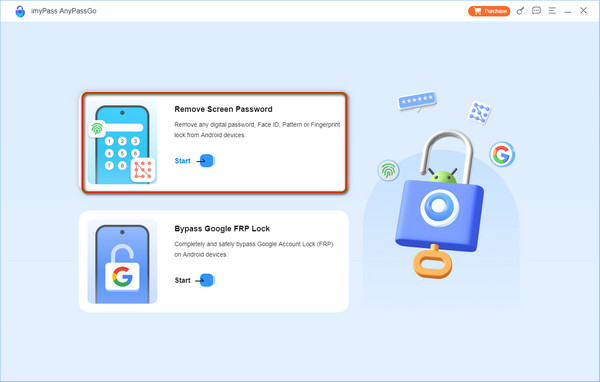
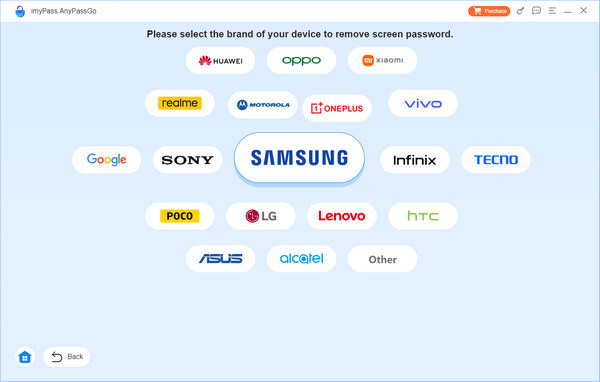
Next, select your device brand, and connect your phone to your computer with a USB cable.
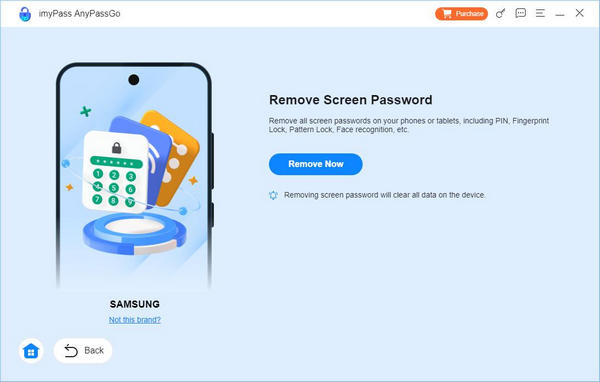
Click the Remove Now button, and confirm the action to begin unlocking your device.
FAQs.
-
Can I use my Cricket SIM card in an unlocked phone?
An unlocked phone can be used with any carrier while a locked device is restricted to a specific carrier. If your phone is unlocked, you can use any compatible Cricket SIM card.
-
What does it mean when a Cricket phone is locked?
When you have a Cricket phone, that is locked, it means that you can only use a Cricket SIM card on your device. Unless your phone is unlocked, you cannot switch to other carriers.
-
How much does Cricket charge to unlock a phone?
If you meet all conditions of the device unlock policy, it is free to unlock your phone. If not, you have to use a third-party unlock service, which is usually not free.
Conclusion
This article offers 4 correct ways to make Cricket unlock phone easily performed for everyone as long as your phone meets the Cricket Wireless unlock policy. You can use myCricket and Cricket Device Unlock to unlock your phone from Cricket without an account for free. You can also go to the online Cricket account management page to unlock your phone. For some old devices, you can also contact Cricket to ask for an unlocking code to unlock your phone from Cricket.
If you've forgotten your screen passcode on your Android phone, you cannot use it even if you can unlock Cricket Wireless network restriction, so you can use imyPass AnyPassGo to easily remove screen passcode, fingerprint, or other screen locks. You'll regain access to your Android phone without restrictions.
Gideon writes about unlocking iOS, Android, and Windows devices. He previously worked as a mobile device specialist in a repair center, assisting customers with locked devices and password recovery. In his spare time, he tests new unlock tools, customizes smart devices and makes complex unlock processes simple and safe.
Hot Solutions
-
Unlock Android
-
Unlock iOS
-
Password Tips
-
iOS Tips

