Solution
 Support Center
 About Us
 Contact
How to Unlock a Nokia Phone Without PIN Code or Password
 Gideon Byron Published on July 22, 2026Unlock Android3-min reading
Nokia is a famous mobile phone brand. Today, it still releases new devices. Similar to other phone users, Nokia phone users may have a locked device, too. Whether you have forgotten your phone password for your lock screen or have it carrier-locked to a specific network, you can unlock your Nokia phone. This guide shares five proven methods and detailed steps to complete the job in minutes.

In this article:
Part 1. How to Unlock a Nokia Phone from a Carrier
When your Nokia phone is locked to a specific carrier, you cannot insert a SIM card from other network providers. Fortunately, you can unlock your Nokia phone from your carrier directly or using a third-party unlocking service.
Way 1: How to Unlock a Nokia Phone from Your Carrier
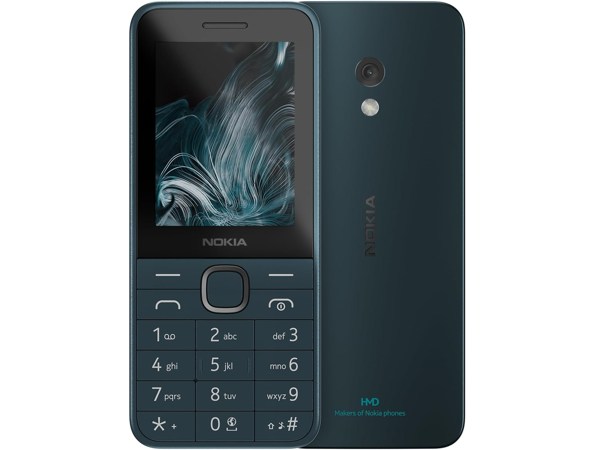
Contact your carrier and request an unlock code.
Remove the SIM card from your phone.
Then, insert a new SIM card.
Power on your phone.
When prompted, enter the unlock code.
Once you see the SIM Restriction Off message, your Nokia phone is unlocked.
Note:
You must follow your carrier’s device unlocking policy.
Way 2: How to Unlock Your Nokia Phone by UnlockBase
Go to a third-party unlocking service, like UnlockBase, if the way above is unavailable.
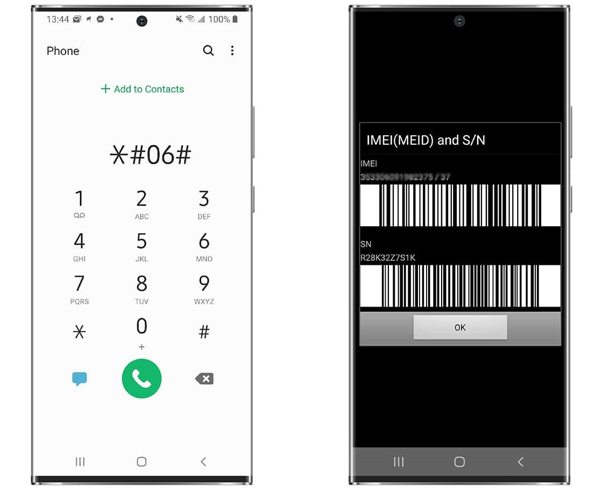
Run the Phone app on your phone, type *#06#, and tap the Call button.
Back to the unlocking service, choose Nokia, and select your phone model.
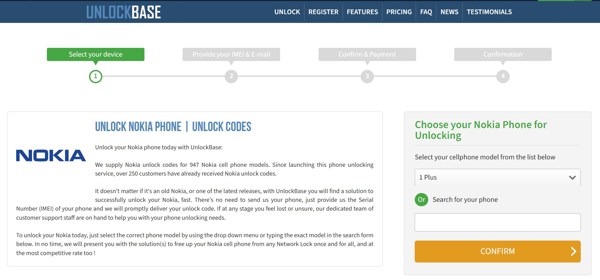
Type your phone’s IMEI number, and input your email address.
Offer other necessary information and click Proceed to checkout now.
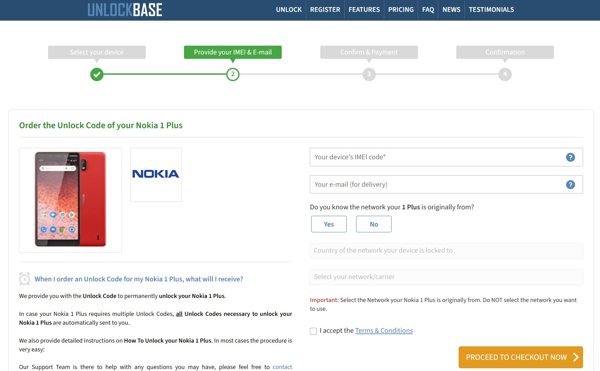
Confirm your bill and check out.
When the service receives your request, read the email.
Follow the onscreen instructions to unlock your Nokia phone after forgetting the PIN code.
Extended reading:
Part 2. How to Unlock a Nokia Phone Without a Password
If you forget your lock screen password, you will be locked out of your phone. To regain access to your device, you have to unlock your Nokia phone in Recovery Mode or using Google’s Find My portal.
Way 1: How to Unlock a Nokia Phone in Recovery Mode
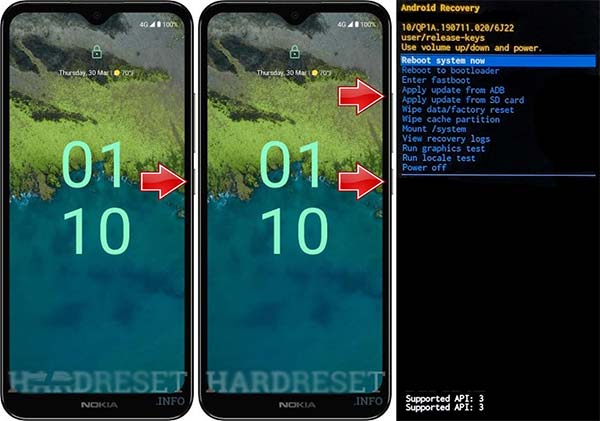
Hold down the Power button to power off your Nokia phone.
Press and hold the Volume Up + Power buttons together until you see the Nokia logo.
Then, hold down the Volume Down button to enter the Recovery Mode.
Use the volume buttons to select Wipe data/factory reset and press the Power button to confirm it.
If prompted, select Yes and press the Power button.
When it finishes, select Reboot system now and press the Power button to unlock your Nokia phone without a password.
Way 2: How to Unlock a Nokia Phone by Google Find My
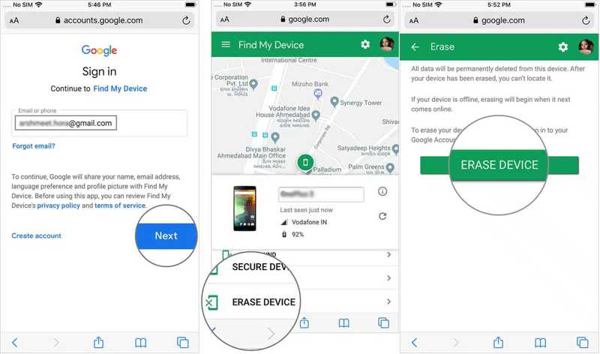
Go to https://www.google.com/android/find/ in a browser.
Log in with your Google account and password.
Choose your Nokia phone.
Hit Erase Device and press Erase Device again to unlock your Nokia phone.
Note:
If FRP is enabled on your phone, you need to enter your Google account credentials when setting up.
Part 3. Ultimate Way to Unlock a Nokia Phone
imyPass AnyPassGo is a simple way to unlock a Nokia phone without a password. It can remove any screen lock from your phone and let you regain access to your device without any restrictions.
4,000,000+ Downloads
Unlock a Nokia phone without a password.
Remove screen passwords from Android devices.
Bypass Google FRP lock with one click.
Support almost all Android phone brands.
How to Unlock Your Nokia Phone Without a Password
Install the Nokia unlock tool
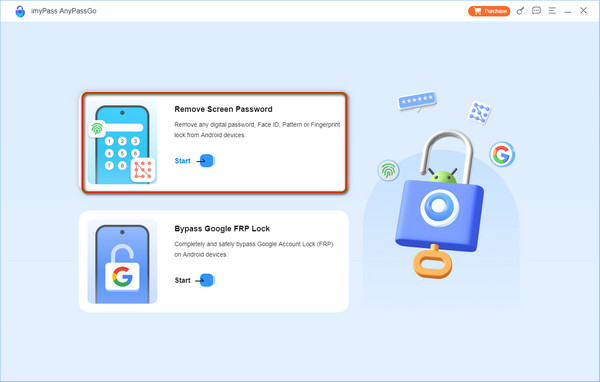
Launch the Nokia unlocking software after installing it on your computer. It is compatible with Windows 11/10/8/7. Choose the Remove Screen Password mode to proceed.
Connect to your phone
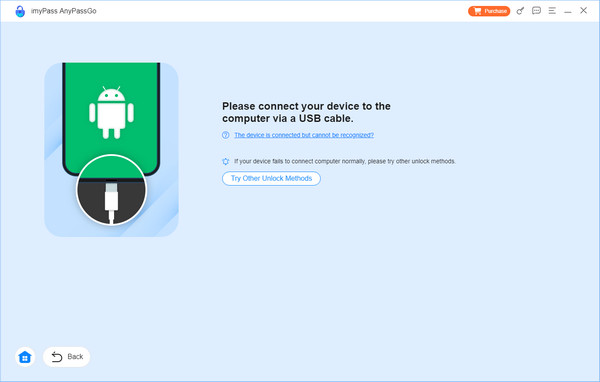
Select your phone brand on the next screen. Connect your phone to your computer with a compatible USB cable. Make sure to trust this computer and turn on USB Debugging mode on your phone.
Unlock your Nokia phone
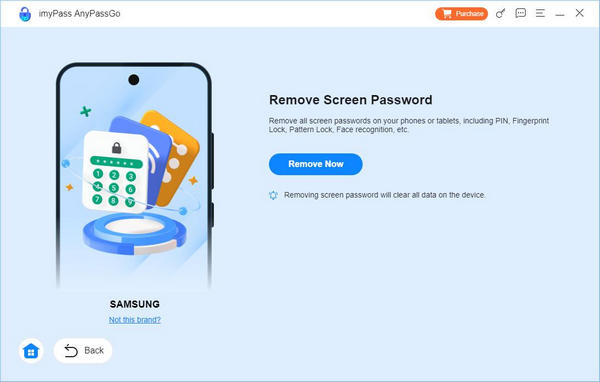
Once your phone is detected, click on the Remove Now button to begin removing all kinds of screen locks from your phone. When it is successful, disconnect your device, and you will find your Nokia phone is unlocked.
Conclusion
This guide shared multiple ways to unlock a Nokia phone in different situations. If your phone is locked to a specific carrier, contact the customer support and request carrier unlocking, or use a third-party unlocking service. If your phone screen is locked and you forgot the password, reset it in Recovery Mode or using Google Find My. imyPass AnyPassGo is an easy way to unlock any phone without a password. The user-friendly interface makes it available to beginners.
Gideon writes about unlocking iOS, Android, and Windows devices. He previously worked as a mobile device specialist in a repair center, assisting customers with locked devices and password recovery. In his spare time, he tests new unlock tools, customizes smart devices and makes complex unlock processes simple and safe.
Hot Solutions
-
Unlock Android
-
Unlock iOS
-
Password Tips
-
iOS Tips