



 Solution
 Support Center
 About Us
 Contact
How to Reset iCloud Password Quickly on iPhone and iPad
 Samuel Spenser Published on July 02, 2026Unlock iOS3-min reading
Whether you forgot your password or your iCloud account was locked for security reasons, you will find yourself stopped accessing everything on your iPhone. Why a simple password issue can block all Apple services? In this guide, we'll explain how the iCloud account works and show you the fastest and most reliable way to perform an iCloud password reset.

In this article:
- Part 1. Are iCloud Password and Apple ID Password the Same
- Part 2. How to Reset iCloud Password with Other Apple Devices
- Part 3. How to Reset iCloud Password via a New Apple Device
- Part 4. How to Reset iCloud Password Using Email
- Part 5. How to Reset iCloud Password Through Apple Support App
- Bonus Tips. Bypass iCloud Activation Lock Without Password
Part 1. Are iCloud Password and Apple ID Password the Same
Many users assume that iCloud has a separate password, but in reality, your iCloud account is tied directly to your Apple ID. This means the credentials you use for iCloud services, such as backups, photos, and Find My, are the same as your Apple ID login. So when you perform an Apple iCloud password reset, you're actually resetting the password for your entire Apple ID account.
Understanding this distinction is important before attempting any iCloud password reset, because changing the password will affect all Apple services linked to that account.
After that, the next step is to choose a recovery method based on the information you still have access to.
Part 2. How to Reset iCloud Password with Other Apple Devices
If you still have access to another trusted Apple device, an iCloud password reset becomes much faster and more straightforward.
Here's how to reset your password using another Apple device:
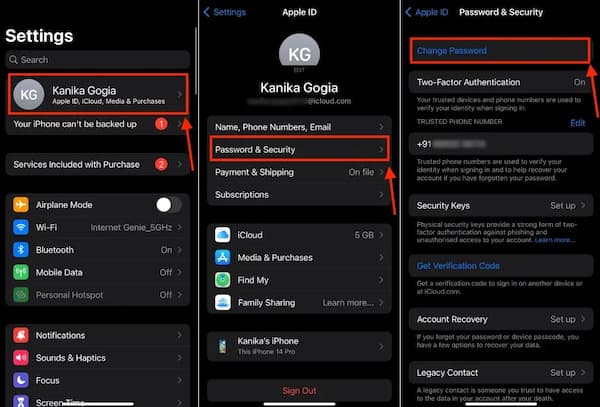
Open Settings on a trusted Apple device that's signed in to your Apple ID.
Tap your name at the top of the screen to access your Apple ID settings, then select Password & Security.
Choose Change Password to begin the password reset process.
Enter the device passcode when prompted to confirm it's you.
Enter a new password, re-enter it to confirm, then follow the on-screen instructions.
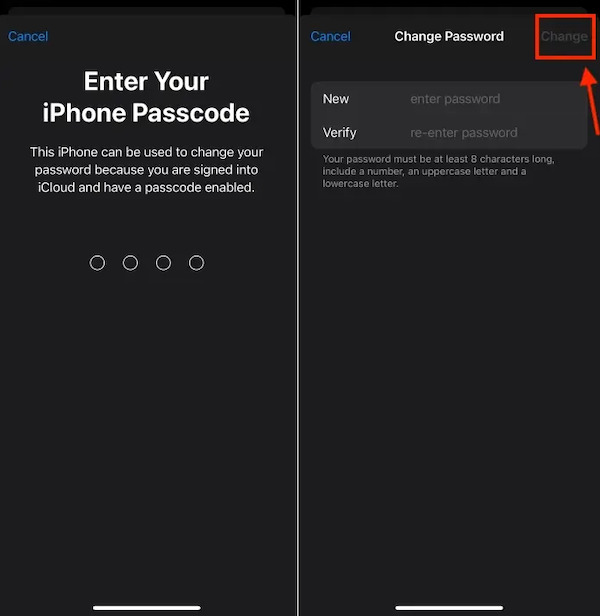
Because the device is already trusted, Apple doesn't require extra verification. This makes it a faster way to complete an Apple iCloud password reset when you're signed in on another device.
Part 3. How to Reset iCloud Password via A New Apple Device
If you've just purchased a new iPhone or iPad, you can still complete an iCloud password reset during the setup process.
Here's how to do it on a new Apple device:
Turn on your new iPhone or iPad and continue the setup until you see the Apps & Data or Apple ID sign-in screen.
Tap Forgot password or don't have an Apple ID?
Select Forgot Apple ID password to start the recovery process.
Enter your Apple ID email address associated with your account.
Choose a verification method, such as your trusted phone number or another trusted device, if available.
Follow the instructions to verify your identity and create a new password.
This is an official Apple recovery option that can be used on a new device. Once the password reset is complete, you can sign in again and continue recovering iCloud along with other Apple services.
Part 4: How to Reset iCloud Password Using Email
Still able to open the email account connected to your Apple ID? If so, you can reset iCloud password using email without needing another Apple device.
Open a browser and visit Apple's official account recovery page at iforgot.apple.com.
Enter the email address associated with your Apple ID, then click Continue. On the next screen, choose the option to reset your password using a verification email.
Check the inbox of the email account linked to your Apple ID. Once you receive the message from Apple, open it and look for the password reset link.
Click the link provided in the email and follow the on-screen instructions. Enter a new password, confirm it, and save the changes to complete the reset process.
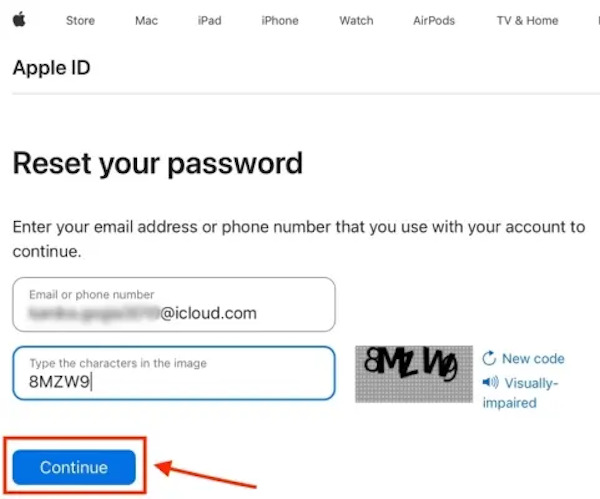
If you have changed some binding information, you need to change iCloud password in time. But keep in mind that email verification may not always appear as an option. Apple determines available methods based on your account's security settings.
Part 5. How to Reset iCloud Password Through Apple Support App
The Apple Support app is another option for resetting iCloud password. This option is available even if you can't use one of your trusted devices. The app provides on-screen instructions throughout the recovery process.
Download the Apple Support app if it is not already installed, then open the app on any available iPhone or iPad.
Scroll down to the Support Tools section and tap Reset Password to begin the account recovery process.
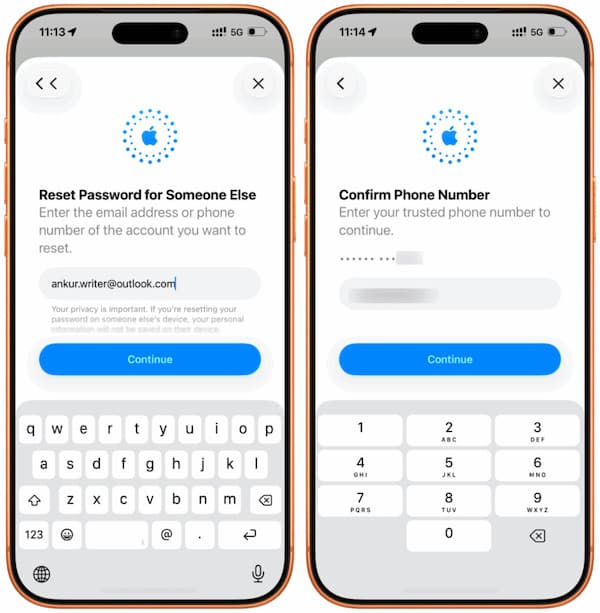
When prompted, select Help Someone Else. This option is designed for Apple IDs that aren't currently signed in on the device.
Enter the Apple ID email address associated with the account you want to recover. Enter your Apple ID and complete the verification steps shown on the screen.
After the verification process is complete, create a new password for your Apple ID. Re-enter the password to confirm it, then save the changes to finish the reset.
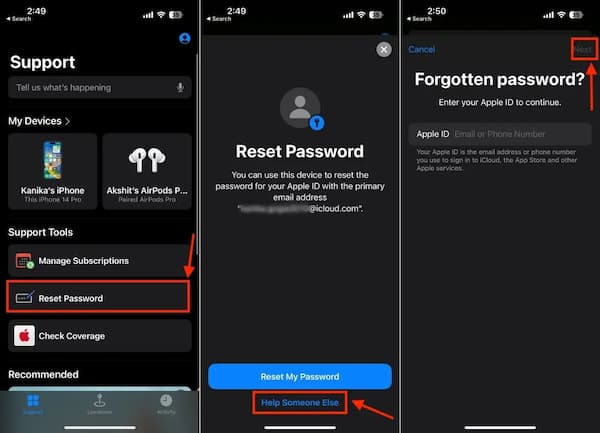
Apple Support provides access to the same recovery system used for Apple ID password resets. When standard reset options aren't available, the app offers another way to verify your account and create a new password.
Bonus Tips. Bypass iCloud Activation Lock Without Password
If you are trying to perform an iCloud password reset but get stuck on the Activation Lock screen, the situation is different. Activation Lock is a security feature built into Apple devices that automatically enables when Find My is turned on.
In this case, your device is locked to an Apple ID and you don't know the account password. As a result, the Activation Lock will remain active and prevent you from using or setting up the device. You may need a professional tool to remove the Activation Lock. imyPass iPassGo is your worth-trying solution. It can bypass the Activation Lock without the original credentials and regain full access to your device.

4,000,000+ Downloads
Reset iCloud password without Apple ID and password.
Bypass Activation Lock easily without the original password.
Remove screen locks on iPhone, iPad and iPod Touch.
Supports a wide range of iOS versions and models.
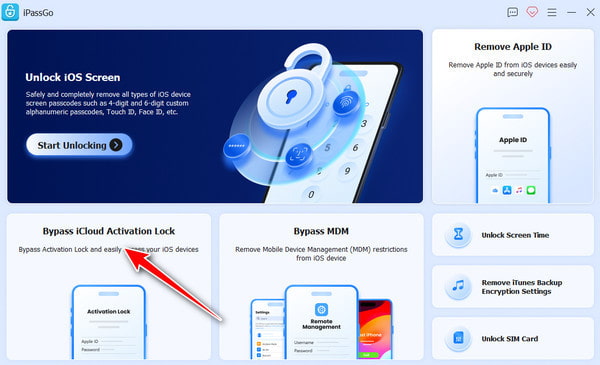
Launch the software and choose Bypass iCloud Activation Lock from the main interface.
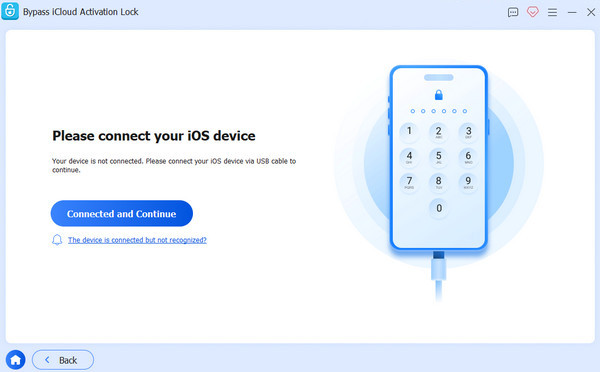
Connect your iOS device to your computer using a USB cable. Tap Trust on your iOS device when prompted.
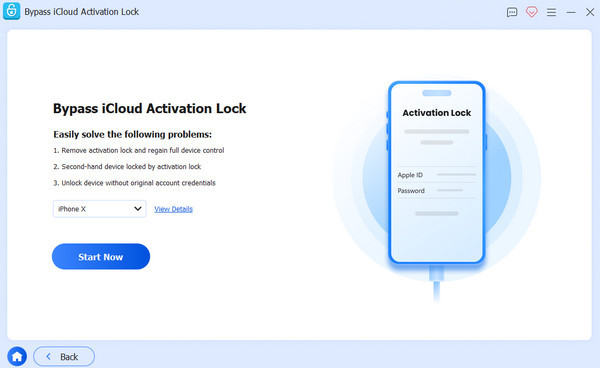
Read the warning carefully, then click Start Now to begin the iCloud Activation Lock bypass.
Follow the on-screen tutorial to jailbreak your iPhone.
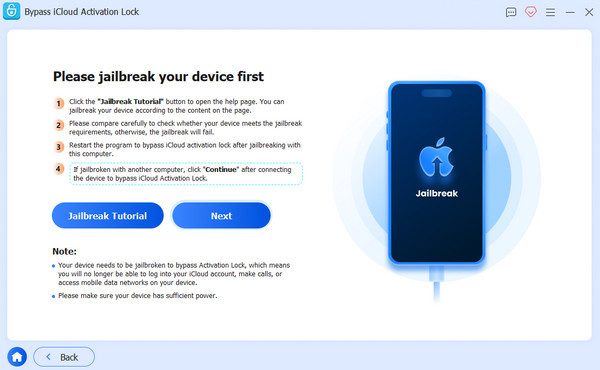
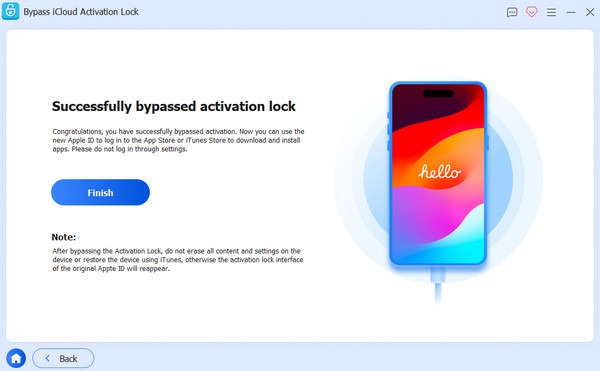
Verify your device information, then click Start Bypassing Activation. Wait patiently for the process to complete.
Conclusion
This post has shared several ways to reset iCloud password, including using a trusted Apple device, a new device during setup, email verification via iforgot.apple.com, and the Apple Support app. These official recovery methods work for most users. If you're stuck on the iCloud Activation Lock screen and official methods don't work, tools like imyPass iPassGo can also help you.
Samuel specializes in password security and digital privacy. He used to work as a cybersecurity consultant for small businesses to protect digital assets. With certifications in Cybersecurity and Ethical Hacking, he turns complex security topics into easy-to-follow advice. He also enjoys sharing password tips to help users protect their accounts more confidently.
Hot Solutions
-
Unlock iOS
-
iOS Tips
-
Unlock Android
-
Password Tips


