Solution
 Support Center
 About Us
 Contact
Review on iCloudin Bypass Tool and Its Best Alternatives
 Samuel Spenser Published on February 13, 2026Unlock iOS3-min reading
Getting stuck on an iCloud Activation Lock screen can be incredibly frustrating. iCloudin was a popular third-party solution designed to bypass this hurdle and regain access to your iPhone. However, does the iCloud Bypass Tool still work today? In this guide, we will dive into what iCloudin is, how it operates, and weigh its pros and cons. You can also find some excellent alternatives if you need to bypass iCloud Lock on newer iOS devices.

In this article:
Part 1. Brief Introduction to iCloudin Tool
iCloudin is a third-party software tool designed to bypass the iCloud Activation Lock on Apple devices (iPhone, iPad, and iPod Touch). When you factory reset your iOS device, it will be locked by iCloud Activation Lock, and iCloudin can help you bypass the lock if you've forgotten the Apple ID password on this device.
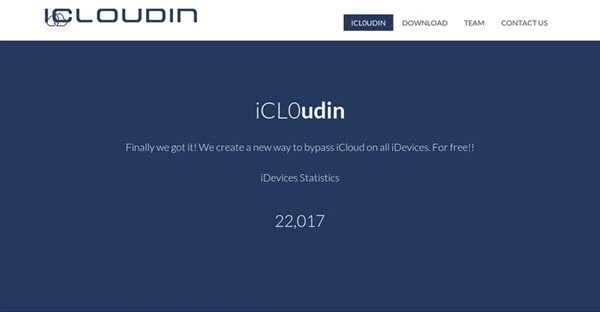
iCloudin Supported Devices: iPhone 4, 4S, 5, 5C, and other old iOS devices that uses A-series chips with hardware-level vulnerabilities.
iCloudin Supported iOS: iOS 7 to iOS 10.
How Does iCloudin Work?
iCloudin claims to interact with an iOS device's file system to delete or bypass the iCloud activation files that require an Apple ID and password. Typically, it requires the device to be connected to a PC via USB.
Key Features of iCloudin Bypass Tool
Bypass iCloud Activation Lock on iOS devices.
Feature a well-designed and intuitive interface.
Check IMEI number and other information of your iOS device.
Work well with Apple devices running iOS 7 to iOS 9.
Available on all Windows versions.
A free tool to bypass iCloud lock.
Part 2. Detailed Review of iCloudin Bypass Tool
Performance & Success Rate of iCloudin
In the current tech landscape, the performance of iCloudin is highly inconsistent.
The Golden Age: During the era of iOS 7, 8, and 9, iCloudin Bypass Tool was a top-tier choice because Apple's iCloud activation security was less robust.

Modern Systems: On any device running iOS 12 or later, the success rate of the iCloudin tool drops to near 0%. Apple's introduction of Secure Enclave and server-side activation checks has rendered the software-only exploits used by iCloudin obsolete.
Functionality Gaps: Even when an iCloud Activation Lock bypass is successful, it is often a partial bypass. This means you can access the home screen and apps, but cellular services (SIM card/calls), iCloud syncing, and iMessage usually remain disabled.
Pros and Cons of iCloudin Bypass Tool
Pros
- Users find the app straightforward to use.
- It successfully bypasses the activation lock on compatible devices.
- It aims to unlock the device within a short time frame.
Cons
- Very limited to Windows only.
- It requires you to download iTunes before usage.
- Unsupported newer version of iOS.
Safety and Security Concerns of iCloudin
This is the most critical part of our review because iCloudin is no longer officially maintained. From our survey, 90% of so-called iCloudin.com sites offering an iCloudin download will force you to complete endless Human Verification that harvest your personal data.
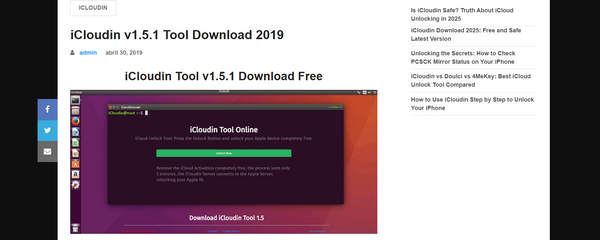
If you still want to download an iCloudin on your computer, you'd better use virus test sites to test the downloaded .exe file because it is an unsigned executable that interacts with system files. Maybe others use it as a Trojan Horse to infect your PCs with viruses.
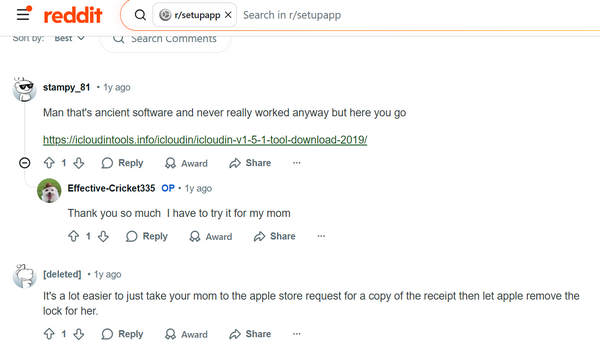
2026 Update: In 2026, you probably won't be able to see any webpage that offers iCloudin download. Only icloudintools.info is still providing an unauthorized iCloudin tool. As mentioned above, however, iCloudin is no longer updated, and you can only use it to remove iCloud Activation Lock on old devices.
Part 3. iCloudin Bypass Tool Alternatives for Newer iOS Versions
1. imyPass iPassBye
imyPass iPassBye is a feature-rich application that removes the iCloud Activation Lock with just one click. After using iPassBye, you can log in to your new Apple ID, download apps from the App Store, and enjoy iOS services and features. It's free to download and works on both Windows and Mac platforms. So, if you're dealing with an iCloud-locked device, iPassBye provides an effective solution to unlock it and regain control.
Download the app on your computer by clicking our button, install the iPassBye on the PC, and launch it. Reminder: Click the appropriate download button for your PC version so you will not encounter problems installing it!
Connect the iOS through the help of a lightning cable to the PC and click Trust to establish it. If the PC does not recognize the iPhone, try to change the cable with the original charging cable.
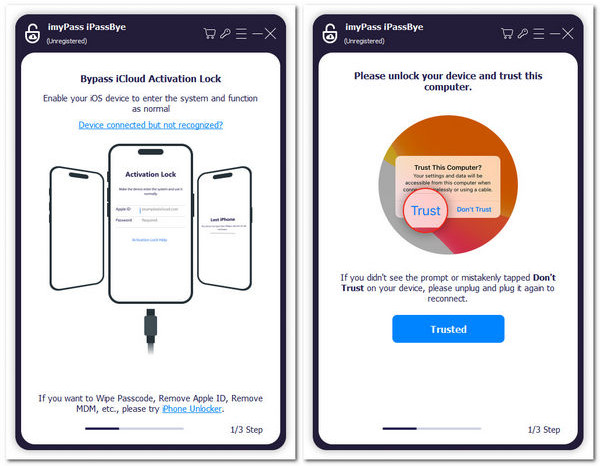
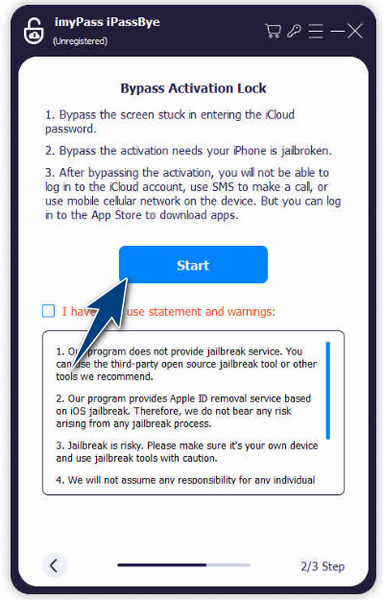
After that, read the instructions and put your iOS device into jailbreak mode.
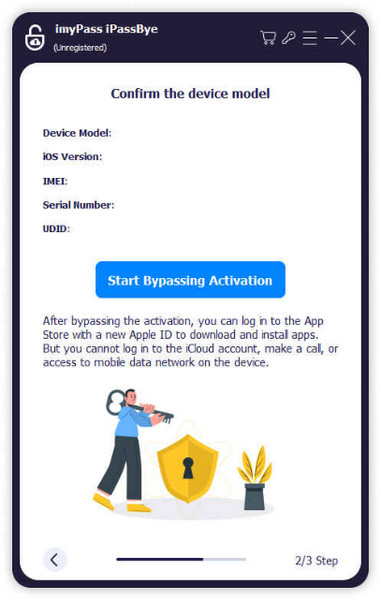
When everything is done, click the Start Bypassing Activation to unlock the device from the Activation Lock, and you can now log a new Apple account to use.
2. AnyUnlock - iCloud Activation Unlocker
AnyUnlock - iCloud Activation Unlocker is a specialized tool designed to bypass iCloud Activation Lock on iOS devices. It offers an effective solution for users who have forgotten their Apple ID or purchased second-hand devices with activation locks. The user-friendly interface ensures a straightforward process, and compatibility extends to iPhones, iPads, and iPod Touch.
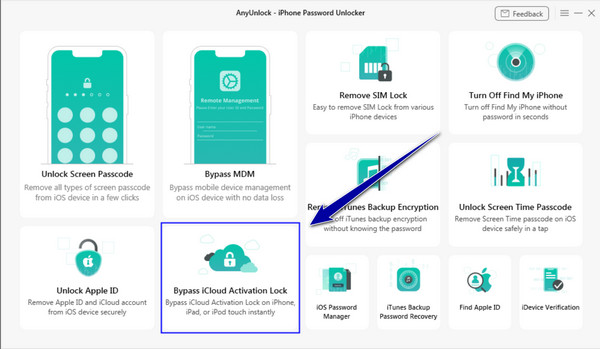
Unlike some tools, AnyUnlock does not require jailbreaking. Its pros include its effectiveness, time-saving process, and commitment to user privacy. However, it's a paid service, and users should be cautious of scams. Overall, AnyUnlock is a reliable choice for removing the iCloud activation lock, provided you download it from the official website.
iCloudin vs iPassBye - See the Differences of the iPhone Unlocker
Let us compare the iCloudin review and the alternative app for unlocking the iPhone, which is the imyPass iPassBye, to see which one offers the best features and is suitable for all ages:
| iCloudin | imyPass iPassBye | |
| Activation Lock Bypass | Claims to turn off the iCloud activation lock. | The best iPhone unlocker to remove the iCloud Activation Lock and free your device from locked screens or activation failure. |
| Supported iOS version | iOS 9 or earlier | Every iOS is available, even the updated ones. |
| Supported Platform to Download | Windows only | Windows and Mac |
| Interface | It has a straightforward interface, making it easy to use. | Intended for non-tech-savvy users, ensuring accessibility. |
| Pricing | For Free | For Free but with different plans: 1-month subscription for $24.96; Lifetime $ 49.96; Multi-user License for $79.96. |
As you can see, the iCloud bypass tool iCloudin has received mixed reviews. Due to its performance and efficiency, the alternative iPassBye is a trusted option for bypassing iCloud activation locks.
Further Reading:
FAQs.
-
How to use iCloudin?
Firstly, you will need to download the iCloudin app on your PC and then download and update iTunes on your PC. Connect the iOS and open the app until you see the Host's file IMEI. Then, find the iCloudin folder and run the .java. After that, you can use the iOS device without the lock.
-
Is iCloudin free?
Yes, iCloudin is available for free. However, be cautious when using free tools, as they may have limitations, potential security risks, or lack official support.
-
Can you unlock Find My Mac with iCloudin?
iCloudin primarily focuses on activating the lock for iOS devices. It does not explicitly unlock Find My Mac. For Mac-related issues, consider other solutions or contact Apple Support.
-
Is iCloudin safe to use?
While iCloudin is a popular tool for bypassing iCloud activation lock, it's essential to exercise caution. Some users report success, while others encounter issues or security risks. Always back up your data before attempting any bypass, and consider official Apple support options first.
-
What if iCloudin doesn't work for my device?
If iCloudin fails to unlock your device, explore alternatives such as using the imyPass iPassBye, contacting Apple Support, visiting an Apple Store, or seeking professional assistance. Remember that no tool is guaranteed to work in every situation.
Conclusion
iCloudin Bypass Tool is an old software that can bypass iCloud Activation Lock on iPhone, iPad, or iPod. It doesn't work on modern iOS devices. You can resort to imyPass iPassBye to bypass iCloud Lock on the latest iOS 27 and iPhone 18 Pro. This excellent iCloudin alternative also offers a clear and intuitive interface with easy workflow. You can regain full access to your iPhone or iPad with only a few clicks.
Samuel specializes in password security and digital privacy. He used to work as a cybersecurity consultant for small businesses to protect digital assets. With certifications in Cybersecurity and Ethical Hacking, he turns complex security topics into easy-to-follow advice. He also enjoys sharing password tips to help users protect their accounts more confidently.
Hot Solutions
-
Unlock iOS
-
iOS Tips
-
Unlock Android
-
Password Tips