Solution
 Support Center
 About Us
 Contact
iMyFone LockWiper Review: Does It Really Remove iPhone Locks
 Samuel Spenser Published on April 01, 2026Unlock iOS3-min reading
Are you locked out of your iPhone or iPad because you forgot the passcode or your PIN? Tools like iMyFone LockWiper claim to help remove different types of device locks and restore access quickly. But does it really work as expected? In this review, we'll examine its main features, explain how to use it, and introduce an alternative that works on locked iOS devices.

In this article:
Part 1. Does iMyFone LockWiper Really Work
Verdict:
Does iMyFone LockWiper really work? The answer is yes, and there are lots of helpful tools to bypass screen locks and remove Google accounts on Android devices or unlock iPhones if the password or Apple ID is forgotten. However, there are some important considerations you need to understand:
Supported Devices & OS Platforms:
- Android: Wide range of Android devices from various manufacturers like Samsung, Xiaomi, Redmi, etc. Compatibility ranges depending on the specific model and Android version.
- iOS: iPhones and iPads running iOS versions up to the latest.
- Desktop: Windows and Mac
Pricing:
How much does a LockWiper cost? iMyFone LockWiper doesn't have a single price. There are two main plans: Standard and Pro. Standard is cheaper and works for iPhones and iPads, while Pro also adds features for Android phones. Each plan comes in different durations - pay monthly, yearly, or for lifetime access. Prices typically range from around $30 for a one-time iPhone unlock to almost $100 for lifetime access to all features. Business users get their separate pricing plans.
Pros
- Supports multiple unlocking scenarios, including screen passcode, Apple ID, Screen Time, and MDM removal.
- Provides a beginner-friendly interface with guided steps.
- Available for both Windows and Mac users.
Cons
- Erases device data in most unlocking modes.
- Compatibility depends on device model and iOS version.
- Activation Lock removal requires jailbreak.
User Feedback
Before deciding whether iMyFone LockWiper is worth trying, it's helpful to look at real user experiences from platforms like Trustpilot and Reddit.
"LockWiper bypassed MDM screen when setting up the phone after a factory reset."
"The support team responded quickly and helped me reset it without complications."
"The wipers for the fruit phones do not work… the backup and transfer stuff is great though."
"It worked on my iPhone 8 but failed on my iPhone 12."
"Doesn't work on his Google Pixel 9… even though there is money back guarantee."
Part 2. Key Features of iMyFone LockWiper
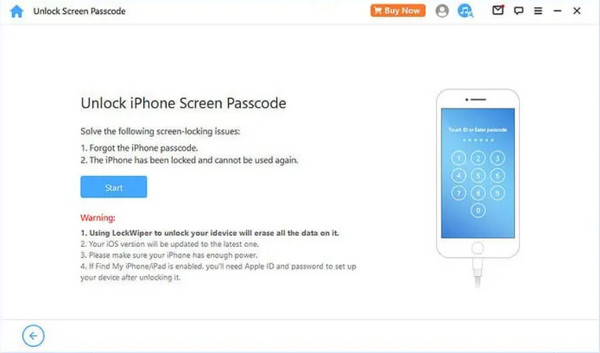
Unlock iPhone Screen Password
If you forget your iPhone or iPad screen passcode or the device becomes disabled after multiple incorrect attempts, iMyFone LockWiper can remove the screen lock without a password.
Test result:
During testing, the screen passcode removal worked smoothly on an iPhone 8 running iOS 16.
Limitation:
This process deletes all data on the device and you will still need the original Apple ID credentials to set up the device after unlocking.
Remove Apple ID from iOS Devices
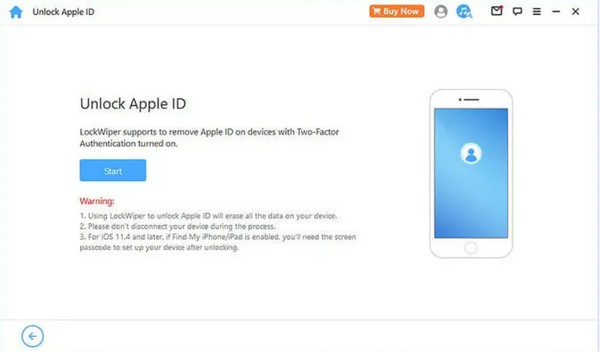
Were you struggling to remember your Apple ID and locked out of your iPhone or iPad? iMyFone LockWiper can help you get back in, but there's a crucial caveat: this process wipes all your data from the device. Consider using a different Apple ID altogether.
Test result:
On an iPhone 14 running iOS 17.2, the Apple ID removal process failed twice during testing. On an iPhone 8 running iOS 16, the process completed successfully on the first attempt.
Limitation:
iMyFone LockWiper will erase all your existing data. It only works on devices with Find My iPhone disabled and mainly supports devices running iOS 11.4 or earlier.
Unlock Screen Time Passcode
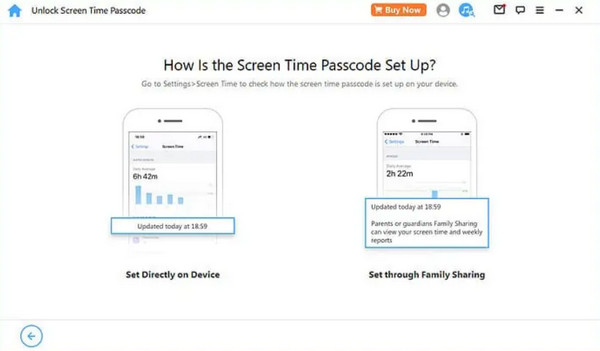
A failed attempt at a screen time passcode on an iPhone can make it inaccessible for a certain period. Then LockWiper can be a lifesaver! It allows you to remove Screen Time lock without losing data, but only if it was set up directly using Settings.
Limitation:
If Screen Time was configured through Family Sharing, removing the passcode may require a factory reset.
Bypass MDM Restrictions
Working in a company that uses Mobile Device Management or MDM lock to protect devices? If you forget the login details for your MDM-protected iPhone, LockWiper can help in two ways:
Bypass MDM Temporary: This feature allows temporary access to your work iPhone to retrieve data. Remember, the MDM lock will re-engage on restart. It's a temporary solution to get what you need.
Test result:
The temporary MDM bypass worked during setup testing, but the restriction returned after restarting the device.
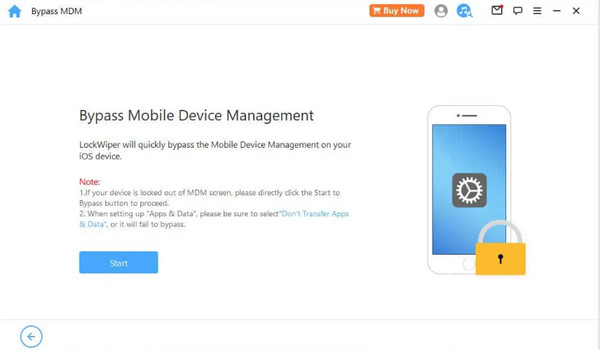
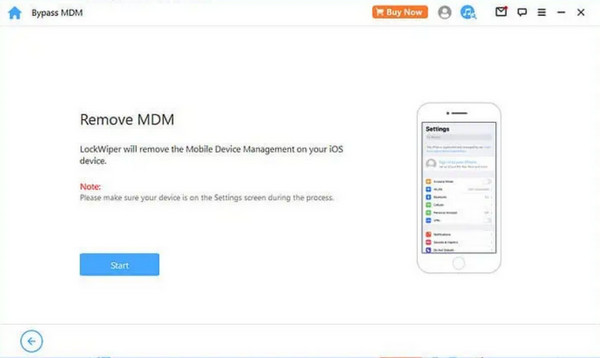
Remove MDM Permanent: Is the MDM profile on your work iPhone malfunctioning? LockWiper can completely remove the MDM configuration on iPhone. This allows you to install a fresh MDM profile for continued device protection.
Part 3. How to Remove iCloud Activation Lock with LockWiper
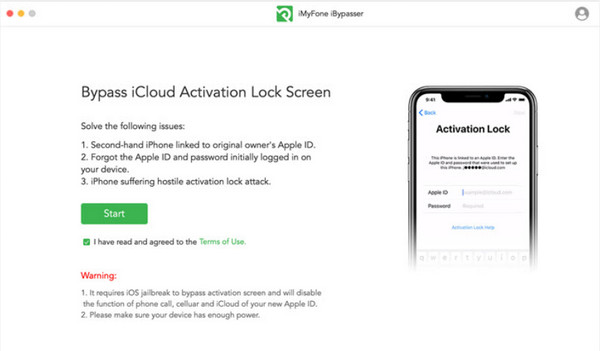
Before using LockWiper to bypass Activation Lock, note that the process requires jailbreaking the device and may limit some functions afterward. Make sure you understand the risks before proceeding.
Go to iMyFone LockWiper's website, download the software and install it on your computer. Then, run the program and connect your iPhone, iPad, or iPod touch using a USB cable.
You'll need a stable internet connection for this step. LockWiper will download a special tool, like a key, to bypass the lock.
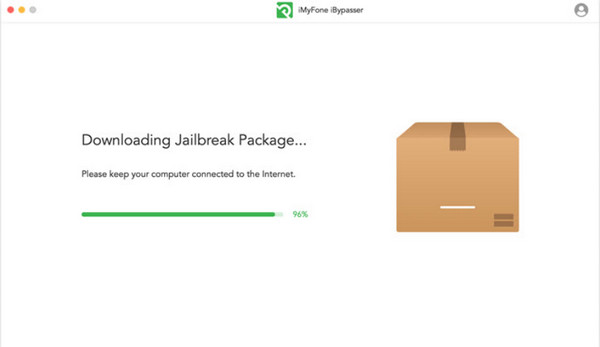
Follow them carefully, and once the jailbreak is done, click Next to move on.
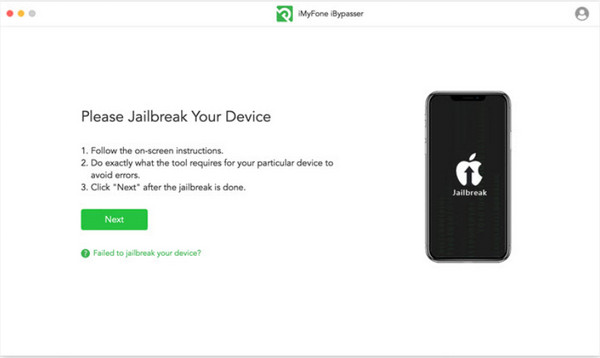
Click the button labeled Start Bypass within the software. It tells the program to begin removing the Activation Lock from your device.
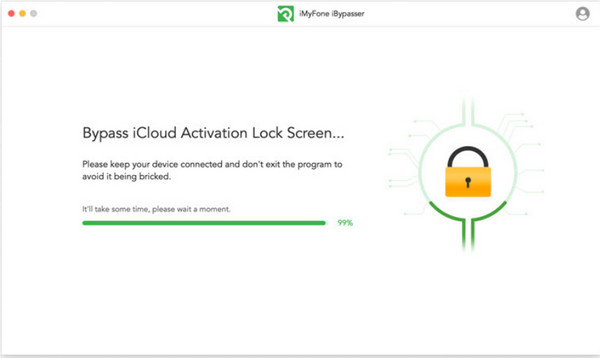
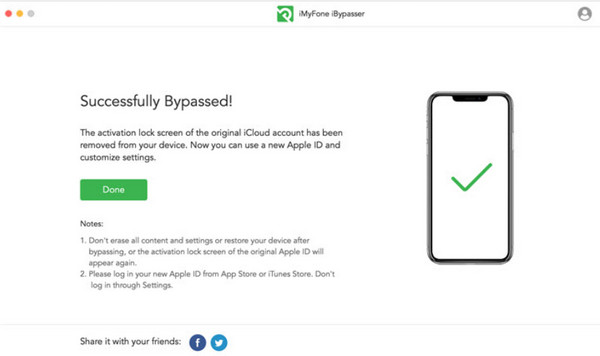
Wait until you see a confirmation message that the activation lock has been successfully bypassed, giving you access to your device again.
Part 4. iMyFone LockWiper Alternative for Activation Lock Removal
imyPass iPassBye is a unique app that works well for removing the iCloud Activation Lock on your iOS device effectively in a straightforward manner. So, if you are looking for an iMyFone LockWiper alternative that works effectively like it, use the following steps below.
Ensure you have the latest version of iMyPass iPassBye downloaded and installed on your computer. You can find the download link right here. Once downloaded, open the program to begin the unlocking process.
Grab your iPhone or iPad and connect it to your computer with a USB cable. If a message on your device asks you to Trust This Computer, tap it and let your computer unlock your device securely.
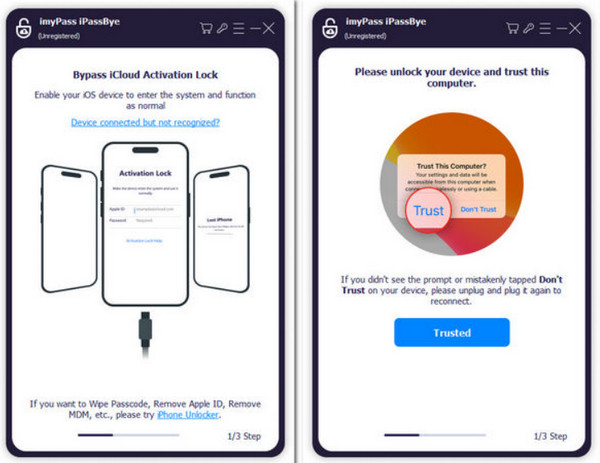
Please read them carefully, as they might have important details about the unlocking process. Once you're comfortable, click the Start button to check your device.
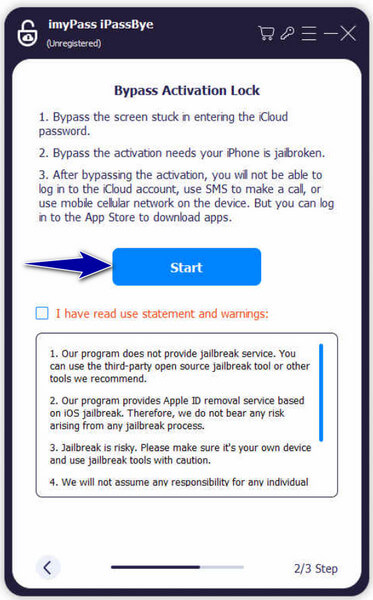
Note:
You'll need to jailbreak your device, and it is a separate process that gives the app more control over your iPhone or iPad to unlock it. The app has an iOS Jailbreak Tutorial built-in to help you with this step. Read the instructions carefully before proceeding.
After confirming your device information, click the button labeled Start Bypass Activation. The unlocking process usually takes a short while, so be patient.
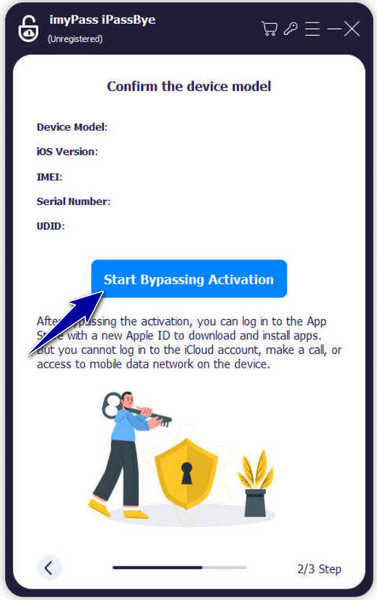
FAQs.
-
Does LockWiper erase data?
Yes, in some cases, using LockWiper to bypass security features will erase your iPhone or iPad data. This is because many unlocking methods rely on altering the device's software, often wiping the data clean as a security measure.
-
Can LockWiper unlock the iPhone without erasing data?
There are limited scenarios where data loss can be avoided. For example, if you forgot your Screen Time passcode and the Screen Time lock was set up directly on the device, LockWiper can remove it without wiping everything. However, this is not guaranteed, and it's always best to back up your data before using LockWiper.
-
Is it safe to use iMyFone LockWiper?
The company claims that iMyFone LockWiper is a safe program to use. However, it's essential to be aware of the risks involved. Bypassing security features can make your device more vulnerable, and there's always a chance that something might go wrong during the process.
-
Does LockWiper work on Android devices?
A separate version of LockWiper is available for Android devices, offering similar unlocking functionalities.
-
Does using iMyFone LockWiper require jailbreaking, and is it risky?
When using iMyFone LockWiper to bypass iCloud Activation Lock, jailbreaking is usually required. Jailbreaking may affect system stability and could void Apple’s official warranty support.
Conclusion
With this iMyFone LockWiper review, you can understand the app more deeply with its features, functions, and a tutorial on how to use it. Despite being the best, it has some limitations, so we added an alternative if the app isn’t what you are looking for.
Samuel specializes in password security and digital privacy. He used to work as a cybersecurity consultant for small businesses to protect digital assets. With certifications in Cybersecurity and Ethical Hacking, he turns complex security topics into easy-to-follow advice. He also enjoys sharing password tips to help users protect their accounts more confidently.
Hot Solutions
-
Unlock iOS
-
iOS Tips
-
Unlock Android
-
Password Tips