



 Solution
 Support Center
 About Us
 Contact
How to Effectively Unlock Your iPod Without Password
 Samuel Spenser Published on April 30, 2026Unlock iOS3-min reading
Screen lock is provided by the iPod Touch models. Earlier iPods and iPod shuffle didn't come with this feature. According to Apple, users can create 4-digit passcodes to prevent someone else from accessing iPods without permission. The passcode locks out of the user interfaces but does not encrypt data on your device. This guide shares the proven methods to unlock your iPod Touch without a passcode in various situations.

In this article:
Part 1. How to Unlock iPod Without Passcode
imyPass iPassGo is an ideal option to unlock an old iPod without the password or other restrictions. It is able to remove any screen locks from an iOS device, including all iPod Touch models. Moreover, the user-friendly design makes it a good option for ordinary people.

4,000,000+ Downloads
Remove the screen lock from the iPod Touch quickly.
Don't require your passcode or Apple ID password.
Offer bonus features, like Apple ID removal.
Support all models of iPod Touch.
How to Unlock Your iPod Touch Without a Password
Connect to your iPod
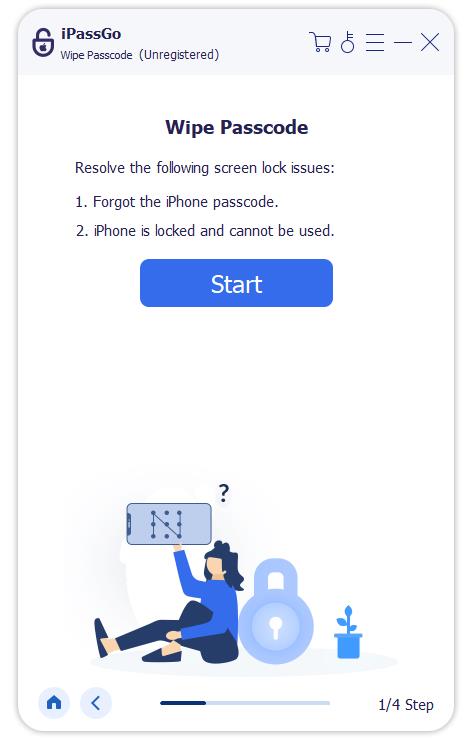
Open the iPod unlocking software once you install it on your PC. There is another version for Mac. Connect the locked iPod to your PC with a Lightning cable. If prompted, trust this computer. Choose the Wipe Passcode mode to proceed.
Download the firmware
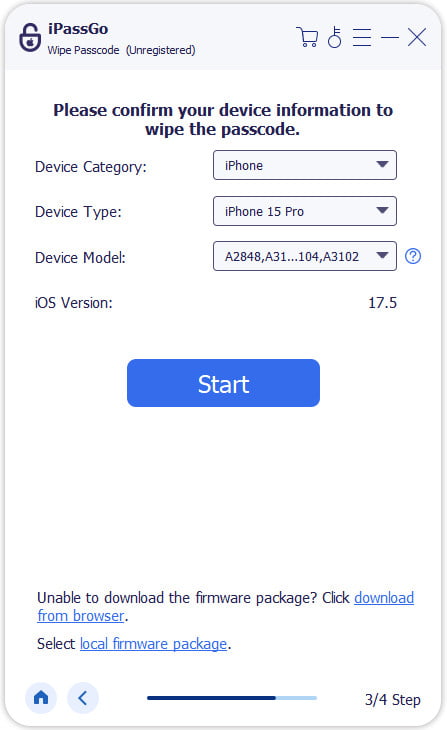
Click the Start button, and you will be presented with your device information after it is detected. Check the device information and click the Start button to initiate downloading the firmware.
Unlock your iPod
After firmware downloads, click the Unlock button to continue. Read the notification and confirm the unlocking. If you are sure, enter 0000 to start the process. When it is done, you can access your iPod Touch directly.

Part 2. How to Unlock iPod with iTunes
One way to unlock your iPod is through iTunes or Finder. The Restore feature can bring your iPod to the factory status and remove the screen lock. This method requires a computer, the latest version of iTunes or Finder, and a USB cable.
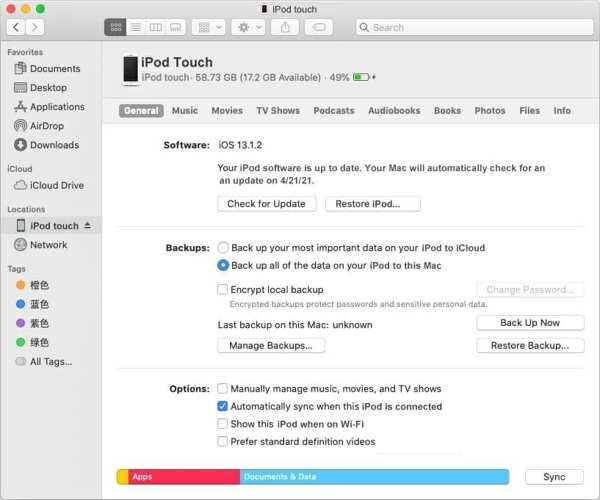
Connect your iPod to a computer with a compatible cable.
Open iTunes on Windows and macOS Mojave or earlier. For macOS Catalina or later, open Finder.
Click the Phone button at the top left corner in iTunes or your iPod name in Finder.
Go to the Summary or General tab, and click the Restore iPod button.
Follow the onscreen instructions to restore your iPod.
Once the process is complete, your iPod will restart in the Hello screen.
Extended Reading:
Part 3. How to Unlock iPod in Recovery Mode
If you forgot your passcode and your device is disabled, you cannot unlock your iPod with iTunes in normal mode. Alternatively, you have to unlock a disabled iPod in Recovery Mode. This method requires a computer and iTunes or Finder.
Press and hold the Power button until the power-off screen appears.
Move the slider to shut down your device.
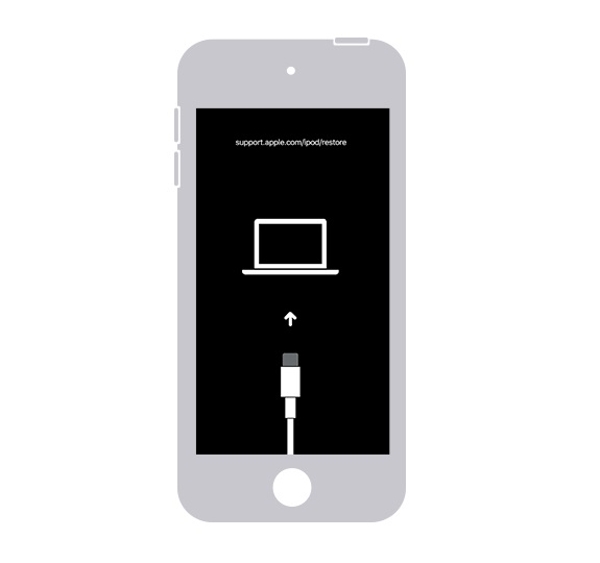
Hold down the Volume Down button while connecting the iPod to your computer with a USB cable.
Hold the Volume Down button until the Recovery Mode screen appears.
Start the latest version of iTunes or Finder.
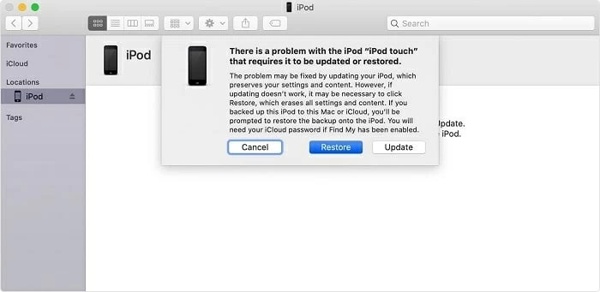
Once iTunes detects your iPod in Recovery Mode, click the Restore button on the pop-up dialog.
Wait for the process to finish and unlock your iPod directly.
Part 4. How to Unlock iPod Remotely
Another way to unlock an iPod without a passcode is the Find My feature. It can track Apple devices through the associated Apple ID account if you have set up Find My iPod on your device before it is locked. Plus, it can erase an iPod Touch even if the device is not in your hand.
On the Web
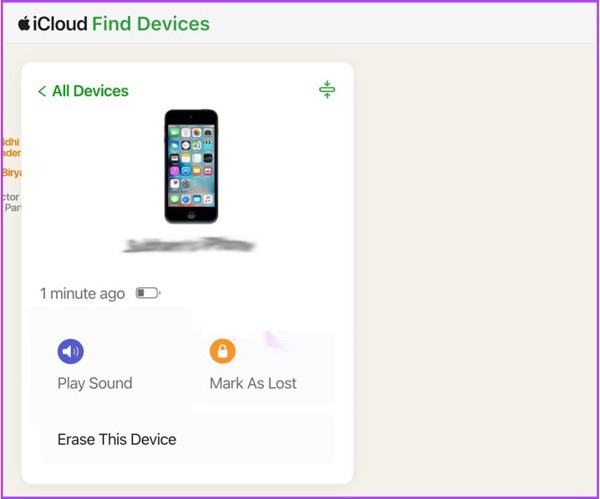
Go to www.icloud.com/find/ in a web browser.
Log in with the Apple ID and password associated with your iPod.
Choose your device from the All Devices list.
Click the Erase This Device button.
Follow the onscreen instructions to erase your iPod.
In Find My App
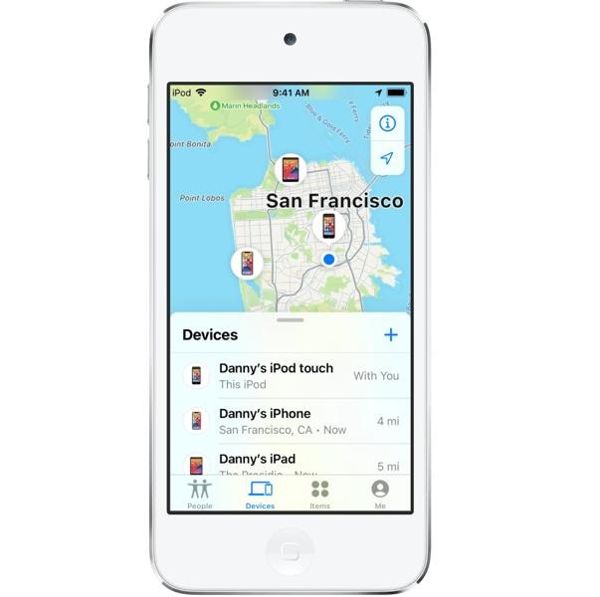
Run the Find My app on another Apple device associated with the same account.
Go to the Devices tab and choose your iPod.
Next, tap the Erase This Device button.
Follow the prompts to erase the iPod.
Unlock your iPod and set it up as a new device.
Conclusion
This guide shared multiple ways to unlock an iPod without a passcode. You can restore a locked or disabled iPod with iTunes or Finder using a computer. The Find My feature enables you to erase a locked iPod remotely. imyPass iPassGo is the ultimate method to regain access to your locked iPod.
Samuel specializes in password security and digital privacy. He used to work as a cybersecurity consultant for small businesses to protect digital assets. With certifications in Cybersecurity and Ethical Hacking, he turns complex security topics into easy-to-follow advice. He also enjoys sharing password tips to help users protect their accounts more confidently.
Hot Solutions
-
Unlock iOS
-
iOS Tips
-
Unlock Android
-
Password Tips


