Solution
 Support Center
 About Us
 Contact
6 Best GPS Spoofing Apps on iOS and Android Devices
 Penny Warren Published on August 06, 2026GPS Location3-min reading
GPS stands for Global Positioning System, which influences many services these days. Navigation apps, dating platforms, social media, streaming services, mobile games, and other location-based apps all use location information to determine what content appears and which features are available. You need a GPS spoofing app to protect your privacy and other reasons. This article identifies the top 6 best apps for iPhones and Android devices to bypass location restrictions.

In this article:
Part 1: What Is a GPS Spoofer
What is a GPS spoofer? It is an app or program to spoof the real location on your iPhone or Android phone. It allows you to fake your geolocation with any address and offers other relevant features. These apps are commonly used for protecting privacy from location-based apps, unlocking region-locked apps and services, and changing your GPS for AR games.
Part 2: Comparison of the Best GPS Spoofers
Methodology
We tested over a hundred GPS spoofers on the market and identified the top list. Plus, we collected users' reports. When testing these apps, we concentrate on a few factors, like price, supported devices, bonus features, custom options, and more.
| Support devices | Price | Best for | |
| imyPass iLocaGo | iPhone 4 and above All iPad models iPod Touch 7 and earlier | $9.90 per month, $19.90 per quarter | Change location without others knowing |
| Fake GPS Location | Android 4.0 and above | Free with ads | Change static location |
| Fake GPS Location Spoofer Go | Android 6.0 and above | Free with ads | Change GPS instantly |
| iPogo | Android 6.0 and above iOS 13.0 and later | Free with in-app purchase | Play Pokémon GO across platforms |
| GPS Joystick | Android 4.4 and above iOS 16.0 and later | Free with in-app purchase | Change GPS location across platforms |
| GPS Emulator | Android 8.0 and above | Free with ads | Fake GPS location on Android |
Part 3: Top 6 GPS Spoofers
Top 1: imyPass iLocaGo
imyPass iLocaGo is a popular GPS spoofer for iPhone and Android devices. It is able to modify your GPS location without installing anything on your mobile device. More importantly, the straightforward design makes it easy to use, especially for beginners.
Pros
- Don't install any app on mobile devices.
- Modify static location in one click.
- Simulate human movement.
- Offer multiple modes for different purposes.
- Support a wide array of iOS and Android devices.
Cons
- It requires a computer.
Here are the steps to spoof location on your mobile device:
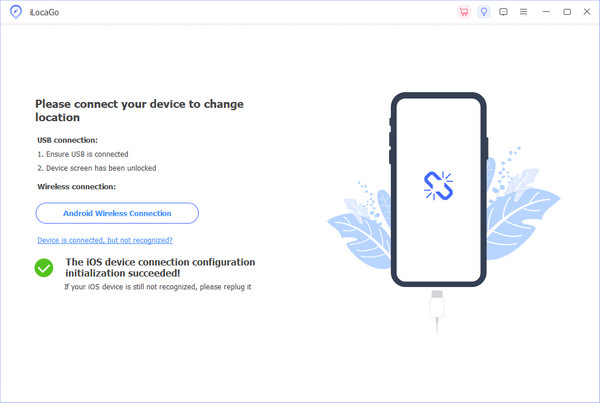
Connect to your device
Launch the GPS spoofing software after you install it on your PC. There is another version for Mac. Connect your mobile device to your PC with a Lightning cable. If prompted, trust this PC. The software will detect your device.
Choose Modify Location
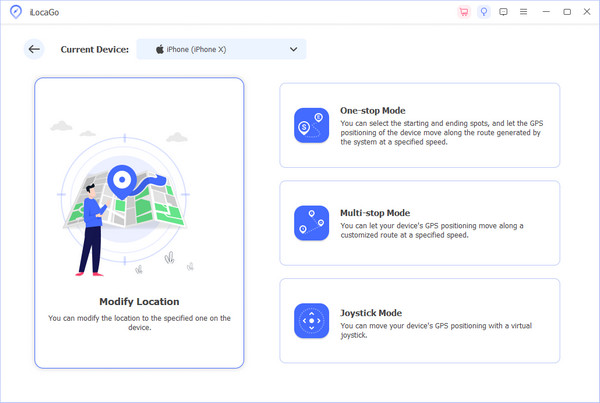
There are four modes:
Modify Location is used to change your static location.
One-stop Mode is used to make a virtual route with start and end spots.
Multi-stop Mode is used to simulate movement with multiple spots.
Joystick Mode is used to create a virtual joystick with your mouse or keyboard.
Change your location
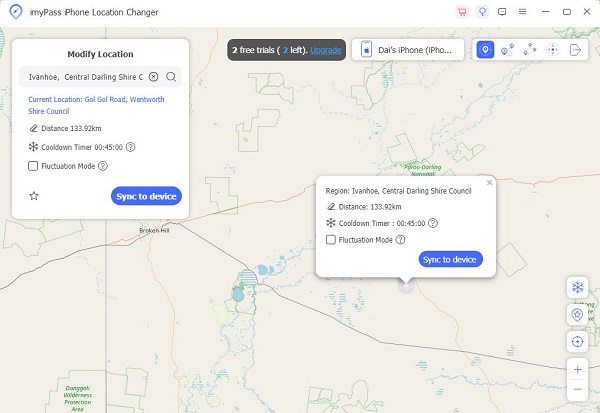
If you choose Modify Location, enter an address into the field or click a position on the map. Finally, click the Modify button to confirm it.
Top 2: Fake GPS Location
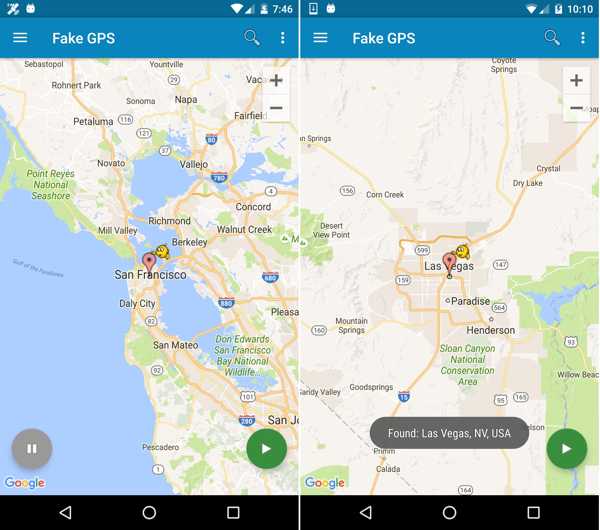
Fake GPS Location is one of the best GPS spoofing apps for Android devices. The app makes it easy to spoof location with a few taps. The clean and simple user interface makes it easy to use.
Pros
- Easy to use.
- Spoof GPS location quickly.
- Offer automation options.
- Don't require root access.
Cons
- Bugs may break GPS functionality.
- It lacks advanced features.
Top 3: Fake GPS Location Spoofer Go
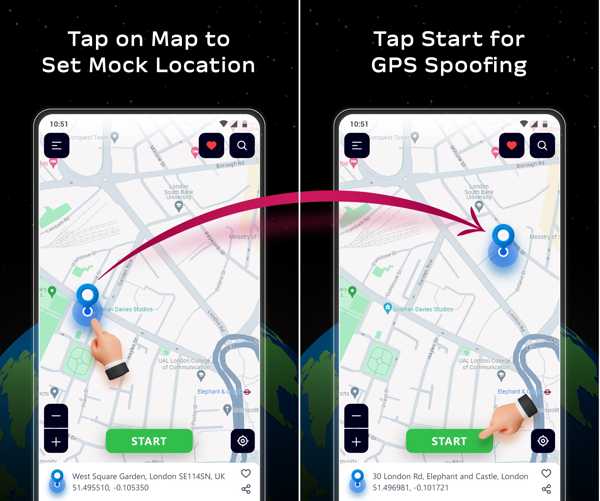
Fake GPS Location Spoofer Go is a great GPS spoofing app on Android devices. If you wish to stay private online, explore new places virtually, or pull location pranks, this app can meet your needs.
Pros
- Change your live location to any place.
- Keep the real location private.
- Simulate different coordinates.
- Explore any location virtually.
Cons
- Apps may detect it.
- It is unavailable for old AndroidOS.
Top 4: iPogo
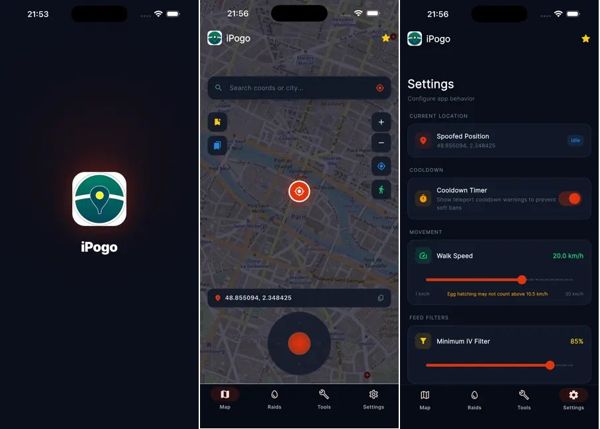
iPogo is an advanced GPS spoofing app for iPhone and Android devices. It lets you teleport anywhere, auto-walk routes, and manage cooldowns. Moreover, it spoofs your GPS location with precision controls.
Pros
- Fake your GPS location.
- Block Pokémon that are not shiny.
- Work for AR games.
- Offer custom options.
Cons
- It goes against Niantic's terms of service.
- Your account may be banned.
Top 5: GPS Joystick
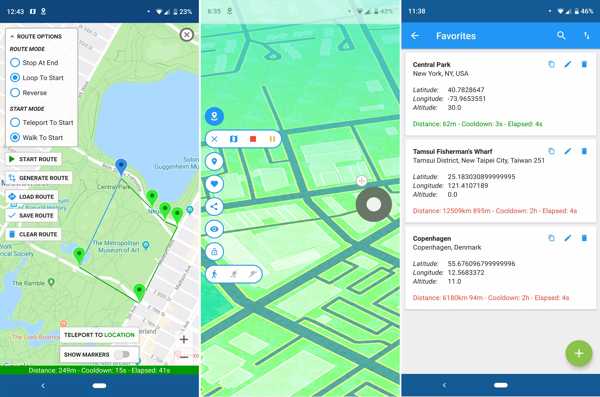
GPS Joystick is one of the best tools for GPS spoofing on iOS and Android. It is designed to enhance your gameplay experience. It overwrites your current location and works for third-party apps.
Pros
- Change GPS instantly.
- Modify the location with latitude and longitude.
- Offer 3 customizable speeds.
- Pause and save a route.
Cons
- The iOS version cannot change the GPS.
- It is only available in English.
Top 6: GPS Emulator
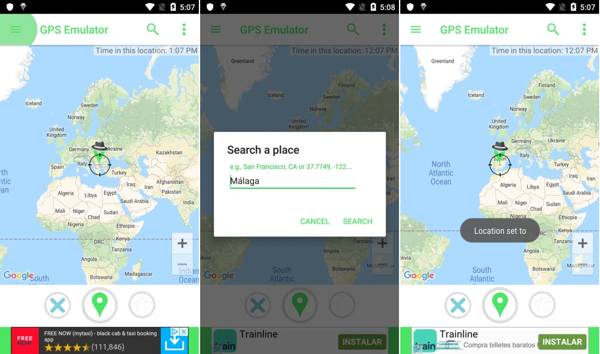
GPS Emulator is a GPS spoofer app that lets you move your phone to any place in the world. It can fake GPS location so other apps and mobile games on your phone believe you are there.
Pros
- Offer 3 map types.
- Fake GPS coordinates.
- Drag a pin across the map.
- View ads to exchange free features.
Cons
- It is not designed for cheating at mobile games.
- It cannot simulate movement or routes.
Conclusion
Now, you should learn the top 6 best GPS spoofing apps for iPhone and Android phones. Some of them are free to use. Others require a subscription or in-app purchase. You can download an appropriate one according to your situation and our review. imyPass iLocaGo is a great tool to change static locations and make virtual routes for an iPhone or Android device. More importantly, it won't install anything on your phone or be detected by apps or mobile games.
Penny focuses on GPS troubleshooting and Windows optimization. She formerly worked as a technical support engineer, helping clients solve location-based and system issues efficiently. Backed by IT support experience, she provides practical solutions that really work. In her free time, she likes hiking and geocaching, testing GPS tech in the real world.
Hot Solutions
-
GPS Location
-
Unlock iOS
-
iOS Tips
-
Unlock Android