



 Solution
 Support Center
 About Us
 Contact
What Is iToolab AnyGo and How to Use It to Change Location
 Penny Warren Published on February 04, 2026GPS Location3-min reading
Currently, a wide range of apps and mobile devices track users' location data, like social media, streaming apps, mobile games, and more. Some agents will sell the location data to brands and marketers. More importantly, hackers and online criminals may get your location data. Thankfully, location spoofing services, such as iToolab AnyGo, allow you to hide your GPS with fake locations. This article reviews this spoofer software for iOS and Android users.

In this article:
Part 1: Review of iToolab AnyGo
iToolab AnyGo is designed to spoof an iPhone, iPad, and Android devices on computers. That means you can sit on your sofa and you can switch your phone location to any region around the world.
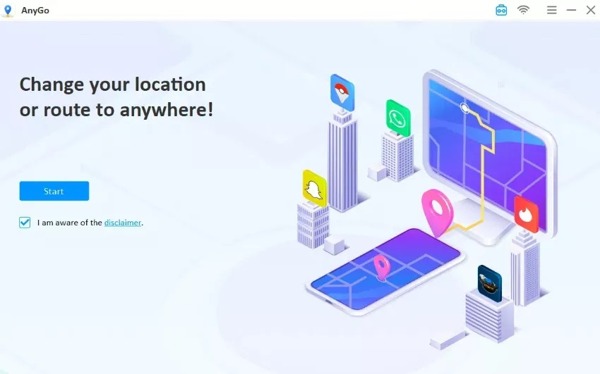
Core Features of iToolab AnyGo
- 1.Available for over 100 mobile games and apps.
- 2.Change the GPS location on an iPhone or Android device.
- 3.Simulate GPS movement with your mouse or keyboard.
- 4.Support joystick control for better movement.
- 5.Customize route, traffic, and speed.
- 6.Support GPX files that store GPS data.
- 7.Fake location of multiple devices at the same time.
- 8.Offer flexible subscription plans.
System Requirements
To fake your phone location, you must have a computer running Windows 110/8/7/Vista/XP or macOS 10.11 and later. It works for iPhones running iOS 7.0 and above, iPadOS 7.0 and above, and Android 7.0 and above.
iToolab AnyGo Review
Pros
- iToolab AnyGo can be downloaded for free from the official website.
- It spoofs GPS location without jailbreak iPhone or root Android.
- It is a cross-platform location spoofing tool.
- It provides custom options to simulate movement.
- It is available to most location-based apps.
- iToolab AnyGo hides your real location efficiently.
- It offers a mobile app.
Cons
- It may bring risk if apps or games detect your action.
- You need to subscribe to a plan and purchase an iToolab AnyGo registration code to fake locations.
- It cannot fix Pokémon Go Error 12.
Price of iToolab AnyGo
As mentioned previously, you can download iToolab AnyGo for free, but you must subscribe to a plan. The month plan costs $9.95, the quarter plan costs $6.65 per month, the year plan costs $4.16 per month, and the lifetime plan costs $79.95.
Is iToolab AnyGo legit and safe?
According to our research, the official version is safe and legit to use and won't install malware.
Part 2: How to Use iToolab AnyGo
Go to the official website, download iToolab AnyGo, and install it on your computer.
Open the software, and choose iOS or Android, depending on your device.
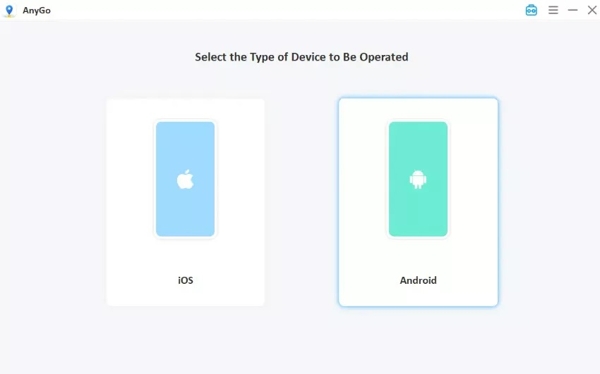
Connect your iPhone or Android phone into your computer with a suitable cable.
Make sure to enable Developer Mode on your iPhone or USB Debugging mode on Android.
Once your device is detected, you will be presented with the map.
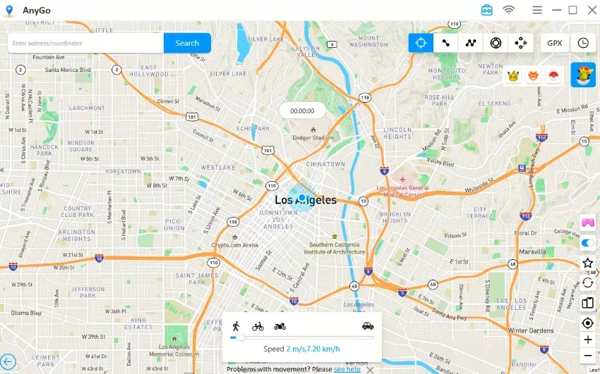
Then, choose a mode at the top right corner.
Next, change your phone location on the map.
Part 3: Best Alternative to iToolab AnyGo
If your app or game detects iToolab AnyGo, you will need an alternative spoofer tool. From this point, we recommend iLocaGo. It is able to change your phone's location to any address or position. Furthermore, the user-friendly interface makes it easy to use.

4,000,000+ Downloads
Fake GPS location on your iPhone or Android phone instantly.
Simulate routes in various modes.
Customize speed, traffic, and other options.
Work on a wide range of apps and AR games.
Support iOS 26 and Android 16.
How to Change Location on Your Phone
Connect to your phone
Launch the iToolab AnyGo Alternative after you install it on your computer. It is compatible with Windows 11/10/8/7 and macOS 10.12 or above. Plug your iPhone or Android phone into your computer with a USB cable.

Choose Modify Location
Once your device is detected, you will be presented with the mode window. Choose Modify Location to continue. The other three modes, One-stop Mode, Multi-stop Mode, and Joystick Mode, are used to make virtual routes.

Change your phone location
Type in an accurate address into the field. If you don't have an address, click a position on the map. Finally, click on the Modify button to confirm it. Then, turn on your phone and access the app, game, or website without leaking your GPS. You can also change Tinder location with this program.

Note:
When you want to stop spoofing your location, disconnect your phone and close the software.
Conclusion
This guide reviewed one of the best spoofer software, iToolab AnyGo for iOS and Android. Before you download and purchase the software, you'd better read our review and suggestions. Moreover, we recommended an alternative, iLocaGo, if AnyGo is unavailable on your device. It is easier to use and is able to prevent apps from detecting that you are faking location on your mobile device.
Penny is a senior editor from imyPass. She has focused on discovering perfect GPS location solutions in all scenarios, and also has experience in fixing computers.
Hot Solutions
-
GPS Location
- Best Pokemon Go Locations with Coordinates
- Turn Your Location Off on Life360
- How to Change Location on iPhone
- Review of iSpoofer Pokemon Go
- Set Virtual Locations on iPhone and Android
- TikTok Track Your Location
- Monster Hunter Now Joystick
- Review of IP Location Finder
- Change Mobile Legends Location
- Change Location on Tiktok
-
Unlock iOS
-
iOS Tips
-
Unlock Android


