Solution
 Support Center
 About Us
 Contact
How to Unlock TracFone for Free with IMEI or Unlock Code Easily
 Gideon Byron Published on July 31, 2026Unlock Android3-min reading
TracFone unlocking is now easier than ever, thanks to updated policies and helpful unlocking tools. If your device meets the eligibility requirements, you can request an official TracFone unlock for free. If you don't know whether your device is eligible, don't worry. This guide covers the ways to check eligibility and unlock TracFone with an unlock code.

In this article:
Part 1. TracFone Unlock Policy and Requirements
To unlock a TracFone phone, your device must meet certain eligibility requirements. Unlike some carriers that automatically unlock devices, TracFone users need to submit an unlock request after meeting the requirements.
Unlock Service Requirements
- 1.TracFone devices activated under Verizon's network policies must complete 365 days of paid service before they are eligible for unlocking.
- 2. After meeting the service requirement, users need to contact TracFone and request an unlock instead of receiving an automatic unlock.
- 3. If you stop paying for service, your progress toward the 365-day requirement may pause. The service period will continue once you reactivate your account and resume eligible service.
Basic Eligibility Requirements
- The device must meet basic eligibility conditions.
- The phone should not be reported as lost or stolen.
- The device should be in good standing.
- The phone must be associated with an active TracFone account and eligible service plan.
Part 2. How to Check TracFone Unlock Eligibility with IMEI Number
Your IMEI number helps TracFone identify your device and check whether it meets the requirements for unlocking. Instead of unlocking your phone directly, you can use your IMEI information to verify your device's eligibility and request an unlock code.
Dial *#06# to get your IMEI number. This unique 15-digit number can identify your device.
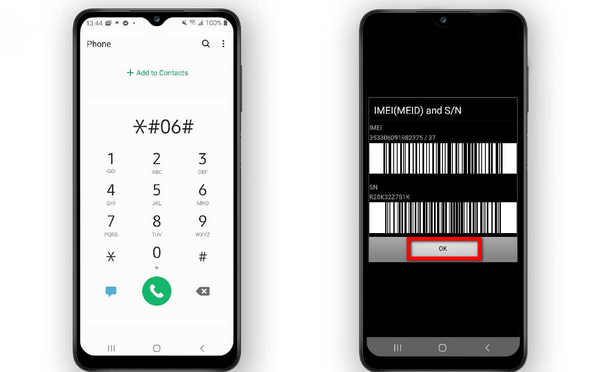
Visit TracFone's official unlock policy page and find the unlock request section at the bottom. Enter your IMEI number and any required device information to submit your request.
Once you enter the IMEI number, you need to click the available submission button. The website will verify your unlock eligibility based on your activation history and TracFone policy.
If your phone qualifies, the site will guide you through the steps to retrieve your unlock code. Please pay close attention. The unlock code will be sent immediately or through email/SMS.
Part 3. How to Unlock TracFone with Unlock Code (Official)
As long as your TracFone meets the unlock criteria, it can be unlocked quickly. The process is simple for all eligible devices, regardless of their activation date, pre-2021 or post-2021, especially when using the best phone unlocker. To use your phone with a different carrier, follow the instructions below to unlock your device successfully.
Visit TracFone's official unlock policy page and submit your phone number or device information to check your eligibility. You can also reach the following numbers to contact TracFone support for help:
• 1-888-442-5102 (for unlocks)
• 1-800-867-7183 (customer support, 8 AM–11:45 PM ET)
They will check, however, if your device qualifies depending on the activation date and usage history.
If you fulfill the requirements, you will be given an unlock code of 10-15 digits. Make sure to carefully note this down, as you will need it for the next step. If you do not qualify, they will advise you to wait longer or offer a cash alternative (usually, $5-$15 in older models).
Power off your device and remove the current TracFone SIM. Insert a SIM card from another carrier and turn your phone back on.
When your phone displays an unlock code prompt, enter the code and tap OK. If the code is correct, your TracFone will be unlocked and ready to use with the new carrier.
Part 4. Then Easiest Way to Unlock a TracFone iPhone
If your iPhone is locked by TracFone and you are eager to unlock it quickly, try this powerful unlock tool. imyPass iPassGo is a user-friendly unlock tool that that helps remove SIM locks from any carrier. With it, you can switch networks more freely on your TracFone iPhone without complicated unlocking steps.

4,000,000+ Downloads
Remove carrier lock from TracFone iPhone with ease.
Unlock SIM restrictions from AT&T, T-Mobile, Verizon and more.
Get into locked, disabled, cracked iPhone and iPad.
Compatible with the latest iOS versions and iPhone models.
Connect your iPhone to the computer, launch the software, and choose Unlock SIM Card from the interface.
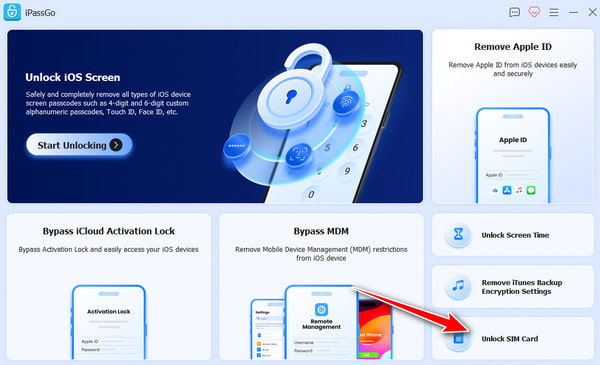
Please review the statement and warnings carefully, then click Start Now to proceed.
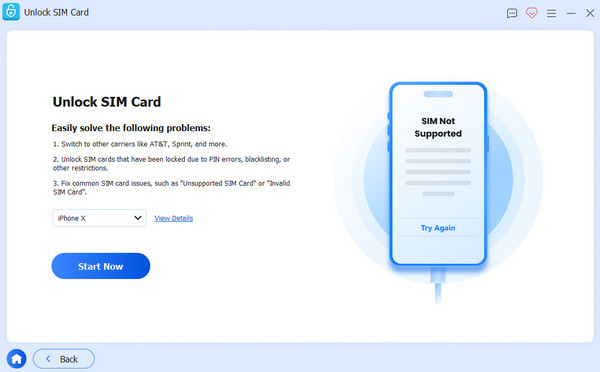
Mack sure your device information is correct, and click Start Bypassing. If your device is not jailbroken, you need to jailbreak it first. Follow the on-screen tutorial to set up your device.
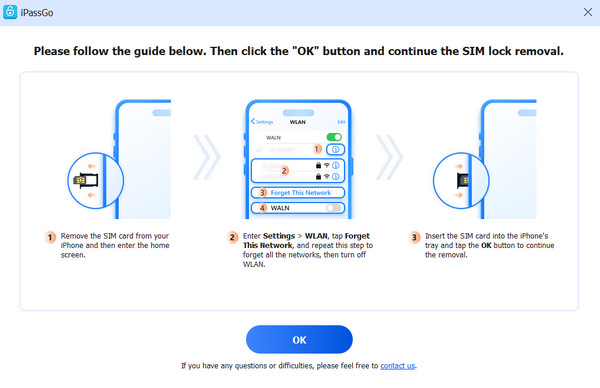
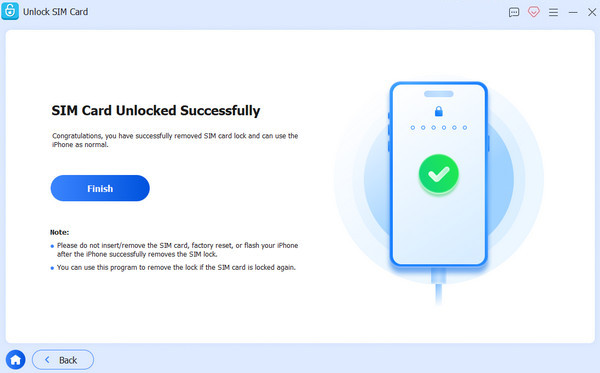
Click the OK button to confirm the removal. Then your SIM lock will be removed in minutes.
More Tip: Unlock the TracFone Screen Without Password
If your TracFone phone is locked because you forgot the screen password, PIN, or pattern, you may need an unlocking tool to regain access to the phone. imyPass AnyPassGo can remove various types of screen locks from your Android phone easily. It works with Samsung, Huawei, Xiaomi, LG, OPPO, Vivo, OnePlus, and more brands. What's more, it can bypass Google FRP without passcode.
Go to the official webpage, download and install the software.
Open it on your desktop, then select Remove Screen Password on the main window.
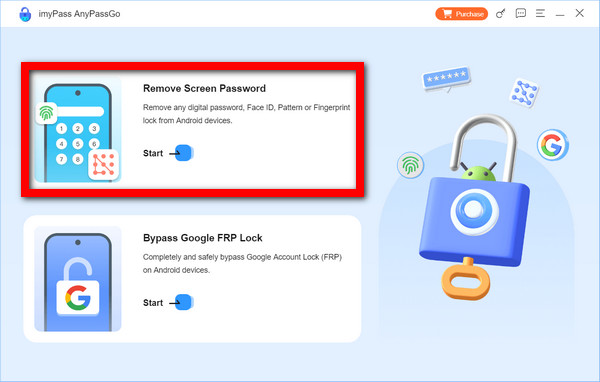
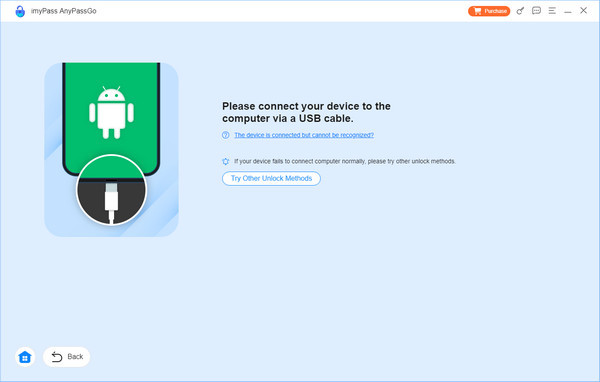
Connect your phone to your PC using a USB cable. When asked, select your phone brand.
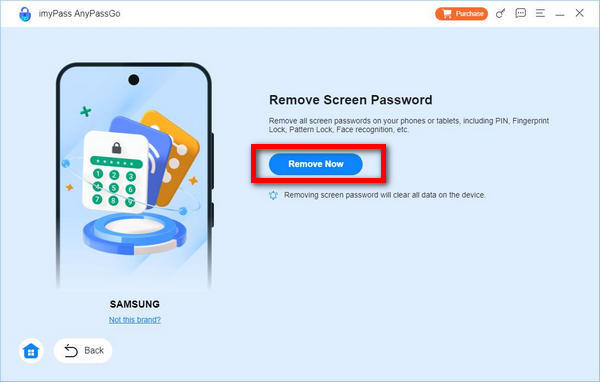
Press Remove Now. The application will recognize your phone automatically and execute the unlocking sequence. Your screen lock should be lifted in a few seconds.
Conclusion
TracFone unlock codes are available if your device meets eligibility requirements. Whether using TracFone's official site or trusted unlocking tools, you now have multiple safe, effective ways to unlock your device and switch to any carrier you prefer.
Gideon writes about unlocking iOS, Android, and Windows devices. He previously worked as a mobile device specialist in a repair center, assisting customers with locked devices and password recovery. In his spare time, he tests new unlock tools, customizes smart devices and makes complex unlock processes simple and safe.
Hot Solutions
-
Unlock Android
-
Unlock iOS
-
Password Tips
-
iOS Tips