Solution
 Support Center
 About Us
 Contact
Bypass FRP with IMEI Free: The Ultimate Guide for Android Users
 Gideon Byron Published on July 07, 2026Unlock Android3-min reading
Are you locked out of your Samsung phone because of the Factory Reset Protection (FRP) screen? It is a very common problem. It usually happens when you reset your phone but forget your Google account password. When this happens, many people search for a way to unlock FRP with IMEI free.

But is it really possible to remove this lock using just your IMEI number? In this guide, we will explain everything you need to know about Samsung FRP removal by IMEI tools, free methods, and the best alternatives to get your phone working again.
In this article:
Part 1. What is FRP Lock?
FRP is Factory Reset Protection. Google created this security feature for Android devices. When you register a Google account on your Android phone, FRP automatically turns on. When you reset it for any reason, the phone will ask for the original Google email and password.
While this is great for safety, it can be a nightmare if you bought a used phone or simply forgot your own password. That is why so many users look for a Samsung FRP removal by IMEI solution.
Part 2. Can You Really Unlock FRP with IMEI Free?
Let us answer the big question directly: Yes, but IMEI is only in an assistant role. Your IMEI (International Mobile Equipment Identity) is a unique 15-digit number that identifies your specific mobile device. It is used for network registration, checking warranty status, or blocking a stolen phone.
However, the Google FRP lock is saved deep inside the phone's software partition, not on the network side. Because of this, it is highly unusual for a completely free tool to unlock FRP or bypass Google lock using only the IMEI number.
If you see a website that promises to unlock FRP with IMEI free for your Samsung devices instantly without downloading anything, you should be careful. Many of these websites are scams that want your personal data or force you to click on dangerous ads. Fortunately, by now, you probably won't see those annoying scams in the search results.
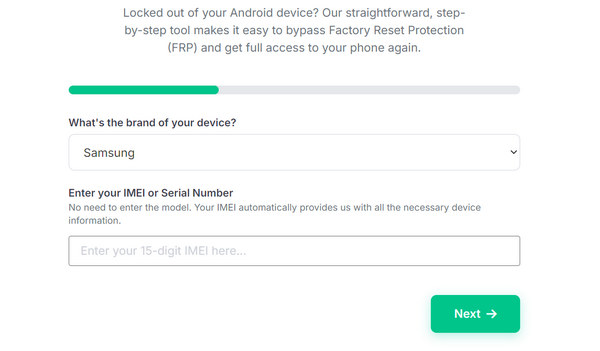
However, you can use your IMEI number in combination with official services, or use specific tools to bypass the lock for free. Let's look at how you can do this safely.
Part 3. How to Find Your Phone IMEI Number
Before you try any method to unlock FRP with your device's IMEI number for free, you need to know it first. Since your phone is locked, you cannot open the Settings app. Here is how you can find it:
Check the Back Panel: Many Samsung phones have the IMEI number printed in very small text on the back glass or plastic.
Check the SIM Card Tray: Pop out the SIM card tray. On many models, the IMEI number is printed directly on the tray.
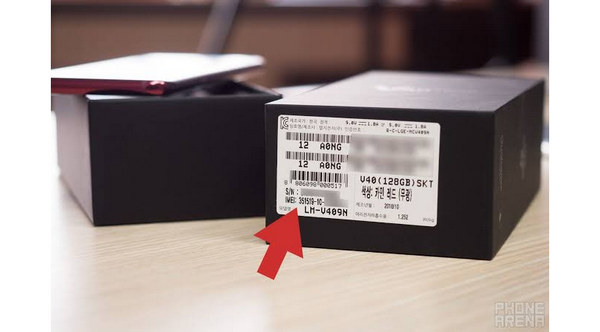
Check the Original Box: If you still have the box your phone came in, look for a white barcode sticker. The IMEI will be printed there.
Part 4. Popular Methods for Samsung FRP Bypass by IMEI
If you want to use a service that specializes in Samsung FRP removal by IMEI, the process usually follows these steps:
1. Online IMEI Database Services
There are paid and occasionally promotional free services online. You need to enter your IMEI number into their website, select your Samsung model, and submit the request.
How it works: These services connect to a server database to reset the lock status of your device.
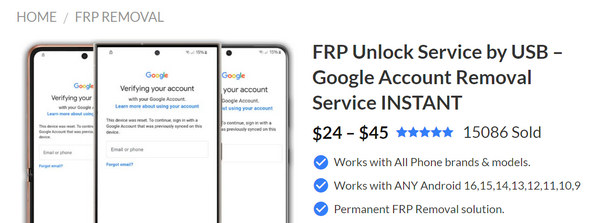
The Reality: Finding a service that can really unlock FRP with IMEI for free is very rare. Most reliable database services charge a fee because they have to pay for server access.
2. Remote Technician Services
Some online platforms use your phone's IMEI number to verify your phone model, then a live technician connects to your computer via a program like TeamViewer. They use official Samsung service software to clear the FRP lock through a USB cable.
Part 5. How to Bypass FRP Without IMEI Number
Now that you know that it is hard to find a reliable service that can really unlock FRP on your Android or Samsung phone with just the IMEI number for free. Your best solution now is to resort to some reliable platform, like imyPass AnyPassGo. You just need to connect your Samsung/Android device to your computer with a USB cable, and then you can directly bypass FRP with a few clicks. You don't need to worry about your phone's security or wasting time. It will quickly let you regain access to your phone and use it without any restrictions.
Get imyPass AnyPassGo
Click the Free Download button below to download, install, and launch imyPass AnyPassGo. Then, connect your Samsung or Android phone to your computer. This program will quickly recognize your phone.
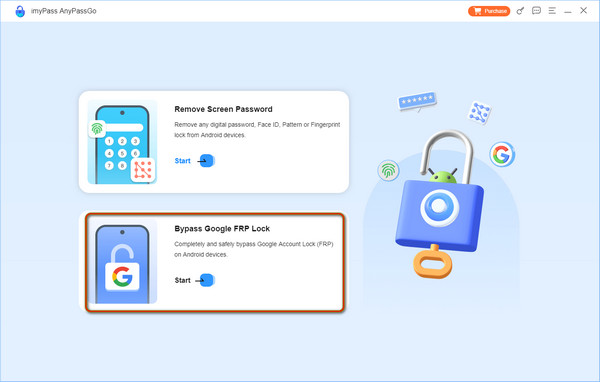
Select Bypass Google FRP Lock
On the main interface, you can see Bypass Google FRP Lock. Just click it.
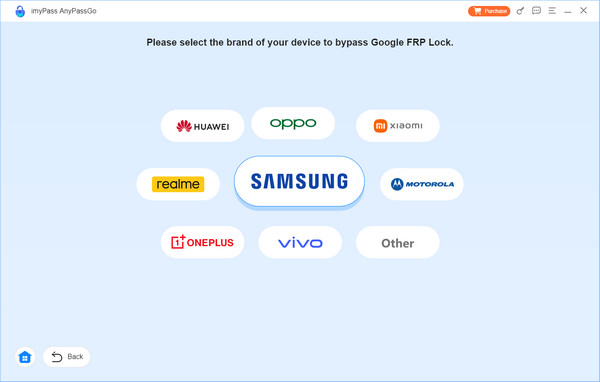
Select Your Phone Brand
Here, you should select your phone's brand, like Samsung, Realme, OPPO, or another one.
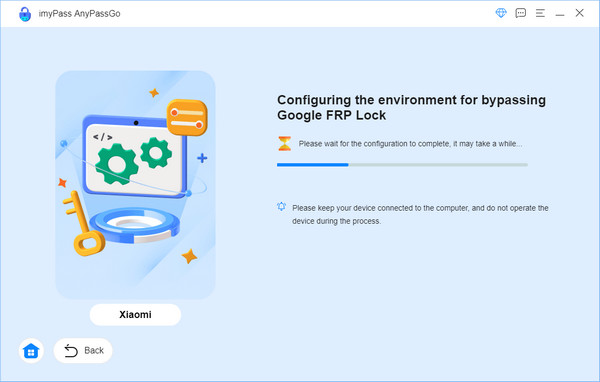
Start FRP Bypass
Finally, you just need to click the Bypass Now button to easily bypass FRP on your Samsung or Android phone without needing the IMEI number.
You are done! So, why risk your phone with unreliable tools when a secure and expert solution like imyPass AnyPassGo exists? It is the easiest way to regain full access to your Android device without delving into an unsure approach. Plus, it can also turn off the lock screen on Android, such as PIN, pattern, password, and fingerprint.
Conclusion
It is never easy to unlock FRP with IMEI for free on Samsung. For almost all the methods you can find, a payment is required. Fortunately, you can use imyPass AnyPassGo, an easier method to handle FRP and forgotten screen passcodes. You only need a USB cable and a computer to get your Android or Samsung free from restrictions.
Gideon writes about unlocking iOS, Android, and Windows devices. He previously worked as a mobile device specialist in a repair center, assisting customers with locked devices and password recovery. In his spare time, he tests new unlock tools, customizes smart devices and makes complex unlock processes simple and safe.
Hot Solutions
-
Unlock Android
-
Unlock iOS
-
Password Tips
-
iOS Tips