



 Solution
 Support Center
 About Us
 Contact
10 Best Pro and Free DMD Software on iOS and Android
 Penny Warren Published on March 19, 2026Unlock iOS3-min reading
MDM stands for Mobile Device Management, which is a type of security software used to provide a workforce with mobile productivity tools and applications while keeping corporate data safe. Any organization that utilizes mobile devices will significantly benefit from an MDM policy, such as tracking and controlling devices and protecting sensitive data across the organization. However, it is essential to find the right MDM software. This article lists and reviews the top list of the best choices.

In this article:
Part 1: Comparison of Best MDM Software
Methodology
We have been testing and reviewing the most popular MDM solutions on the market. We reviewed tech leaders who know how critical and difficult it is to make the right decision when discovering software. We invested in deep research to help you make better decisions.
| Price | Supported OS | |
| IBM MaaS360 | Start at $4 per device per month | Windows, macOS, iOS, Android |
| Microsoft Intune | Start at $8 per device per month | Windows, macOS, iOS, Android |
| SOTI MobiControl | Start at $4 per device per month | Windows, macOS, iOS, Android |
| Miradore | Start at $2.75 per device per month | Windows, macOS, iOS, Android |
| Scalefusion | Start at $2.75 per device per month | Windows, macOS, iOS, Android |
| Miradore | Start at $2 per device per month | Windows, macOS, iOS, Android, Linux, ChromeOS |
| AirDroid Business | Start at $10 per device per year | Android |
| Google Workspace | $7 to $26.4 per user per year | Windows, macOS, iOS, Android, Linux, ChromeOS |
| NinjaOne | Start at $1.5 per month | Windows, macOS, iOS, Android, Linux, ChromeOS |
| WSO2 IoT Server | Free | Android, iOS, Windows, IoT |
| Relution | Free | Android, iOS, Windows |
Part 2: Top 8 Pro MDM Software
Top 1: IBM MaaS360
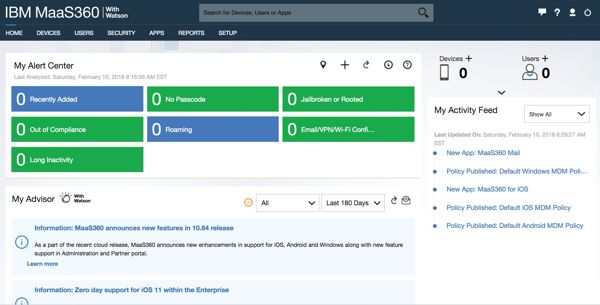
IBM MaaS360 has a leadership position in the MDM management software space. It provides intuitive cloud-based MDM solutions with AI-driven insights, making it ideal for both small businesses and big enterprises to manage devices, and notification, and security policies together.
Pros
- Manage devices from a single dashboard.
- Integrate compliance management tools.
- Offer strong security capacities.
- Equipped with the AI technology.
Cons
- No free demo.
- It lacks native remote control.
Top 2: Microsoft Intune
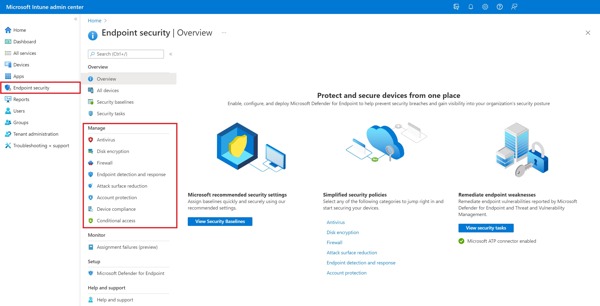
Microsoft Intune has established itself as one of the premier MDM solutions in the enterprise cybersecurity and IT automation landscape. In addition to MDM, it also combines mobile application management and security controls. In 2026, it will hold an even more elevated position as the digital workforce becomes more hybrid.
Pros
- Offer seamless management anywhere.
- Integrate with Microsoft 365.
- Provide strong security and compliance tools.
- Update regularly.
Cons
- The policies and profiles can be overwhelming.
- The license can be expensive.
Top 3: SOTI MobiControl
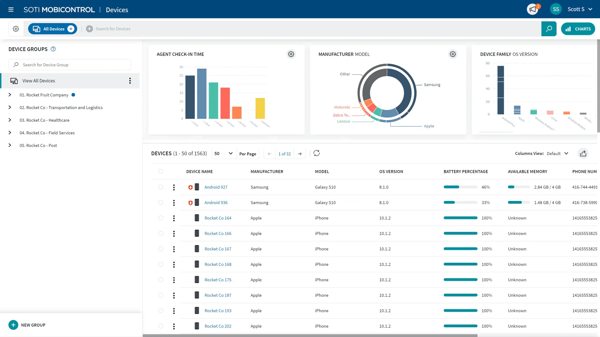
As an MDM tool, SOTI MobiControl offers robust remote support and device management ability. It allows IT staff to manage apps and security efficiently. It can handle almost all aspects of mobile devices.
Pros
- Pack rich features.
- Support multiple operating systems.
- Remote control Android devices.
- Include comprehensive sets of profiles and rules.
Cons
- It struggles with app upgrade deployment.
- The support service is poor.
Top 4: Miradore
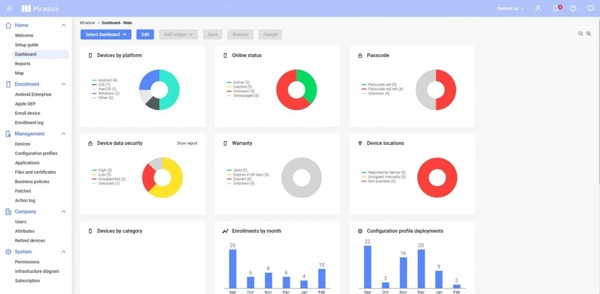
Miradore is a growing MDM software solution based on the cloud. It is designed to support small, medium, and large businesses. It brings together Android, iOS, Windows, and macOS management in one place.
Pros
- Free up to 50 devices after a 14-day demo.
- Offer straightforward device enrollment.
- Integrate for end users seamlessly.
- Automate device enrollment and configuration.
Cons
- It lacks ChromeOS or Linux support.
- The free version is limited.
Top 5: Scalefusion
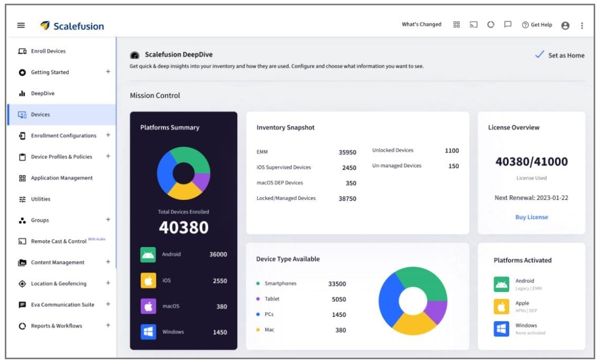
Scalefusion is a popular MDM software for Apple. It helps organizations streamline mobile device management. It was designed for industries, such as healthcare, logistics, and retail, where organizations need to manage a variety range of mobile devices efficiently.
Pros
- Integrate an intuitive dashboard.
- Offer a user-friendly interface.
- Manage a wide range of devices.
- Provide versatile deployment options.
Cons
- It is expensive for a small business.
- The custom options may be limited.
Top 6: AirDroid Business
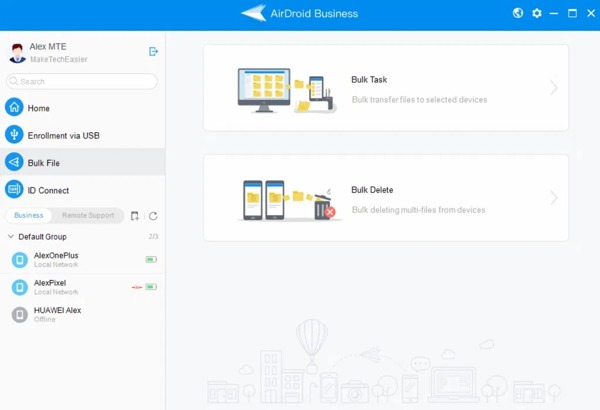
AirDroid Business is an MDM solution designed to help organizations secure and maintain Android and Windows devices from a centralized platform. It is used for remote access, policy enforcement, and device monitoring.
Pros
- Offer flexible enrollment options.
- Integrate security features for data protection.
- Manage devices from various platforms.
- Provide transparent pricing.
Cons
- It doesn’t support Apple devices.
- The custom options may be overwhelming for beginners.
Top 7: Google Workspace
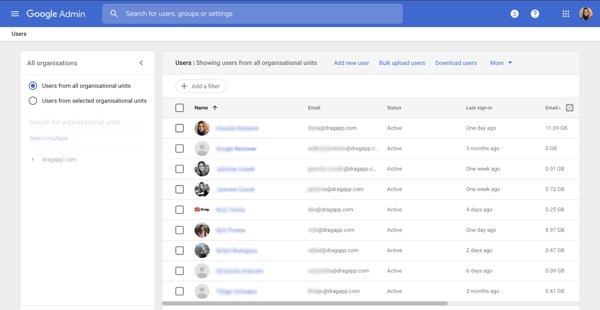
Google Workspace is one of the best MDM software for large and small businesses. It comes with a host of apps, cloud storage, and web hosting with a domain. In addition to mobile device management, it includes documents, file storage, calendars, messaging tools, and an AI assistant.
Pros
- Have all productivity tools in one place.
- Easy to adapt to.
- Built-in spam filter.
- Collaborate between team members.
Cons
- It is not as advanced as its competitors.
- Offline editing requires advanced planning.
Top 8: NinjaOne
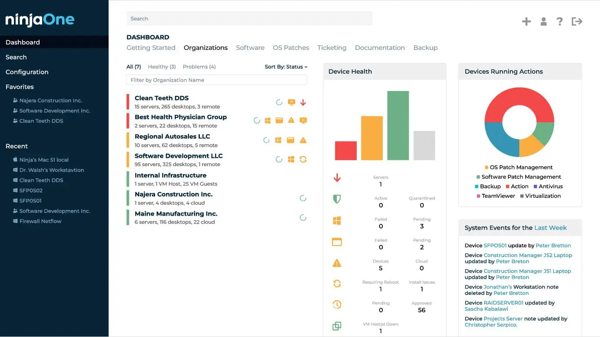
NinjaOne is a cloud-native iOS MDM software solution designed for managed service providers and internal IT departments. Today, it offers services for more than 30,000 customers around the world.
Pros
- Intuitive and straightforward.
- Offer responsive customer support.
- Provide robust patch management.
- Remote monitor and manage devices.
Cons
- Advanced options are limited.
- The mobile app lacks some key features.
Part 3: Top 2 Free MDM Software
Top 1: WSO2 IoT Server
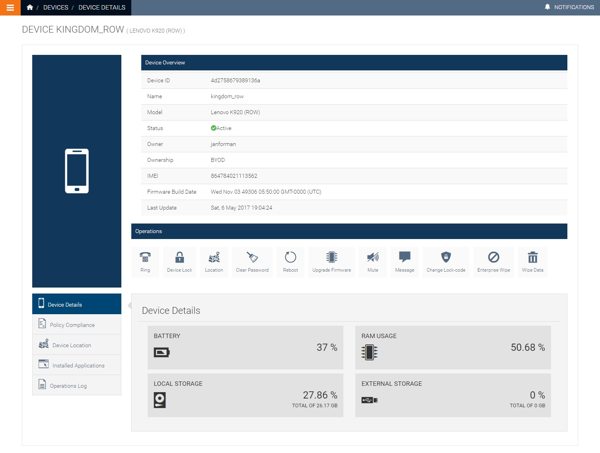
WSO2 IoT Server is a free MDM software solution. It allows users to monitor and control enrolled mobile devices and smart devices. It is capable of integrating with external systems and community-based ecosystems.
Pros
- Free and open source.
- Manage Internet of Things on mobile devices.
- Offer a multitude of control options.
- Work for Android, iOS, and Windows.
Cons
- It is complex and difficult to use.
- Configuration can be overwhelming.
Top 2: Flyve MDM
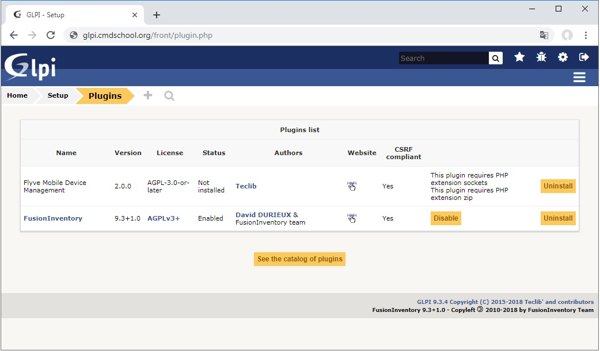
Flyve MDM is another open-source MDM software for smartphones, tablets, and other mobile devices. It enables IT administrators to configure, monitor, and secure mobile devices remotely.
Pros
- Completely free.
- Scalable for large fleets.
- Integrate with LDAP and MDM.
- Customize with plugins and API.
Cons
- Setup is hard.
- It only comes with community-based support.
Extended Reading:
Part 4: Bonus Tip: How to Bypass MDM on iPhone
If your iPhone is enrolled by a MDM, you will lose full control of your device. However, iPassGo can help you get rid of MDM, even if you don’t have the password. Moreover, the design is user-friendly.

4,000,000+ Downloads
Bypass MDM on iOS devices easily.
Protect your data during the process.
Offer bonus features, like passcode removal.
Support the latest editions of iOS and iPadOS.
How to Bypass MDM on Your iPhone Without Data Loss
Step 1 Connect to your device
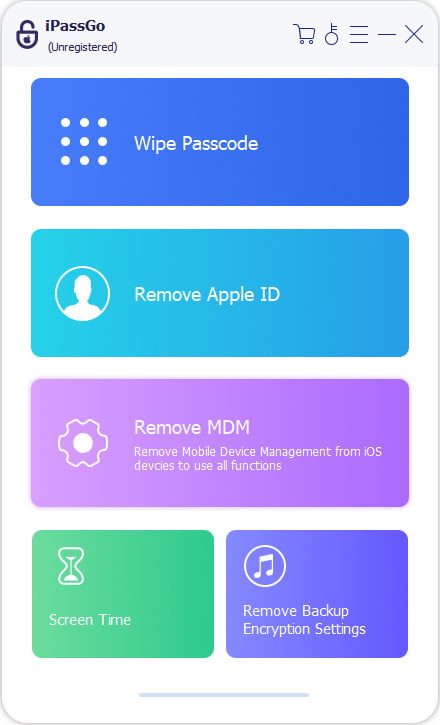
Run the MDM bypass tool after installing it on your computer. Connect your iPhone to your computer with a Lightning cable. Choose the Remove MDM mode.
Step 2 Bypass MDM
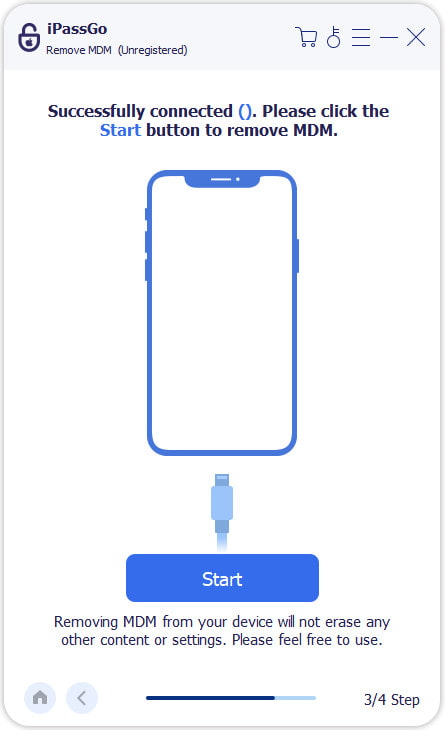
Once your device is detected, click the Start button to begin bypassing MDM. When it is done, your device will restart.
Conclusion
Now, you should learn at least the top 10 best MDM management software solutions for iOS, Android, macOS, Windows, and more. You can pick the right tool according to our review and your situation. If your iPhone is controlled by an MDM, iPassGo can help you get rid of it without a password.
Penny focuses on GPS troubleshooting and Windows optimization. She formerly worked as a technical support engineer, helping clients solve location-based and system issues efficiently. Backed by IT support experience, she provides practical solutions that really work. In her free time, she likes hiking and geocaching, testing GPS tech in the real world.
Hot Solutions
-
Unlock iOS
-
iOS Tips
-
Unlock Android
-
Password Tips


