Solution
 Support Center
 About Us
 Contact
6 Best Password Unlockers for Windows 11/10 (Full Comparison)
 Penny Warren Published on July 09, 2026Windows Password3-min reading
It can be really stressful when you find yourself in a situation like this: "I forgot my password, are there any Windows password unlockers for Windows 11 that can help me?" In this guide, we tested and compared several popular Windows login unlockers to help you quickly understand which option works best for you!

In this article:
Quick Comparison of Windows Password Unlockers
How We Test:
To ensure this comparison is fair and trustworthy, we tested each Windows password unlock tool in the same test environment of Windows 10 Pro (21H2).
| Tool | Ease of Use | Supported Systems | Success Rate | Price | Best For |
| imyPass Windows Password Reset | Beginner-friendly | Windows | High | Lifetime: $79.96 | Beginners who want a simple Windows password reset solution |
| PassFab 4WinKey | Beginner-friendly | Windows | High | $19.95-59.95/month | Users who want a fast password reset tool |
| Ophcrack | Moderate | Windows macOS Linux/Unix | Low | Free | Cross-platform Windows password recovery |
| PCUnlocker | Moderate | Windows | Moderate | $19.95-49.95/month | Handling advanced account recovery |
| Offline NT Password & Registry Editor | Advanced | Windows | Low | Free | Advanced users needing an offline reset tool |
| John the Ripper | Advanced | Windows macOS Linux/Unix | Moderate to low | Free | Professionals who are familiar with commands |
Top 1: imyPass Windows Password Reset
Supported Platform: Windows 11, 10, 8.1, 8, 7, Vista, XP, Server 2019, 2016, 2012 (R2), 2008 (R2), 2003 (R2), SBS 2011.
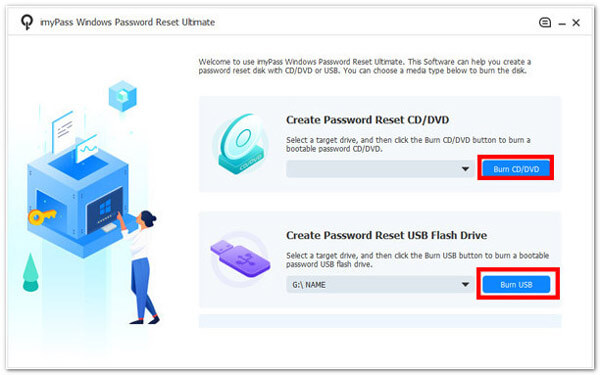
imyPass Windows Password Reset is a beginner-friendly password unlocker for windows 11/10. The unlock process is simple by creating a CD/DVD drive or USB drive. When you forgot your Windows password, got a second-hand computer with a previous login, or want to create a new account as a standard user, it can handle all of these situations.
Key Features:
- 1.Reset passwords for Windows 11/10/8/7 local accounts and Microsoft accounts.
- 2.Remove domain, admin, and guest user accounts without data loss.
- 3.Create a new Windows account without administrator permissions.
- 4.Provide expert support and a 30-day money back guarantee.
Limitations:
- You need to subscribe to a plan to access full password recovery.
Top 2: PassFab 4WinKey
Supported Platform: Windows 11, 10, 8.1, 8, 7, Vista, XP, Server 2019, 2012, 2008(R2), 2003(R2), 2000, SBS 2011.
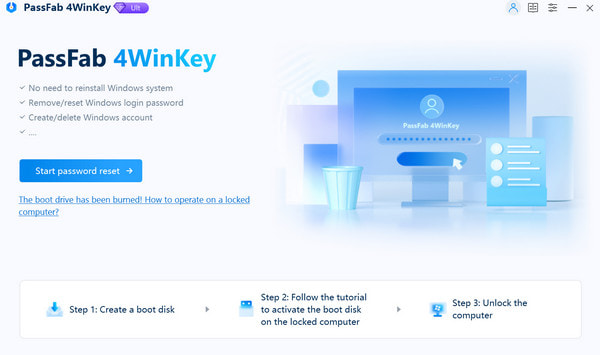
PassFab 4WinKey is a powerful Windows password removal tool that helps you regain access to your computer if you've forgotten your password. It allows you to remove or reset your Windows password by creating a password reset disk using a USB drive, CD, or DVD. It claims to unlock your Windows account in 5 minutes.
Key Features:
- 1.Offer an intuitive, user-friendly interface.
- 2.Support removing Windows admin passwords and user accounts.
- 3.Reset passwords for local Microsoft accounts on Windows 10 and 11.
- 4.Create a password reset disk using a USB drive.
Limitations:
- Most recovery features require a paid license.
- No advanced features.
Top 3: Ophcrack
Supported Platform: Windows, Mac OS, and Linux/Unix.
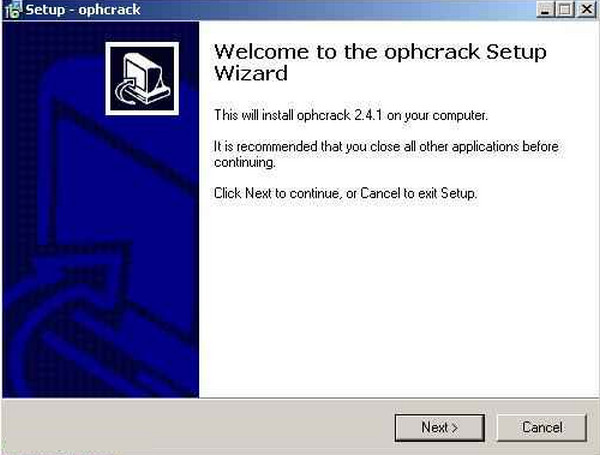
Ophcrack is an open-source and free Windows password breaker tool. It uses rainbow tables to crack Windows passwords and provides 17 different rainbow tables for free. Different rainbow tables can work with various scenarios. But the last update of the software was in 2019, so its interface looks outdated.
Key Features:
- 1.Crack Windows passwords using LM and NTLM hashes.
- 2.Include a brute-force module for simple passwords.
- 3.Audit mode with CSV export and real-time graphs for password analysis.
- 4.Offer a live CD version to burn it to a disc or a USB drive.
Limitations:
- Not updated in recent years.
- No support, no tutorials and no forums.
- It may be difficult for beginners to operate.
Top 4: PCUnlocker
Supported Platform: Windows 11, 10, 8, 7, Vista, XP and 2003 - 2025 servers.
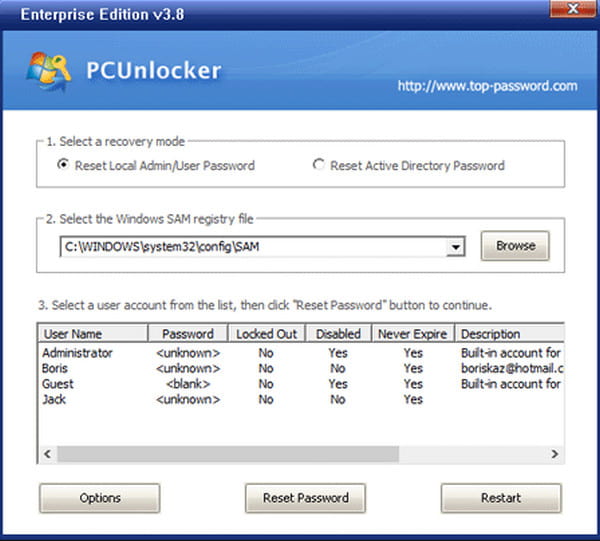
PCUnlocker is a professional unlocker for windows password. It can reset forgotten or lost passwords for Windows local administrator, domain administrator, and other user account passwords. This software is not updated frequently, with its latest major release dating back to 2023.
Key Features:
- 1.Reset local Administrator and other account passwords.
- 2.Bypass Windows user password without overwriting your old password.
- 3.Disable "Force Smart Card Login".
- 4.Unlock disabled, locked or expired Windows accounts.
Limitations:
- You'll need the premium version to access advanced features.
- Resetting passwords for encrypted accounts may take longer.
- It may be too professional for basic users.
Top 5: Offline NT Password & Registry Editor
Supported Platform: Windows 3.x, Windows 95/98/ME, Windows NT, Windows 2000, Windows XP, Windows Server 2003, Windows Vista, Windows 7, and Windows Server 2008.
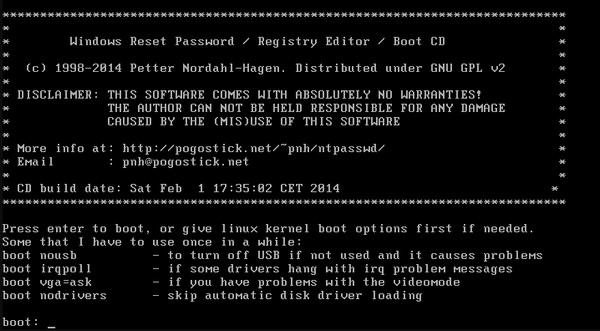
Offline NT Password & Registry Editor, also called chntpw, is a powerful but technical Windows utility for resetting forgotten local Windows password offline. It is free and effective, but not beginner-friendly. It works by editing the Windows Security Account Manager (SAM) database offline, so it cannot reset online Microsoft accounts.
Key Features:
- 1.Reset or remove forgotten local Windows account passwords offline.
- 2.Run completely offline without an internet connection.
- 3.Edit the Windows Security Account Manager (SAM) database without logging in.
- 4.Unlock user accounts and modify account settings directly from a bootable disk.
Limitations:
- Command-line based software needs a steep learning curve.
- No support for Microsoft accounts.
- Has not received major updates since 2014.
Top 6: John The Ripper
Supported Platform: Windows, macOS, Linux/Unix.
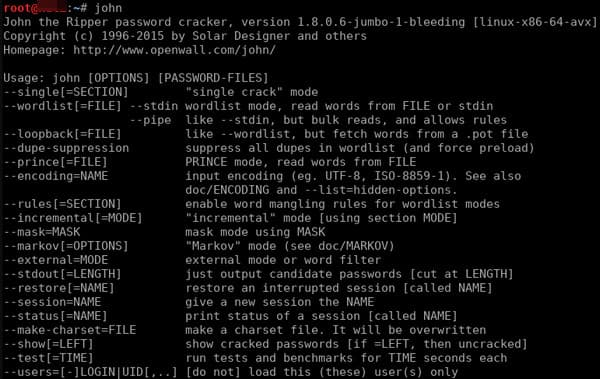
John the Ripper is an open source and free Windows login unlocker to help you unlock your Windows account. It is widely used in password strength testing and system security auditing. This tool works by analyzing encrypted password hashes and trying to find the correct password by using methods such as dictionary attacks, brute-force attacks, and rule-based variations. It is also a command-line tool that is more suitable for professionals.
Key Features:
- 1.Crack Windows passwords using dictionary, brute-force, and rule-based attacks.
- 2.Support a wide range of password hash formats across Windows, macOS, and Linux.
- 3.Detect weak passwords for security auditing and password strength testing.
- 4.Utilize multi-core CPUs and GPU acceleration to improve cracking performance.
Limitations:
- Analyzing the hashes may take a long time.
- It's challenging for non-technical users.
How to Pick the Right Windows Login Unlocker
If you are a beginner, it's better to use imyPass Windows Password Reset or PassFab 4WinKey. They are user-friendly Windows 11 password removal tools that offer guided steps. More advanced users can try tools like PCUnlocker, Offline NT Password & Registry Editor, or John the Ripper, which provide more flexibility but require technical knowledge. If you want a free unlocker for Windows 10, Ophcrack may be suitable for you.
Conclusion
We introduced 6 practical Windows password breaker tools in this article, ranging from simple, beginner-friendly solutions to more advanced utilities. Each tool has its strengths and limitations. The key is to pick the tool that matches your needs, so you can quickly regain access to your computer!
Penny focuses on GPS troubleshooting and Windows optimization. She formerly worked as a technical support engineer, helping clients solve location-based and system issues efficiently. Backed by IT support experience, she provides practical solutions that really work. In her free time, she likes hiking and geocaching, testing GPS tech in the real world.
Hot Solutions
-
Windows Password
-
Windows Tips
-
Fix Windows
-
Password Tips